
Have you ever wondered what all those WordPress roles really mean? If you’ve ever been confused about what “Admin,” “Editor,” or “Subscriber” actually do, you’re not alone.
Understanding these roles is crucial for managing your website effectively. Imagine assigning the wrong person too much power, or not enough, and how that might impact your site’s security or content management. By the end of this article, you will know exactly what each role entails and how to use them to your advantage.
Stick around, because mastering these roles will empower you to run your WordPress site like a pro.
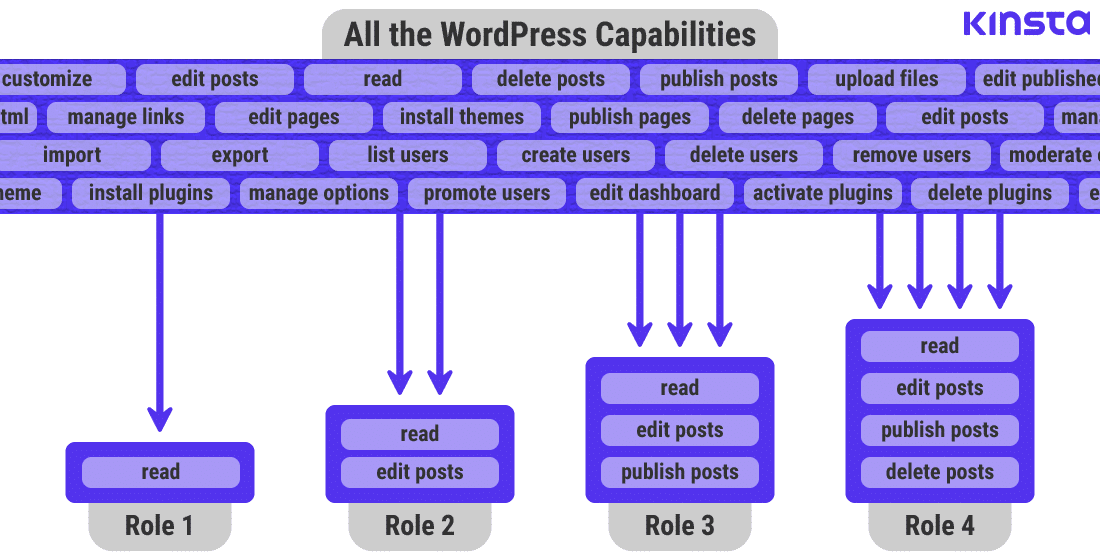
Credit: kinsta.com
Administrator Role
Administrators have the highest level of control in WordPress. They manage the entire site. They can add, delete, or edit any content. They can also manage themes and plugins. Administrators oversee user accounts. They can create and remove users. They have the power to change user roles. This role requires trust and responsibility. Mistakes can affect the whole website.
Administrators can access all areas of the site. They have control over settings and tools. They can change the site’s appearance. They manage the site’s security. Administrators can update WordPress software. They can backup site data. This role is vital for site health. It ensures everything runs smoothly.

Credit: dapth.com
Editor Role
The editor role in WordPress is important. Editors can manage all posts. They can add, edit, and delete any post. This helps keep content fresh and accurate. They also manage categories and tags. This makes finding posts easier for readers.
Editors have special permissions. They can publish and unpublish posts. This is a big responsibility. They ensure only good content is live. Editors can also manage comments. They approve or delete them. This keeps the website clean and friendly.
Author Role
The Author role in WordPress is important for writing content. Authors can create and edit their own posts. They can write about different topics and share ideas. Authors cannot edit posts by other users. This keeps the website’s content safe and organized.
Authors can publish their own posts. They cannot publish posts written by others. This role gives them freedom but with some limits. Authors cannot change the website settings. They also cannot install plugins or themes. This keeps the site stable and secure.
Contributor Role
Contributors are special team members in WordPress. They can write and submit drafts. But they can’t publish their own work. This role is perfect for guest writers. It helps to keep the website safe and clean. The site admin can check their work first. Contributors need approval to see their work live. They are important for big websites. Their role is simple but useful. They can focus on writing only. They do not have access to other settings. This keeps the website secure from mistakes. Contributors help to make content rich.
Subscriber Role
Subscribers have limited control over their profiles. They can only manage basic details. This includes their username and password. They can also update their email address. Subscribers cannot change settings or themes. They cannot add plugins or edit content. Their role is mainly for viewing and commenting. This keeps the site secure and organized.
Subscribers can view posts and pages. They can read all published content. They do not have permission to edit or delete anything. Subscribers can comment on posts if allowed. They cannot see unpublished drafts. Their access is read-only. This role is perfect for regular users. They can enjoy content without making changes.
Custom Roles
Custom roles help tailor WordPress to specific needs. They allow users to have unique abilities. This can be useful for different team members. Custom roles can be created using plugins. It’s important to give each role the right tasks. This keeps the website safe and organized.
Each role has certain capabilities. Capabilities mean the tasks a user can do. Some can edit posts, others can delete them. It’s crucial to assign the right capabilities. This ensures users do not have too much power. Too many capabilities can lead to mistakes. Keep it simple and effective.
Role Management Plugins
User Role Editor is a favorite for many. It helps change roles easily. Another one is Members. This plugin lets you create new roles. It gives more control. Advanced Access Manager is also popular. It has more options for role control.
Plugins can add more features to roles. They make tasks easier. They can also give users extra powers. This helps manage websites better. With the right plugin, roles become more flexible. This improves how websites work.
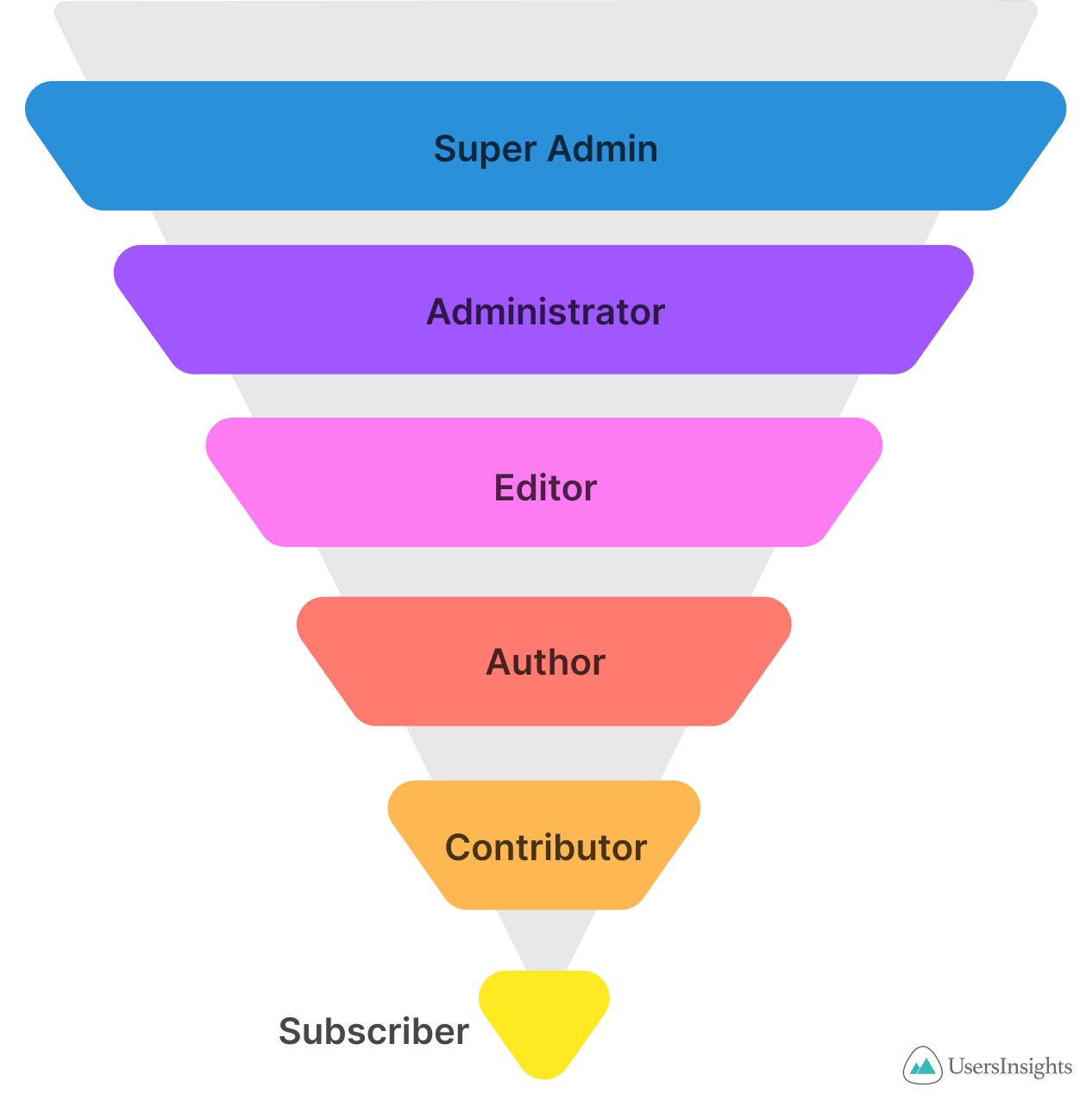
Credit: usersinsights.com
Security Implications
WordPress uses roles to manage user access. Each role has specific permissions. Administrators have the most control. They can change everything. Editors can modify posts but can’t change site settings. Authors can write and edit their own posts. Contributors can write but not publish. Subscribers can only read content. These roles help in limiting access to sensitive parts of the site.
Assign roles based on need. Don’t give more access than needed. Regularly review user roles. Update them if tasks change. Remove unused accounts for better security. Train users on their roles. They should know what they can do. Always have a backup administrator. This helps in emergencies. Follow these steps to keep your site safe.
Frequently Asked Questions
What Are WordPress User Roles?
WordPress user roles define permissions and access levels for users. They help manage site security and functionality. Common roles include Administrator, Editor, Author, Contributor, and Subscriber, each with distinct capabilities. Understanding these roles ensures efficient site management and enhances user experience.
How Does An Administrator Role Differ?
An Administrator has full access to site settings and features. They can manage plugins, themes, users, and site settings. This role is crucial for maintaining and securing the WordPress site. Administrators ensure everything is running smoothly and can make high-level decisions.
What Can An Editor Do On WordPress?
Editors can manage and publish content, including posts and pages. They can also moderate comments and manage categories. Editors can edit other users’ posts but have no access to site settings. This role is vital for content management and ensuring quality control.
Who Is A Contributor In WordPress?
Contributors can write and submit posts but cannot publish them. They require approval from an Editor or Administrator. Contributors cannot upload files but can manage their own posts. This role is ideal for guest writers who contribute content without full publishing access.
Conclusion
Understanding WordPress roles helps manage your website effectively. Each role has specific capabilities. Administrators control everything. Editors manage content. Authors write posts. Contributors submit drafts. Subscribers read content. Assign roles based on trust and responsibility. This ensures smooth site operations.
Use this knowledge to enhance your website’s security and efficiency. Regularly review roles to match team changes. Keep learning about WordPress for ongoing improvements. Simple steps can make a big difference. Empower your team with the right roles. A well-organized site benefits everyone involved.


