
Are you struggling to keep your WordPress site organized and user-friendly? If you’ve ever felt overwhelmed by a cluttered blog or a chaotic content structure, you’re not alone.
Categories are your secret weapon in turning that chaos into clarity. They don’t just organize your content; they transform your website into a seamless and enjoyable experience for your visitors. Imagine your readers effortlessly finding what they’re looking for, keeping them engaged and coming back for more.
You’ll discover how categories can revolutionize your WordPress site, making it not just easier to navigate, but also more appealing to search engines. Ready to unlock the power of categories and elevate your website to the next level? Let’s dive in and explore how you can make the most of this simple yet powerful tool.
Role Of Categories In WordPress
Categories in WordPress help organize your posts. They act like folders. Each folder holds similar topics. This makes it easy for readers to find content. Users can see all posts in one category. It saves time and effort.
Think of categories as main topics. For example, a food blog may have categories like breakfast, lunch, and dinner. Each post fits into a category. This keeps your blog neat. It also helps with search engine optimization. Search engines understand your site better. This can help your site rank higher.
Categories are different from tags. Tags are more specific. They give extra details about a post. But categories cover the bigger picture. They are important for both readers and search engines.
Creating Categories
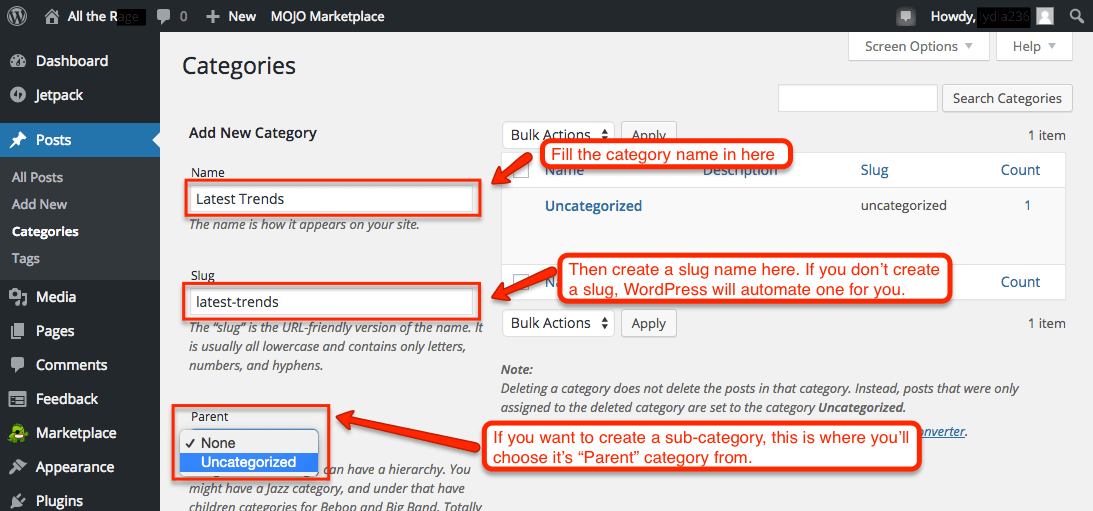
Categories help organize content. They make finding posts easy. Creating categories is simple. Go to the WordPress dashboard. Click on Posts. Then click on Categories. You will see a form to add new categories. Fill in the name. Add a description if you want. Click Add New Category. Your category is ready. You can edit or delete it later. Categories can have parent categories. This helps in grouping similar topics. Organizing with categories keeps your site neat. Readers find what they need fast. Use categories wisely. They improve navigation and user experience.
Managing Categories
Categories help to group similar posts together. This makes it easier for readers to find content. They are like folders in a computer. Each category should have a clear name. This helps users know what it is about. You can add, edit, or delete categories anytime. WordPress makes this simple.
To add a category, go to the dashboard. Click on “Categories” under “Posts”. Fill in the name and description. Then click “Add New Category”. Your new category is ready. Organizing posts with categories makes a site look neat. It also improves user experience.
Assigning Posts To Categories
Categories help you group similar posts. They keep your site organized. Assigning posts to categories is easy in WordPress. First, create a new post or edit an existing one. On the right side, you will see the Categories box. Check the box next to the category you want. You can choose more than one category. This helps readers find related content.
If no category fits, create a new one. Click on + Add New Category link. Type the name of the category. Click Add New Category again. The new category will appear. Now your post is organized. Readers can find it easily. This makes your site user-friendly.
Category Hierarchy
In WordPress, categories help organize posts. They create a hierarchical structure. Each category can have subcategories. This makes content easy to find. Users can navigate easily. Bloggers group posts by topics. For example, a food blog might use “Desserts” and “Main Courses”. Each can have its own subcategories. This way, readers find related posts quickly. Categories can be parent or child. Parent categories hold child categories. This builds a tidy site structure. Readers enjoy a clear path through posts. Organizing content boosts user experience. It also helps with SEO. Search engines love well-organized sites. They rank them higher. So, categories are very important. They keep your WordPress site neat.
Credit: larryludwig.com
Customizing Category Pages
Category pages in WordPress help organize posts. They group posts by topic. Customizing these pages can improve user experience. It allows users to find content easily. Use settings to change layouts and styles. Add widgets for extra functionality. This can include search bars or menus. Widgets make navigation simpler. Tailor the look to match your site’s theme. Use colors and fonts that suit your brand. Custom category pages help keep visitors on your site. They make browsing more enjoyable. Proper organization leads to more engagement. Visitors stay longer and explore more posts.
Seo Benefits Of Categories
Categories help organize your content. They make your site easy to explore. This boosts the user experience. Search engines love organized sites. They rank them higher. Using categories can improve your site’s SEO.
Each category should have a keyword. This helps search engines understand your content. It also helps users find what they need. A clear category structure is important. It guides visitors through your website. This keeps them on your site longer. Longer visits can improve your site’s ranking.

Credit: wordpress.com
Categories Vs Tags
Categories and tags help organize content. They make finding topics easier. Categories are broad. Tags are specific. Every post needs a category. Tags are optional. Categories are like a book’s table of contents. Tags are like the index. Both help users find what they need. Using them well improves site navigation. It also helps with SEO.
Visitors can quickly find related posts. This keeps them on your site longer. Categories and tags should be used wisely. Too many can confuse users. Keep them simple and clear. This way, your site stays organized.
Common Mistakes With Categories
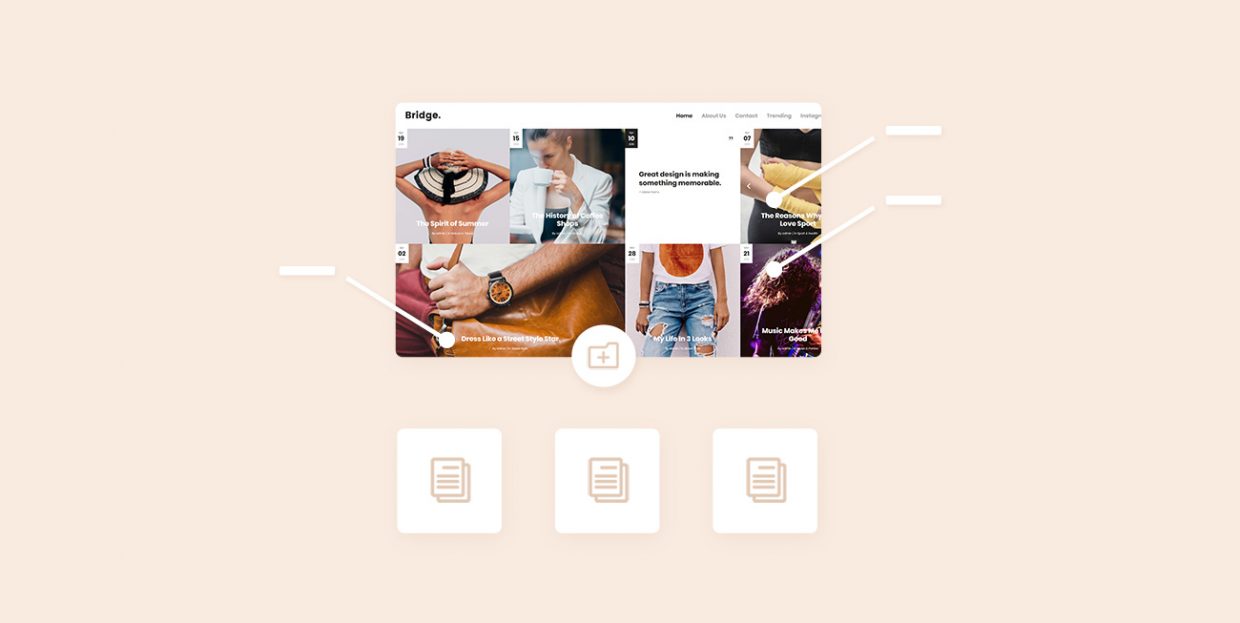
Many users think categories are tags. This is a mistake. Categories are broader. Tags are specific. Some users create too many categories. This can confuse visitors. Use clear names for each category. People often forget to update categories. This leads to outdated content. Check your categories often. Another mistake is using categories for every post. Not every post needs a category. Choose wisely. Organize your site with simple categories. This helps visitors find content easily. Avoid using similar names for categories. It can cause confusion. Keep categories neat and tidy.
Credit: qodeinteractive.com
Best Practices For Categories
Keep categories simple. Choose names that match your topics. Use specific names for better understanding.
Limit categories to less than ten. Too many confuse readers. Less is more. Always think about users.
Categories help users find information. Make sure each post fits one category. This keeps things tidy.
Avoid overlapping categories. Each should have a unique focus. This makes searching simple.
Check categories often. Remove ones that are not useful. Add new ones as needed. Keep it fresh.
Always review your site’s structure. It helps in keeping things organized. Good structure means happy users.
Frequently Asked Questions
What Do Categories Organize In WordPress?
Categories in WordPress organize blog posts into different topics. They help readers easily find related content. By grouping similar posts, categories enhance site navigation and improve user experience. They also aid in SEO by creating keyword-rich pages that search engines can index.
How To Create Categories In WordPress?
To create categories, navigate to your WordPress dashboard. Under “Posts,” select “Categories. ” Here, you can add new categories by entering a name, slug, and description. Once created, you can assign posts to these categories, helping organize content efficiently.
Why Use Categories For WordPress Posts?
Using categories for WordPress posts improves website organization. They help users discover related content, enhancing user engagement. Categories also support SEO by creating keyword-rich archives. This structure enables search engines to index your content more effectively, boosting visibility and search rankings.
Can Categories Affect WordPress Seo?
Yes, categories can affect WordPress SEO positively. They help create organized, keyword-rich archive pages. These pages enhance search engine indexing. Properly structured categories improve content visibility and relevance, contributing to better search rankings. Hence, using categories strategically can boost your site’s SEO performance.
Conclusion
Categories in WordPress help organize content efficiently. They improve site navigation and make content easy to find. Visitors can quickly access related posts, enhancing user experience. Organized content also boosts SEO, attracting more traffic. Categories simplify content management for bloggers and site owners.
They ensure readers enjoy a smooth browsing experience. Implementing categories can benefit both new and established websites. It supports content strategy and site structure. Start categorizing your content today for better organization and visibility. A small step, but it makes a big difference in usability.
Make your WordPress site more user-friendly with effective categories.


