
Are you diving into the world of WordPress and feeling a bit overwhelmed by all the terminology? You’re not alone.
One common point of confusion is understanding the difference between a WordPress theme and a template. At first glance, they might seem like interchangeable terms, but knowing their distinct roles can make your website building experience smoother and more enjoyable.
Imagine being able to confidently choose the right design elements that perfectly align with your vision. By the end of this article, you’ll not only grasp the difference but also feel empowered to enhance your site with precision. Curious about how this knowledge can elevate your WordPress skills? Keep reading to unlock the secrets that transform your website from basic to brilliant.
Credit: elementor.com
WordPress Themes
WordPress themes define the overall design and layout of a website. Templates are specific page layouts within a theme. Themes control the site’s look, while templates manage individual page structures.
Definition Of Themes
WordPress themes are like clothes for your website. They change how your site looks. Themes include colors, fonts, and layouts. They make your site pretty and easy to use. A theme can have different styles. It’s like picking a new outfit for your webpage.
Role In Website Design
Themes play a big part in website design. They set the mood and style. Visitors see the theme first. A good theme makes a website look nice. It helps users find things easily. Themes can make websites look unique. They create a special feel for your site.
Customization Options
Themes offer many ways to change things. You can pick colors and fonts. Add pictures and change layouts. Some themes allow more changes than others. Customization lets you make a site your own. It feels personal and special.
Examples Of Popular Themes
| Theme Name | Features |
|---|---|
| Divi | Drag-and-drop builder, responsive design |
| Astra | Lightweight, fast loading, customizable |
| OceanWP | SEO friendly, flexible layout options |
Credit: www.servercake.blog
WordPress Templates
Templates are files that define how a webpage looks. They control the layout and design. A template can show a post, page, or archive. Each template has its own purpose in design.
Templates play a key role in page design. They decide where text, images, and menus go. You can change the template to fit your needs. This helps your site look unique.
Templates offer customization capabilities. You can adjust colors, fonts, and sizes. This makes it easy to match your brand. You can tweak every small detail.
Common use cases for templates include blogs, portfolios, and shops. Each site type needs a special layout. Templates give you these layouts. You can pick a template that fits your site goals.
Key Differences
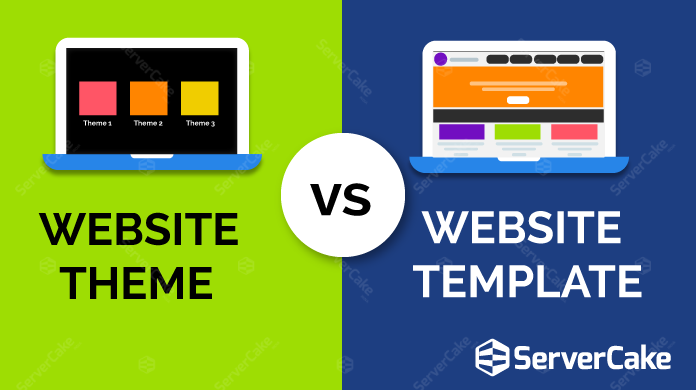
WordPress themes change the entire look of a site. They include colors, fonts, and layout. Templates are parts of a theme. They focus on specific pages or sections. Themes control the site’s overall design. Templates control smaller parts. For example, a blog post or a contact page. Themes offer a broader scope. Templates are more focused.
Themes offer many options to change a website’s design. Users can change colors, fonts, and layouts. Templates allow changes on a smaller scale. They can adjust specific page elements. Themes are more flexible for overall changes. Templates are best for detailed tweaks. Both can be edited to fit needs. But themes offer more broad changes.
Themes affect the site’s look and feel. They change how users see the site. A good theme makes navigation easy. Templates help with specific tasks. Like reading a blog or filling a form. Both are important for user experience. Themes create a big picture. Templates focus on details. Together, they make the site user-friendly.
Choosing The Right Option
Think about your website’s purpose and design needs. A theme changes your site’s whole look. It includes styles, colors, and layouts. A template changes a specific page or part. Themes are like the clothing for your website. Templates are like the accessories. Also, consider budget and time. Themes might take longer to set up. Templates might be quicker.
Use a theme for a brand-new website. It gives a fresh look. Perfect for a complete change. Themes are great if you need consistency across pages. They ensure everything matches. You save time with themes. They have pre-made designs. Easy for beginners.
Templates work well for small changes. Useful for single pages. Great for special events or sales. Templates are quick to apply. They require less setup. Perfect if you need speed. Easy to customize without changing everything else. Ideal for specific needs.
Future Trends
Evolving Design Practices are shaping the digital world. Designers focus on minimalistic styles and user-friendly interfaces. Simple layouts help users find information fast. Responsive design is also key. It makes websites look good on any device. Colors and fonts change with trends. Bright colors and bold fonts gain popularity. Designs must adapt to new tastes.
Integration with New Technologies opens exciting possibilities. Websites now connect with artificial intelligence. AI helps users with quick answers. Virtual reality offers immersive experiences. Users can explore products in 3D. Augmented reality also grows. It adds digital elements to the real world. These technologies make websites more interactive. They offer new ways to engage users.

Credit: wordpress.com
Frequently Asked Questions
What Is A WordPress Theme?
A WordPress theme is a collection of files that dictate the design and layout of a website. It includes stylesheets, graphics, and code that control the appearance and structure. Themes allow users to customize the look and feel of their site without altering the core WordPress files.
What Is A WordPress Template?
A WordPress template is a single file that controls the layout of a specific page or post type. Templates are part of a theme and determine how content is displayed on the front end. They can be customized to create unique page layouts and designs.
How Do Themes And Templates Differ?
Themes and templates differ in scope and functionality. Themes encompass the entire design and layout of a website, while templates are specific files within a theme that control individual pages. Themes offer global design changes, whereas templates allow for page-specific customizations.
Can Themes Include Multiple Templates?
Yes, themes can include multiple templates. A WordPress theme typically comes with various templates for different page types. These templates provide flexibility in design and layout, allowing users to create diverse content presentations on their website.
Conclusion
Choosing between a WordPress theme and template depends on your needs. Themes offer a complete design for your site. Templates provide specific layout options for pages. Both play unique roles in website design. Understanding these differences helps you make better choices.
Themes define your site’s style. Templates enhance individual pages. Pick wisely to create a functional and appealing website. Remember, good design improves user experience and engagement. Dive in, explore options, and craft your perfect site. With the right tools, your website can shine and serve your audience effectively.


