
Are you diving into the world of WordPress and finding yourself wondering, “What is a template in WordPress?” You’re not alone.
Many budding bloggers and website owners like you are eager to understand this fundamental concept to make the most out of their WordPress experience. Templates are the building blocks of your website’s design and functionality, and grasping how they work can be the key to unlocking a more engaging, attractive, and user-friendly site.
Imagine having the power to transform your website’s appearance with just a few clicks, all while maintaining a cohesive and professional look. Sounds appealing, right? Stick around, and we’ll demystify the role of templates in WordPress, showing you how they can elevate your website to new heights.
Credit: www.templatemonster.com
Defining WordPress Templates
WordPress templates are like clothing for your website. They control how your site looks. With templates, you can change the layout and design. This is done without touching the content. Templates are parts of a theme. They help you show your content in different ways. For example, a blog page template shows posts. A gallery template might show pictures. Flexibility is a key feature. You can switch templates easily. This gives your site a fresh look.
Templates make websites unique. They are crucial for web design. Learning about templates can help. It will make your WordPress site better. Remember, templates are powerful. They give you control over your site’s appearance.
Credit: www.wpbeginner.com
Core Components Of Templates
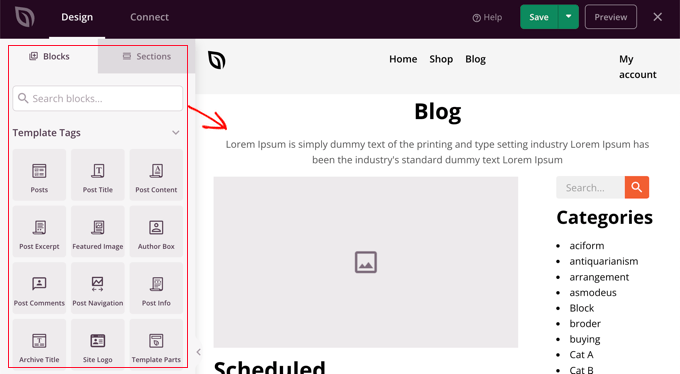
The header is the top part of a webpage. It often shows the site name and menu. Headers can have a logo too. The footer is at the bottom. It may show contact info or links. Both parts are important for navigation.
The sidebar is on the side of the page. It holds extra info. Widgets are small tools that go in the sidebar. They might show recent posts or a search box. Sidebars help users find things easily.
The main content area is the center of the page. It holds the primary text and images. This area is where visitors read and see the most information. Keeping it clear and tidy is crucial.
How Templates Work
Templates are like blueprints for your website. They help decide how each page looks. Every page can have a different look. This makes your site unique. Templates are part of the theme structure.
Role In Theme Structure
In WordPress, themes have many templates. Each template has a job. Some are for the homepage. Others are for posts or pages. They work together to form a complete website. Themes use templates to show content in a nice way.
Template Hierarchy
WordPress uses a template hierarchy. It decides which template to use. The hierarchy is like a set of rules. It checks each rule to find the right template. This makes sure the website looks good on every page.
Creating Custom Templates
Building a custom template? Start with the WordPress Codex. It offers guidelines and examples. Use a code editor like Visual Studio Code. It’s user-friendly and supports many languages. Theme development tools can help too. Underscores is a great starter theme. It provides a clean slate to work on. Online forums like Stack Overflow are helpful. They offer solutions to common problems.
Keep your code clean. This makes it easier to read. Ensure your templates are responsive. They should look good on all devices. Test often. Fix any errors quickly. Use comments in your code. They explain what each part does. This helps others understand it. Regular backups are essential. They protect your work from loss.
Common Template Uses
Templates help create unique page designs
Some websites need special templates
Benefits Of Using Templates
WordPress templates streamline website creation, offering pre-designed layouts that save time and ensure consistency. These templates are customizable, helping users easily achieve professional-looking sites without extensive design skills. Ideal for beginners, they simplify the process while maintaining a cohesive aesthetic.
Consistency Across Pages
WordPress templates ensure each page looks the same. This consistency helps visitors know where to find things. A consistent look builds trust. Readers feel comfortable navigating your site. Uniform design also makes your site appear professional.
Ease Of Customization
Templates allow easy changes to your site’s look. No need for coding skills. Just pick a template and adjust colors. You can add images and text without hassle. This saves time and effort. Customizing templates helps you match your brand style. It’s simple to update your site’s layout anytime.
Challenges And Considerations
Selecting templates in WordPress poses unique challenges. Compatibility with plugins and themes often requires careful consideration. Understanding template hierarchy helps in customizing layouts effectively, ensuring websites function smoothly and look professional.
Compatibility Issues
Templates might not work with all plugins. This can cause problems. Some features may not appear. Compatibility matters. Check if your chosen template suits your plugins. Conflicts can break your site. This needs careful attention.
Performance Impacts
Templates can affect site speed. Slow sites lose visitors. Check template reviews. See what users say about speed. Heavy templates may slow loading. Fast templates keep users happy. It’s important to choose wisely.
Credit: wordpress.org
Frequently Asked Questions
What Is A Template In WordPress?
A template in WordPress defines the layout and design of a webpage. It controls the appearance and structure of content. Templates help customize the look of posts, pages, and archives. They are part of themes and can be modified to suit specific needs.
Templates enhance user experience and branding.
How Do WordPress Templates Work?
WordPress templates use PHP files to dictate the page’s appearance. They work by pulling content from the database and displaying it according to the template’s design. Templates ensure consistency across your website. You can customize them to change your site’s look without altering the content.
Can I Customize WordPress Templates?
Yes, WordPress templates are customizable to fit your needs. You can use the WordPress Customizer or edit template files directly. Child themes are recommended for customization to preserve changes during theme updates. Plugins also offer customization options without coding knowledge, making it accessible for all users.
How To Choose The Right WordPress Template?
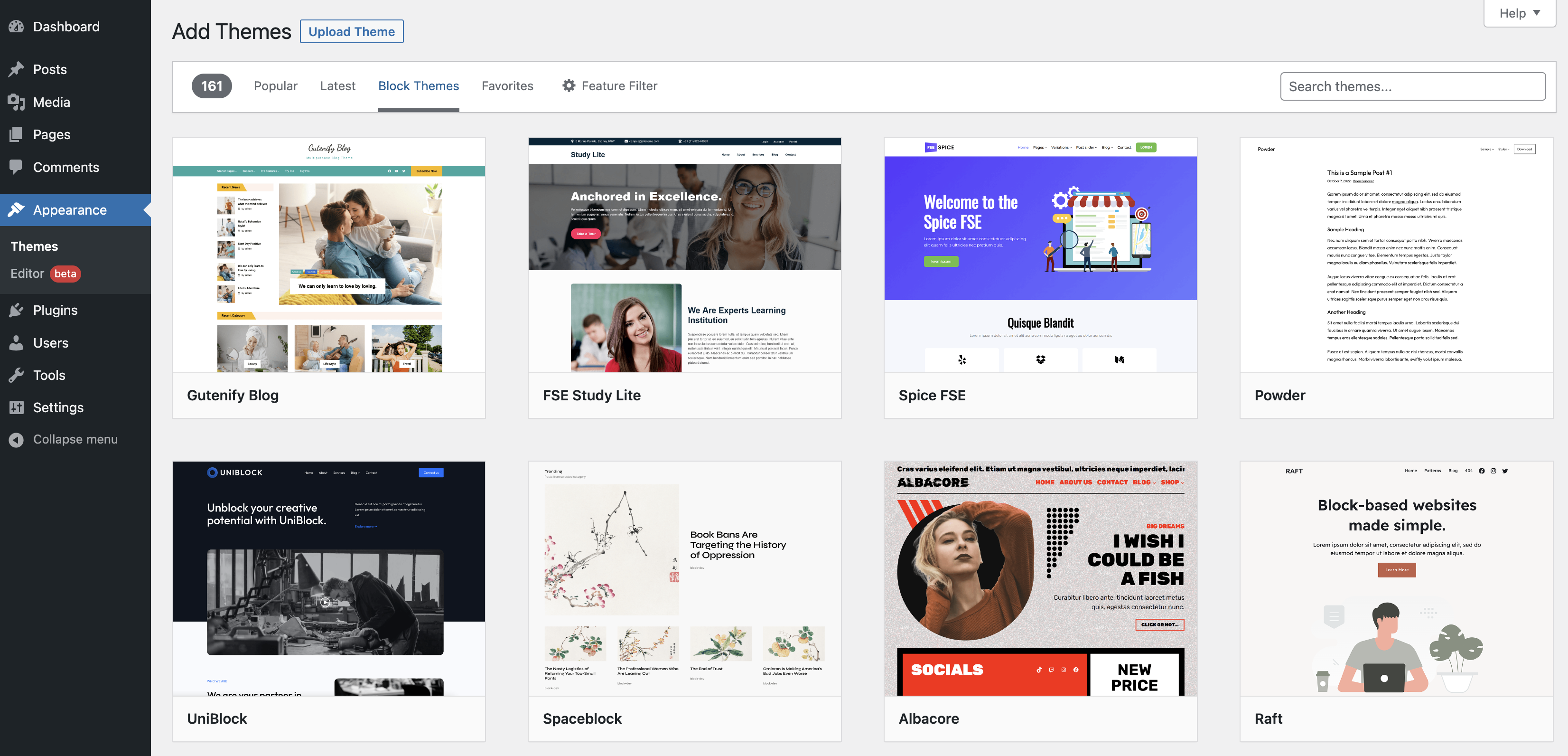
Choosing the right WordPress template involves considering your site’s purpose and audience. Look for responsive designs and SEO-friendly features. Ensure it supports necessary plugins and offers customization options. Check user reviews and ratings for reliability. Testing the template’s speed and performance is also essential.
Conclusion
Understanding templates in WordPress is crucial for building your site. They define how your content displays. Choose the right template to enhance user experience. Templates offer flexibility in design and layout. They help maintain consistency across web pages. WordPress themes often come with various templates.
You can customize them to fit your needs. Experiment with different templates to find what works best. Your website’s look and feel depend largely on these choices. Keep exploring and learning. This will ensure your website remains engaging and effective.
Templates truly simplify the process of creating a professional-looking site.


