
Have you ever stumbled upon the term “Link Rel” while navigating through WordPress and wondered what it truly means? You’re not alone.
Understanding the nuances of WordPress terminology can sometimes feel overwhelming, especially when it comes to optimizing your website for search engines. But don’t worry—deciphering these terms is simpler than you might think. Grasping the concept of “Link Rel” can be a game-changer for your site’s SEO and user experience.
Imagine the impact of having a site that not only looks great but also performs impeccably in search engine rankings. Intrigued? Let’s uncover the significance of “Link Rel” and how it can enhance your WordPress site. Keep reading to unlock the secrets that could propel your website to the top.

Credit: dreamlight.com
Link Rel Concept
The term Link Rel in WordPress is key. It describes the relationship between the linked document and the current document. This attribute helps search engines understand links better. It can also help users navigate a website.
Some common Link Rel values include “nofollow”, “noopener”, and “noreferrer”. The “nofollow” value tells search engines not to follow a link. The “noopener” and “noreferrer” values enhance security by preventing certain link actions.
Using Link Rel values smartly can improve a site’s SEO. It can also ensure better user experience. Understanding this concept is essential for effective web management.
Importance In WordPress
The link rel tag is vital for WordPress. It helps in defining relationships between pages. This tag is often used in the head section of a webpage. It can tell search engines about the structure of a website. This makes it easier for them to crawl and index pages. The rel tag also helps in managing stylesheets and favicons. It ensures that these elements are linked properly. A well-structured rel tag can improve a site’s SEO ranking. It can help users find content easily. Understanding this tag is key for better site performance.
Common Link Rel Attributes
The nofollow attribute tells search engines not to follow a link. This means the link won’t pass on any SEO value. Websites use this to avoid linking to untrusted sites.
Using noopener keeps your site safe. It stops new pages from controlling your original page. This is important when links open in a new tab.
The noreferrer attribute hides the link source. It stops websites from seeing where visitors came from. This helps with privacy.
A canonical link tells search engines the main page. It helps avoid duplicate content issues. Search engines know which page to prioritize.
Credit: supporthost.com
Seo Implications
Link rel tags can impact your site’s SEO. They show search engines how pages are linked. This helps search engines understand your site better. Using the right link rel tags can boost your site’s visibility.
Rel=”nofollow” is a common tag. It tells search engines not to follow a link. This can help control which pages get ranked. Another important tag is rel=”canonical”. This tag helps avoid duplicate content issues.
Using these tags correctly can protect your website’s ranking. It helps search engines focus on your most important pages. Proper use of link rel tags can make your site more trustworthy. This can lead to better placement in search results.
Security Considerations
Understanding link rel is vital for security. It helps manage how browsers handle links. Using rel=”noopener” is important. It stops security risks with linked pages. This prevents the new page from accessing the original page. Rel=”noreferrer” also helps. It hides the referring page’s details. This keeps your site information safe. Both ensure privacy and security.
Kids must know these terms. They protect websites from threats. Using these rel attributes is simple. It makes browsing safer. Parents should explain these features. It’s key for keeping sites secure. Learning about link rel can be fun. It makes web surfing safer for everyone. Kids can use these tips for their websites. Safety online is important for all.
Implementing In WordPress
In WordPress, “link rel” defines the relationship between a linked resource and your webpage. Understanding this helps improve site navigation and SEO. Common values like “nofollow” or “noopener” impact how links behave and are perceived by search engines.
Using Plugins
Plugins make WordPress tasks easier. Some plugins help manage link rel attributes. Yoast SEO is a popular choice. It helps with link rel settings. All in One SEO is another option. These plugins offer user-friendly interfaces. No coding skills needed. They save time and effort. Adjusting link rel attributes becomes simple.
Manual Code Addition
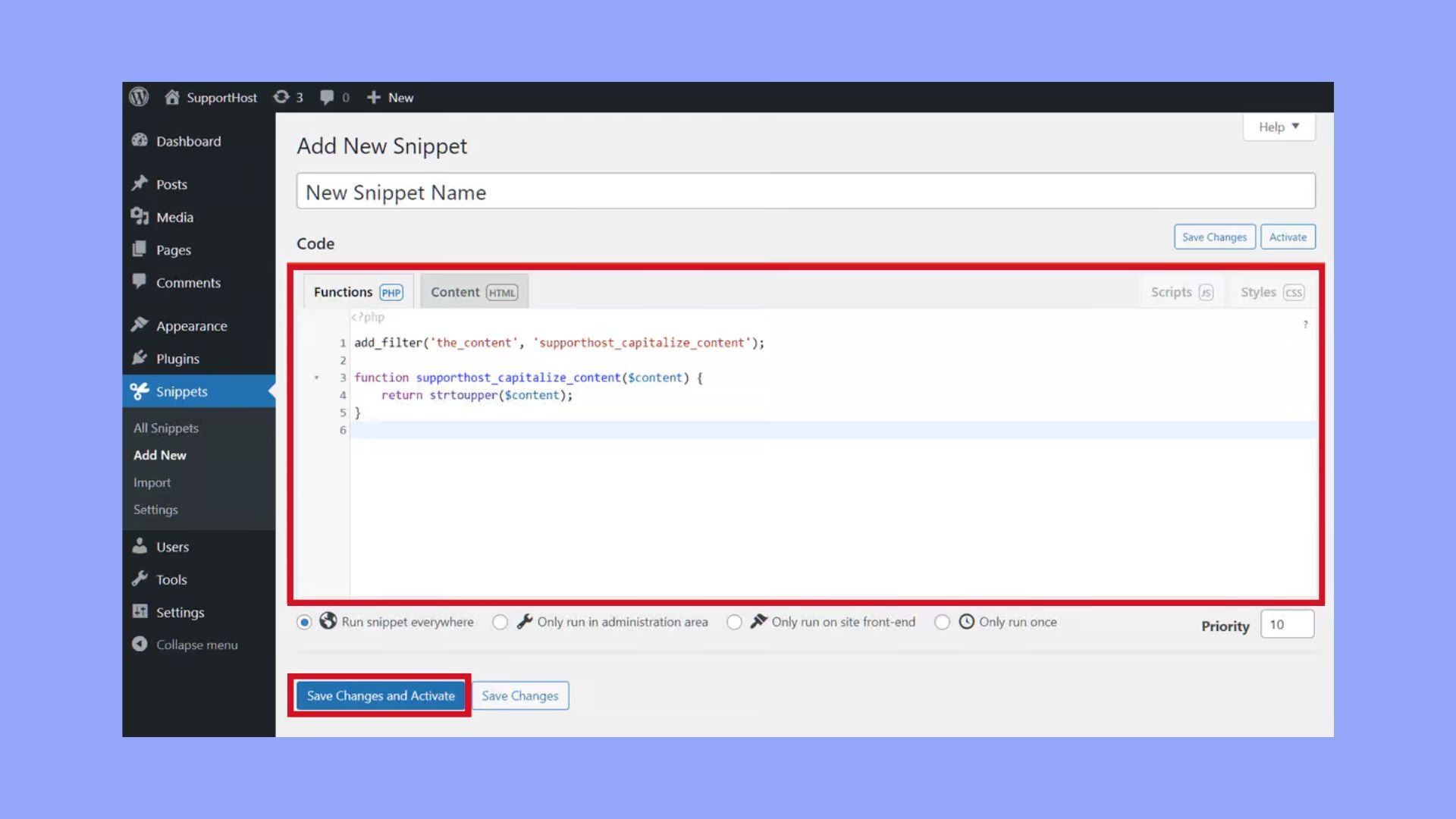
Some users prefer manual methods. Adding code manually allows more control. Open your theme files. Find the section for header links. Insert the link rel attribute where needed. Always back up files first. Mistakes can break the site. Use a child theme for safety. This method suits advanced users. Beginners may find it tricky. But it offers flexibility.
Best Practices
Use the link rel attribute in WordPress carefully. It helps search engines understand your links. Always add rel=”nofollow” to links that you don’t trust. This stops search engines from following them. For links to your own site, use rel=”noopener” to keep them secure. It stops other sites from controlling your tabs.
Always check your links. Make sure they work and go to the right page. Broken links confuse visitors and hurt your site’s ranking. Use a plugin to help manage and check links. This saves you time and keeps your site tidy.
Remember, proper use of link rel improves your site’s SEO. It can make your site better and safer for users. Keep your links clean and updated. This helps both you and your visitors.
Credit: 10web.io
Common Mistakes
Using incorrect values for link rel can cause problems. Sometimes people use unsupported rel types in WordPress. This can lead to broken links or missing features. It’s vital to check compatibility before using a new rel type.
Another mistake is not defining rel properly for links. Without proper definition, search engines might ignore these links. This can affect your site’s visibility and ranking.
Many users forget to update rel tags after site changes. This can result in outdated links. Always keep rel tags up-to-date to ensure optimal performance.
Frequently Asked Questions
What Is Link Rel In WordPress?
Link rel is an HTML attribute specifying the relationship between a document and a linked resource. In WordPress, it’s used in themes and plugins to define stylesheets, scripts, or other linked elements. Proper use of link rel ensures efficient loading and functionality of your WordPress site.
Why Is Link Rel Important For Seo?
Link rel impacts SEO by managing how resources are linked and loaded. It helps search engines understand the relationship between pages or resources. Properly using link rel, like rel=”nofollow” or rel=”canonical”, can prevent duplicate content issues and improve site navigation, enhancing overall SEO performance.
How Does Link Rel Affect Website Speed?
Link rel affects website speed by controlling resource loading order and method. Attributes like rel=”preload” can optimize loading times by prioritizing essential resources. Correct usage improves user experience, reduces bounce rates, and positively influences SEO, making your WordPress site faster and more efficient.
Can Link Rel Be Used For Responsive Design?
Yes, link rel can support responsive design. Attributes like rel=”alternate” can specify different stylesheets for various devices. This ensures your WordPress site adapts to different screen sizes and resolutions, enhancing user experience and accessibility across all devices.
Conclusion
Understanding “link rel” in WordPress is crucial. It helps with navigation. Enhances website performance. Improves user experience. These attributes define relationships between linked resources. Makes your site more organized. Better structure aids search engines. Helps with SEO. Visitors find content easily.
This builds credibility. Reduces bounce rates. Engage users effectively. Make informed choices about using “link rel. ” Ensure your site is user-friendly. Easy to navigate and efficient. Keep these principles in mind. Your WordPress site will thrive. Aim for clarity and functionality.
Your efforts will pay off.


