
Imagine having the power to design your own website with ease and creativity, without needing to write a single line of code. How would that change the way you present your ideas online?
If you’re using WordPress, you might have already heard whispers of a tool called Elementor. But what exactly is Elementor, and why is it creating such a buzz among web designers, bloggers, and business owners like you? Elementor is more than just a plugin; it’s your gateway to turning your web design visions into reality.
Whether you’re a seasoned developer or someone just starting out, Elementor offers a user-friendly drag-and-drop interface that makes web design accessible to everyone. With its intuitive features, you can customize every aspect of your website, ensuring it reflects your unique style and purpose. Curious to discover how Elementor can transform your WordPress experience? You’re not alone. Join countless others who have unlocked the potential of this powerful tool. Dive into the article to learn how Elementor can revolutionize the way you build websites, turning your digital dreams into a stunning reality.
Elementor Basics
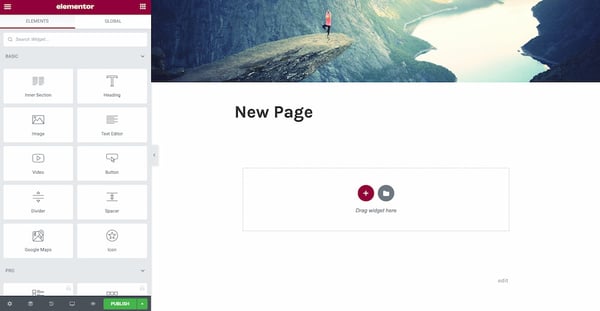
Elementor is a tool for building websites. It works with WordPress. It helps create web pages without coding. This makes it easy for everyone. People can use it to design beautiful sites. It has a simple drag-and-drop feature. This feature saves time. No need for special skills. Just click and place elements. It’s that easy!
Elementor offers many cool features. One is the live editing. You see changes in real time. Another is the template library. It has many ready-made designs. You can use them for free. There are also custom fonts and colors. This helps to match your style. The tool is both fast and responsive. It works well on phones and tablets. Anyone can use it to make great sites.
Credit: knowledge.gate39media.com
Installation Process
Elementor needs WordPress 5.0 or newer. Your server should have PHP 7.0 or higher. Check your WordPress theme. It should be compatible with Elementor. Many themes work well, but double-check.
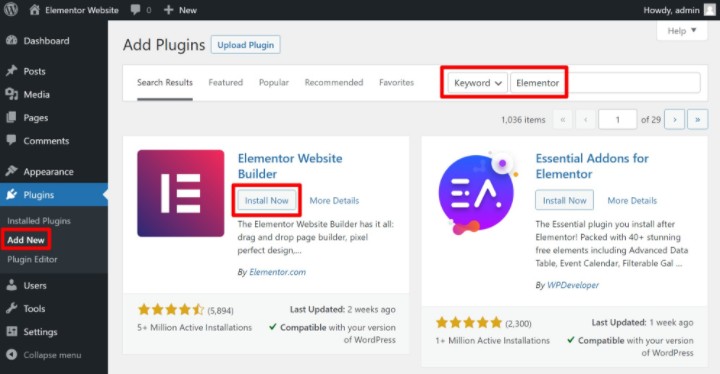
Go to your WordPress dashboard. Click on Plugins in the menu. Select Add New. Search for Elementor. Click Install Now. Wait for a few seconds. After installing, click Activate. Now, Elementor is ready to use.
Creating Pages With Elementor
Templates make page building easy. Elementor offers many ready-made templates. These templates save time and effort. Choose a template that fits your style. You can then edit the template to your liking. Change colors, text, and images. The page will look unique and fresh.
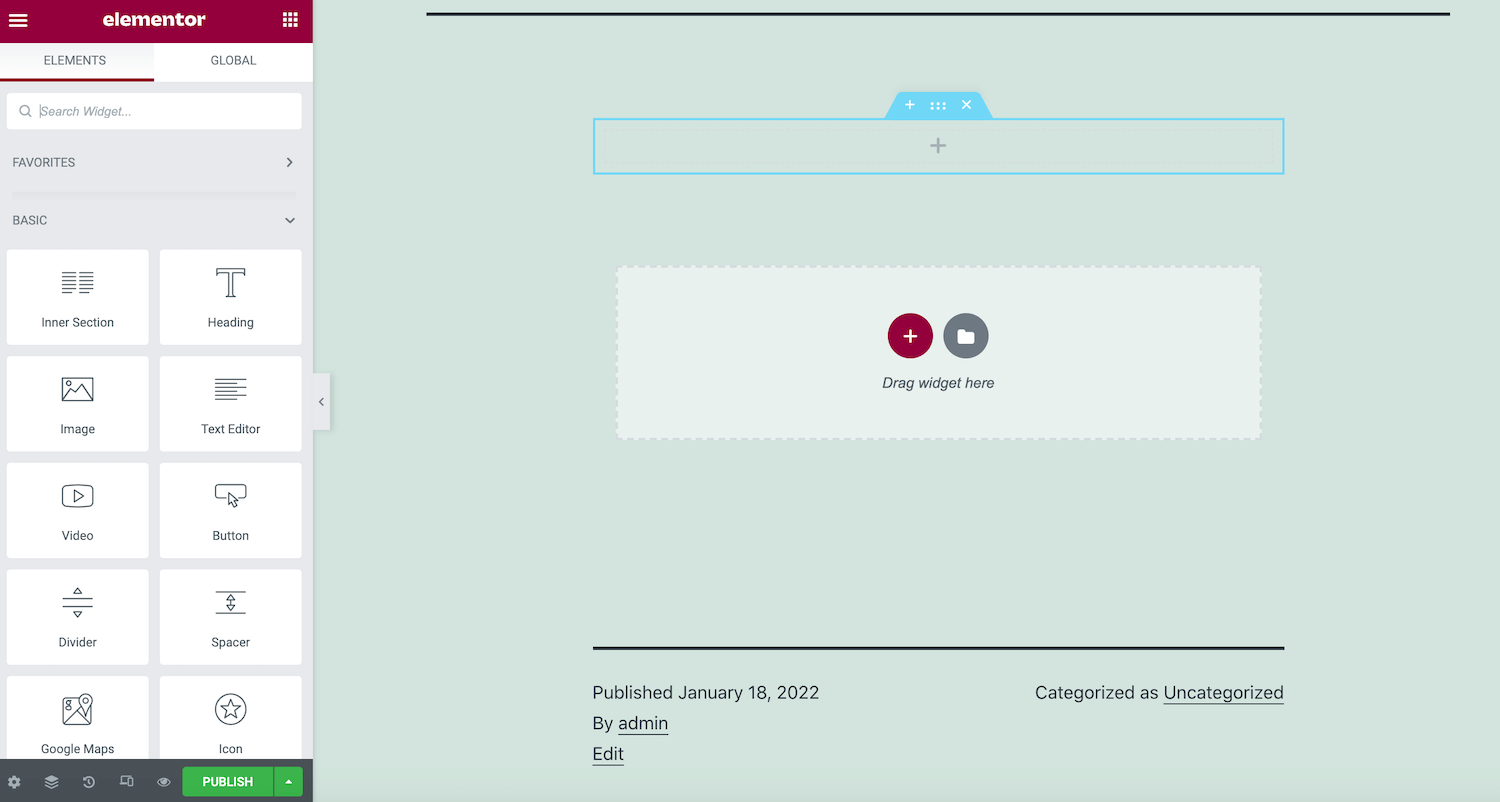
Elementor’s drag-and-drop feature is simple. Pick an element and drag it to the page. Place it where you want. No coding needed. Add text, images, or buttons. Move things around easily. This feature is fun and creative. Build beautiful pages with little effort.
Credit: kinsta.com
Customizing Designs
Elementor offers a variety of styling options for your WordPress site. You can change colors, fonts, and backgrounds with ease. This tool helps in making your website look unique. The drag-and-drop feature is simple. Even beginners find it easy to use.
Designing is quick and fun with Elementor. You can create different styles for each page. This makes your site more attractive. The interface is user-friendly. You can see changes instantly. This saves time and effort.
Elementor ensures your site looks good on all devices. The responsive design feature is crucial. Your website will adjust to phones, tablets, and desktops. This means more visitors can enjoy your content.
You can preview how your site looks on different screens. This helps in making necessary changes. Ensuring a responsive design is vital. It improves user experience and keeps visitors happy. With Elementor, managing this is simple and effective.
Advanced Features
Theme Builder lets users create unique themes. You can change headers, footers, and more. No coding skills needed. Drag and drop elements easily. Make your site look special. Control every part of your design.
With Custom Widgets, add special features to your site. You can choose from many options. Each widget serves a different purpose. They make your site interactive and fun. Choose the right widget for your needs. Enhance user experience with simple tools.
Elementor Pro
Elementor Pro offers many extra features. It includes a Theme Builder. This helps create custom headers and footers. Users can also make dynamic content. This is great for blogs and portfolios. Another benefit is the Popup Builder. It creates engaging popups easily. The Form Builder lets you design forms quickly. These features make websites more interactive. They also help in better design flexibility.
| Plan | Price |
|---|---|
| Personal | $49/year |
| Plus | $99/year |
| Expert | $199/year |
Pricing is based on the plan you choose. The Personal plan is for one website. The Plus plan supports three websites. Expert plan works for 25 sites. Choose the best plan for your needs.
Troubleshooting
Elementor is a popular WordPress plugin for building websites. It offers a drag-and-drop interface, making design easy. Troubleshooting Elementor involves addressing common issues like plugin conflicts or layout problems.
Common Issues
Elementor may sometimes face loading issues. Pages might not appear correctly. This can be due to conflicting plugins. Deactivate plugins one by one. Check if the issue resolves. Another problem is widgets not loading. This often happens because of server limitations. Increase memory limit in WordPress settings. Slow loading is another common issue. Optimize images and use caching plugins. These can help speed things up. Always ensure Elementor is updated. Updates often fix bugs.
Support Resources
Elementor has many support resources online. The official website offers guides and tutorials. There’s a help center for troubleshooting tips. Visit the community forums for advice from other users. YouTube has many video tutorials. These are helpful for visual learners. For direct help, contact Elementor support. They assist with more complex issues.
Comparison With Other Page Builders
Elementor offers a drag-and-drop interface. This makes it easy to create pages. No coding skills needed. The design is very flexible. Users can customize layouts easily. It has many pre-made templates. These templates save time. They also inspire creativity. Many widgets are available. Each widget adds unique features. Users enjoy real-time editing. This means changes are seen instantly. Elementor integrates well with WordPress themes. Compatibility is seamless. Users find this helpful.
Elementor can be resource-heavy. This may slow down websites. Users notice this when many widgets are used. The free version has limited features. Some advanced options require the paid version. Learning all features takes time. Beginners may struggle at first. Elementor updates can affect site performance. This can cause issues if not managed well. Some users report plugin conflicts. These conflicts can disrupt site functions. Overall, careful management is needed.
Credit: elementor.com
Frequently Asked Questions
What Is Elementor On WordPress?
Elementor is a popular drag-and-drop page builder for WordPress. It allows users to create stunning websites without coding. With its intuitive interface, you can design custom layouts and add various elements. It offers a wide range of widgets and templates.
Elementor enhances web design flexibility and creativity.
How Does Elementor Work On WordPress?
Elementor integrates seamlessly with WordPress, enhancing its page-building capabilities. It offers a live editing experience, allowing real-time design changes. Users can drag and drop widgets to create web pages effortlessly. It provides pre-designed templates for quick setup. Elementor makes web design accessible to all skill levels.
Is Elementor Free On WordPress?
Elementor offers a free version with essential features. It provides access to a basic set of widgets and templates. For advanced functionalities, a Pro version is available. The Pro version includes additional widgets, templates, and premium support. Users can choose based on their design needs and budget.
What Are Elementor’s Key Features?
Elementor offers several key features, including a drag-and-drop editor, responsive design tools, and pre-made templates. It provides a range of widgets like forms, sliders, and image galleries. Users can create custom headers and footers. Elementor’s live editing feature allows instant design previews and adjustments.
Conclusion
Elementor on WordPress offers simplicity and flexibility. It allows easy page building with no coding skills needed. Users can drag and drop elements to create stunning websites. This tool enhances creativity and control over design. Beginners find it user-friendly, while advanced users appreciate its powerful features.
Elementor transforms website creation into a smooth process. It bridges the gap between design dreams and reality. With Elementor, WordPress becomes more accessible and dynamic. Explore its potential to enhance your site today. The possibilities are endless and exciting. Start creating your unique online space effortlessly.


