
Imagine you’re exploring a vast library, with countless books spread across endless aisles. Without a map, finding your way around would be nearly impossible.
This is how your website visitors might feel without proper navigation. Enter “Breadcrumbs” in WordPress—a nifty tool designed to guide your visitors through your site effortlessly. Are you tired of users getting lost on your pages or leaving too soon?
Breadcrumbs could be your secret weapon. You’ll discover how breadcrumbs can enhance user experience, boost SEO, and keep your audience engaged. Ready to transform the way your visitors navigate your site? Let’s dive in and uncover the magic of breadcrumbs in WordPress.
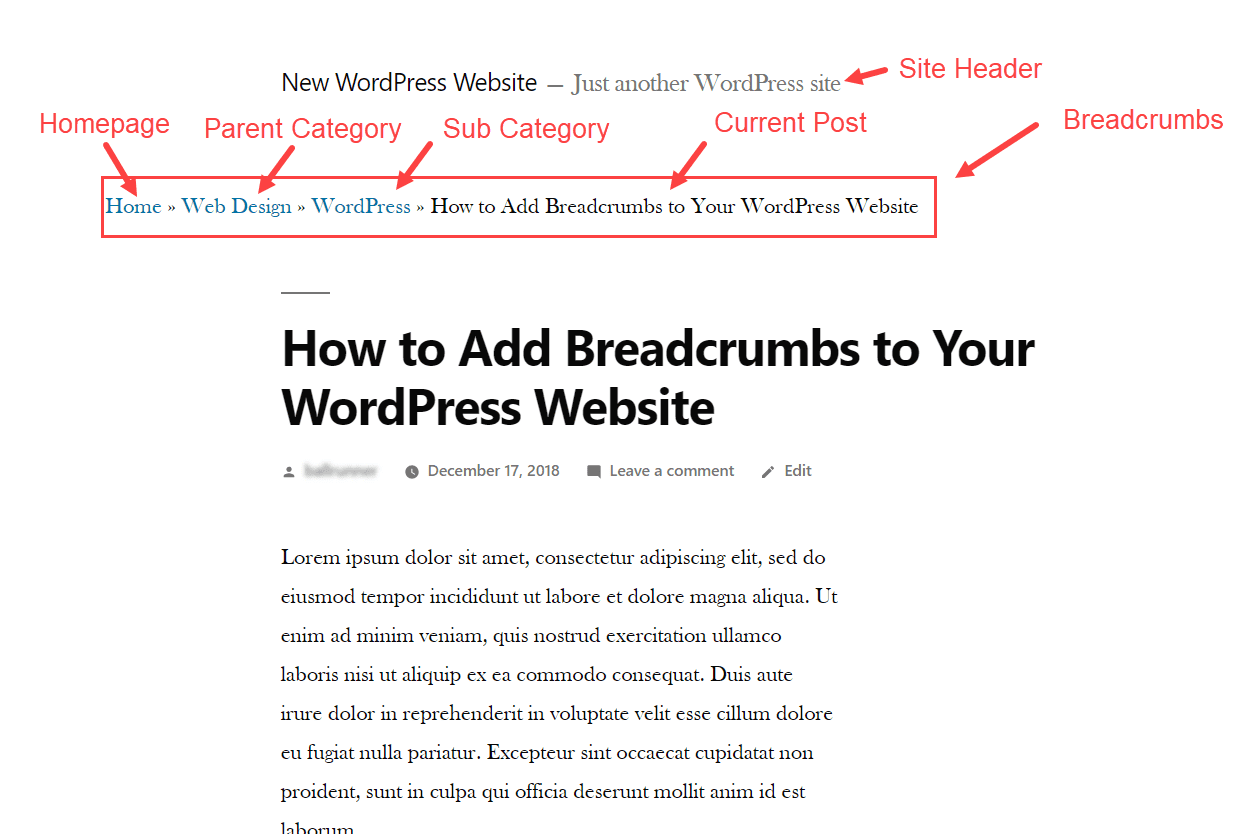
Credit: www.elegantthemes.com
Breadcrumbs In WordPress
Breadcrumbs are small text paths. These paths show your location on a website. They help users understand where they are. They work like a map. Users follow them to go back or forward. They make navigation easy.
Good breadcrumbs improve user experience. Users find pages faster. They reduce the need to click many links. Visitors stay on sites longer. They feel less lost. Breadcrumbs increase engagement and satisfaction. Easy paths make websites friendly. Users like simple paths.
Types Of Breadcrumbs
Hierarchy-based breadcrumbs show the path from the homepage to the current page. They help users understand the website’s structure. Each link represents a level in the site. For example, Home > Blog > Tech > Article. This way, users can go back to a previous section easily.
Attribute-based breadcrumbs are often used in e-commerce sites. They show product categories or features. For example, Home > Clothing > Men > Shirts. These breadcrumbs help users filter products. Users can quickly find what they want.
History-based breadcrumbs show the user’s path through the site. They remember the pages a user visited. This type is less common. It helps users retrace steps. For example, Home > Search > Product > Cart. It makes navigation easier.
Benefits Of Using Breadcrumbs
Breadcrumbs create a clear path for users. They help visitors know where they are. This makes moving through a site easy. Users can go back to previous pages quickly. They don’t get lost. Pages connect like a trail in the forest. Every step is clear and visible.
Search engines like breadcrumbs. They understand site structure better. Breadcrumbs show the hierarchy of pages. This can help with better indexing. When a site is well indexed, it may rank higher. Better ranks mean more visitors. This is good for site traffic.
Visitors stay longer with breadcrumbs. They explore more pages. A good breadcrumb trail keeps them engaged. They click through to other parts of the site. This reduces the bounce rate. A lower bounce rate is better for site performance. It shows users like the content.
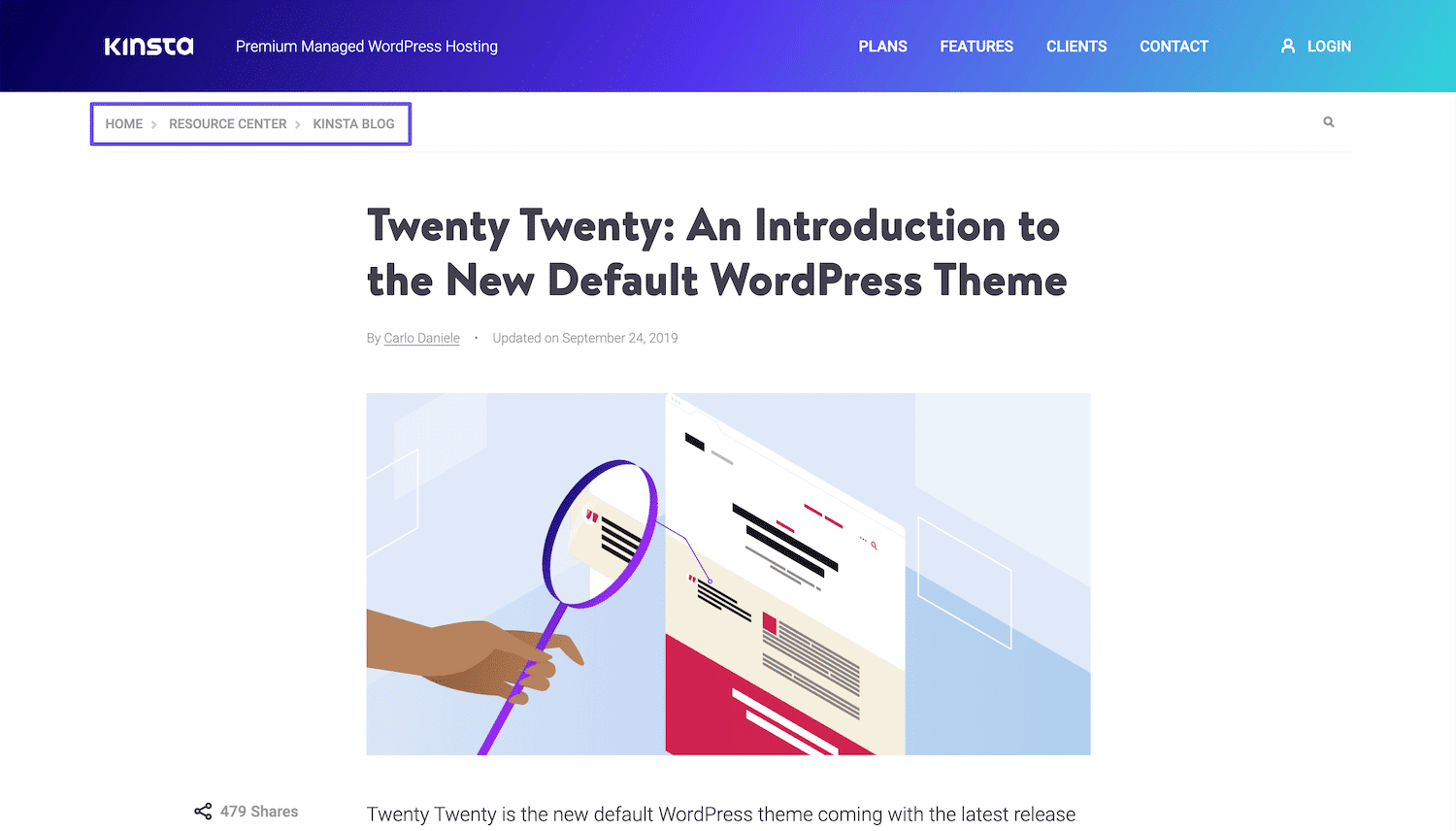
Credit: kinsta.com
Implementing Breadcrumbs In WordPress
Breadcrumbs in WordPress help users navigate your site easily by showing their location. They improve user experience and SEO. Implementing them is simple and enhances site structure.
Using Plugins
Plugins make breadcrumbs easy in WordPress. They add breadcrumb trails without coding. Popular plugins include Yoast SEO and Breadcrumb NavXT. These plugins offer simple settings. Users can choose styles and placement. Plugins save time and effort. Customization options are available. Users can match breadcrumbs to their site design. Plugins are perfect for beginners. They help improve navigation on websites. Easy to install and use. Plugins provide a seamless experience.
Custom Code Integration
Custom code offers more control over breadcrumbs. Developers can create unique breadcrumb trails. This approach requires coding skills. Custom code is great for advanced users. It allows full customization. Users can design breadcrumbs to fit their theme. They can place breadcrumbs anywhere they want. Coding ensures flexibility. Custom code can be tailored to specific needs. It may take more time to implement. It provides a personalized touch to the site.
Popular Breadcrumbs Plugins
Yoast SEO is a well-known plugin for WordPress. It helps with breadcrumbs. These breadcrumbs show users where they are on your site. They improve site navigation. Easy to set up. You can change the settings to match your site needs. The plugin is updated often. This keeps it working well. Many people trust Yoast SEO for breadcrumbs. It also helps with SEO. It is free but offers a premium version. The premium version has extra features.
Breadcrumb NavXT is another popular choice for breadcrumbs. It is easy to use and set up. This plugin creates breadcrumb trails. These trails guide visitors through your site. You can customize it to fit your design. It supports different languages. This is helpful for global sites. Breadcrumb NavXT also works with various themes. It is free and offers great support. Many use it for its reliability and features.
Best Practices For Breadcrumbs
Breadcrumbs should be visible at the top of the page. Users find it easier to navigate. They should be near the page title. This helps users know where they are.
Keep the breadcrumb design simple and uniform. Use the same style on all pages. Fonts, colors, and symbols should match your site. Consistency makes it easier to follow.
Breadcrumbs must work on all devices. Ensure they fit mobile screens well. Adjust size and spacing for small screens. This ensures a smooth user experience.
Common Mistakes To Avoid
Breadcrumbs in WordPress help users navigate websites easily. Avoid using confusing labels or broken links, as they can frustrate visitors. Always test breadcrumb paths to ensure they lead to the correct pages.
Overcomplicating Navigation
Keeping navigation simple helps users find information fast. Using too many breadcrumb links can confuse visitors. Simple breadcrumb paths guide users easily. Avoid cluttered designs with excessive options. Fewer links make a cleaner look. Easy paths improve user experience.
Ignoring Mobile Optimization
Mobile users need clear breadcrumb trails. Small screens require concise navigation. Ensure breadcrumbs are mobile-friendly. Test breadcrumbs on different devices. Responsive design is key for mobile users. Mobile optimization boosts user satisfaction. Avoid tiny text or crowded layouts. Focus on clarity and readability.

Credit: blog.hubspot.com
Future Trends In Breadcrumbs
AI helps websites by creating smart breadcrumbs. These breadcrumbs change based on user actions. They make browsing easy and quick. Users find what they want fast. AI predicts what users need. It creates paths based on this. This can lead to more engagement and happiness for users.
Breadcrumbs can be personalized for each user. They show paths based on user history. This makes users feel special. They get what they need without searching hard. Websites can track user actions. They use this to change breadcrumbs. This helps users find their favorite pages. It also helps in better user experience.
Frequently Asked Questions
What Are Breadcrumbs In WordPress?
Breadcrumbs in WordPress are navigational aids for website users. They display the path from the homepage to the current page. This helps users understand their location on the site. Breadcrumbs improve user experience and SEO by enhancing site navigation.
How Do Breadcrumbs Benefit Seo?
Breadcrumbs improve SEO by providing clear site structure to search engines. They enhance user navigation, reducing bounce rates. Breadcrumbs also increase internal linking, distributing page authority. This helps pages rank better in search results.
How To Add Breadcrumbs To WordPress?
You can add breadcrumbs to WordPress using plugins like Yoast SEO or Breadcrumb NavXT. These plugins automatically generate breadcrumbs. They offer easy customization options to match your site’s design. Some themes may also have built-in breadcrumb features.
Are Breadcrumbs Mobile-friendly?
Yes, breadcrumbs are mobile-friendly and enhance navigation on smaller screens. They provide a compact way to show site hierarchy. Breadcrumbs help mobile users easily backtrack pages, improving user experience. Ensure your breadcrumbs are responsive for optimal mobile performance.
Conclusion
Breadcrumbs in WordPress offer a simple navigation tool. They help users find their way back easily. Breadcrumbs improve site structure and user experience. Search engines love them too. They enhance SEO by showing page hierarchy. Simple to implement with plugins or themes.
Users appreciate clear navigation paths. This keeps them engaged longer on your site. A valuable addition to any WordPress site. Consider using breadcrumbs for better navigation. They benefit both visitors and search engines alike.


