
Have you ever wondered how WordPress organizes your content so efficiently? The secret lies in a powerful feature known as taxonomy.
If you’re diving into the world of WordPress, understanding taxonomy can be a game-changer for your website’s structure and user experience. Imagine making your website not only more organized but also significantly more appealing to your audience. By tapping into this feature, you can enhance how readers navigate your site, ensuring they find exactly what they’re looking for quickly and effortlessly.
Ready to discover how taxonomy can transform your WordPress site? Let’s dive deeper into this essential tool and unlock its full potential for your online presence.
Credit: www.hostinger.com
Basics Of Taxonomy
Taxonomy in WordPress helps organize content. It groups posts together. Categories and tags are common examples. Categories cover broad topics. Tags focus on specific details. Using taxonomy improves your site’s navigation. Visitors find what they need faster. Search engines understand your site better. This boosts SEO.
WordPress offers default taxonomies. You can also create your own. Custom taxonomies fit unique needs. Use them to sort content in new ways. They help create a more organized site. A well-organized site attracts more visitors. Better organization means better user experience. Taxonomies make your site efficient.
Role In WordPress
Taxonomies in WordPress help organize content. They group posts, making it easy to find them. Categories and tags are two types. Categories are broad, like a book genre. Tags are specific, like a book’s topic. Using taxonomies makes your site cleaner. Users navigate better when content is organized. It helps with SEO too. Search engines love organized sites. They rank them higher. This brings more visitors to your site. Taxonomies are simple to set up. You can create custom ones. This helps if your site has unique content. Use taxonomies wisely for a better experience.
Types Of Taxonomies
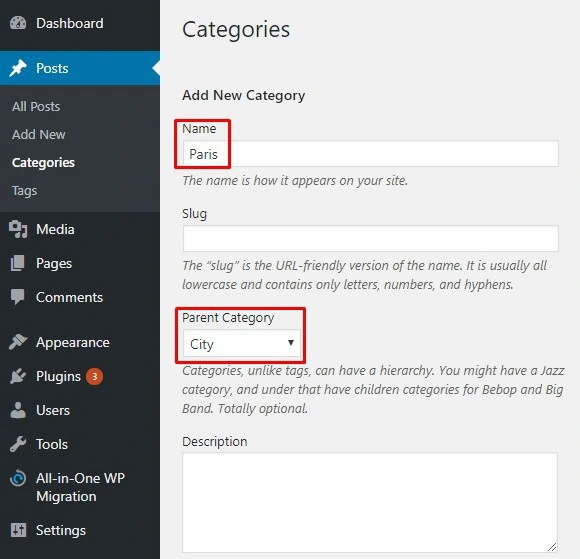
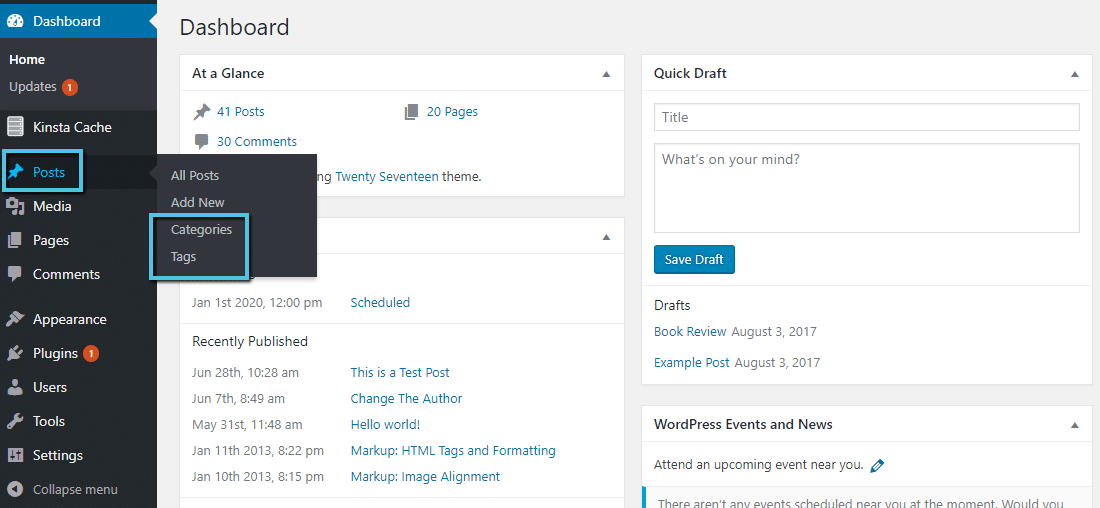
Categories help you sort content. They are like big boxes. Each box holds similar items. For instance, a food blog might have categories for recipes, cooking tips, and restaurant reviews. Categories make finding content easier. They are a basic part of WordPress. They help keep your site organized. You can add new categories anytime.
Tags are like labels. They give extra details about a post. If you have a recipe for chocolate cake, you might add tags like “chocolate,” “dessert,” and “baking.” Tags work with categories to help users find posts. They are not as strict as categories. You can add many tags to one post. Tags are optional but useful.
Custom Taxonomies let you create your own labels. They are useful if you need more than categories and tags. Imagine you have a movie site. You might use custom taxonomies for genres, directors, or actors. They provide flexibility. You can tailor them to fit your needs. Custom taxonomies are advanced but powerful tools.
Credit: www.fixrunner.com
Creating Custom Taxonomies
To make a custom taxonomy with code, you need to know PHP. Start by accessing your WordPress theme’s functions.php file. Use the register_taxonomy function. This function lets you create new categories. You can add these to posts or pages. It’s important to choose a unique name. This name helps avoid conflicts. Be careful with code. Errors can cause problems on your site.
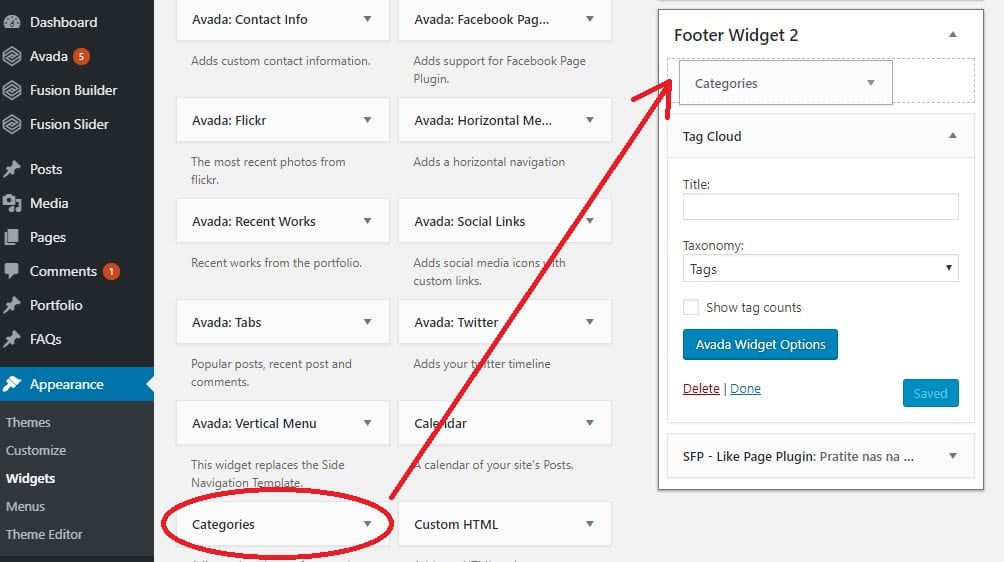
Plugins make adding taxonomies easy. No coding needed. Search for taxonomy plugins in the WordPress plugin directory. Install the one you like. Popular choices include Custom Post Type UI and Toolset Types. These plugins have user-friendly interfaces. They guide you through the process. Just follow the steps. You can create, edit, and delete taxonomies quickly. Plugins save time and effort.
Benefits Of Using Taxonomies
Taxonomies help in organizing content better. They group related items together. Users find what they need easily. Content looks neat and tidy.
A clear structure makes browsing easy. Users enjoy a smooth experience. Finding information becomes fast and simple. They stay longer on your site.
Taxonomies improve search engine optimization. They help search engines understand your site. Better structure leads to higher rankings. More visitors come to your site.
Common Challenges
Navigating taxonomy in WordPress can be tricky. It organizes content like categories and tags, helping manage website structure. Finding the right balance between them is essential for effective site navigation.
Overuse Of Taxonomies
Taxonomies help sort content. Too many taxonomies confuse users. More taxonomies mean more work for the site manager. Users might find it hard to locate content. Organizing gets tricky with too many categories. Search engines can struggle with indexing.
Management Complexities
Handling many taxonomies requires planning. Site managers need to track each taxonomy. Large sites need more attention. Changes in taxonomies can affect site structure. Updating becomes hard when taxonomies change often. It’s key to keep the taxonomy list simple.
Best Practices
A taxonomy in WordPress organizes content by grouping posts, pages, and links into categories or tags. It helps users find related content easily. Custom taxonomies can be created for specific organizational needs, enhancing site navigation and user experience.
Consistent Naming Conventions
Choose names that are clear and simple. Avoid using complicated words. Names should be easy to remember. Keep names short and to the point. Use names that relate to the content. Consistency helps users find what they need. This practice also helps with SEO. Search engines like clear names. Consistent names build trust with users. They know what to expect.
Regular Updates And Maintenance
Check your taxonomy often. Update it to keep it fresh. Remove unused categories. Add new ones when needed. Make sure everything works well. Fix broken links quickly. Regular updates improve user experience. They also help with search rankings. Well-maintained taxonomies attract more visitors. Keep your site organized and clean. This keeps users happy.
Tools And Plugins
Understanding taxonomy in WordPress helps organize content efficiently. It categorizes posts, making it easier to find and manage. Plugins enhance taxonomy functionality, offering custom categorization options for better content organization.
Popular Plugins
Many plugins help with WordPress taxonomies. Some plugins are very popular. Yoast SEO is one of them. It helps with SEO and taxonomies. Custom Post Type UI is another option. This plugin helps you create custom taxonomies. Advanced Custom Fields is also useful. It allows you to add fields to your taxonomies. Each plugin has unique features. Choose the one that fits your needs.
Choosing The Right Tool
Picking the right tool is important. Think about your website needs. Some plugins are easy to use. Others have more features. Check if the plugin has good reviews. Look for updates and support. A good plugin should be reliable. It should also be safe. Always test plugins on a small site first. This helps you avoid problems later.
Credit: kinsta.com
Frequently Asked Questions
What Is A Taxonomy In WordPress?
A taxonomy in WordPress is a way to group content. It helps organize posts, pages, and custom post types. Common taxonomies include categories and tags. They improve website navigation and enhance user experience. Proper use of taxonomies can also boost your site’s SEO by making content more discoverable.
How Do Taxonomies Improve WordPress Seo?
Taxonomies improve WordPress SEO by organizing content for better visibility. They help search engines understand content structure. This enhances indexing and ranking. Properly categorized content attracts more visitors. It also encourages longer site engagement. Using relevant keywords in taxonomies can further optimize SEO performance.
Can I Create Custom Taxonomies In WordPress?
Yes, you can create custom taxonomies in WordPress. They allow for tailored content organization. Custom taxonomies help manage complex data structures. You can create them using plugins or code. They provide flexibility and enhance content categorization. This customization improves user experience and site navigation.
What Are The Default Taxonomies In WordPress?
WordPress has two default taxonomies: categories and tags. Categories group posts into broad sections. Tags describe specific post details. Both enhance content organization and site navigation. They help users and search engines find relevant content. Proper use of default taxonomies boosts SEO and user engagement.
Conclusion
Taxonomy in WordPress keeps sites organized and user-friendly. It helps categorize and tag content, making navigation simple. Users easily find related posts or pages. This boosts engagement and site traffic. Creating custom taxonomies adds flexibility. Tailor it to your site’s needs.
Whether blogs, products, or portfolios, taxonomy streamlines content management. Mastering taxonomy enhances site structure. A well-structured site attracts and retains visitors. It improves SEO, leading to better search engine rankings. Explore taxonomy options and optimize your WordPress experience. Your site deserves an organized, efficient layout for success.


