
Ever wondered how to make your WordPress site feel like it’s truly yours? Understanding local settings in WordPress might be the secret ingredient you’re missing.
Imagine having the power to tweak your website to perfectly fit your unique needs, ensuring it resonates more with your audience. Sounds appealing, right? By mastering local settings, you can customize your site’s appearance, functionality, and user experience, all while keeping it running smoothly.
Stick around to discover how these settings can transform your WordPress experience and help you connect more deeply with your visitors. Dive in and unlock the full potential of your website today!
Local Settings Overview
WordPress has many local settings for users. These settings help tailor your site. They make it fit your needs. You can change the time zone and the language. This helps people read your site better. You can also set the date format. This makes dates clear and easy to understand.
Site administrators find these settings in the General Settings menu. Here, you can also update the site title and tagline. These are important for your site’s identity. Changing these settings is easy. Follow the steps in WordPress. Make sure to save your changes. This ensures your site functions correctly.

Credit: wordpress.org
Importance Of Local Settings
Local settings in WordPress are very important. They help you manage your site better. You can change time zones, language, and date formats. This makes your website suitable for your visitors.
Time zone settings are crucial. They ensure events happen at the right time. Your posts will show the correct time when published.
With the right language settings, users can read in their preferred language. This helps in understanding the content easily. Date formats are also important. They help show dates in a familiar way.
These settings make the site user-friendly. Visitors feel at home on your site. Changes can be made in the dashboard. This allows for easy adjustments to suit your audience.
Configuring General Settings
The Site Title is your website’s name. It appears in the browser tab. The Tagline is a short description. It tells what your site is about. Keep it simple and clear. Both are important for visitors. They help with site identity. Remember, it should reflect your site’s purpose.
The WordPress Address is where your site files live. It is also known as the URL. The Site Address is the URL people type to visit your site. Usually, both are the same. But they can be different in some cases. Ensure they are correct. This helps users find your site easily.
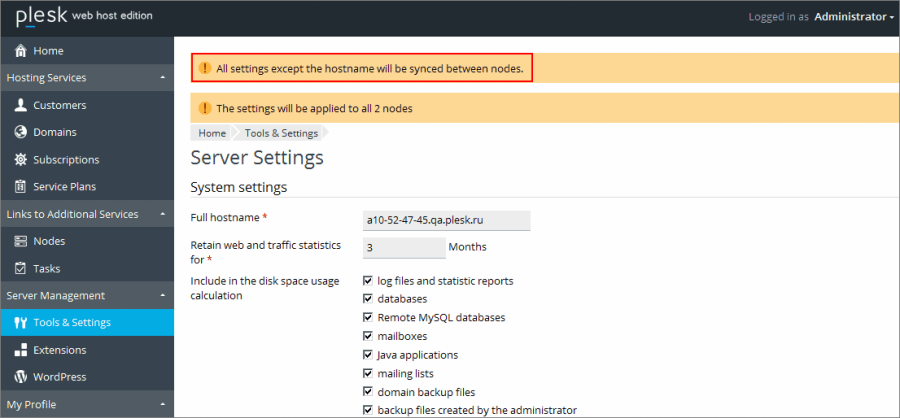
Your site’s Email Address is very important. It is used for admin purposes. This email receives important updates. It also gets notifications about your site. Make sure it is active. It should be one you check often. This keeps you informed about your site.
Credit: docs.plesk.com
Writing Settings
Choosing a default post category helps organize your posts. It serves as a placeholder when no specific category is chosen. Most blogs use “Uncategorized” as the default. You can change this to something more relevant. This makes your blog content tidy and easy to find.
The default post format decides how your posts look. WordPress offers different formats like standard, gallery, and video. Pick a format that fits your blog style. This setting affects all new posts unless changed individually.
Mail server settings control how emails send from your WordPress site. You need to input details like the SMTP server, port, and authentication. Using the right settings ensures your emails reach the inbox. Incorrect settings might lead to emails marked as spam.
Reading Settings
Homepage Display lets you choose what visitors see first. It can be your latest posts or a specific page. This setting is important for the look and feel of your site.
Blog Pages Show at Most allows you to set how many posts appear on each page. You can decide if you want to show 5, 10, or more posts. This helps manage the amount of content seen at once.
Syndication Feeds determine how many recent posts show in your feed. It can be helpful for sharing new content through email or other platforms. You can adjust how many items are shown.

Credit: learn.wordpress.org
Discussion Settings
Default Article Settings let you control comments on new posts. You decide if people can comment. You can also allow pingbacks and trackbacks. These help you know if someone links to your post.
Comment Moderation helps keep your blog clean. You can hold comments for review. You can also block comments with bad words. This stops spam and keeps your blog safe.
Avatar Display shows pictures next to comments. You can choose to show avatars or not. Avatars make comments more personal. You can also decide the default avatar style.
Media Settings
WordPress lets you set different image sizes for uploads. This helps in keeping your website fast. There are three default sizes: Thumbnail, Medium, and Large. Each size has set dimensions. The Thumbnail is the smallest. It is great for small images. The Medium size is bigger. It fits well in blog posts. The Large size is for bigger displays.
You can change these sizes in the settings. Go to the Settings menu. Then click on Media. Here, you can adjust the dimensions. This helps your site look good on all devices. Uploading Files is easy in WordPress. You can drag and drop files. Or use the Media Library. It stores all your media files. This makes managing images simple.
Permalink Settings
Permalinks are URL addresses. They help people find pages. Common settings control these links. Choose how URLs look. Pick from options like plain, day and name, month and name, or numeric. Simple URLs are better. They make pages easy to find. They also help search engines. This improves your site’s visibility. Many people use post name settings. It keeps URLs short. Short URLs are easier to share. They look clean and tidy.
Optional settings offer more choices. Use them to change things. You can adjust categories and tags. Some choose to change their base. This makes links unique. It can make your site stand out. Keep it simple for visitors. Simplicity helps users navigate easily. Complex links might confuse people. Simple settings are often best. They keep your site user-friendly.
Managing Local Settings
Local settings in WordPress are very important. They help keep your site safe. Backing up your site means saving a copy. You can do this with plugins like UpdraftPlus. Restoring means bringing back your site if something goes wrong. Always keep your backup files safe. Store them in a different place. This way, you can easily restore your site.
Sometimes, local settings might cause issues. Slow loading is a common problem. Check if any plugin is causing this. Broken links can also be a headache. Use tools to find and fix these links. Error messages might appear on your site. Look at the error log to find the cause. Regular checks can help keep your site running smoothly. Always update plugins and themes.
Frequently Asked Questions
What Are Local Settings In WordPress?
Local settings in WordPress refer to configurations specific to your site’s location. These settings include time zone, date format, and language preferences. Adjusting these ensures your content is displayed correctly according to your audience’s locale. Properly configured local settings enhance user experience and improve site functionality.
How To Change WordPress Local Settings?
To change local settings in WordPress, navigate to Settings > General in your dashboard. Here, you can adjust the time zone, date format, and site language. Save changes to apply. These settings help tailor your site’s content to match your audience’s regional preferences.
Why Are Local Settings Important In WordPress?
Local settings are crucial for optimizing user experience. They ensure your site’s content aligns with the audience’s regional preferences. Correct settings can improve engagement and interaction on your site. Ensuring accurate time zones and languages enhances the overall functionality and accessibility of your WordPress site.
Can Local Settings Affect WordPress Plugins?
Yes, local settings can affect WordPress plugins. Some plugins rely on your site’s locale to function correctly. They might use date and time formats or language preferences. Ensuring accurate local settings helps plugins perform optimally, enhancing your site’s functionality and user experience.
Conclusion
Local settings in WordPress make your site unique. They allow personalization for better user experience. Adjusting these settings is simple and impactful. Language, time zone, and date format can be customized. This improves your site’s accessibility. Visitors appreciate content in their language and time zone.
Easy navigation boosts their engagement. Local settings are essential for global reach. They help cater to a diverse audience. Understanding them enhances your site’s performance. Start exploring these settings today. It’s a step towards a more user-friendly website. Happy customizing!


