
When you start customizing your WordPress site, one question might pop into your mind: “What is the default font in WordPress?” Understanding the default font is crucial for ensuring your site’s readability and aesthetic appeal. You might not realize it, but the right font can make your content more engaging and keep your visitors scrolling.
Imagine creating an inviting atmosphere with just the right typeface that reflects your brand’s personality. If you’re curious about the impact fonts have on user experience and why the default font matters, you’re in the right place. Stay with us as we uncover the details that can transform your website’s look and feel, making it more attractive to your audience.

Credit: wordpress.com
WordPress Font Basics
WordPress is a popular tool for building websites. It uses a basic font by default. This font is called Open Sans. Many websites use it because it is simple and clear. Open Sans is easy to read on screens. It looks good on both big and small devices. The font has a modern style. It helps your site look clean and professional.
Changing fonts in WordPress is easy. You can use themes or plugins. These tools help you pick different fonts. Some themes have built-in font options. Plugins like Google Fonts offer more choices. Picking the right font is important. It makes your website look better and easier to read.

Credit: wordpress.com
Default Font In WordPress Themes
WordPress themes often come with a default font. This font sets the basic style for your website. Most themes use Google Fonts like Open Sans or Roboto. These fonts are popular because they are easy to read. Some themes might use system fonts like Arial or Times New Roman.
Changing the font is simple. You can do it in the theme settings. Fonts affect how your site looks. A good font makes text clear and easy to read. Many themes allow you to choose from different fonts. This gives your website a unique look.
Popular Default Fonts
Serif fonts are known for their small lines. These lines are at the ends of letters. They give a classic look. Common serif fonts in WordPress are Times New Roman and Georgia. They are easy to read. Especially in printed text. Another popular choice is Palatino. It is often used for formal documents. These fonts make text look serious and professional.
Sans-serif fonts do not have small lines. They look modern and clean. Arial is a widely used sans-serif font in WordPress. It is simple and clear. Another choice is Verdana. This font is great for web content. Helvetica is also popular. It is often used in logos and signs. These fonts are easy on the eyes.
Customizing Fonts In WordPress
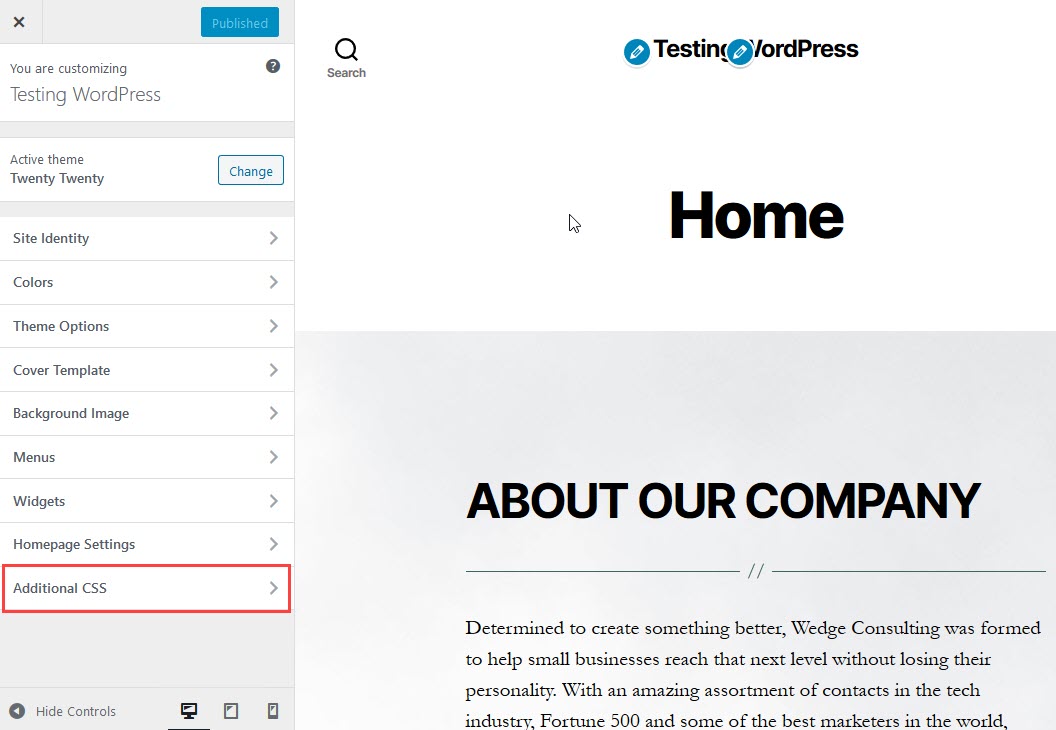
WordPress offers a tool called the Theme Customizer. This tool helps change fonts easily. First, navigate to the Appearance tab. Then, select the Customize option. Here, you can find the Fonts section. It allows you to pick different font styles. Some themes support more fonts than others. Always check your theme for options. Themes may offer Google Fonts or system fonts. Make sure to preview changes before saving.
Another way to change fonts is by using plugins. Plugins offer more font choices. Start by going to the Plugins tab. Click on Add New. Then, search for font plugins. Popular ones include Easy Google Fonts and Fontsy. Install your chosen plugin and activate it. After activation, find the plugin settings. Follow the steps to choose your fonts. Plugins can offer hundreds of fonts. Always check for plugin updates.
Impact Of Fonts On Website Design
Fonts shape how people see your website. Good fonts make content easy to read. Poor fonts can confuse visitors. The default font in WordPress is often simple. This helps improve readability. Simple fonts are easier for eyes to follow. They make reading smooth. Visitors stay longer on sites with clear fonts. They find information quickly.
Fonts also affect your Brand Identity. They tell a story about your brand. A playful font suggests fun. A serious font shows professionalism. Consistent fonts build trust. They make brands memorable. Changing fonts too often can confuse visitors. Stick to fonts that match your brand’s voice. This helps create a strong identity. People remember brands with consistent visual elements.
Tips For Choosing The Right Font
Choosing the same font for all parts of a website is smart. It helps readers feel comfortable. Pages look neat and tidy. Fonts should match the site’s style. A playful site can use fun fonts. A serious site needs clean fonts. The font must fit the mood.
Everyone should be able to read your site. Some fonts are hard to read. Simple fonts are best. People with weak eyes need clear letters. Big letters are good. Colors matter too. Dark letters on a light background are easy to see. Always check if the font is readable.
Troubleshooting Font Issues
Fonts might not display correctly. This can be frustrating. Sometimes, themes don’t use the default font. They might choose different styles. This can make websites look strange. Missing font files can also be a problem. Ensure that all necessary files are uploaded. Incorrect CSS settings might affect font appearance. Check if the CSS code is right. Sometimes, browsers cache old styles. Clear the cache for updates. Plugins can conflict with fonts. Disable them to test font issues. Theme updates might change fonts. Review settings after updates.
Check the theme settings first. Look for font options in the dashboard. Inspect CSS files. Make sure they have the correct font-family. Upload missing font files. Ensure all files are complete. Clear browser cache. Refresh for the latest styles. Disable conflicting plugins. Check font appearance after doing this. Revert theme updates if needed. Restore old settings to fix issues.
Credit: www.inmotionhosting.com
Frequently Asked Questions
What Is The Default Font In WordPress?
The default font in WordPress themes can vary, but many use system fonts like Arial or Helvetica. These fonts ensure compatibility across different devices and browsers, providing a consistent appearance. However, you can easily change the default font in WordPress through custom CSS or by using a font plugin.
How Can I Change The Font In WordPress?
To change the font in WordPress, you can use a plugin or edit the theme’s CSS. Plugins like Google Fonts or Easy Google Fonts provide a simple interface for font customization. Alternatively, you can add custom CSS code to your theme’s stylesheet for more control over font changes.
Why Does WordPress Use System Fonts By Default?
WordPress uses system fonts by default for performance and compatibility reasons. System fonts like Arial and Helvetica are already installed on most devices. This reduces page load times and ensures a consistent look across different platforms and browsers without requiring additional font downloads.
Can I Use Google Fonts In WordPress?
Yes, you can use Google Fonts in WordPress to enhance your site’s typography. You can integrate Google Fonts through plugins like Easy Google Fonts or by manually adding the font’s CSS link in the theme’s header. This allows you to access a wide variety of fonts and customize your site’s appearance.
Conclusion
Choosing the right font for your WordPress site matters. Default fonts offer simplicity and ease. They ensure readability and consistency. But customization allows personality and brand alignment. Explore font options available. Experiment with different styles. Find what fits your message best.
Remember, fonts impact user experience greatly. They can enhance or hinder it. So, take your time. Choose wisely. Consider your audience. Make your content engaging. Fonts play a key role here. Your site should be both functional and visually appealing.
That balance is crucial. So, start exploring your WordPress font settings today.


