
Are you diving into the world of WordPress and feeling a bit overwhelmed by all the new terms and features? If you’ve been scratching your head wondering, “What is a block in WordPress?
“, you’re not alone. Understanding blocks is crucial because they form the backbone of how you create and manage content on your website. Think of blocks as the building blocks of your digital masterpiece, allowing you to design pages with ease and flexibility.
You’ll discover how these versatile elements empower you to craft stunning and functional web pages without needing to be a coding wizard. Stick around to learn how mastering blocks can revolutionize your WordPress experience and make your website more engaging and user-friendly.
Credit: developer.wordpress.org
WordPress Blocks Explained
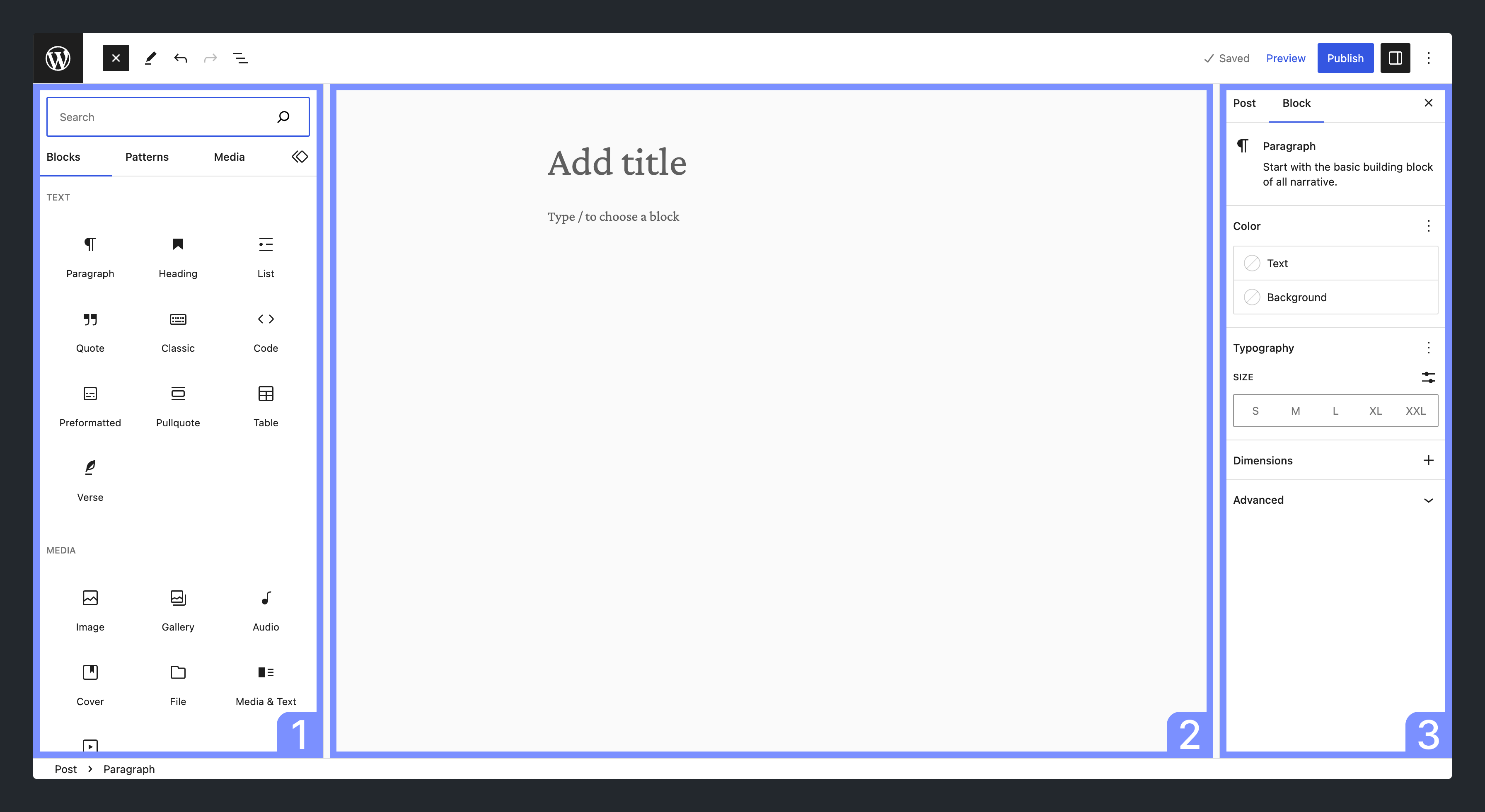
WordPress uses blocks to build pages and posts. Each block is a piece of content. It could be text, image, or video. Blocks make editing easy and fun. Drag and drop them anywhere on your page. You can customize each block. Change its size, color, or style. Blocks give you more control over your website’s look. Create a unique design without coding. Simple and user-friendly for everyone.

Credit: jetpack.com
Types Of Blocks
Text Blocks help you write words on your site. Use them for paragraphs, headings, and lists. You can also add quotes. Text Blocks make your words stand out. They are easy to use. Simply click and type. You can change the size and style of text. Make it bold or italic. Text Blocks are simple and fun.
Media Blocks add pictures and videos. These blocks make your site colorful. Show your favorite photo or a cool video. Drag and drop to add media. Change the size and position. Media Blocks are perfect for sharing memories. They make your site lively and engaging.
Design Blocks make your site look pretty. Use them to add buttons or lines. Design Blocks help with layout. You can add columns and spacers. These blocks help organize content. Make your site neat and tidy. Design Blocks are helpful tools for creative designs.
Widget Blocks add special features. Use them for calendars or search bars. Widgets make sites interactive. They offer extra functions. Visitors can use these tools easily. Widget Blocks enhance user experience. They are versatile and useful. Perfect for adding gadgets to your page.
Creating And Editing Blocks
WordPress makes it easy to add new blocks. Simply click the plus icon. A list of blocks appears. Pick the block you want. Now, it’s on your page. You can type or add images in it. Blocks help organize content.
You can change how a block looks. Click on the block. See the settings on the right. You can change the font size. Choose different colors. Add a background color too. Make it fit your style. It’s fun to try different looks.
Move blocks easily. Click on the block. Use the arrow buttons. They move the block up or down. You can also drag the block. Place it where you want. This helps make the page look nice. Arrange blocks to tell your story.
Block Patterns
Block Patterns are like puzzle pieces. They fit together to make a website. Pre-designed patterns save time. They are ready to use. Just click and add them to your page. This helps beginners a lot. No need to design from scratch. These patterns are made by experts. They look nice and work well. Try using them to make your site look better.
Custom Patterns give you more control. You can make your own designs. This is fun and creative. Add blocks to match your style. Save them for later use. These custom patterns can be shared. Others can use them too. It makes your website unique. Personal touches make a site special. Enjoy making something new.
Benefits Of Using Blocks
Blocks in WordPress simplify content creation, allowing users to easily add text, images, and multimedia elements. They enhance flexibility and control, making webpage customization more intuitive. With blocks, users can effortlessly design engaging and visually appealing layouts without coding expertise.
Improved Content Management
Blocks make organizing content easy. Each block is a separate unit. You can move them around. You can add new ones. You can delete old ones. This makes managing content simple. You don’t need coding skills. Drag and drop makes changes fast. Blocks keep your site neat and tidy. Your posts look clean. Your pages are well-organized. You save time. Your work is efficient.
Enhanced Design Flexibility
Blocks give you design choices. You can create custom layouts. You can change styles quickly. Design elements are easy to adjust. You can add images, text, and videos. You can make your site unique. You can experiment with colors. You can try different fonts. Blocks make design fun. You express your ideas easily. Your site looks professional. Design flexibility enhances creativity. Your website stands out.
Common Challenges
Understanding WordPress blocks can be tricky for beginners. Common challenges include managing block settings and customizing layouts. Navigating the block editor can sometimes feel overwhelming for new users.
Compatibility Issues
Blocks may not work with all themes. Some themes might have custom styling. This can cause blocks to look different. Plugins also affect block performance. Some plugins might not support blocks. This can lead to errors. Regular updates are essential. They can fix compatibility issues. But new updates can also break things. Test updates carefully.
Learning Curve
Blocks are new for many users. Some users find them confusing. Learning to use blocks takes time. Beginners might struggle at first. Blocks use a visual editor. This editor is different from classic editor. It has many options. Experiment with blocks to learn. Practice makes understanding easier. Use tutorials for help. They guide users step by step.
Future Of WordPress Blocks
WordPress blocks are individual elements used to build and design web pages. They allow users to add text, images, and multimedia easily. As WordPress evolves, blocks will offer more customization options, enhancing user experience and creativity.
Upcoming Features
WordPress blocks will get new features soon. These features make building websites easy. Customizable blocks will let users change designs. Interactive blocks will add more fun to sites. New layouts and styles will appear. Drag-and-drop tools will become smoother. Many people are excited about these changes. Improved performance is another benefit. Websites will load faster. Users will see fewer errors. Overall, these updates promise a better experience for everyone.
Impact On Web Development
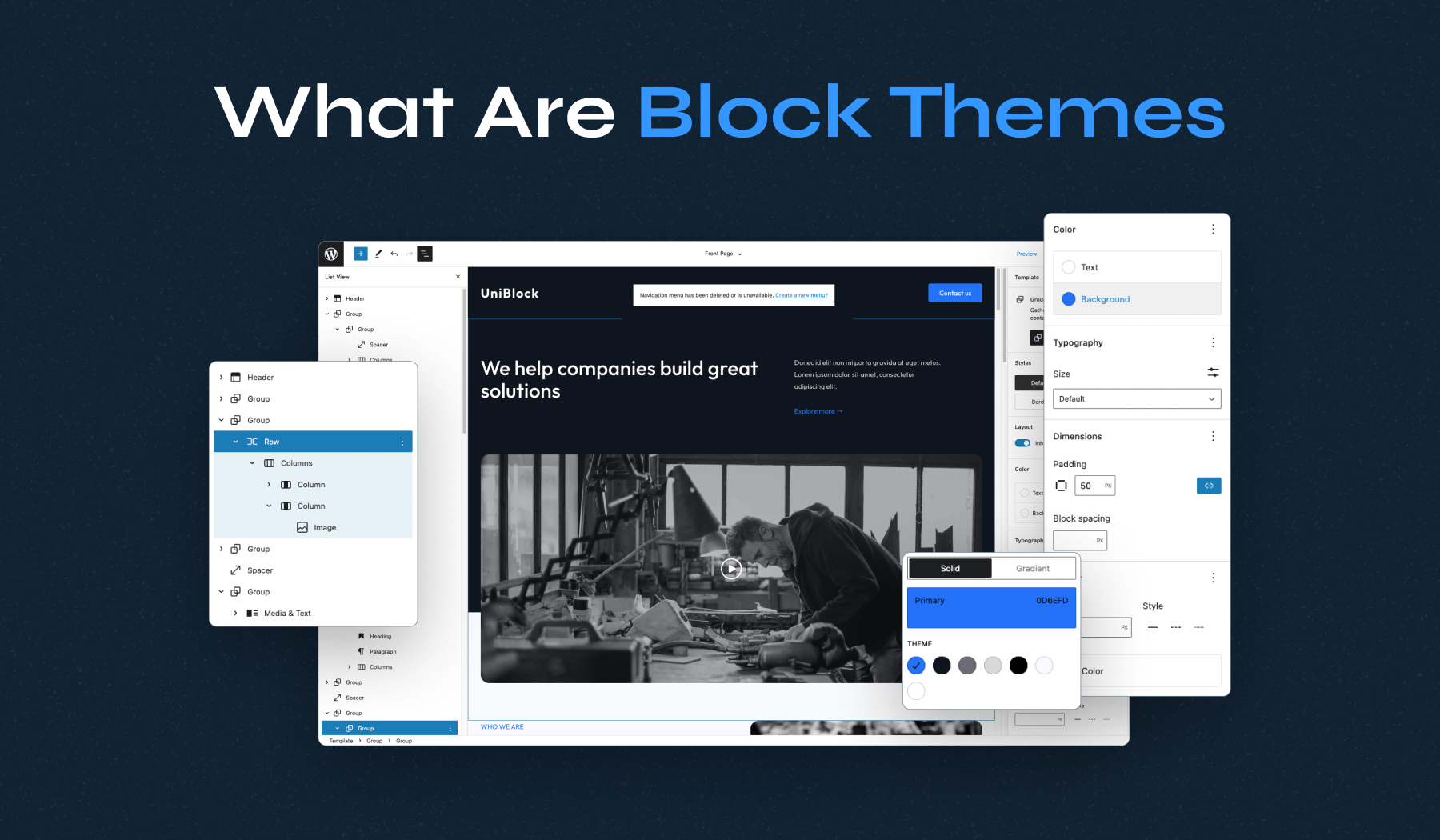
The changes to WordPress blocks will affect web development. Developers will have more tools to create sites. Beginners will find it easier to start. More people can build their own websites. Web design will become more creative. Simple tools will help developers work faster. This means more sites will be built in less time. Businesses will benefit from this. They can have new sites quickly. The web will see more unique designs. The future looks bright for WordPress users.
Credit: www.wpzoom.com
Frequently Asked Questions
What Is A Block In WordPress?
A block in WordPress is a content element used to build pages and posts. Each block represents a different type of content, like text, images, or videos. Blocks offer flexibility and customization, allowing users to design their content easily. They form the foundation of WordPress’s Gutenberg editor.
How Do You Use WordPress Blocks?
To use WordPress blocks, start by opening the Gutenberg editor. Click the “+” icon to add a new block. Choose the block type you need, like a paragraph or image. Customize the block’s settings from the toolbar. Arrange blocks by dragging them to desired positions on the page.
Why Are WordPress Blocks Beneficial?
WordPress blocks offer an intuitive way to create content. They enable users to easily customize layouts without coding skills. Blocks enhance design flexibility, allowing for diverse content types. This modular approach simplifies editing and updating content, improving user experience and streamlining website management.
Can You Customize WordPress Blocks?
Yes, you can customize WordPress blocks extensively. Each block has specific settings to adjust its appearance and behavior. Options include changing colors, fonts, and alignment. You can also add custom CSS for advanced styling. This flexibility ensures your content matches your brand’s unique design requirements.
Conclusion
Blocks in WordPress simplify website design. They offer flexibility and control. Users can create diverse content layouts easily. No coding skills needed. Blocks enhance creativity. You can mix and match them. Perfect for blogs, portfolios, or business sites. Experiment with different styles.
Make your site unique. WordPress blocks adapt to your needs. They streamline the design process. Ideal for beginners and experts alike. Explore the power of blocks. Dive into WordPress. Build your dream site today. Simple. Efficient. Versatile. Your website, your way.


