
Have you ever wondered what it means when something in WordPress is labeled as “private”? You might have seen this option pop up while managing your website, and it’s piqued your curiosity.
Understanding the “private” feature in WordPress is crucial for anyone looking to control who sees their content. Whether you’re a blogger wanting to share exclusive posts with a select audience or a business owner aiming to safeguard sensitive information, mastering this feature can give you the control you need.
Dive in with us to uncover how this simple yet powerful tool can transform the way you manage your website. By the end of this article, you’ll not only know what “private” means in WordPress but also how to harness its potential to your advantage.

Credit: wordpress.com
Private Content In WordPress
Private content in WordPress is like a secret. Only people with the right key can see it. This content is not for everyone. It stays hidden from the public. This helps keep special information safe.
Not everyone can view private content. WordPress controls who can see it. Only admins and selected users can access. Others will not see this content. It’s like a club with a special membership. Only members can enter. This makes private content secure.
Setting Content To Private
To make a post private, start in the dashboard. Click on Posts and find the one you want. Open it and look for the Publish box on the right. Inside, find the option that says Visibility. Click on it and choose Private. Now, only you can see this post. Remember to update your changes. This makes sure the post stays private.
Private pages work like private posts. First, go to the Pages section. Find the page you want to change. Open it and check the Page Attributes section. Look for Visibility, then choose Private. Click update to save. Now, this page is hidden from others. Only you can see it.
User Roles And Permissions
WordPress lets you control who sees what. Different users have different roles. Each role has its own permissions. Admins can see and change everything. Editors can change posts and pages. Authors can write and change their own posts. Contributors can write but cannot publish. Subscribers can only read. This system is called Role-Based Access Control.
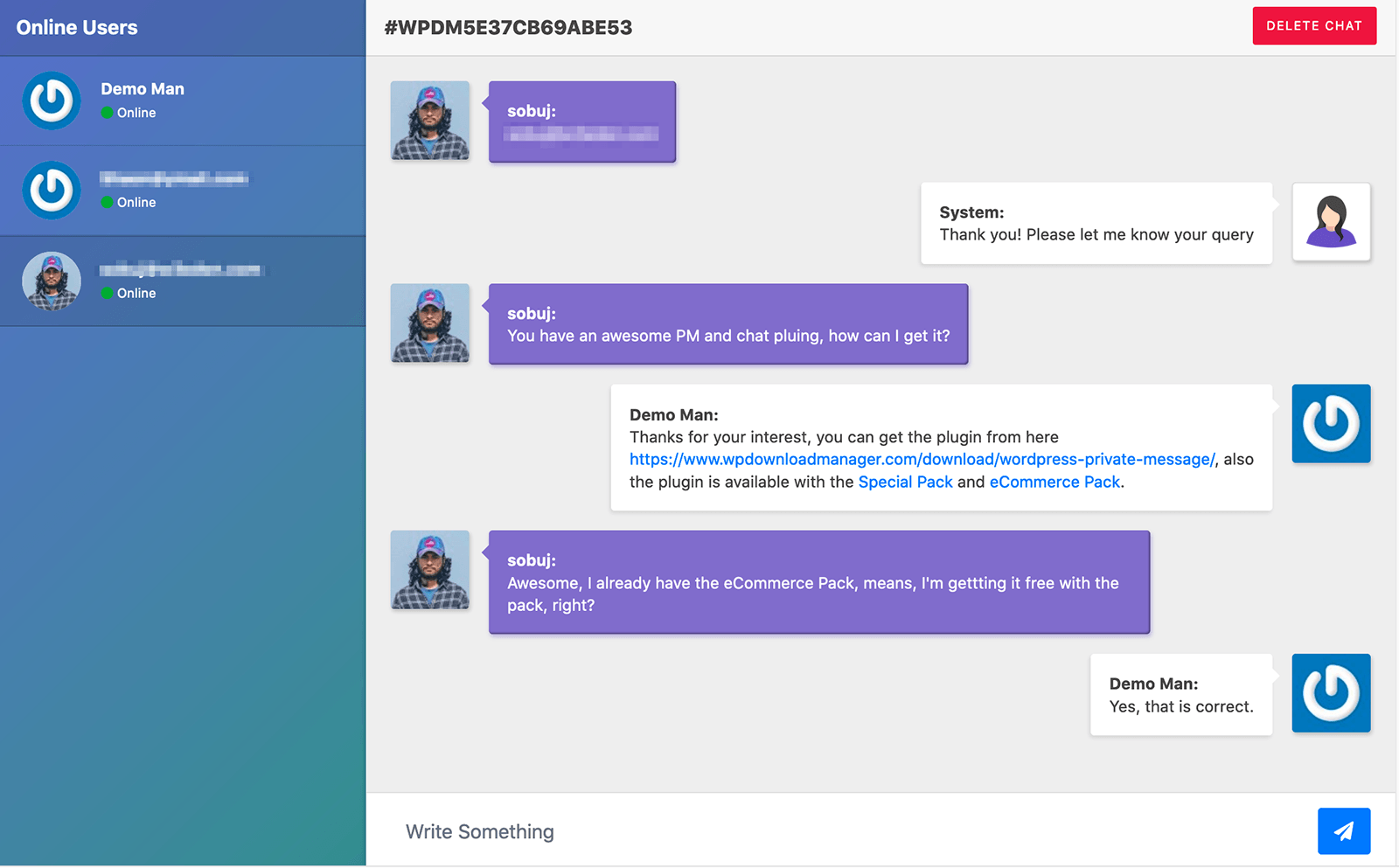
Private content is special. Only certain users can see it. Admins decide who can view private content. They set permissions for each role. This keeps important information safe. Users must log in to see private content. This is how WordPress keeps your site secure. Always update your permissions. This ensures only the right people see private content.
Credit: www.wpdownloadmanager.com
Benefits Of Private Content
Private content keeps your data safe. Only selected users can see it. This means less risk of unwanted access. No hackers can get in easily. Your site stays secure.
Passwords protect private content. Only those with the password can view it. This adds an extra layer of safety. Keep your important information away from strangers.
Private content allows you to choose your audience. Share with only those you trust. This ensures the right people see your content. Limit access to your trusted circle.
You can keep exclusive offers just for members. Give special content to your team or clients. This builds a stronger connection with them. They feel valued and special.
Common Use Cases
Private settings in WordPress allow content to be hidden from public view. This feature is useful for personal blogs or internal company pages. Only authorized users can access private posts, ensuring sensitive information remains secure.
Internal Company Resources
Many companies have internal resources they want to keep safe. These might include training materials, company policies, or sensitive documents. Using private settings in WordPress helps. Only team members can see these resources. This keeps important information secure.
With private settings, companies control who accesses these resources. Team members log in to view. This ensures confidentiality and security. It’s a simple way to protect valuable content. Private settings make it easy to share important information safely.
Members-only Content
Some websites offer exclusive content for members. This can be articles, videos, or special offers. Using private settings in WordPress helps manage members-only access. Only paying members can view these pages. This way, content remains exclusive and valuable.
Private settings allow websites to offer unique experiences. Members feel special and valued. This encourages more people to join. It also helps build a strong community. Private settings make it easy to deliver exclusive content effectively.
Challenges And Considerations
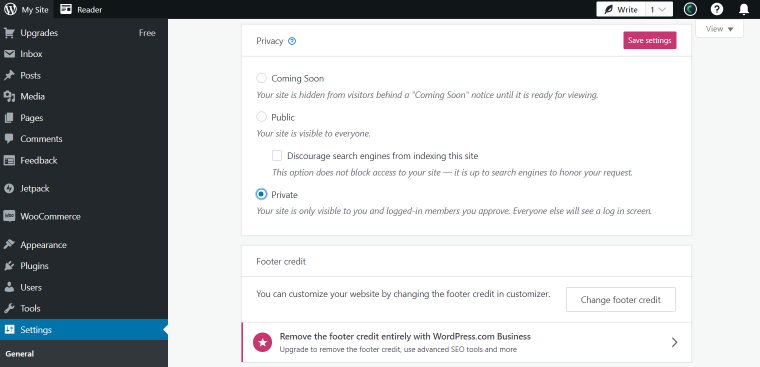
Private content on WordPress is hidden from public view. Only certain users can see it. This is useful for sharing exclusive material. But, it has limits. Not all users can access it. Some may miss important updates. Managing private content is tricky. It requires careful planning. To ensure privacy, settings must be checked. Content should be regularly reviewed. Updates might be needed to maintain privacy.
User access can be complex. Not everyone understands private settings. Some users might struggle to view private posts. Permissions must be set correctly. Mistakes can lead to confusion. Admins need to guide users. Instructions should be clear and simple. Regular checks help prevent access problems. Training can improve user understanding.
Credit: crocoblock.com
Frequently Asked Questions
What Does “private” Mean In WordPress?
In WordPress, “private” means that only logged-in users with specific permissions can view the content. This setting helps control access to sensitive information. Private posts and pages are not visible to the public or search engines. It’s a useful feature for creating exclusive content for registered users or team members.
How To Set A Post As Private In WordPress?
To set a post as private, open the WordPress editor. In the “Publish” section, click “Edit” next to “Visibility. ” Select “Private” and then click “OK. ” Finally, click “Update” or “Publish” to save the changes. Now, only authorized users can access the post.
Who Can See Private Posts In WordPress?
Only users with the appropriate permissions can see private posts in WordPress. Typically, this includes administrators and editors. Authors can view their own private posts. This feature ensures that sensitive content is only accessible to trusted individuals. It’s ideal for internal communications or exclusive content for specific users.
Can Search Engines Index Private Pages?
No, search engines cannot index private pages in WordPress. Private pages are hidden from the public and search engine crawlers. This ensures that sensitive information remains confidential. It’s a valuable feature for maintaining privacy and controlling who can access specific content on your website.
Conclusion
Understanding the “Private” setting in WordPress is essential. It protects your content. Only selected people view it. This feature offers control over your posts. You decide who reads your work. It’s perfect for personal or sensitive content. Learning to use this tool boosts your site’s privacy.
It’s simple yet effective. Ideal for bloggers and business owners alike. Keep your content safe and secure. Explore WordPress’s privacy features today. Enhance your blogging experience. Your content, your rules. Happy blogging!


