
Imagine you’ve just set up your WordPress site, and you’re eager to make it shine. You want every corner of the internet to discover your content, yet you also want to keep certain parts of it exclusive.
This is where the mysterious yet essential file, “robot. txt,” comes into play. Have you ever wondered how search engines decide which parts of your site to index and which to ignore? Or how you can control this process to your advantage?
By understanding robot. txt, you can steer the flow of web crawlers, enhancing your site’s visibility while safeguarding sensitive areas. Join us as we delve into the world of robot. txt in WordPress, and discover how this small file can make a big difference in your site’s performance. Get ready to unlock the secrets that will empower you to optimize your online presence like never before!
Credit: kinsta.com
Introduction To Robots.txt
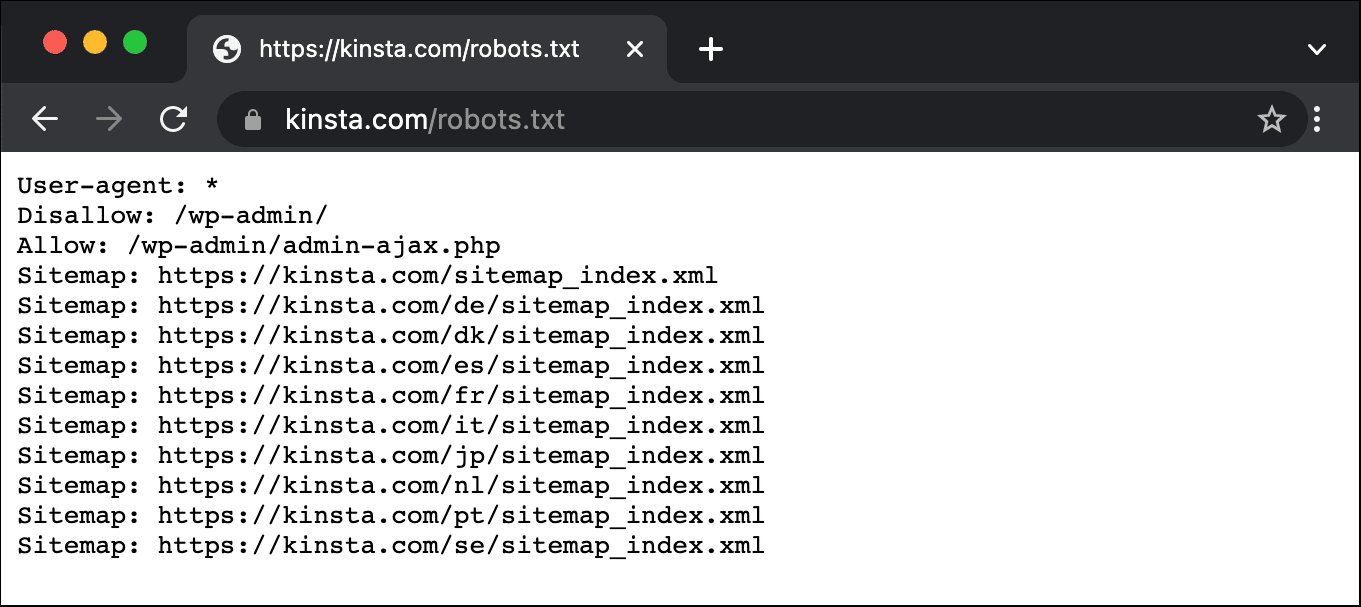
Robots.txt is a small text file in your website. It tells search engine robots where they can go. This file helps in controlling the search engine crawlers. It is important for WordPress websites. This file can stop crawlers from seeing certain parts of your site. For example, it can hide login pages or private data. Robots.txt is a way to manage your website’s visibility. It helps in keeping some areas private. Also, it guides robots to the important parts of your site.
Having a good robots.txt file is useful. It helps in website performance. It can also improve your website’s SEO. By using it, you can make sure search engines find the right pages. This makes your site easier to find for users. Always check your robots.txt file. Make sure it is set up the right way.
Credit: kinsta.com
Purpose Of Robots.txt
Robots.txt is a simple file. It tells search engines where to go. Search engine crawlers read it first. This file gives them instructions. Control which parts of your site they see. You can block parts you don’t want them to see. This helps in managing your site’s visibility. Important pages can be prioritized. Less important ones can be hidden.
Using robots.txt can improve your SEO. It helps direct crawlers to the right pages. Boost your site’s ranking by guiding them well. Some pages may not need indexing. This file helps in avoiding duplicate content issues. Keep your site organized and efficient. A well-managed robots.txt file is key to better SEO performance.
Creating Robots.txt In WordPress
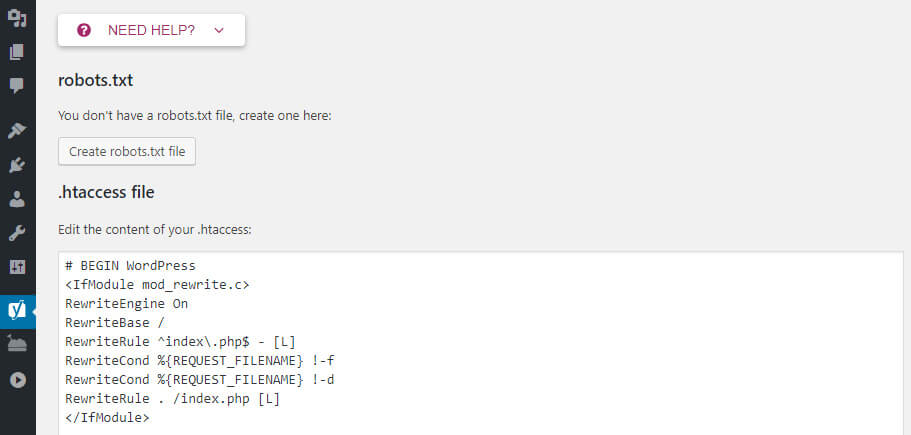
The WordPress dashboard makes it easy to create a robots.txt file. First, you need to install a plugin. Many plugins can help, but Yoast SEO is popular. Once installed, go to the plugin’s settings. Look for the “Tools” or “File Editor” option. Click on it to open the editor. Here, you can create your robots.txt file. You can decide which pages search engines can see. This helps in controlling the visibility of your website. Remember to save changes after editing. This method is simple and quick.
Creating a robots.txt file manually is also possible. You need an FTP client like FileZilla. First, connect to your website’s server. You will need your login details. Once connected, find the root directory. It usually has files like wp-config.php. Open this folder and create a new text file. Name it robots.txt. Add your desired rules inside. Save the file and upload it to the server. This way, you have full control over your file settings.
Credit: www.hostinger.com
Best Practices For Robots.txt
Allowing and Disallowing Directories is key in managing web access. It helps control search engines. You can choose which parts of your website to show. Use Disallow for areas you want hidden. This can include private folders or test pages. The Allow command lets search engines see important content. Be careful with these settings. Wrong settings can hide your site from search engines.
Avoiding Common Mistakes with robots.txt is crucial. Always check your file for errors. A small mistake can cause big issues. Avoid blocking CSS and JS files. These are important for site display. Double-check paths in the file. Incorrect paths lead to errors. Always test your robots.txt file. Ensure it’s working as planned. This helps your site perform well.
Testing Robots.txt
Robots. txt in WordPress guides search engines on which parts of a website to crawl. It controls access for search engine bots, ensuring they index important pages while ignoring others. Testing this file ensures that your site’s visibility aligns with your SEO strategy.
Using Google Search Console
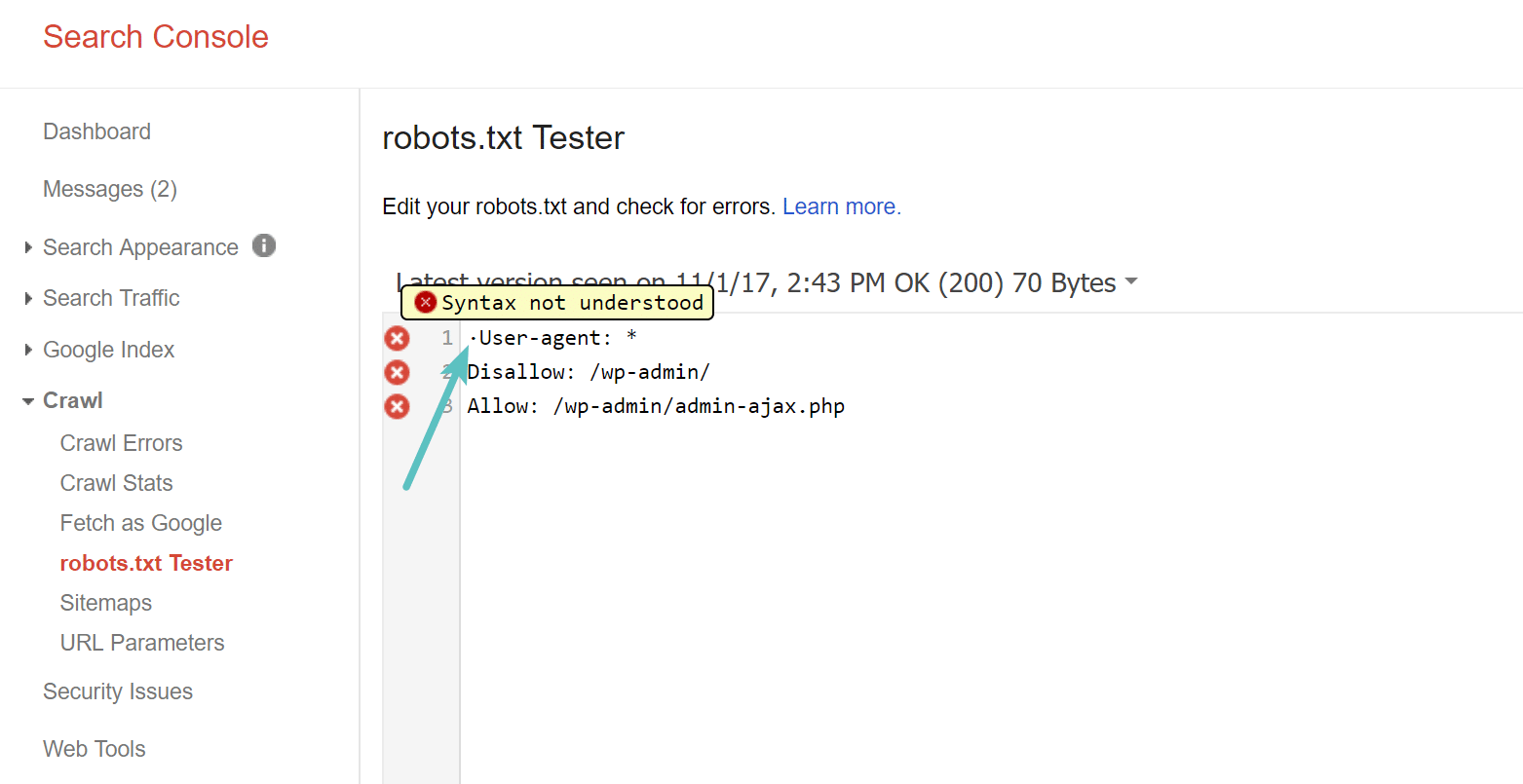
Google Search Console helps check robots.txt files. It shows if Google can see your site. You can ask Google to test your robots.txt. It tells you if there are problems. Fix errors to improve site visibility. This helps pages appear in search results. Always keep robots.txt updated. It guides search engines. Helps them know which pages to skip. Makes sure your important pages are seen. A good robots.txt helps SEO. It keeps your site organized. Makes it easy for search engines to read. Google Search Console is a useful tool. It helps improve your site’s performance. Ensures your pages are found by search engines. Use it regularly to monitor your site.
Analyzing Crawl Errors
Crawl errors show when search engines can’t access a page. These errors can hurt your site’s visibility. Google Search Console helps find these errors. Look for them and fix them fast. Common errors include 404 and server errors. Errors can stop search engines from indexing pages. Fixing errors improves search rankings. Makes sure search engines can access all pages. Regular checks help keep your site healthy. A clean site is easier to crawl. This boosts your SEO and site traffic. Always check for crawl errors. Keep your site accessible to search engines. Fixing errors helps users find your site. Helps search engines understand your content better.
Updating Robots.txt
Regular checks of your Robots.txt file are important. New content gets added all the time. This file tells search engines what to see. Some pages should stay private. Others need to be public. If your Robots.txt is wrong, search engines might not see your important pages.
Make changes when needed. Maybe you added a new section. Or maybe a page should not be found. Adjust the file to match these changes. This way, your site stays easy to find. It is like telling a story. You want the right people to read the right parts.
Common Issues And Solutions
Blocked resources can confuse search engines. Robots.txt files might block important files. This can affect site performance. Images, CSS, and JavaScript are often blocked. Check your robots.txt file. Ensure necessary resources are not blocked. Use tools to test your site’s accessibility. Unblock essential files for better visibility.
Indexing issues occur often. Pages might not appear in search results. Robots.txt can block pages accidentally. Fix the file to improve indexing. Ensure important pages are not blocked. Use Google Search Console to identify issues. Check for any disallowed pages. Make adjustments in the robots.txt file. Verify changes to ensure proper indexing.
Tools For Managing Robots.txt
Robots. txt in WordPress guides search engines on which pages to crawl. Tools help manage this file easily. They offer user-friendly interfaces to edit and optimize robots. txt for better site visibility.
Plugins And Online Tools
WordPress offers many tools for editing the robots.txt file. Plugins are easy choices for beginners. They are simple and quick. Yoast SEO is a popular plugin. It lets you edit robots.txt directly. Another choice is the All in One SEO Pack. It also offers robots.txt management. Both plugins are user-friendly.
Online tools can also help. Some websites let you check your robots.txt file. These tools show errors and suggest fixes. Google Search Console is an important tool. It checks your robots.txt and shows problems. Choose a tool that fits your needs. Plugins are easy for beginners. Online tools are better for advanced users. Both options are helpful for WordPress sites.
Frequently Asked Questions
What Is The Purpose Of A Robot.txt File?
A robot. txt file guides search engine bots on which pages to crawl. It helps manage site indexing, enhancing SEO. By controlling bot access, it prevents unwanted pages from appearing in search results. This file is vital for optimizing how search engines interact with your website.
How Do I Find My Robot.txt File In WordPress?
To locate your robot. txt file in WordPress, use an FTP client or a file manager. Navigate to the root directory of your website. You can also use SEO plugins like Yoast to easily create and edit the robot. txt file directly from the WordPress dashboard.
Can I Edit Robot.txt File In WordPress?
Yes, you can edit the robot. txt file in WordPress using SEO plugins or FTP. Plugins like Yoast SEO allow easy editing from the WordPress dashboard. Alternatively, access the file through FTP to make direct changes. Editing helps control search engine bot access to your site.
Why Should I Use A Robot.txt File?
A robot. txt file helps manage which pages search engines index. It improves site SEO by controlling bot access. This prevents unnecessary pages from appearing in search results. Using it strategically guides search engines in efficiently crawling and indexing your website content.
Conclusion
Robot. txt in WordPress helps manage search engine access. It guides crawlers, ensuring important pages are indexed. Customize it to control what search engines see. Protect sensitive areas while boosting SEO. Simple to set up and adjust. Remember, it impacts how search engines view your site.
Regular updates are essential. Keep it optimized for search visibility. With proper use, your site benefits from better rankings. Explore options, and enhance your WordPress site’s performance. Understanding robot. txt is key to effective SEO management. Ensure your site is search engine friendly.
Achieve balance between visibility and security.


