
Imagine transforming your WordPress site into a visually stunning masterpiece without needing to write a single line of code. With Divi 4.0, this dream becomes a reality.
This powerful tool allows you to design a WordPress theme with ease, offering endless customization options to make your site truly unique. Are you ready to captivate your audience with a design that stands out? You’re in the right place.
This guide will walk you through the steps of using Divi 4. 0, ensuring your site not only looks great but also engages visitors from the moment they arrive. Ready to unlock the full potential of your creativity? Let’s dive in and create a WordPress theme that reflects your vision and captivates your audience.
Getting Started With Divi 4.0
Design a WordPress theme with Divi 4. 0 by exploring its intuitive drag-and-drop builder. Customize every detail using responsive editing options. Create visually appealing layouts effortlessly, even without coding skills.
Installation Process
Start by getting the Divi 4.0 theme package. Go to your WordPress dashboard. Click on Appearance. Then, select Themes. Click Add New. Choose the Upload Theme button. Pick the Divi 4.0 zip file. Press Install Now.
After the installation, click Activate. Your theme is now ready. Check the Divi settings under the WordPress menu. Customize your theme with the options there. Make sure everything looks good.
System Requirements
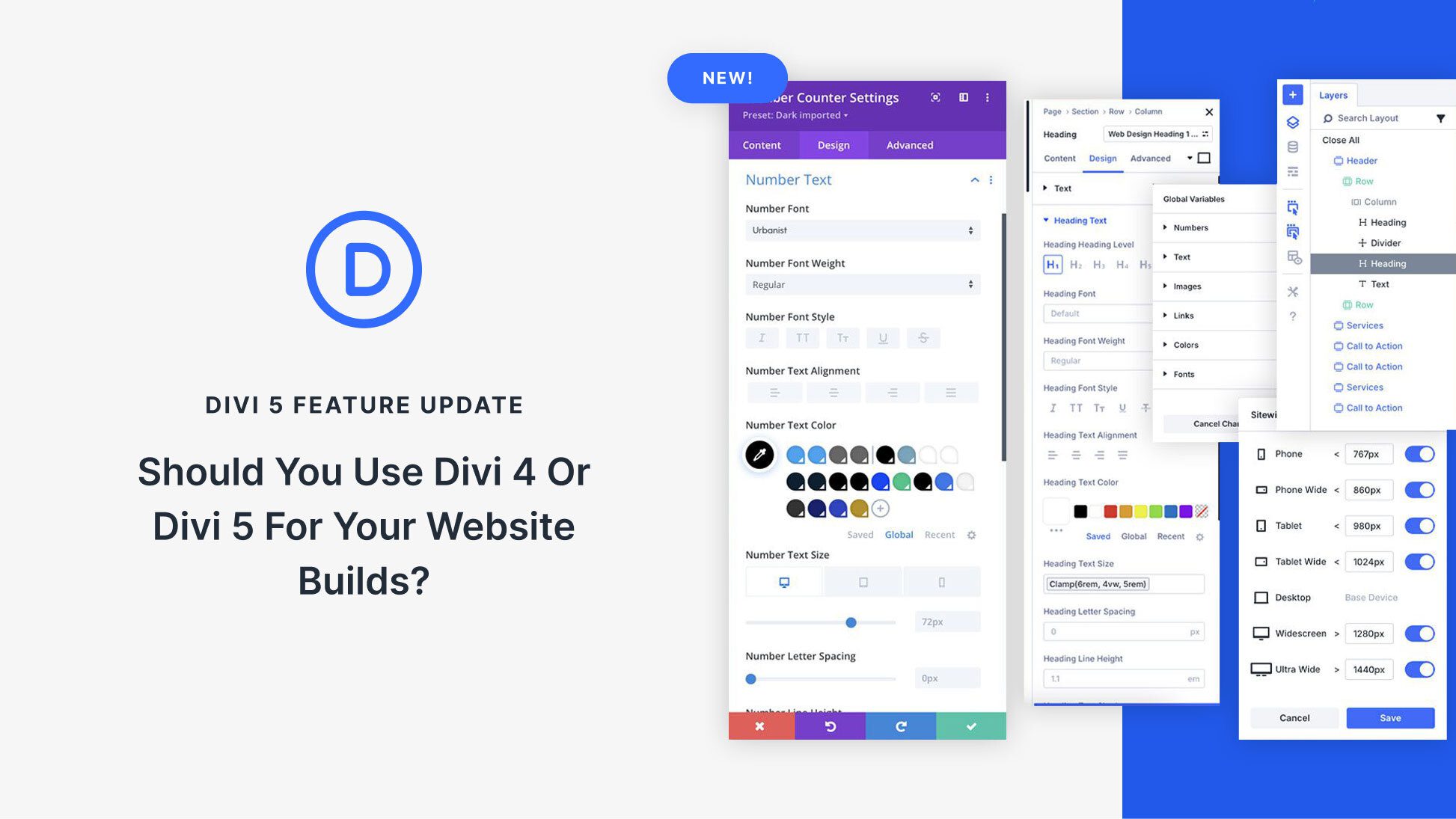
Your website needs some requirements. WordPress version should be 5.0 or higher. PHP version should be 7.2 or above. Make sure your server has enough resources. This helps Divi work smoothly.
Credit: www.elegantthemes.com
Exploring Divi Builder
Divi Builder offers powerful featuresdrag-and-drop interface. You can create pages easily. It includes modules for images, text, and buttons. Responsive design is also available. Your site will look great on phones and tablets. Global elements let you change things everywhere. It’s fast and simple.
The interface is clean. Sections and rows are easy to find. You can move them around. Customizing is fun. You can change colors and fonts. The visual builder makes it simple. You see changes right away. It helps you design quickly.
Creating A Custom Layout
Divi 4.0 offers many pre-made layouts. These layouts are easy to use. Simply pick a layout you like. Then, add it to your page. Adjust colors and fonts to match your style. You can also add your own images. This makes your website look unique. Pre-made layouts save time. They are great for beginners.
Start with a blank page. Use the Divi Builder to add sections. Add modules like text or images. Arrange them any way you want. Customize each module. Change colors, fonts, and sizes. This way, you control the design. Building from scratch is fun. It lets your creativity shine.

Credit: www.youtube.com
Utilizing Theme Builder
Divi 4.0 helps in creating a Global Header & Footer. This means you only design it once. It appears on all pages. Save time and keep your site looking the same everywhere. Easy to set up and change later.
Custom Templates are also possible. Make special designs for different pages. For instance, design a unique look for blog posts. Or, create a special design for product pages. This keeps your site interesting. Users see new designs on different pages. It makes your site feel fresh and fun.
Enhancing Design With Modules
Divi 4. 0 offers flexible modules to create stunning WordPress themes. Design becomes effortless with drag-and-drop features. Customize layouts to match your vision seamlessly.
Popular Modules Explained
Divi 4.0 offers many popular modules for design. The Text Module lets you add words easily. The Image Module helps display pictures. Use the Button Module to create clickable buttons. The Video Module plays videos smoothly. Each module has special uses. They make your website look better.
Advanced Module Settings
Modules have advanced settings for more control. Change colors and fonts to match your style. Adjust padding and margin for space around elements. Use animation effects to make modules move. These settings help make designs unique. Everyone can learn to use them. Practice makes it easy. Experiment with different styles.
Credit: askkori.com
Styling And Customization
CSS options in Divi 4.0 are easy to use. You can change colors, fonts, and sizes. These options help make your site look good. Use the CSS editor to add your own styles. This feature is very helpful for designers. It gives you more control over your design. You can make each part of your site unique.
Responsive design tools are a key part of Divi 4.0. They help your site look good on all devices. You can easily adjust settings for phones and tablets. This ensures everyone sees your site clearly. The tools let you preview changes instantly. So you know exactly how your site looks. This makes creating a mobile-friendly site simple and quick.
Optimizing For Performance
Quick loading sites keep visitors happy. Divi 4.0 helps you build fast sites. Use smaller images for faster loading. Reduce image sizes without losing quality. Smaller images make pages load quicker. Choose the right plugins. Too many plugins slow down sites. Select lightweight plugins. Remove unnecessary ones. This helps your site stay fast.
Minimize CSS and JavaScript files. Large files slow sites. Minification makes them smaller. Compress files to save space. Enable caching for repeat visitors. Cached pages load faster. This improves user experience. A fast site ranks better on search engines. Keep your site speedy for success.
Good SEO brings more visitors. Use keywords wisely in content. Keywords help search engines find your site. Place them in titles and headings. Write clear, simple sentences. Easy reading attracts more people. Use alt text for images. Alt text helps search engines understand images. This boosts your site’s visibility.
Mobile-friendly design is important. Many people use phones to browse. Make sure your site works well on phones. Fast loading and clear design improve user experience. Good SEO practices keep your site relevant and visible. Follow these tips to reach more people online.
Troubleshooting Common Issues
Users may face errors while designing with Divi 4.0. Sometimes, themes do not load correctly. This can cause frustration. Pages may not display as expected. Another issue is plugin conflicts. These conflicts can break your design. Always check for plugin updates. Slow loading speeds can also be a problem. Reduce large image sizes. Optimize your content for better speed.
Divi offers many support options. The documentation is helpful. It covers most common issues. The support forum is another good resource. Other users share solutions there. You can also reach out to the customer support team. They provide direct help. Tutorials and guides are available. They teach step-by-step solutions. Use these resources to fix issues quickly.
Frequently Asked Questions
What Is Divi 4.0 In WordPress?
Divi 4. 0 is a popular WordPress theme and page builder. It offers advanced customization features for designing websites. With a visual drag-and-drop interface, users can easily create responsive layouts. It enhances design flexibility without needing coding skills. Perfect for beginners and professionals alike.
How Do I Install Divi 4.0?
To install Divi 4. 0, log into your WordPress dashboard. Navigate to ‘Appearance’ > ‘Themes’ > ‘Add New’. Upload the Divi theme file and activate it. Once activated, you can start customizing your theme using Divi’s builder interface. Ensure your WordPress version is compatible before installation.
Can I Create Custom Themes With Divi 4.0?
Yes, you can create custom themes with Divi 4. 0. Its powerful builder allows you to design unique, tailored themes. Use the drag-and-drop feature to customize layouts, colors, and fonts. You can also save your designs as templates for future use.
Is Divi 4.0 Beginner-friendly?
Divi 4. 0 is highly beginner-friendly, thanks to its intuitive interface. The drag-and-drop builder simplifies design processes. Users can easily create stunning websites without coding knowledge. Additionally, numerous tutorials and community support are available to guide new users through the platform.
Conclusion
Designing a WordPress theme with Divi 4. 0 is straightforward. Start by exploring its features. Drag and drop modules make creation easy. Customization options suit any style. Beginners and pros can craft stunning designs. Practice improves your skills. Experiment with layouts.
Discover what works best for your site. Divi’s flexibility supports creativity. Use it for unique themes. Keep learning and trying new things. Update regularly to enhance your design. Your WordPress site can stand out with Divi 4. 0. Enjoy designing and see your ideas come to life.


