Are you feeling overwhelmed by the thought of adding JavaScript to your WordPress theme? You’re not alone.
Many WordPress users face this challenge, but the good news is that it’s easier than it seems. JavaScript can transform your website, making it more dynamic, engaging, and user-friendly. Imagine the possibilities—interactive elements, smooth animations, and enhanced user experiences, all at your fingertips.
This guide will walk you through the process step-by-step, ensuring you can confidently add JavaScript to your WordPress theme without any hassle. Stick with us, and by the end, you’ll have the skills to elevate your site to a whole new level. Are you ready to unlock your website’s full potential? Let’s dive in!
Adding Scripts To WordPress
WordPress themes have a special layout. It’s called the theme structure. This structure tells how your website looks and works. Themes have files and folders. Each file has a job. Some files decide the header and footer. Others set the colors and fonts. The style.css file is important. It shows the theme name and author. The index.php file is another key part. It displays content on the page.
The functions.php file is like a toolbox. It holds important tools. These tools help the theme work better. You can add custom features to your website. To load JavaScript, functions.php is useful. Add a line of code here. It links to your JavaScript file. This makes the website interactive. Without functions.php, adding scripts is hard. Always save changes to this file. Back up before you edit. Mistakes can break the site.
Using Enqueue Method
The wp_enqueue_script function helps load scripts in WordPress. It makes sure scripts load in the right place. This function prevents errors by checking dependencies. Developers use it to keep WordPress sites working well. It’s part of WordPress best practices.
Enqueueing scripts in WordPress has many benefits. It stops conflicts between scripts. Speeds up site loading by managing script order. Helps in keeping a site secure by using the right scripts. It makes site maintenance easier. Enqueueing ensures scripts load only when needed. This saves resources and improves performance.
Loading Scripts Correctly
WordPress has a smart way to load scripts. Use the wp_register_script function. It helps manage scripts easily. First, give your script a name. This name is unique. Then, provide the script’s URL. Make sure it’s correct. Lastly, set its version. This is important for updates.
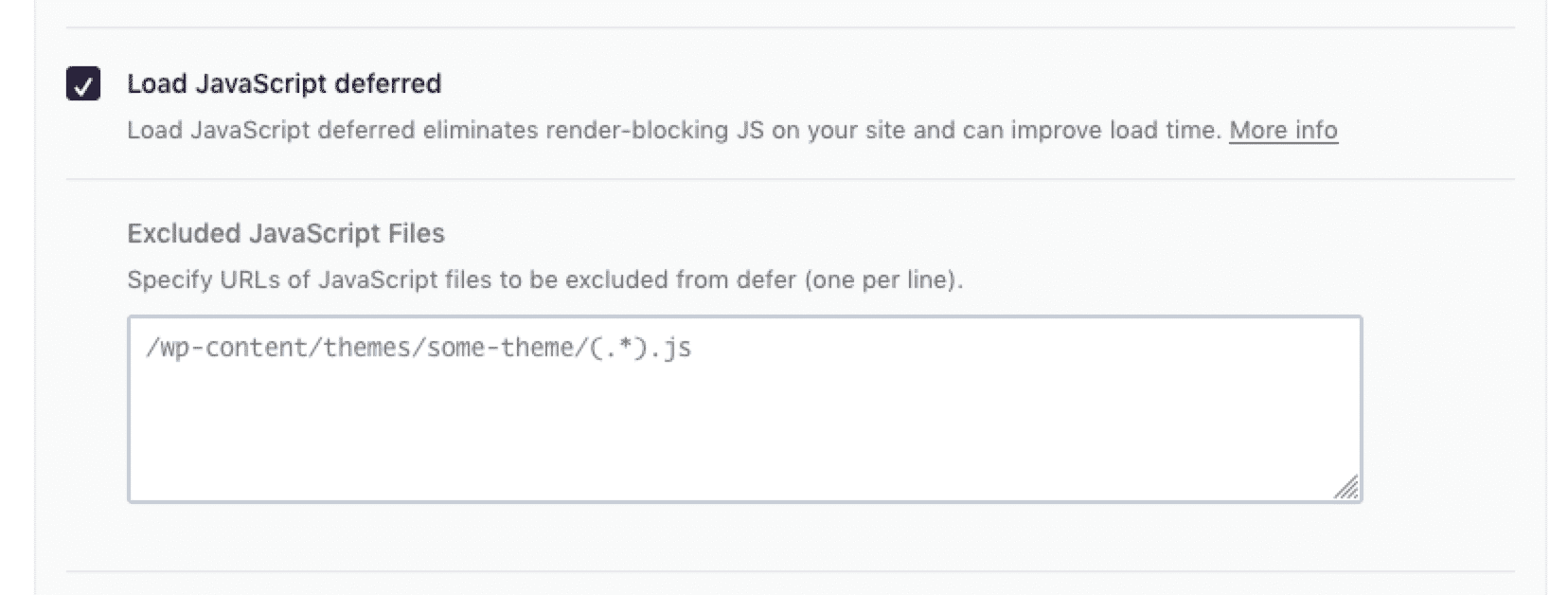
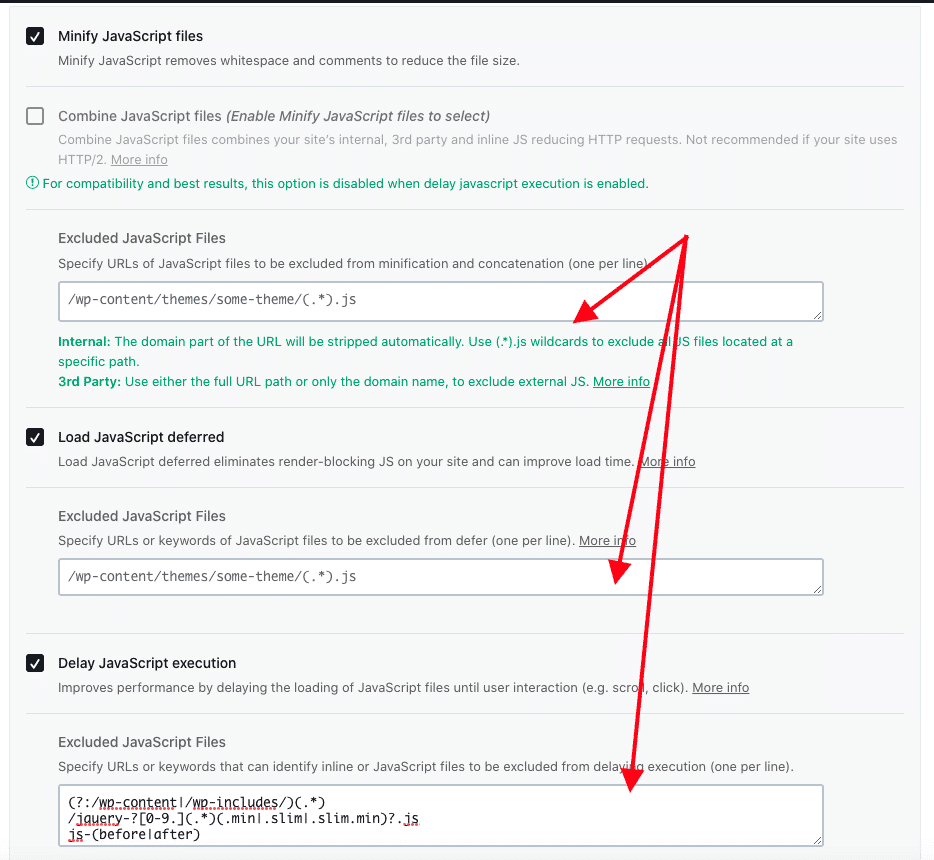
Scripts often depend on others. It’s crucial to list these dependencies. Use the dependencies parameter in wp_register_script. This ensures scripts load in order. For example, jQuery is common. Many scripts need it. Always check dependencies. Your website will work better. Avoid script conflicts.
Credit: wp-rocket.me
Conditional Script Loading
Conditional script loading optimizes your WordPress theme by loading JavaScript only when needed. This method enhances site performance, reducing load times and improving user experience. Efficient script management keeps your website fast and functional.
Targeting Specific Pages
To load scripts only on certain pages, use conditional tags. These tags help to identify specific pages in WordPress. For example, use is_home() for the homepage. Use is_single() for single posts. Add scripts only where needed. This keeps the site fast and efficient. Avoid loading unnecessary scripts everywhere.
Loading Scripts For Mobile Devices
Loading scripts for mobile is important. Mobile users need fast websites. Use media queries to check device type. Serve smaller scripts for mobile. Remove heavy scripts on small screens. Use wp_is_mobile() in WordPress. It helps target mobile devices. This keeps mobile sites quick and responsive.
Handling Script Conflicts
Many themes have JavaScript conflicts. These conflicts make sites behave oddly. A common issue is scripts loading in the wrong order. This can make features not work. Another problem is two scripts trying to do the same thing. They fight each other. Plugin updates can cause new conflicts. Always test them before going live.
Start by checking the browser console for errors. It shows JavaScript errors that need fixing. Disable plugins one by one. This helps find which plugin is causing trouble. Use a fresh theme to see if the problem remains. Sometimes themes have built-in conflicts. Update WordPress, plugins, and themes regularly. This keeps conflicts low.
Utilizing WordPress Hooks
Action hooks let you add custom code in your WordPress theme. They run at specific points during the page load. You can use them to insert JavaScript or any other code. It’s important to know where and when to place these hooks. This ensures your code runs correctly.
Each hook has a priority level. This decides the order of execution. Lower numbers run first. For example, priority 10 runs before 20. You can change this order to fit your needs. Set the right priority to make sure your JavaScript loads correctly. This helps avoid errors and conflicts.
Testing Script Implementation
Testing scripts in WordPress helps find errors early. Use debugging tools to see how scripts run. Tools show errors and where they are. Fix errors quickly using these tools.
Check scripts in different browsers. Ensure they work everywhere. Scripts should run smoothly in all browsers. Use browser testing tools for this. They help find browser issues.
Debugging Tools And Techniques
Tools like Chrome DevTools help debug scripts easily. Look at the console for error messages. Use the debugger to pause and check code. This helps understand how code works.
Technique matters. Start with simple checks. Look for syntax errors first. Fix them before deeper checks. Use tools to trace how scripts run. This helps find tricky bugs.
Ensuring Compatibility Across Browsers
Scripts must work in all browsers. Test in Chrome, Firefox, and Safari. Check for errors in each browser. Use browser tools to spot issues.
Write code that is compatible with different browsers. Avoid browser-specific code. Test regularly to keep scripts working well. This ensures users have a good experience.

Credit: www.youtube.com
Credit: wp-rocket.me
Frequently Asked Questions
How To Add Javascript To A WordPress Theme?
To add JavaScript, enqueue scripts using `functions. php`. Use `wp_enqueue_script()` function to properly load files. This ensures compatibility and prevents conflicts. Avoid directly adding scripts in theme files. Properly enqueuing scripts enhances performance and maintainability.
Can I Load Javascript In WordPress Footer?
Yes, load JavaScript in the footer for better performance. Use the `$in_footer` parameter in `wp_enqueue_script()`. This ensures scripts are loaded after the page content. It improves site speed and user experience. Loading in the footer is a best practice.
Why Is My Javascript Not Working In WordPress?
JavaScript may not work due to incorrect enqueuing. Ensure scripts are properly enqueued in `functions. php`. Check for conflicts with other scripts or plugins. Using `wp_enqueue_script()` correctly resolves many issues. Verify script paths and dependencies are correct.
Is It Necessary To Use Jquery In WordPress?
Using jQuery is not necessary but can simplify JavaScript tasks. WordPress includes jQuery by default. It offers a wide range of functionalities and plugins. For simple tasks, vanilla JavaScript might be sufficient. Choose based on project requirements and performance considerations.
Conclusion
Loading JavaScript in your WordPress theme enhances its functionality. It’s crucial for interactive features. Start by using the functions. php file. This ensures your scripts load properly. Remember to enqueue scripts instead of hardcoding them. This method keeps your site efficient.
Use wp_enqueue_script for best results. It helps manage dependencies. Always test your changes on a staging site first. This prevents unexpected issues. Follow these steps and your WordPress theme will function smoothly. A well-loaded theme boosts user experience. Engage visitors effortlessly.
Enjoy the benefits of a responsive and dynamic WordPress site.