
Have you ever wanted to create a unique webpage and seamlessly integrate it into your WordPress site? Imagine having the ability to design and code entire pages from scratch, bringing your vision to life exactly as you imagined.
By learning how to code whole pages and use them in WordPress, you can take full control of your website’s look and functionality. This guide will walk you through the process step-by-step, breaking it down into manageable parts so you can easily follow along.
Whether you’re a beginner or looking to enhance your skills, you’ll gain the confidence to customize your site like never before. Stay with us, and unlock the potential to transform your WordPress site into a true reflection of your creativity and brand.
Setting Up Your Development Environment
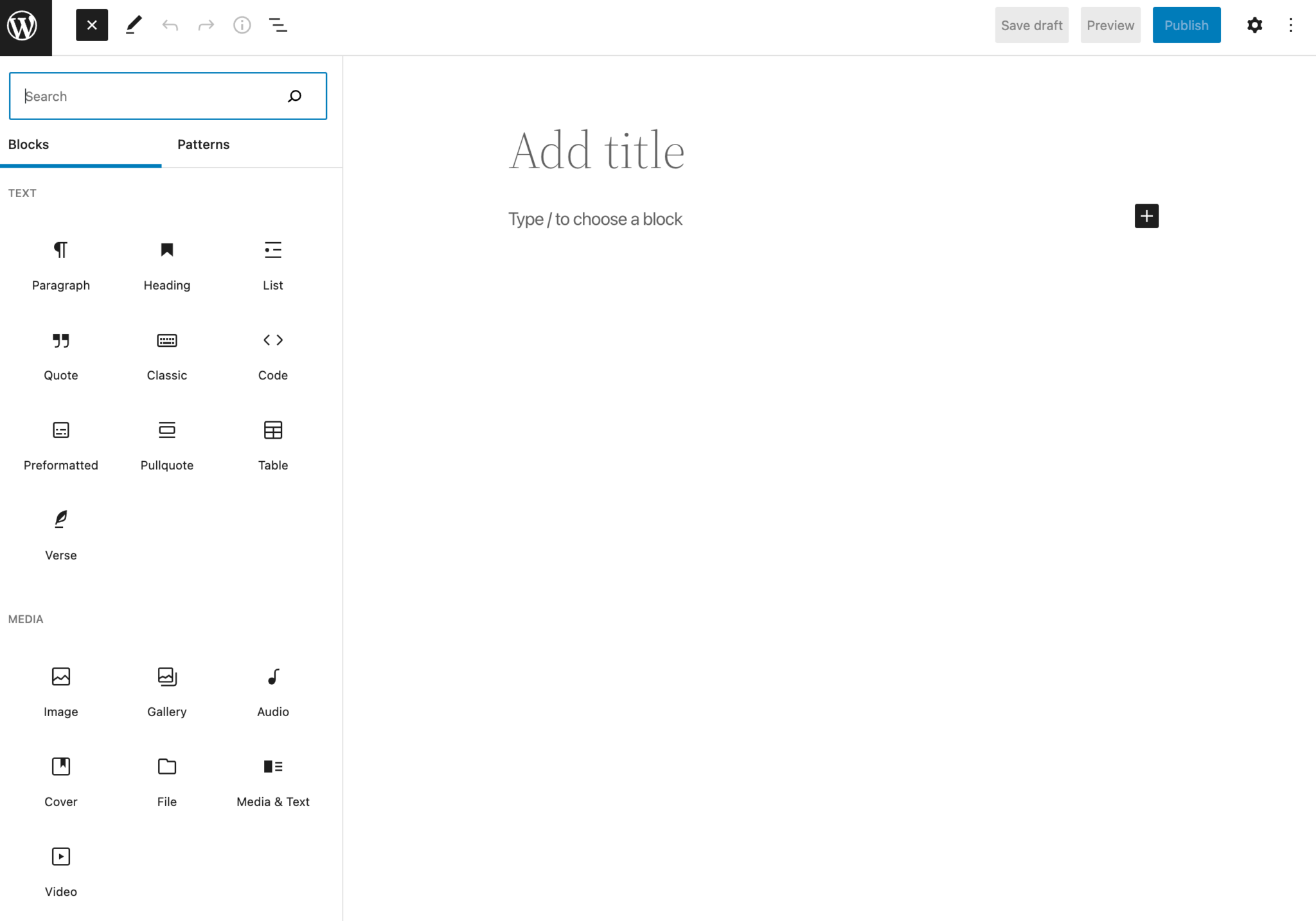
Start by installing a code editor. Visual Studio Code or Sublime Text are good choices. They help you write and edit code easily. Next, download and install WordPress on your computer. This lets you test your pages locally. Use XAMPP or MAMP for setting up a local server. These programs are free and easy to use.
Ensure you have a modern web browser, like Chrome or Firefox. These browsers have developer tools that help you debug code. It’s also a good idea to have a basic understanding of HTML, CSS, and JavaScript. These languages help you create beautiful pages. Lastly, keep your environment organized. This makes it easier to find files later.
Credit: torquemag.io
Choosing The Right Tools
Text editors help write code easily. They highlight syntax. This makes coding simpler. Popular editors include Sublime Text and Atom. They are easy to use. Integrated Development Environments (IDEs) offer more features. They have tools for coding, testing, and debugging. Examples are Visual Studio Code and Eclipse. These help manage projects better. Some prefer simple editors. Others like advanced IDEs. Choose what suits your needs best.
Version control systems track changes in code. They help collaborate with others. Git is a popular tool for this. It stores different versions of your code. You can revert to older versions if needed. GitHub is an online platform for sharing code. It works with Git. These tools are essential for teamwork. They prevent loss of work. Learn how to use them well.
Html And Css Basics
HTML is the building block of web pages. It uses tags to create content. Each part of the content sits inside a tag. For example, a paragraph goes in a tag. An image goes in an . The closing tag adds a slash: .
CSS makes web pages pretty. It changes the look of the HTML. CSS can change colors, fonts, and sizes. A CSS rule has a selector and a declaration. The selector chooses the HTML part to style. The declaration tells how it should look. Example: p { color: red; } makes paragraphs red.
Responsive Design Techniques
Media queries help make websites look good on any device. They check the device’s screen size. Then, they apply the right styles. This means a website can look nice on both phones and computers. Different styles for different devices make websites work better. It helps users have a good experience. Using media queries is a smart choice for web design. They keep the design flexible and adaptable. Easy to read on small screens and large ones too.
Flexible grids help to organize content on a web page. They use percentages instead of fixed sizes. This allows the layout to adjust to different screens. It makes the website more responsive. A flexible grid changes with the screen size. It ensures all elements are visible. No matter how big or small the screen is. This technique is important for modern web design. Easy to use and understand.
Javascript For Interactivity
JavaScript makes web pages interactive. Clicks and hovers are events. Events are actions users take. Event handling listens for these actions. It then triggers code. This code runs when an event occurs. Events can make things happen on a page. Buttons can change color. Forms can submit data. Event handling is important for user interaction.
The DOM is the page’s structure. JavaScript can change the DOM. This is called DOM manipulation. It helps in updating content. You can add or remove elements. Images can change size. Text can appear or disappear. DOM manipulation makes pages dynamic. It brings life to static content.
Creating Custom WordPress Themes
Understanding the theme structure is important. It involves template files. These files control how your site looks. Each file serves a special role. For example, header.php is for the top part. footer.php is for the bottom. The index.php file is like a main sheet. It can show posts or pages.
Use style.css to set colors and fonts. The functions.php file adds features. It can make your site do more. These files live in a theme folder. Each theme has its own folder. You can change them to create a custom look.
Make sure to keep a backup of your files. This way, you don’t lose anything. Custom themes let you design your site your way.
Integrating Html Pages Into WordPress
WordPress hooks help you add custom HTML pages. Hooks let you change parts of WordPress. This can be done without altering the core files. Two types of hooks exist: action hooks and filter hooks. Action hooks allow functions to run at specific points. Filter hooks help modify data. Use them wisely for smooth integration.
Shortcodes are another way to add HTML. They are small code bits. Shortcodes are easy to use. They help display custom content in posts or pages. Just add the code in brackets. Widgets offer more options. They let you add HTML to sidebars or footers. Drag and drop them to place where needed. Shortcodes and widgets make adding HTML pages easy.
Testing And Debugging
Every browser reads pages differently. Check your code in Chrome, Firefox, and Safari. Each one might show your page in a unique way. Use tools like BrowserStack to test. Fix issues you find. Make sure your page looks good everywhere. Users will have different browsers.
Fast pages keep users happy. Slow pages can make users leave. Check your code for speed issues. Remove any extra code that slows things down. Images should be small and quick to load. Use tools like GTmetrix to find problems. Improve your page speed for a better experience.
Deploying Your WordPress Site
Crafting full pages with code allows for personalized design and functionality in WordPress. Integrate these custom pages to enhance your website’s uniqueness. Coding offers flexibility to tailor each page to specific needs, ensuring a seamless fit within your WordPress site.
Choosing A Hosting Provider
Picking the right host is vital for your site. Look for reliability and speed. Some popular choices are Bluehost, SiteGround, and HostGator. Check their plans and pricing. Ensure they offer WordPress support. This can help solve issues quickly. A good host makes your site run smoothly.
Migration And Launch
Moving your site can be tricky. Use plugins like Duplicator or All-in-One WP Migration. They simplify the process. First, backup your site. Then, upload files to your host. Check that everything works. Fix any errors you find. Once ready, go live. Announce your launch to friends. Celebrate your new site!

Credit: creativethemes.com
Maintaining And Updating
Keep your WordPress site safe from hackers. Use strong passwords. Change them often. Update all plugins and themes. This helps block security threats. Set up two-factor authentication. This adds an extra layer of protection. Always choose a reputable hosting provider. They offer better security features.
Regular backups are important. They keep your data safe. Use plugins to automate backups. Store backups in a secure location. Cloud storage is a good option. This ensures you can restore your site quickly. Always check if backups are complete. This prevents data loss.
Credit: www.wpexplorer.com
Frequently Asked Questions
How Do I Code A WordPress Page?
To code a WordPress page, start with HTML for structure. Use CSS for styling and JavaScript for functionality. Integrate PHP to connect with WordPress’s backend. Use WordPress functions and hooks to customize features and ensure compatibility with themes and plugins.
Can I Use Custom Pages In WordPress?
Yes, you can use custom pages in WordPress. Create a new template file with your custom code. Save it in your theme folder. Assign the template to your desired page. WordPress will render the page using your custom code.
What Tools Help In Coding WordPress Pages?
Several tools can help in coding WordPress pages. Use code editors like Visual Studio Code for efficient coding. WordPress plugins like Elementor offer visual page building. Debugging tools like Xdebug can troubleshoot issues. Online resources and forums provide valuable tips and tricks.
Is Coding Necessary For WordPress Customization?
Coding is not always necessary for WordPress customization. WordPress offers themes and plugins for easy adjustments. However, coding gives greater control and flexibility. It allows for specific customizations and enhancements beyond existing themes and plugins.
Conclusion
Coding whole pages for WordPress can enhance your site. Simple steps make it achievable. Start by planning your design. Use HTML and CSS for structure and style. Integrate your coded pages into WordPress with ease. Remember to test for functionality.
Check for responsiveness on different devices. This ensures a smooth user experience. Practice makes the process easier. Keep experimenting and learning. Your website will reflect your creativity and skill. Embrace the journey of coding. Create a site that stands out.


