
Creating a professional WordPress theme might seem like a daunting task. But what if I told you it’s simpler than you think?
Imagine having the ability to design a theme that not only looks stunning but also functions seamlessly, all tailored to your unique style. This is your chance to stand out in the crowded online space. Whether you’re a seasoned developer or just starting, this guide is crafted to help you unlock the secrets of professional theme creation.
Dive in, and discover how you can transform your vision into reality, captivating your audience from the very first click. Ready to elevate your WordPress game? Let’s get started.
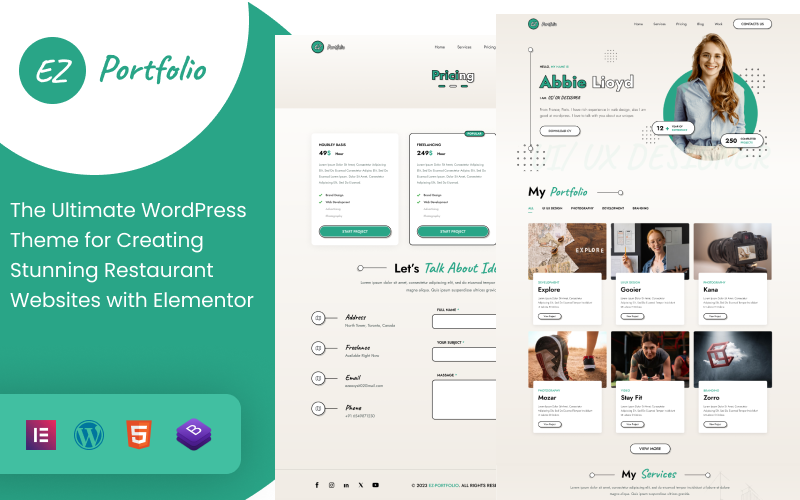
Credit: www.templatemonster.com
Planning Your Theme
Understanding your audience is key. Think about who will use your theme. Will it be for bloggers, businesses, or photographers? Each group has unique needs. Businesses might want a clean look. Photographers could prefer a gallery view. Knowing this helps in designing features that fit.
List down essential features. Responsive design is crucial. Your theme should look good on all devices. Consider adding custom widgets and SEO tools. These make your theme versatile. Think of color schemes and font choices. They should match your audience’s taste.
Start with a simple sketch. Use pencil and paper to draw your ideas. Visualize where each element will sit. Menus, sidebars, and footers all need a place. Try different layouts. See what looks best. Keep it simple and user-friendly.
Setting Up Development Environment
Begin by setting up a local server. Use software like XAMPP or MAMP. These tools help create a local server environment. Download WordPress from the official site. Extract the files into the htdocs folder. Open your browser and type localhost to start installation. Follow simple steps to complete it.
Select tools wisely. Use code editors like Visual Studio Code or Sublime Text. These editors make coding easy. Install plugins for better functionality. Choose a browser like Chrome or Firefox. They offer useful developer tools.
Adjust settings for smooth development. Set debug mode in WordPress. It helps find errors quickly. Edit the wp-config.php file. Change define('WP_DEBUG', false); to define('WP_DEBUG', true);. Customize permalinks for better URL structure. Go to settings and choose a suitable format.
Creating The Theme Structure
A WordPress theme needs many files to work. The style.css file is important. It holds the theme’s styles. The index.php file is the main file. It shows the site’s content. The header.php file contains the top part of the page. The footer.php file has the bottom part. Themes may also use functions.php for extra features. Each file plays a role in shaping your site.
Start by creating a new folder. Name it after your theme. Inside, add folders for CSS and JS files. This keeps styles and scripts neat. Add an images folder too. This holds all theme images. Keeping files organized is key. It helps manage your theme easily. Neat folders make editing simpler.
Begin with the style.css file. Add your theme’s name and details. Next, create index.php. This will be your main file. Add header.php and footer.php for structure. These files build your site’s look. Each file is important. They work together to form a theme.
Designing The Frontend
Headers and footers give your site a professional look. Start with a simple layout. Use logos and menus in the header. Add contact info or links in the footer. Consistency is key. Use the same style across all pages.
CSS makes your theme look unique. Choose colors that fit your brand. Use different fonts for headlines and text. Spacing and alignment keep things neat. Experiment with styles. Find what fits best.
Websites must look good on all devices. Responsive design helps with this. Use flexible layouts. Use media queries in CSS. These tools adjust the site to any screen size. Test on phones and tablets. Ensure everything works well.
Building Dynamic Features
The WordPress Loop is vital for theme creation. It displays posts on your site. Use it to fetch data from the database. It helps show posts and pages. You can customize it. Add filters and queries to adjust what content appears. Make your site dynamic. Enhance user experience with tailored content.
Custom templates allow unique page designs. They give flexibility in layout. Use them to design different looks for specific pages. Override default templates easily. Add HTML and PHP code for specific functionalities. Each template can have its own style. Templates make your site stand out.
Widgets add functionality to your theme. They can display recent posts or calendars. Sidebars hold widgets. Customize them through the WordPress dashboard. Choose where widgets appear. Drag and drop for easy arrangement. Enhance interaction. Make your site more engaging with useful tools.

Credit: 99designs.com
Enhancing User Experience
Fast load speed is crucial for user satisfaction. Compress images to reduce size. Use fewer plugins to keep the theme light. Minimize CSS and JavaScript files. Speed improves user experience and keeps visitors on your site.
Accessibility means everyone can use your site. Provide text alternatives for images. Use clear headings for easy navigation. Ensure contrast between text and background. Accessibility helps all users, including those with disabilities.
SEO brings more visitors to your site. Use clean code to help search engines. Optimize meta tags for better visibility. Ensure mobile responsiveness for all devices. Good SEO means higher rankings and more traffic.
Testing And Debugging
Cross-Browser Compatibility is crucial. Websites look different in each browser. Test your WordPress theme in Chrome, Firefox, Safari, and Edge. This ensures all users have a similar experience. Small design changes might be needed. This keeps the theme consistent.
Fixing Common Errors is part of development. Error messages can appear. They might confuse users. Check your code for mistakes. Simple typos can cause big problems. Use WordPress forums for help. Many developers face the same errors.
Using Debugging Tools makes fixing errors easier. Tools like Xdebug help find where problems are. They show you what needs fixing. Developers use them to save time. Debugging tools are a developer’s friend. They make work faster and easier.
Launching The Theme
Make sure your theme is bug-free. Test it on different devices. Check for compatibility with popular plugins. Ensure it follows WordPress standards. These steps help avoid problems later. Next, create a backup of your theme files. Keep them safe. This is important in case anything goes wrong.
Visit the WordPress repository site. Create an account if needed. Fill out the submission form. Include details about your theme. Upload your theme files. Follow the guidelines given by WordPress. They will review your theme. Be patient. The process might take time.
Share your theme on social media. Tell your friends and followers. Write a blog post about it. Describe its features and benefits. Create a simple video tutorial. Show how to use your theme. This helps people understand it better. Ask for feedback from users. It helps improve your theme.
Maintaining And Updating
Listening to user feedback is crucial. Users can help you find issues. Their ideas can make the theme better. Acting on feedback keeps users happy. Regular communication builds trust. Create a simple form for feedback. Keep it short and clear. Respond quickly to users. Show you value their opinions.
Updating your theme is important. It keeps things fresh and secure. Use a schedule for updates. This helps you stay on track. Add new features when needed. Fix any bugs users find. Keep the theme simple and easy to use. Test updates before going live. Ensure everything works well.
Security is very important. Protect your theme from hackers. Use strong passwords and keep software updated. Regular checks can find any security holes. Plugins can help with security. Make sure they are reliable. Backup your theme often. This keeps your work safe.

Credit: themeforest.net
Frequently Asked Questions
How Do I Start Designing A WordPress Theme?
Begin by planning your theme’s layout and functionality. Choose colors, typography, and design elements that align with your brand. Use tools like Adobe XD or Sketch to create mockups. Familiarize yourself with WordPress’s coding standards and start coding your theme using PHP, HTML, CSS, and JavaScript.
What Tools Are Needed To Create A WordPress Theme?
You need a code editor like Visual Studio Code or Sublime Text. A local development environment such as XAMPP or WAMP is essential. Design tools like Adobe Photoshop or Illustrator can help in creating assets. Also, use WordPress’s official documentation for coding guidelines.
How Long Does It Take To Build A WordPress Theme?
The time required depends on complexity and experience. Simple themes might take a few days, while complex ones could take weeks. Proper planning, efficient coding practices, and use of theme frameworks can speed up development. Always allocate time for testing and debugging.
Can Beginners Create WordPress Themes?
Yes, beginners can create WordPress themes with dedication and learning. Start by understanding basic coding languages like HTML, CSS, and PHP. Use online resources, tutorials, and WordPress documentation. Begin with simple themes to build your skills and gradually tackle more complex designs.
Conclusion
Creating a professional WordPress theme takes effort and creativity. Start by planning your design. Keep user experience in mind. Use clean, organized code. Test your theme thoroughly. Fix any bugs or issues. Ensure your theme is mobile-friendly. Mobile users are important.
Optimize for speed and performance. Fast-loading sites attract visitors. Regularly update your theme. Stay on top of trends. Remember, a well-crafted theme boosts your site’s appeal. Your unique design can stand out. With dedication, your WordPress theme will shine. Embrace the challenge and enjoy the process.
Your professional theme awaits creation.


