
Are you looking to customize your WordPress site without the risk of losing your changes during updates? A WordPress child theme is your solution.
It’s the secret tool that lets you tweak your site’s design and functionality while keeping the parent theme intact. Imagine having the power to personalize your website to perfectly match your brand, all without the fear of your hard work disappearing after an update.
In this guide, you’ll discover exactly how to create a WordPress child theme, step by step. Stick around and learn how to unlock this essential skill that puts you in control of your website’s look and feel.

Credit: meancreative.com
What Is A Child Theme?
A child theme is a theme that inherits features from another theme. This other theme is called the parent theme. You use a child theme to make changes without touching the original files. This keeps your changes safe even after updates.
Customizing with child themes is easy and safe. You can change styles, add functions, or modify layouts. All this, while the parent theme stays intact. A child theme uses a stylesheet and functions file. These files tell the parent what to do.
Imagine building a LEGO house. The child theme is like adding new bricks. The house stays the same, but with cool new features.
Credit: www.wpbeginner.com
Benefits Of Using Child Themes
A child theme keeps your changes safe. Updates to the main theme won’t erase your edits. This means your site stays stable and looks the same. You can make small or big changes with ease.
The parent theme provides the main structure. The child theme lets you tweak without fear. Mistakes are less risky. You can always go back to the original design.
Child themes are great for learning. You can practice coding in a safe space. Beginners can try new ideas. Advanced users can build complex features.
Creating a child theme is simple. It takes just a few steps. This makes it ideal for everyone. Many guides are available online. They make the process even easier.
Setting Up A WordPress Child Theme
Start by making a new folder in the themes directory. Name it after your child theme. This folder will hold all the child theme files. Use a simple name. Avoid spaces and special characters.
Create a style.css file inside the child theme folder. This file will control the look of your site. Add a comment at the top of the stylesheet. Include the child theme name and template. This tells WordPress about your child theme.
Open the functions.php file in your child theme folder. You will need to enqueue the parent theme styles. Use the wp_enqueue_style() function. This makes sure the styles load correctly.
Customizing A Child Theme
Change colors and fonts with ease. Open the child theme’s style.css file. Add your new styles here. This keeps the original theme safe. Want to change the layout? Use CSS grids or flexbox. They help make things look better. Always test your changes on different devices.
Copy the template file from the parent theme. Place it in the child theme folder. Change it as needed. This lets you modify theme parts. Without affecting the original code. Templates for pages and posts can be customized. Make sure to check the results often.
Use the functions.php file in the child theme. Add custom code here. This file lets you add new features. Or modify existing ones. You can add scripts, styles, and widgets. Just be careful not to break the code. Always back up your files first.
Best Practices For Child Themes
Creating a WordPress child theme ensures safe updates and customization. Protect core files while tailoring your site’s appearance. Start by creating a new folder and style. css file. Import the parent theme’s style. Use functions. php for unique tweaks. Always test changes in a staging environment first.
Keeping The Child Theme Updated
Updates keep your child theme working well. They fix bugs and improve security. Always check for updates from the parent theme. Apply these updates to the child theme. This keeps everything running smoothly. Missing updates can cause problems. Your site may not work correctly. Stay on top of updates for best results.
Maintaining Compatibility With Parent Theme
Compatibility ensures your child theme functions with the parent theme. Use code that matches the parent theme’s design. Avoid changes that conflict with parent theme. This keeps your site looking good. Compatibility prevents errors and keeps features working. Test compatibility with every change.
Testing Changes Safely
Testing changes makes sure your site works right. Create a testing environment for new changes. This is a safe place to try updates. It prevents problems on your live site. Test every change before applying it. This ensures the child theme stays reliable. Testing is important to avoid errors.
Credit: happyaddons.com
Troubleshooting Common Issues
Fixing issues with WordPress child themes can be simple. Start by checking your functions. php file for errors. Updating your parent theme can also resolve many problems.
Styles Not Loading
Styles might not load if the style.css file is missing. Check if the file is in the child theme folder. Ensure you have used the right path in the functions.php file. Double-check the enqueue function. It should point to the correct file.
Conflicts With Parent Theme
Conflicts can happen if both themes use the same function names. Prefix your functions to avoid this. Compare parent and child theme code. Find and fix any duplicate functions. This can solve many issues.
Debugging Php Errors
PHP errors can break your site. Turn on WP_DEBUG in the wp-config.php file. This will show the errors on the screen. Read the error messages carefully. They can guide you to the problem’s source.
Resources For Further Learning
Many online resources can help you learn more about WordPress child themes. These resources are suitable for beginners. WordPress Codex is a great place to start. It provides detailed guides and articles. YouTube offers many video tutorials. Watching videos can make learning easier. Online courses like those on Udemy are also helpful. They offer structured lessons and exercises.
Forums like WordPress.org can be very useful. You can ask questions and get help from others. Blogs and articles from experts share tips and tricks. These can improve your skills quickly. Books about WordPress can provide in-depth knowledge. Reading books can give you a strong foundation. Start with one resource and explore more as you learn.
Frequently Asked Questions
What Is A WordPress Child Theme?
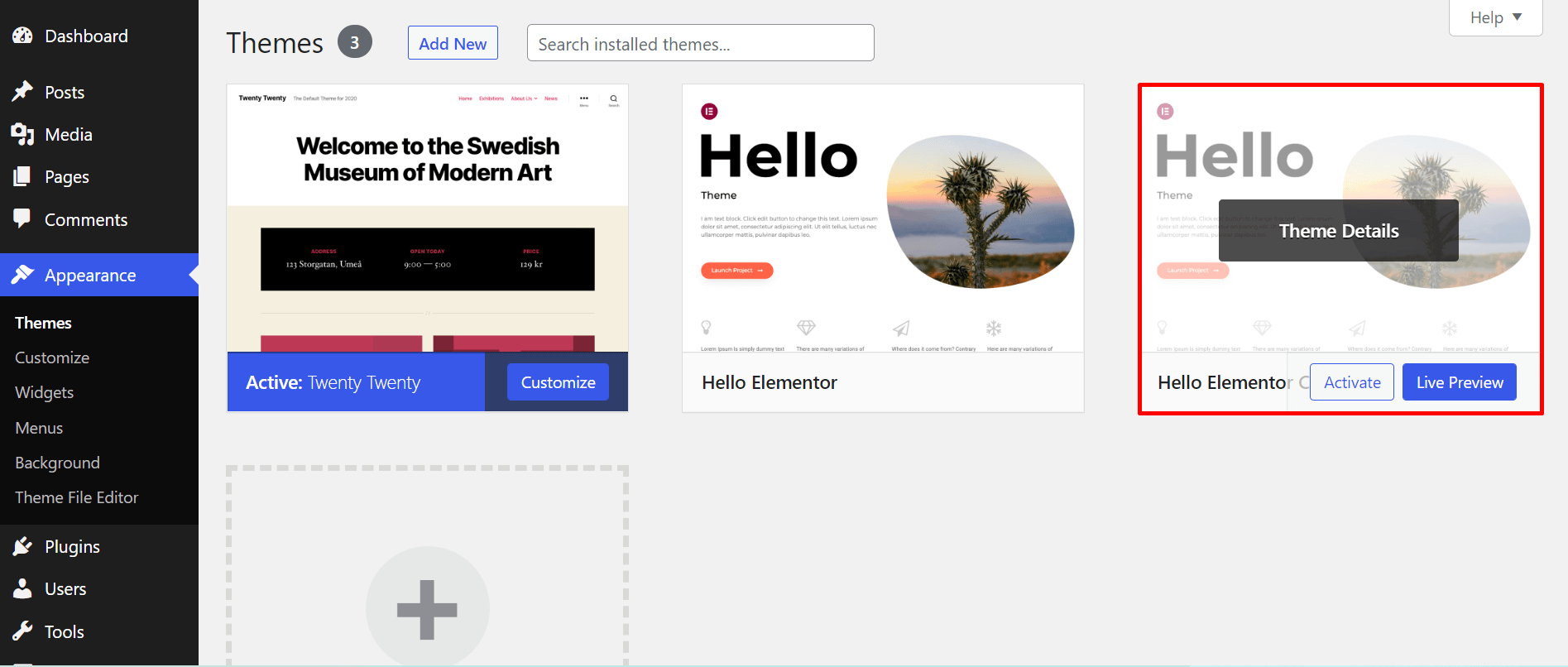
A WordPress child theme is a sub-theme that inherits styles and functions from a parent theme. It allows you to modify or add to the functionality of the parent theme without altering the original files. This is ideal for customizing themes while ensuring updates don’t overwrite your changes.
How Do I Create A Child Theme?
To create a child theme, first, make a new directory in your theme folder. Next, create a style. css file with a Theme Name and Template. Lastly, add a functions. php file to enqueue parent theme styles. Activate the child theme in the WordPress dashboard to start customizing.
Why Use A Child Theme In WordPress?
Using a child theme in WordPress allows safe customization without losing changes during theme updates. It enables you to tailor your site according to your needs while maintaining the ability to upgrade the parent theme. This keeps your site secure and up-to-date without sacrificing custom features.
Can Child Themes Affect Website Performance?
Child themes generally do not affect website performance negatively. They use the same codebase as the parent theme, so performance remains consistent. However, excessive modifications in a child theme can slow down your site. Ensure your customizations are efficient and optimized to maintain good performance.
Conclusion
Creating a WordPress child theme is easier than it seems. It gives you the freedom to customize your site safely. You can change styles without affecting the main theme. This approach keeps updates simple and secure. Experiment with different designs and features confidently.
The child theme ensures your changes are preserved. Use it to build a unique and functional website. Remember, every small tweak matters. Start your customization journey today. Enjoy the flexibility and control. Make your WordPress site truly yours.


