
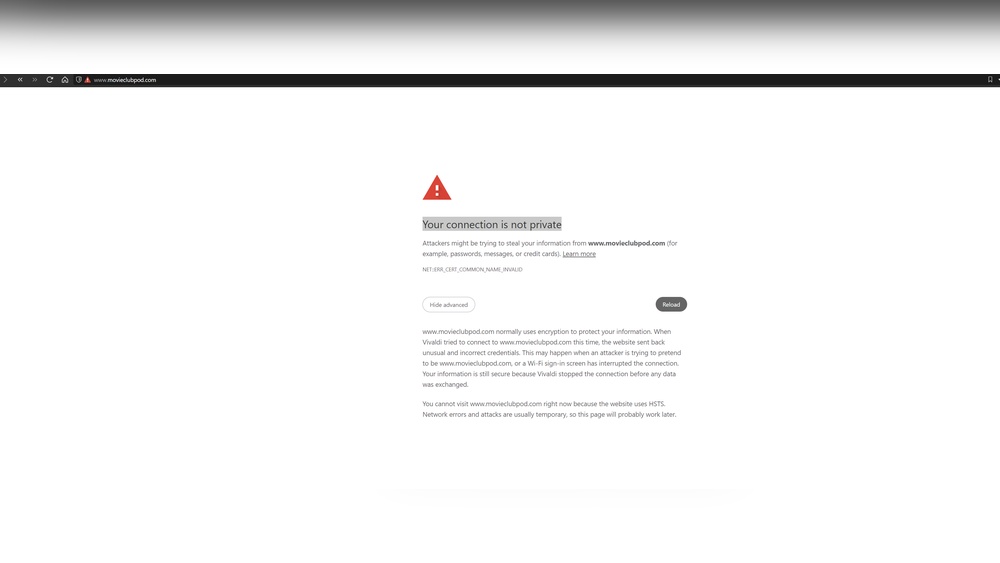
Are you staring at a blank screen, wondering why your host isn’t connecting to your domain? It’s frustrating when you’ve done everything right, but your website just won’t show up.
You might feel stuck, unsure where the problem lies or how to fix it. Don’t worry—this is a common issue that many face, and there are clear reasons behind it. Keep reading, because understanding these simple yet crucial points can save you time, stress, and missed opportunities.
Let’s dive into why your host isn’t connecting to your domain and how you can get your site live faster than you think.
Common Connection Issues
Many website owners face issues connecting their host to their domain. These connection problems stop websites from loading properly. Understanding common causes helps fix the problem fast. Below are frequent connection issues to check.
Dns Configuration Errors
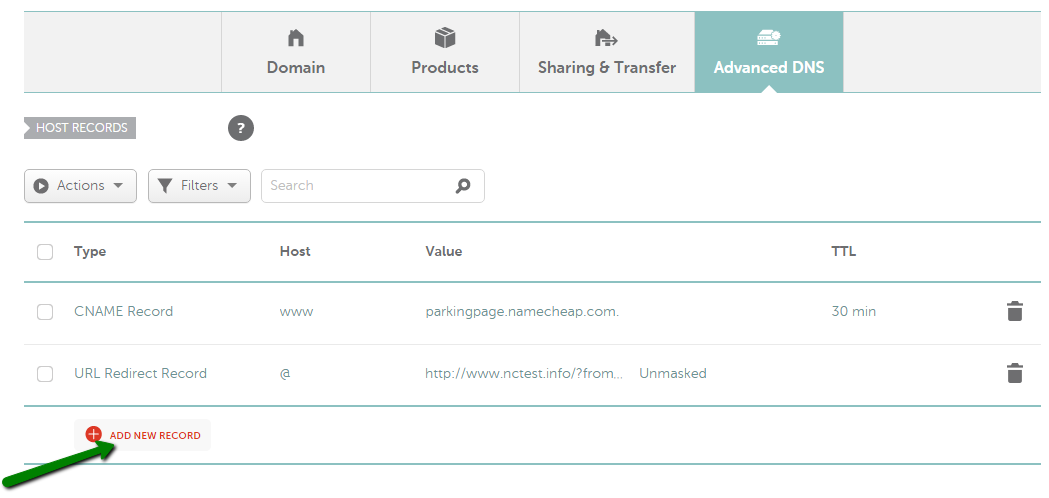
DNS tells the internet where your website lives. Wrong DNS settings can block connection to your domain. Check if DNS records like A, CNAME, and MX are correct. A small mistake in DNS can break the link between host and domain.
Expired Domain Registration
Domains need renewal to stay active. An expired domain stops working immediately. Your host cannot connect if the domain is expired. Always confirm your domain registration is current and paid.
Incorrect Nameserver Settings
Nameservers direct traffic from your domain to your hosting provider. Using wrong nameservers causes connection failure. Ensure your domain points to the correct hosting nameservers. This setting is key for a smooth connection.
Credit: www.namecheap.com
Server-related Problems
Server-related problems often cause issues connecting your host to your domain. These problems stop your website from loading correctly. Understanding these server issues helps fix the connection faster.
Hosting Server Downtime
Hosting servers sometimes go offline for maintenance or due to errors. During downtime, your website becomes unreachable. This means visitors cannot access your domain. Check your hosting provider’s status page for downtime alerts.
Ip Address Conflicts
Every server uses an IP address to identify itself online. If two servers share the same IP, conflicts occur. This confusion prevents your domain from linking to the right server. Confirm your server’s IP matches the domain settings.
Firewall Restrictions
Firewalls protect servers by blocking unwanted traffic. Sometimes, firewalls block legitimate connections from your domain. This stops the host from connecting properly. Review firewall rules to allow traffic from your domain’s IP.
Domain And Hosting Account Settings
Domain and hosting account settings play a key role in connecting your host to your domain. If these settings are wrong, your website will not appear online. Checking these details can save time and avoid frustration.
Sometimes the problem lies in the account status or configuration. Other times, security features like SSL certificates cause connection issues. Understanding these elements helps fix the problem faster.
Account Suspension
Accounts get suspended for various reasons, such as unpaid bills or policy violations. A suspended hosting account stops all website services. Make sure your account is active and paid up. Contact support to resolve suspension issues.
Misconfigured Hosting Packages
Hosting packages need correct settings for domain connection. Wrong DNS records or wrong server details block access. Check your hosting control panel for domain setup. Update nameservers or DNS records as needed.
Ssl Certificate Issues
SSL certificates secure your website and affect connection. An expired or missing SSL can cause errors. Verify your SSL status in your hosting dashboard. Renew or install the certificate to fix problems.
Troubleshooting Tools
When your host is not connecting to your domain, simple tools help find the issue. These tools check different parts of your domain setup. They show if the problem is with DNS, network, or registration details. Using these tools saves time and guides the next steps. Below are common troubleshooting tools that anyone can use.
Using Dns Lookup Tools
DNS lookup tools show how your domain points to your host. They reveal if the DNS records are correct or missing. These tools check A records, CNAME, and MX records easily. Enter your domain name, and you get a clear report. Errors here mean your domain does not know where to go.
Ping And Traceroute Commands
Ping tests if your domain can reach the host server. It sends small data packets and waits for a reply. No reply means connection failure. Traceroute shows the path data takes to reach the host. It highlights where the connection stops or slows. These commands help find network issues quickly.
Checking Whois Records
WHOIS records show who owns the domain and its status. They confirm if your domain registration is active and correct. Check the expiration date and contact details here. Wrong WHOIS info can cause domain connection problems. Make sure all details match your hosting account.
Quick Fix Steps
When your host does not connect to your domain, quick fixes can save time. These steps help identify and solve common issues fast. Follow these simple checks before diving deeper.
Verify Domain And Hosting Status
First, check if your domain is active and paid. An expired domain stops connection. Also, confirm your hosting account is active and not suspended. Both must be live for proper linking.
Update Dns Records Correctly
DNS records tell the internet where your site lives. Make sure your domain’s DNS points to your host’s server. Use the exact IP address or nameservers given by your host. Incorrect entries cause connection failures.
Contact Hosting Provider Support
When you cannot fix the issue, ask your hosting provider for help. They can check server status and DNS settings. Support teams often catch problems you may miss.
Credit: elementor.com

Credit: forum.adalo.com
Frequently Asked Questions
Why Isn’t My Host Connecting To My Domain?
Your host may not connect due to incorrect DNS settings or propagation delays. Verify your domain’s nameservers and wait 24-48 hours for DNS changes to take effect.
How Do I Fix Domain And Host Connection Issues?
Check if your domain points to the correct server IP. Update DNS records or contact your hosting provider for assistance.
Can Dns Propagation Affect Domain-host Connection?
Yes, DNS propagation can take up to 48 hours. During this time, your domain may not connect to your host properly.
What Role Do Nameservers Play In Domain Connection?
Nameservers link your domain to your hosting server. Incorrect nameservers prevent proper domain-host communication.
Conclusion
Troubles with host and domain connections often come from small errors. Check your DNS settings carefully and confirm your domain registration is active. Make sure your hosting provider supports your domain type. Sometimes, waiting a few hours helps as changes take time to update.
Keep your information consistent across services to avoid conflicts. If problems persist, contact your host or domain support for help. A steady connection means your website will be easy to find and use. Stay patient and methodical to fix these issues quickly.


