
Have you ever visited a website and wondered, “Who’s hosting this domain?” Knowing the answer can unlock valuable insights about the site’s reliability, speed, and security.
Whether you’re curious about a competitor, thinking of starting your own website, or just want to stay informed, understanding who’s behind a domain is key. You’ll discover simple ways to find out exactly who is hosting any website. By the end, you’ll feel confident navigating the web with a sharper eye for important details that affect your online experience.
Keep reading to learn how to uncover this crucial information easily.
Why Knowing Your Host Matters
Knowing who hosts your website is important. It affects many parts of your online presence. Your host controls the space where your website lives. This impacts how fast your site loads, how safe it is, and how much you pay. Understanding your host helps you make smart choices for your site.
Impact On Website Performance
Your host affects your website speed. A slow site can frustrate visitors. Good hosting keeps your site quick and responsive. It handles traffic well and avoids downtime. Fast loading helps keep visitors on your site longer.
Security Considerations
Website security depends on your host. A strong host offers protection from hackers. It provides regular backups and updates. Secure hosting stops threats before they harm your site. This keeps your data and visitors safe.
Cost And Service Transparency
Knowing your host helps you understand costs. Some hosts charge hidden fees or offer unclear plans. Clear pricing helps you budget properly. Good hosts provide honest service and support. You get what you pay for, without surprises.
Common Ways To Identify Your Host
Finding out who hosts a website is useful for many reasons. It helps to understand the site’s speed, security, and reliability. There are simple ways to check this information. These methods do not need special tools or skills. Anyone can do it by following a few steps.
Using Whois Lookup
WHOIS lookup shows details about a domain name. It reveals the registrar and sometimes the hosting provider. You can use free online WHOIS tools. Just enter the domain name and get the report. The host information is often listed under “Name Server” or “Registrar.”
Checking Dns Records
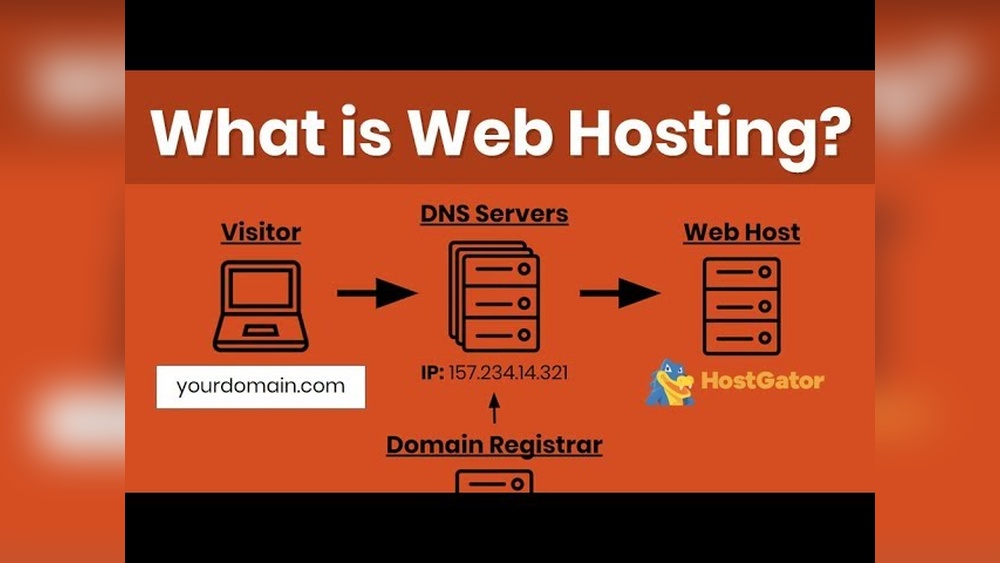
DNS records link domain names to IP addresses. They can show where a website is hosted. Tools like DNS lookup help you see these records. Look for “A” records or “CNAME” records. These point to the server hosting the site.
Reviewing Ip Address Information
Every website has an IP address. It tells where the site lives on the internet. Use IP lookup tools to find the hosting company. These tools give details about the server location. You can also learn the hosting provider from the IP owner.
Tools To Reveal Hosting Providers
Finding out who hosts a domain helps understand website performance and security. Many tools exist to reveal hosting providers quickly and easily. These tools use different methods to gather data about a domain’s server and hosting details. You can choose a tool based on your skill level and needs.
Online Hosting Checker Tools
Online hosting checker tools provide fast results with simple input. Enter the domain name, and the tool shows the hosting company. These tools also reveal IP address, server location, and DNS details. They work well for beginners and save time by avoiding manual searches.
Browser Extensions
Browser extensions add hosting info directly to your web browser. They show hosting details without leaving the webpage you visit. These extensions provide quick access and support multiple domains at once. They are easy to install and use for daily checks.
Command Line Utilities
Command line utilities help advanced users find hosting providers using terminal commands. Tools like “whois,” “nslookup,” and “dig” reveal domain registration and server data. These commands give detailed information and are useful for troubleshooting. They require basic knowledge of command line interfaces.
Credit: websitesecuritystore.com
Interpreting Hosting Data
Interpreting hosting data helps you understand who supports a website online. This information shows where the site lives and how it runs. It also reveals key details that affect site speed, security, and reliability. Knowing this can guide your decisions about web services and tools.
Distinguishing Between Registrar And Host
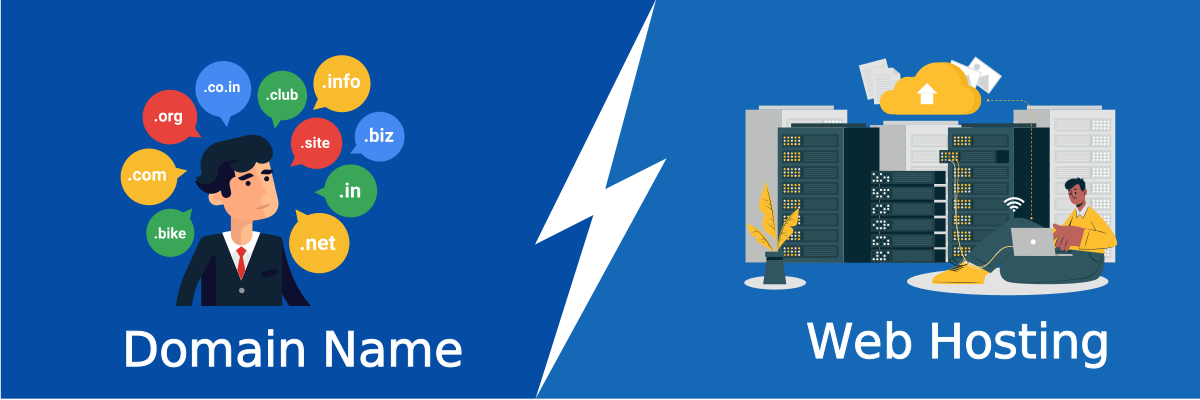
The domain registrar is where the website name is bought. It manages the domain’s registration and renewals. The host provides the actual space where the website files stay. These two roles are different but often confused. A domain can be registered with one company and hosted by another.
Understanding Shared Vs Dedicated Hosting
Shared hosting means many websites use the same server. It is cost-friendly but may slow down if traffic grows. Dedicated hosting gives one website a whole server. This offers better speed and control but costs more. Knowing the difference helps you match hosting to your needs.
Recognizing Cdn And Proxy Services
CDN stands for Content Delivery Network. It stores copies of a site in many locations worldwide. This speeds up access for visitors far from the main server. Proxy services act as middlemen between users and websites. They can hide the real server’s location for privacy or security.
Troubleshooting Hosting Mysteries
Sometimes, finding out who hosts a website is not easy. Hosting mysteries can slow down your work or cause confusion. Understanding common issues helps solve these problems quickly. This section explains how to handle tricky hosting situations.
When Whois Data Is Private
Many domains use privacy services to hide WHOIS data. This protects owner information from public view. It makes it hard to see who hosts the domain. You can try using other tools like IP lookups or DNS records. These may reveal the hosting provider behind the privacy shield.
Handling Multiple Hosting Providers
Sometimes a website uses more than one host. Parts like email and the website itself may be hosted separately. This can confuse the hosting identification process. Checking different records such as MX and A records helps. Each record points to the correct host for that service.
Dealing With Cloud Hosting Complexities
Cloud hosting spreads data across many servers worldwide. This setup makes it harder to find a single hosting provider. IP addresses may change often or link to large cloud companies. Look for clues in the IP owner’s name or use specialized cloud detection tools. This approach helps identify cloud hosts more accurately.
Credit: www.youtube.com
Steps To Change Your Hosting Provider
Changing your hosting provider can improve your website’s speed and security. It also gives you better support and more features. Follow these clear steps to switch your hosting smoothly. Each step helps keep your site online without problems.
Choosing A Reliable Host
Pick a host with good uptime and fast servers. Check if they offer strong security and easy backups. Read reviews from other users to see their experience. Make sure their support team is available 24/7. Compare prices and features before deciding.
Migrating Website Files
Download all your website files from the old host. This includes images, code, and databases. Use FTP or hosting control panel to move files safely. Upload these files to the new hosting account. Test the site on the new host before changing anything else.
Updating Dns Settings
Change your domain’s DNS records to point to the new host. This tells the internet where to find your website. Log in to your domain registrar and find DNS management. Replace old IP addresses with the new ones from your host. Wait for changes to spread, which can take up to 48 hours.

Credit: www.nameboy.com
Frequently Asked Questions
What Does “who’s Hosting This Domain” Mean?
It identifies the web hosting company behind a website. This helps understand the site’s server location and services.
How Can I Find Who Hosts A Website?
Use online tools like “Who’s Hosting This Domain” to check hosting details quickly and accurately.
Why Is Knowing A Domain’s Host Important?
It helps assess website speed, reliability, and security. This information guides hosting decisions and troubleshooting.
Can I Change My Website’s Hosting Provider?
Yes, you can transfer your website to a new host for better performance or features.
Conclusion
Knowing who hosts a domain helps you trust a website more. It also helps find technical details quickly. You can check the host to learn about website speed and security. This information is useful for buyers and curious visitors alike.
Use easy tools online to discover hosting details anytime. Stay informed to make smart decisions about websites you visit. Keep this knowledge handy for safer and better browsing experiences.


