
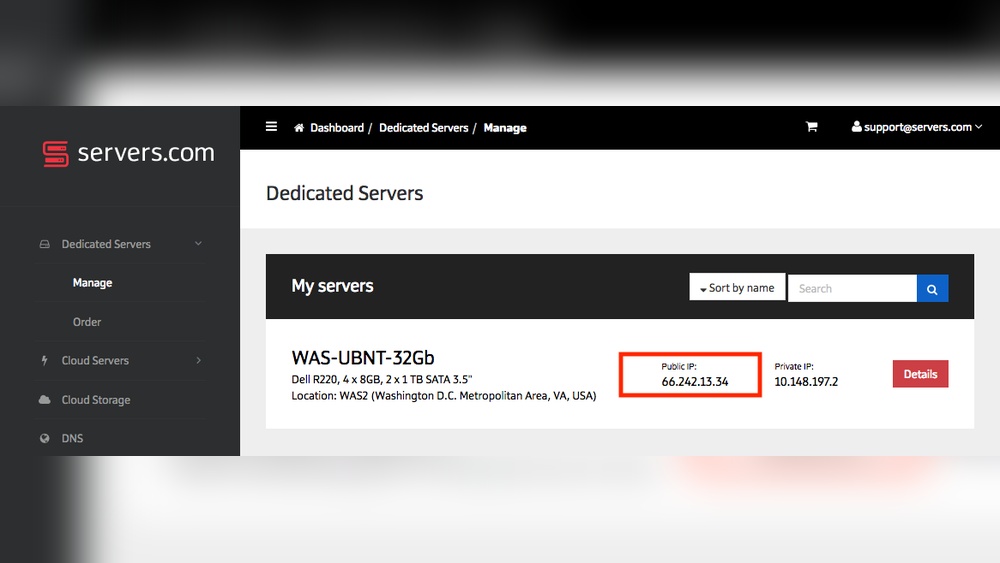
Have you ever wondered who is actually hosting your domain’s IP address? Knowing this can be crucial for managing your website, improving security, and troubleshooting issues.
You might feel lost when faced with technical jargon or complicated tools, but understanding who controls your domain’s IP is simpler than you think. You’ll discover clear, easy steps to find out exactly where your domain lives online. By the end, you’ll have the confidence to take control of your digital space and make smarter decisions for your website’s future.
Keep reading to unlock this important piece of your online puzzle.
Why Identify Your Domain Host
Knowing who hosts your domain IP address is very important. It helps you manage your website better. Understanding your domain host gives you control over your online presence. It can save time and avoid problems later.
Benefits Of Knowing Your Host
Knowing your domain host helps you fix issues fast. You can contact the right support team easily. It ensures your website stays online and safe. You also get a clear view of your website services. This helps in planning upgrades or changes.
Common Reasons For Hidden Hosts
Some hosts hide their identity for privacy. This protects them from spam and attacks. Sometimes, companies use third-party services to manage domains. This can make the actual host hard to find. Hidden hosts may also mean extra security steps are in place.
How Domain Ip Addresses Work
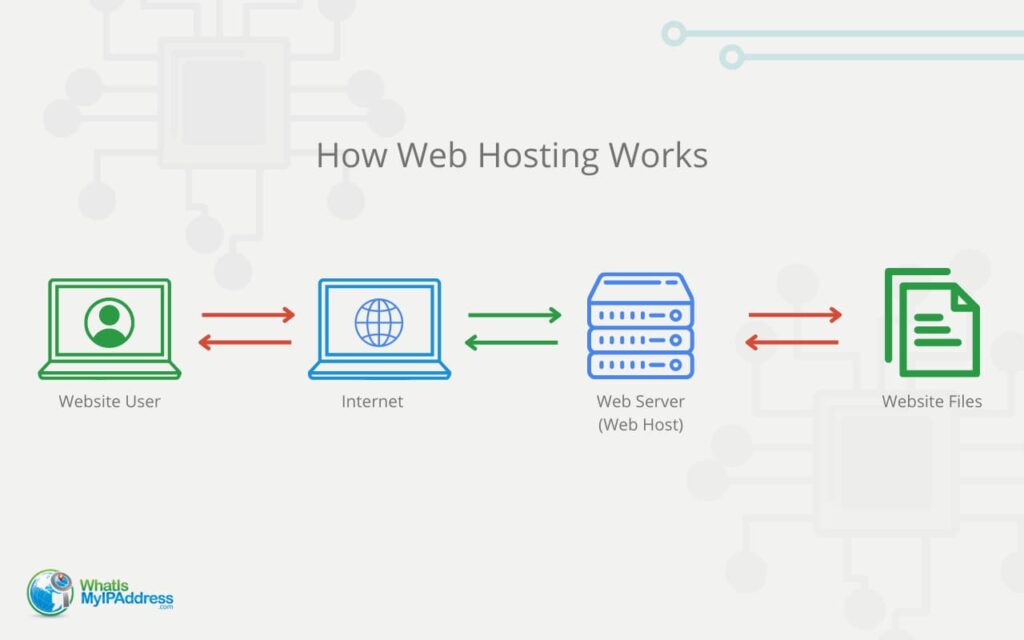
Understanding how domain IP addresses work helps you know where your website lives online. Every website has a unique address on the internet called an IP address. This address helps computers find and connect to the correct website server. Domains and IP addresses work together to make the web easy to use.
Basics Of Ip Addressing
An IP address is a set of numbers separated by dots. It looks like this: 192.168.1.1. Each number can range from 0 to 255. These numbers point to a specific device on the internet. Servers that host websites also have IP addresses. They act like a home address for that server. Without an IP address, computers cannot find the server.
There are two main types of IP addresses: IPv4 and IPv6. IPv4 is shorter and more common. IPv6 is longer and created to handle more devices. Every device connected to the internet needs an IP address. This system keeps the internet organized and helps data reach the right place.
Relationship Between Domains And Ips
A domain name is easier to remember than a string of numbers. For example, google.com is simpler than 142.250.190.78. The domain name system (DNS) links domain names to IP addresses. When you type a domain in your browser, DNS finds the matching IP address.
This process happens in seconds. Your browser then connects to the server using that IP address. The server sends the website data back to your computer. This is how you see the website on your screen. Domains hide the complex IP addresses from users.
Methods To Find Your Domain Host
Finding out who hosts your domain is important. It helps you manage your website better and solve problems faster. Several simple methods reveal the host behind your domain. Each method gives useful details about your domain’s location and owner. Let’s explore three easy ways to find your domain host.
Using Whois Lookup
WHOIS lookup shows the registered owner of a domain. It provides information like the host name, registration date, and contact details. Many free websites offer WHOIS services. Just enter your domain, and the tool displays the hosting company and registrar. This method is quick and reliable for most domains.
Checking Dns Records
DNS records contain data about your domain’s servers. The records show nameservers and IP addresses linked to your domain. By checking these, you can identify the hosting provider. Tools like online DNS checkers help you view these records. This method gives technical details about your domain’s hosting setup.
Tracing Ip Address Location
Every domain has an IP address pointing to a server. Tracing the IP reveals the physical location of the server. Many websites offer IP lookup services for free. You enter the IP, and the tool shows the hosting company and data center location. This method helps confirm the host behind your domain’s IP address.
Tools To Uncover Hidden Hosts
Discovering who hosts your domain’s IP address helps understand your website’s technical setup. Tools make this task simple and clear. They reveal details about hosting providers, server locations, and network paths. Use these tools to find hidden hosts and better manage your domain.
Online Ip Lookup Services
Online IP lookup services provide quick information about IP addresses. Enter your domain’s IP, and these tools show the hosting company and location. They also display the ISP and sometimes the server type. Popular services include Whois, IPinfo, and ARIN. These websites are free and easy to use for anyone.
Network Diagnostic Tools
Network diagnostic tools help trace the path between your computer and the server. Tools like Traceroute and Ping reveal intermediate hosts and delays. They provide clues about where your domain is hosted. These tools run from your command line or through apps. They are useful for detecting hidden network details.
Browser Extensions And Plugins
Browser extensions offer fast access to hosting info while browsing. Extensions like “IP Address and Domain Info” display host data instantly. They show IP location, hosting provider, and DNS records. These plugins work in browsers like Chrome and Firefox. Use them to uncover hidden hosts without leaving your webpage.
Interpreting Lookup Results
Understanding the results of a domain IP address lookup is important. It helps you find out who hosts the domain and how the site delivers its content. The data from the lookup can be confusing at first. Breaking down the key points makes it easier to understand.
Identifying Hosting Providers
Look for the name of the company that owns the IP address. Hosting providers usually have clear labels or names. The company might be a big cloud service or a smaller web host. Check for common hosting brands to spot the provider. The provider’s name tells you where the website is stored.
Spotting Proxy Or Cdn Usage
Some websites use proxies or content delivery networks (CDNs) to protect or speed up their site. These services hide the real hosting server’s IP address. The IP might belong to a CDN like Cloudflare or Akamai, not the actual host. Seeing a CDN IP means the real host is behind it. This helps the site handle more visitors and protect from attacks.
Credit: whatismyipaddress.com
Common Challenges In Host Discovery
Finding the host behind a domain IP address can be tricky. Many challenges can slow down or block the discovery process. Understanding these common problems helps in solving them faster. This section explains the main difficulties faced in host discovery.
Dealing With Privacy Protection
Many domain owners use privacy protection services. These services hide their real information from public records. This makes it hard to find the actual hosting provider. Privacy shields the owner’s identity and hosting details. It adds a layer of secrecy around the domain. Tools that check domain info often show the privacy service’s details instead. This can confuse anyone trying to trace the host.
Handling Multiple Hosting Layers
Some websites use more than one hosting service at once. They may have a main host and a content delivery network (CDN). Each layer has a different IP address and server. This setup creates multiple points to check. It can be hard to tell which host controls the website. The domain might point to one IP, but the real content loads from another. This layering makes host discovery complex and unclear.
Steps To Secure Your Domain Host Info
Securing your domain host information is vital for protecting your online presence. Hackers often target domain details to take control of websites. Keeping your domain host info safe can prevent unauthorized access and interruptions. Follow clear steps to enhance your domain security and maintain control over your site.
Enhancing Privacy Settings
Start by enabling domain privacy protection. This hides your personal data from public WHOIS records. It stops strangers from seeing your name, address, and contact info. Most domain registrars offer this service for a small fee or free. Activate it to reduce spam and avoid identity theft risks.
Monitoring Domain Changes
Keep an eye on any changes made to your domain settings. Set alerts to notify you about updates or transfers. Regularly check your domain dashboard for unusual activity. Early detection helps stop unauthorized modifications fast. Monitoring keeps your domain safe and under your control.

Credit: kb.leaseweb.com

Credit: support.intermedia.com
Frequently Asked Questions
What Does “hosting My Domain Ip Address” Mean?
Hosting your domain IP address means identifying the server where your website files are stored. It links your domain name to a specific IP address. This allows browsers to find and load your website properly when users enter your domain name.
How Can I Find Who Hosts My Domain Ip Address?
You can find your domain host by using online tools like WHOIS lookup or IP lookup services. These tools show the IP address and the hosting provider linked to your domain. This helps you know who manages your website hosting.
Why Is Knowing My Domain’s Ip Address Important?
Knowing your domain’s IP address helps troubleshoot website issues and improves security. It also aids in configuring DNS settings and understanding where your website data is stored. This information is crucial for website management and performance optimization.
Can I Change The Hosting Provider Using My Domain Ip Address?
Yes, you can change hosting providers by updating your domain’s DNS records to point to the new IP address. This process moves your website to a new server while keeping the same domain name. It requires proper DNS configuration to avoid downtime.
Conclusion
Knowing who hosts your domain IP address helps you manage your website better. It lets you find the right provider for support and services. You can avoid downtime and improve security by understanding your host. Checking your domain’s IP address is simple and quick.
Stay informed to keep your website running smoothly. This small step saves time and frustration later. Keep your online presence strong and reliable.


