
Have you ever wondered who actually controls your domain’s DNS? Understanding who hosts your domain DNS is key to managing your website’s speed, security, and reliability.
If you don’t know where your DNS is hosted, you might be missing out on important updates or leaving your site vulnerable. You’ll learn exactly how to find out who hosts your domain DNS and why it matters for your online presence.
Keep reading—your website’s performance depends on it.
What Is Dns Hosting
DNS hosting is a service that manages your domain’s DNS records. These records tell the internet where to find your website, email servers, and other online services. Without DNS hosting, your domain name won’t connect to the right place. It acts like an address book for the internet.
Role Of Dns In The Internet
DNS stands for Domain Name System. It translates website names into IP addresses. Computers use these IP addresses to communicate. DNS makes the internet easy to use. You type a name, not a string of numbers. Without DNS, browsing would be very hard.
Every time you visit a website, DNS helps your device find the server. It works fast and behind the scenes. DNS also helps email services deliver messages correctly. It keeps internet traffic organized and efficient.
Difference Between Domain Registrar And Dns Host
A domain registrar is where you buy your domain name. It handles the registration and ownership details. DNS hosting, on the other hand, manages the DNS records. These records control how your domain connects to online services.
Sometimes, the registrar also provides DNS hosting. But you can use a different company for DNS. Choosing a good DNS host improves website speed and reliability. The two services work together but serve different purposes.
Ways To Find Your Dns Provider
Finding your DNS provider is important for managing your domain settings. Your DNS provider controls how your domain connects to websites and emails. There are simple ways to discover who hosts your DNS. These methods use free tools and basic checks anyone can do.
Using Whois Lookup Tools
WHOIS lookup tools show detailed domain information. They list the registrar and DNS provider if available. Just enter your domain name into a WHOIS service online. The results show who manages your DNS records and domain details. This method is quick and requires no technical skills.
Checking Nameservers
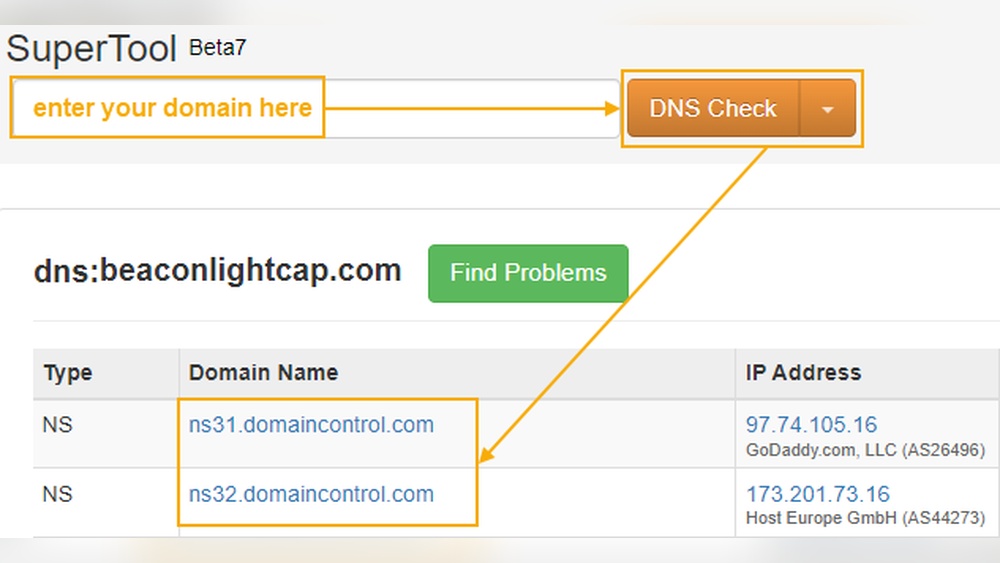
Nameservers point to the DNS provider for your domain. You can check nameservers through domain management panels or online tools. Nameservers usually look like ns1.example.com or ns2.example.com. The nameservers reveal which company hosts your DNS services. This method helps identify the DNS host clearly.
Inspecting Dns Records
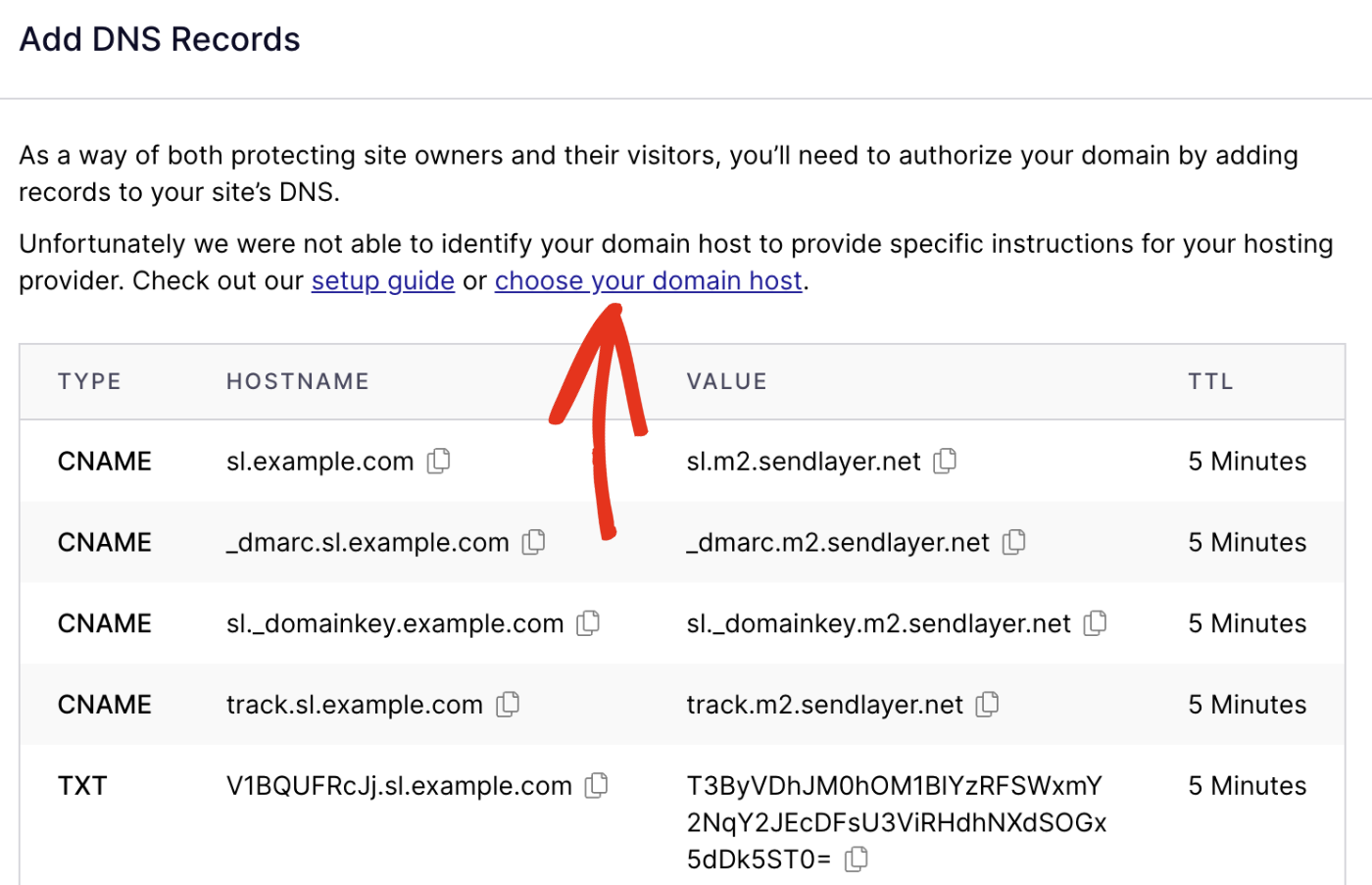
DNS records hold information about your domain’s services. Use DNS lookup tools to view records like A, MX, and CNAME. These records often show the DNS provider’s details. For example, email servers or web hosts linked to your domain. This approach gives insight into who controls your DNS settings.
Popular Dns Hosting Services
Choosing the right DNS host affects your website’s speed and security. DNS hosts manage your domain’s address records. They ensure visitors reach your site quickly and safely. Various DNS hosting services offer different features and reliability. Understanding the popular options helps you pick the best one for your needs.
Cloud-based Dns Providers
Cloud DNS providers use global servers to deliver fast responses. They offer high uptime and strong protection against attacks. These services scale easily as your website grows. Popular cloud DNS hosts include Google Cloud DNS and Amazon Route 53. They give advanced tools for managing DNS settings with ease.
Registrar-provided Dns
Many domain registrars provide free DNS hosting with domain registration. This option is simple and convenient for beginners. It usually covers basic DNS needs like managing A and CNAME records. However, it may lack advanced features or speed optimizations. Using registrar DNS keeps everything in one place for easier management.
Third-party Dns Solutions
Third-party DNS providers focus solely on DNS performance and security. They often offer enhanced features like DDoS protection and traffic routing. Examples include Cloudflare and OpenDNS. These services improve site reliability and reduce downtime risks. Third-party DNS can be an upgrade over registrar DNS options.

Credit: help.dreamhost.com
Why Knowing Your Dns Host Matters
Knowing who hosts your domain DNS is essential for managing your website effectively. Your DNS host controls how visitors find your site online. This control affects your site’s speed, security, and ease of management. Without this knowledge, you may face delays in fixing issues or making updates.
Improving Website Performance
Your DNS host impacts how fast your website loads. A reliable DNS host reduces the time it takes for browsers to find your site. Faster DNS responses lead to a better user experience. Slow DNS hosts can cause delays and lost visitors. Choosing the right DNS host helps keep your website quick and responsive.
Enhancing Security
Your DNS host plays a key role in protecting your website. It can block harmful traffic and prevent attacks like DNS spoofing. Secure DNS hosts offer features like DNSSEC to verify requests. Without proper DNS security, your site risks being hijacked or redirected. Knowing your DNS host helps you maintain a safe online presence.
Simplifying Domain Management
Managing domain settings is easier when you know your DNS host. You can quickly update records or change hosting providers. This knowledge helps avoid confusion during technical changes. A clear understanding of your DNS host saves time and reduces errors. It gives you better control over your website’s online settings.
Steps To Change Your Dns Provider
Changing your DNS provider can improve your website’s speed and security. The process is simple but requires careful steps. Follow these steps to switch your DNS provider smoothly. This guide helps you avoid common mistakes.
Backing Up Current Dns Settings
Start by saving your current DNS records. These include A, CNAME, MX, and TXT records. Check your domain registrar or DNS host dashboard. Export or write down all existing settings. This backup prevents data loss during the switch.
Selecting A New Dns Host
Choose a DNS provider that fits your needs. Look for good uptime, fast response times, and easy setup. Consider providers with clear documentation and support. Compare features and pricing before deciding. Your new host should offer reliable service.
Updating Nameservers
Log in to your domain registrar account. Find the option to change nameservers. Replace the old nameservers with the new provider’s nameservers. Enter each nameserver exactly as given. Save the changes to update your domain settings.
Verifying Dns Propagation
After updating nameservers, wait for changes to spread worldwide. This process is called DNS propagation. It may take up to 48 hours to complete. Use online tools to check if your domain points to the new DNS. Confirm all records are working properly.

Credit: support.intermedia.com
Credit: sendlayer.com
Frequently Asked Questions
How Can I Find Out Who Hosts My Domain Dns?
You can check your domain’s DNS host using online WHOIS lookup tools. They reveal DNS servers and registrar info quickly.
Why Is Knowing My Domain Dns Host Important?
Knowing your DNS host helps manage domain settings, troubleshoot issues, and update records efficiently. It ensures website stability.
Can My Domain Registrar And Dns Host Be Different?
Yes, your domain registrar might differ from your DNS hosting provider. Domains can use third-party DNS services for flexibility.
What Steps Identify My Domain’s Dns Hosting Provider?
Use WHOIS lookup or DNS record tools. Check NS (Name Server) records to find the DNS hosting company.
Conclusion
Knowing who hosts your domain DNS helps you manage your website better. It makes fixing problems easier and keeps your site running smoothly. You control important settings like email and security through your DNS host. Keep your login details safe and update information regularly.
Understanding your DNS host gives you more power over your online presence. Check your domain’s DNS host today and stay in control. Simple steps can prevent big issues later on. Stay informed, stay prepared.


