
Are you wondering where to host your domain email? Choosing the right place to host your email can make a big difference in how professional and reliable your communication feels.
You want a service that keeps your messages safe, easy to access, and always working smoothly. But with so many options out there, how do you pick the best one for your needs? You’ll discover the top choices for hosting your domain email, what makes each unique, and how to decide which one fits you perfectly.
Keep reading to find the solution that will make your email work smarter for you.

Credit: www.namecheap.com
Choosing A Domain Email Host
Choosing a domain email host is a key step for your online presence. It affects how you send and receive emails with your domain name. A good host ensures smooth communication with clients and partners. It also protects your email data from loss or hacking. Picking the right service saves time and avoids future problems.
Key Factors To Consider
Start by checking storage space and email limits. Look at how easy the setup is. Good customer support helps when technical issues arise. Security features like spam filters and encryption are important. Think about integration with tools you use daily. Also, check if the host allows multiple email accounts for your team.
Types Of Email Hosting Services
Shared hosting is affordable and fits small needs. It shares server resources with other users. Dedicated hosting offers more control and power. It suits larger businesses with heavy email traffic. Cloud email hosting provides flexibility and scalability. This type works well for growing companies. Free email hosting comes with domain registrars but may lack features.
Importance Of Reliability And Affordability
Reliable email hosting means less downtime and lost messages. Choose a host with a good uptime record. Affordable plans keep costs low without cutting quality. Balance price with features and service quality. Avoid hosts that charge hidden fees. A steady, cost-effective host supports your communication needs.
Credit: knowledge.hubspot.com
Popular Email Hosting Providers
Choosing the right email hosting provider is important for your domain’s email service. The provider affects your email’s reliability, security, and ease of use. Many popular options suit different needs and budgets. This section covers some top email hosting providers you can trust.
Google Workspace
Google Workspace offers professional email using your domain name. It includes Gmail’s easy interface and strong spam filters. You get access to Google Drive, Docs, and Calendar for teamwork. It supports mobile and desktop access with strong security features.
Microsoft 365
Microsoft 365 provides email with Outlook using your custom domain. It comes with Office apps like Word and Excel. The service offers powerful security and data loss prevention. It works well for businesses needing collaboration and cloud storage.
Zoho Mail
Zoho Mail is a budget-friendly option for domain email hosting. It offers an ad-free interface and good spam protection. Zoho Mail integrates with other Zoho apps for business management. It supports mobile apps and web access with secure encryption.
Protonmail
ProtonMail focuses on privacy and security for your domain email. It uses end-to-end encryption to protect your messages. ProtonMail has a simple, clean interface that is easy to use. It is ideal for those who need private and secure communication.
Affordable Email Hosting Options
Affordable email hosting options help you manage your domain email without high costs. You get reliable service and useful features while saving money. These services fit small businesses and personal users well. Simple setup and good support make running your email easier.
Namecheap Email Hosting
Namecheap offers email hosting with budget-friendly plans. It provides spam protection and easy access on mobile devices. Users can create multiple email accounts linked to their domain. The interface is simple, making email management quick and clear.
Bluehost Email
Bluehost includes email hosting with its web hosting packages. It allows domain-based email addresses and supports popular email clients. The service has good storage and security features. Bluehost’s control panel is user-friendly, helping you set up email fast.
Fastmail
FastMail is a low-cost service focused on privacy and speed. It offers clean design and easy organization tools. You can connect your domain to send and receive emails. FastMail works well on phones and computers, keeping your email smooth and safe.
Reliability And Security Features
Setting up your domain email is an important step for your online presence. It lets you send and receive emails using your own domain name. This looks more professional and builds trust with clients. The process is simple but needs careful attention to some technical details.
Every domain email needs proper setup in three main areas. These include configuring DNS settings, moving any existing emails, and adjusting your email app. Each step ensures smooth email use and good delivery.
Dns Configuration Basics
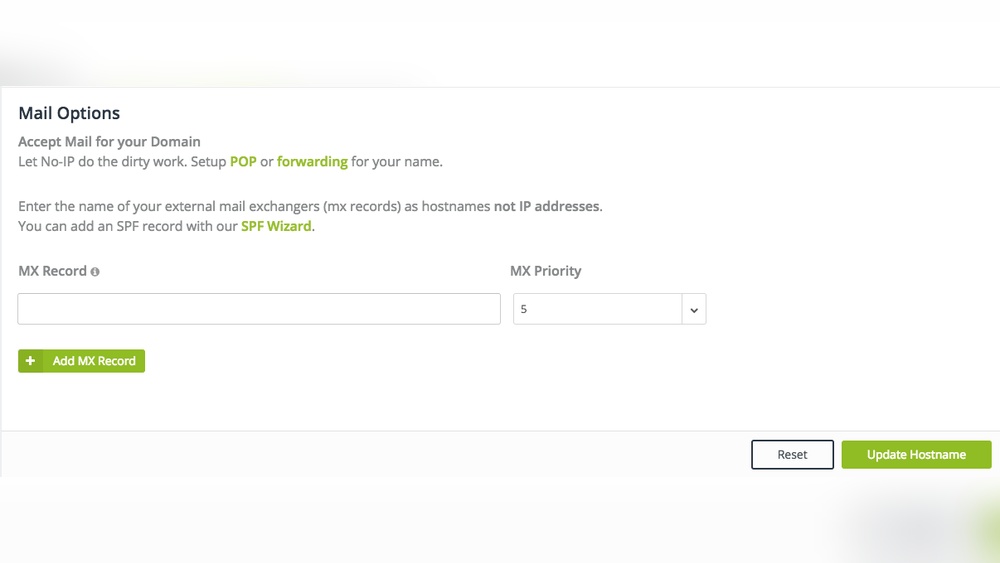
DNS settings tell the internet where to send your emails. You must add records like MX, SPF, DKIM, and DMARC. MX records direct emails to your mail server. SPF and DKIM help stop spam and fake emails. DMARC gives extra protection for your domain.
Access your domain’s DNS zone in your hosting control panel. Add the records provided by your email service. Wait for changes to update, which can take a few hours. Correct setup avoids lost or blocked emails.
Migrating Existing Emails
Moving old emails keeps your history intact. Export your emails from the old service in a common format. Many hosts support IMAP sync to transfer emails directly. This method copies emails without data loss.
Plan migration during low-activity times. Backup all emails before starting. Check that all messages appear in your new inbox after moving. This helps avoid missing important communications.
Customizing Email Clients
Your email app needs settings to send and receive mail. Use the server names and ports given by your provider. Usually, SMTP is for sending, and IMAP or POP for receiving.
Enter your full email address and password in the app. Test sending and receiving emails to confirm setup. Adjust signature, notifications, and layout for comfort. This personalizes your email experience.

Credit: answers.netlify.com
Frequently Asked Questions
Where Can I Host My Domain Email Professionally?
You can host your domain email with providers like Google Workspace, Microsoft 365, or Zoho Mail. These services offer reliable, secure, and scalable email hosting tailored for businesses and professionals.
Is Free Email Hosting Good For My Domain?
Free email hosting is suitable for personal use but has limitations. Paid hosting offers better security, features, and support, essential for business needs and professional communication.
How Do I Choose The Best Domain Email Host?
Consider factors like security, storage, ease of use, customer support, and price. Choose a provider that aligns with your business size and communication needs for optimal performance.
Can I Use My Domain Email With Gmail?
Yes, you can configure Gmail to send and receive emails using your domain address. This combines Gmail’s interface with your custom domain for professional communication.
Conclusion
Choosing the right place to host your domain email matters a lot. It affects how well your emails work and how safe they stay. Consider your needs like storage, security, and ease of use. Many services offer different features to match your goals.
Take time to compare options before deciding. A good host helps your communication stay smooth and professional. Keep it simple and pick what fits best for you. Your email should support your work, not slow it down.


