
Imagine you’re ready to launch your website, but there’s one crucial puzzle piece you need to figure out: the web.config file. This seemingly small file can dictate how your site behaves and interacts with users, making it essential to place it correctly.
But where does it actually go in your website hosting? Understanding its location is more than just technical know-how—it’s the key to ensuring your website runs smoothly, securely, and efficiently. We’ll guide you through the exact spot where your web.
config file should reside, demystifying its importance and empowering you to take control of your website’s functionality. Stick around, and you’ll uncover the secrets to optimizing your site’s performance and security with ease.
Credit: learn.microsoft.com
Purpose Of Web.config File
Web.Config files hold important settings. These files help websites run smoothly. They tell the server how to behave. Every website needs this file. Without it, problems can occur. It is like a set of rules for the site.
Configuration Settings
Web.Config files store configuration settingsdatabase connections, authentication, and more. The file keeps everything organized.
Security Features
Common Locations For Web.config
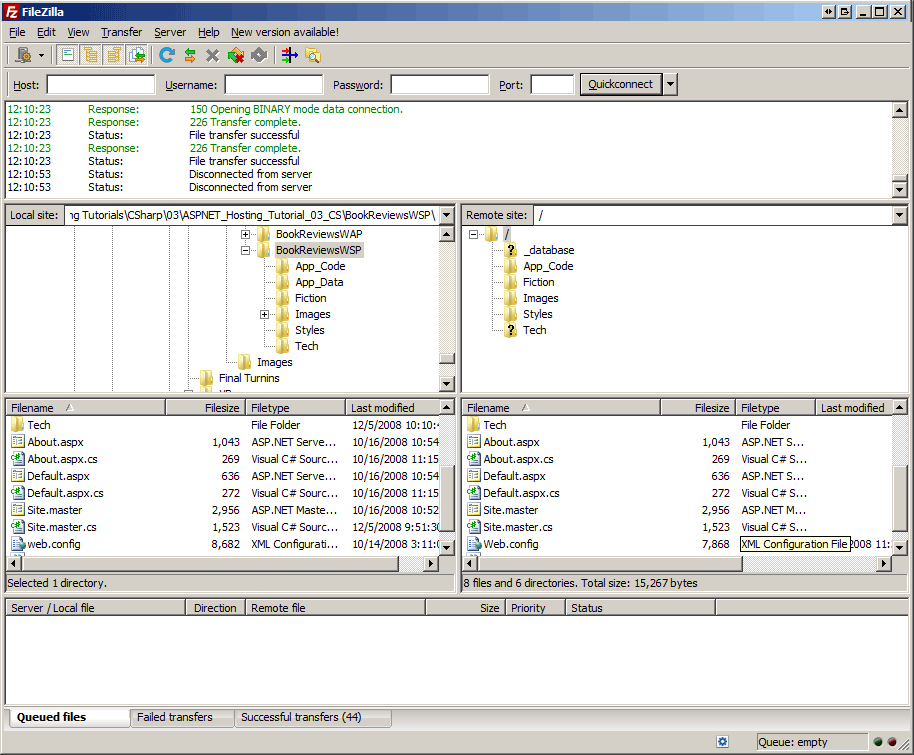
The web.config file is often placed in the root directory. This is the main folder of your website. It helps your website run smoothly. The file tells the server how to act. It controls settings for your site. You can find it in the main folder where your site starts. This is important for many websites. The root directory is like the home of your website. It holds many important files. Having the web.config here is very common.
Some websites use subdirectories for special pages. These are folders inside the root. A web.config can also be here. It helps control those special pages. Each subdirectory can have its own settings. This makes your site flexible. Different parts can work in different ways. Placing web.config in subdirectories helps manage this. It keeps your site running well. Subdirectories are like small homes inside your website.
Factors Influencing Placement
The website structure affects where the web.config file goes. In simple sites, it usually stays in the root folder. Complex sites may need the file in different folders. This helps manage settings better. Each folder can have its own web.config file. This offers more control over specific settings. For example, a folder for images might have a different web.config file than the main folder. This makes the site more organized and efficient.
The hosting environment also decides the file’s placement. Shared hosting often restricts where you can put files. On dedicated servers, you have more freedom. You can place the web.config file in any folder. This is useful for sites needing complex setups. Some hosts have specific rules for file locations. Always check the hosting provider’s guidelines. This helps avoid errors and keeps the site running smoothly.
Impact On Website Performance
The web.config file plays a crucial role in website settings. It affects how fast a site loads. Placing it correctly can make your site load quicker. A fast-loading site keeps visitors happy. Nobody likes waiting for pages to open. If a site loads slowly, visitors might leave. Keep the file in the right spot. This helps your website perform better.
As a site grows, its needs change. The web.config file must be ready to handle more traffic. Poorly configured files can slow down performance. More users mean more demand on your server. Proper setup helps manage this load. This file should be easy to update. This ensures your site stays smooth and fast. A scalable site keeps users satisfied.
Best Practices For Placement
Keep the web.config file in the root directory. This helps the server find it easily. Do not scatter important files. Place similar files together. Create folders for different types of files. This makes it easier to find them.
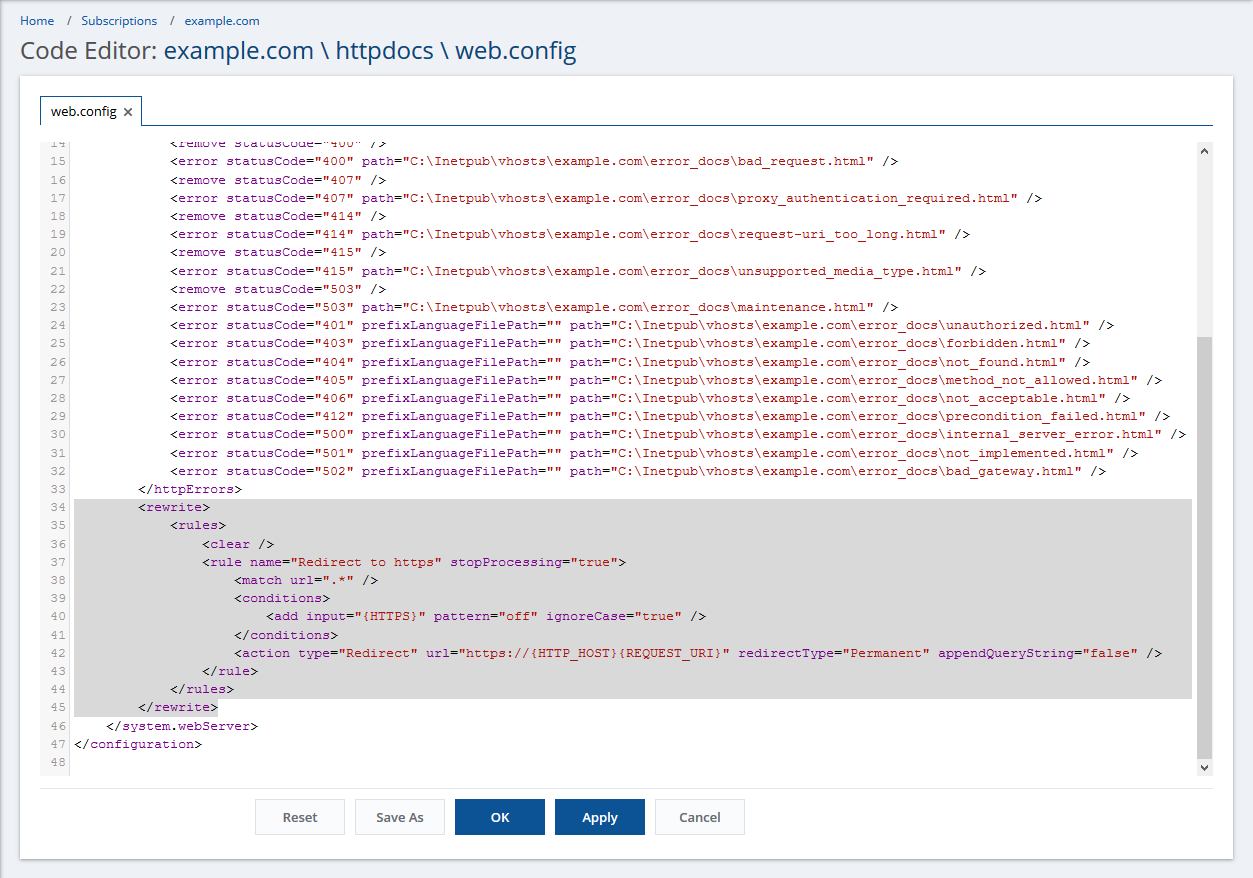
Protect the web.config file from unwanted access. Use strong permissions to limit who can see it. Do not place it in public folders. Hide sensitive information inside. Secure it with SSL encryption if possible. Regularly check for vulnerabilities.
Credit: www.plesk.com
Common Mistakes To Avoid
Incorrect file hierarchy is a big mistake. Files must be in the right place. The web.config file should be in the root folder. If it’s misplaced, your website might not work. Always check where you put it. A wrong path can cause errors. Follow a guide if unsure. Keep your files organized.
Overlooking security configurations can be risky. The web.config file controls access. It keeps your site safe from harm. Set the right permissions. Hide sensitive information. Use encryption for passwords. Always update your security settings. This keeps bad guys away. A safe site is a happy site.
Troubleshooting Placement Issues
Errors often arise from incorrect Web.Config file placement. Check the root directory first. Missing files can cause server errors. Ensure the file is not in subfolders. Permissions might also cause issues. Make sure the file is readable. Incorrect syntax leads to configuration errors. Review for typos or misplaced tags.
Move the Web.Config file to the correct location. Start with the root directory. Then check for access permissions. Adjust them if needed. Correct any syntax errors. Verify tags and attributes. Restart the server after changes. This ensures proper application of settings. Seek help if errors persist.
Credit: docs.plesk.com
Frequently Asked Questions
Where Does Web Config Go?
The web. config file typically resides in the root directory of an ASP. NET application. It configures application settings, security, and other configurations. Ensure it is placed correctly for the application to function properly.
Where Is The Web Config Path?
The web. config file is typically located in the root directory of your web application. In ASP. NET projects, you will find it within the main application folder. Adjust the path based on your project’s structure if necessary.
Where Are Config Files Located?
Config files are typically located in the “/etc” directory on Linux systems. On Windows, they are often found in “C:Program Files” or “C:Windows”. Mac users can find them in “/Library/Preferences” or “~/Library/Preferences”. Always check documentation for specific application paths.
How To Check Web Config File?
Open your web server directory and locate the ‘web. config’ file. Use a text editor to view and modify it. Ensure the changes are saved and test your website functionality. Regularly back up the file to prevent data loss.
Conclusion
A web. config file is vital for your website’s functionality. Proper placement ensures smooth operations and security. Always place it in the root directory. This helps in managing settings easily. Keep an eye on changes you make. Avoid common mistakes.
These can disrupt your site’s performance. Regularly update the file for optimal results. Understand its importance for seamless website management. Remember, careful handling leads to a safer online environment. With these tips, managing web. config becomes straightforward. Your website’s efficiency depends on correct configuration.
Ensure your site runs smoothly by following these guidelines.


