Choosing the right database software can feel overwhelming, especially when you’re running a small business. You want something that’s easy to use, reliable, and fits your budget.
But with so many options out there, how do you know what’s best for your unique needs? This guide will help you cut through the noise and find database software that makes managing your data simple and stress-free. Keep reading to discover the top choices that can save you time, boost your productivity, and help your business grow.
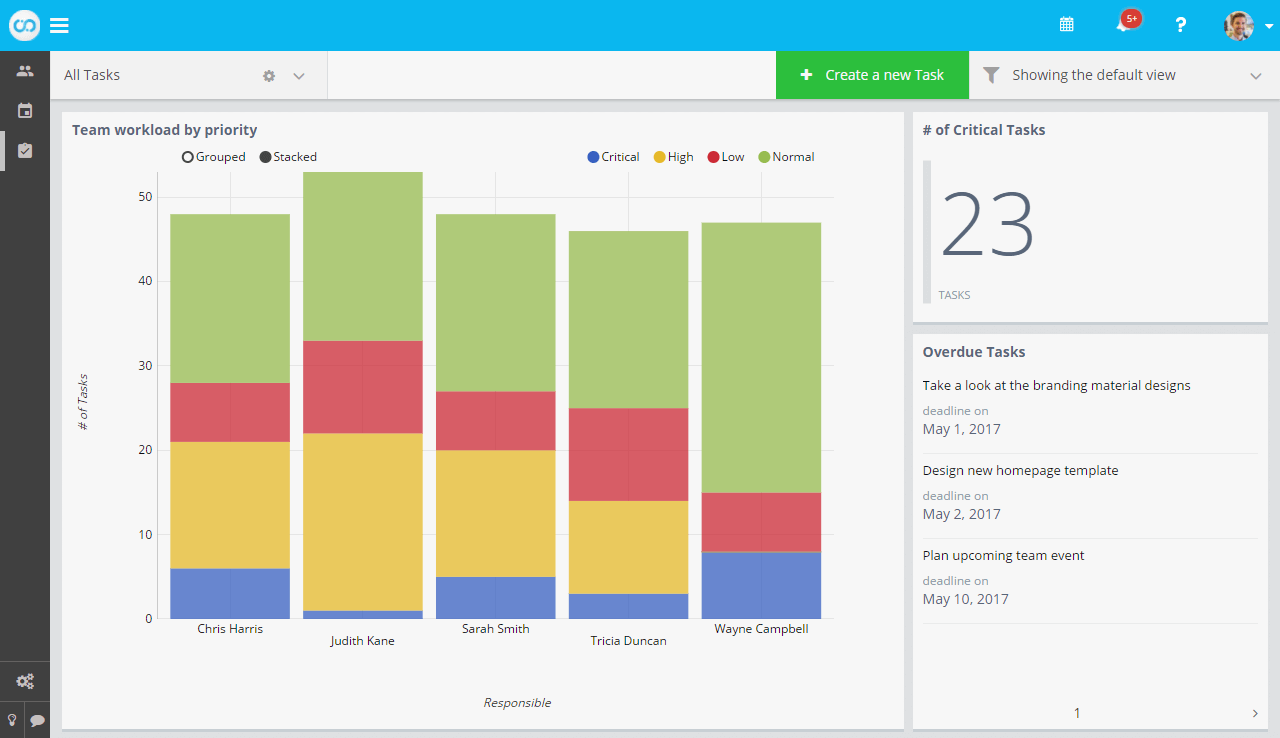
Credit: www.fusioo.com
Key Features For Small Business Databases
Choosing the right database software is important for small businesses. The right tool helps store and manage data easily. It also supports business growth and keeps information safe. Key features make a database software suitable for small businesses.
These features help save time and reduce errors. They make daily tasks smoother. Here are some important features to consider.
Ease Of Use
Small business owners need software that is simple to use. A clear interface helps users find what they need fast. No complex commands or coding skills should be required. Easy tools help employees work without delays or mistakes.
Scalability
Small businesses grow over time. The database must grow with the business. It should handle more data and users without slowing down. This saves money and avoids switching to new software often.
Security
Protecting data is critical for any business. Look for software with strong security features. It should include password protection and data encryption. Regular backups and access controls keep information safe from threats.
Integration Options
Databases should work well with other business tools. Integration with accounting, email, and sales software helps. It reduces manual work and keeps data consistent across systems.
Cost Considerations
Small businesses need affordable database solutions. Consider both upfront costs and ongoing fees. Free or low-cost options may suit startups. Choose software that fits your budget and needs.
Popular Database Software Options
Choosing the right database software helps small businesses store and manage data effectively. Many options exist, each with unique features and uses. This section covers popular choices suitable for small businesses.
Microsoft Access
Microsoft Access is a user-friendly database tool. It works well for businesses with moderate data needs. Access integrates smoothly with other Microsoft Office apps. It offers templates and a simple interface. No deep technical skills are required to start. It suits businesses that use Windows and want quick setup.
Mysql
MySQL is a popular open-source database system. It handles large amounts of data efficiently. Many websites and apps rely on MySQL for storage. It supports multiple users and complex queries. This software works well for businesses needing scalability. It requires some technical knowledge for setup and maintenance.
Sqlite
SQLite is a lightweight, file-based database engine. It does not need a server to run, making it simple to use. Ideal for small projects and mobile apps. SQLite stores data locally, reducing setup costs. It is easy to manage and requires minimal resources. Perfect for businesses that want a simple and fast database.
Zoho Creator
Zoho Creator is a cloud-based app builder with database features. It allows creating custom apps without coding skills. Data is stored securely in the cloud. It offers automation and integration with other Zoho tools. Suitable for businesses needing tailored workflows. It helps save time and improves productivity.
Airtable
Airtable combines a spreadsheet with database functions. It offers a visual and flexible interface. Users can organize data with tables, forms, and calendars. Airtable supports collaboration and real-time updates. It is easy to use and requires no coding. Best for businesses that want simplicity and teamwork.
Cloud-based Vs On-premise Solutions
Choosing between cloud-based and on-premise database software is a key decision for small businesses. Each option has its own strengths and suits different needs. Understanding these differences helps you pick the right database that fits your business size and budget.
Benefits Of Cloud Databases
Cloud databases are hosted online and managed by a provider. They offer easy access from anywhere with internet. No need to install or update software yourself. Cloud solutions often come with automatic backups and security updates. They scale well as your business grows. This means you pay for what you use. Cloud databases are great for businesses with remote teams. They reduce the need for IT staff and hardware costs.
Advantages Of On-premise
On-premise databases are installed on your own servers. You have full control over data and hardware. This can improve security for sensitive information. On-premise solutions work well without constant internet connection. They allow customization to fit specific business processes. Upfront costs are higher due to buying hardware and licenses. But long-term expenses may be lower for stable workloads. On-premise is good for businesses with strong IT support.
Choosing Based On Business Needs
Small businesses must weigh costs, control, and flexibility. Cloud databases suit companies needing quick setup and remote access. On-premise fits those wanting full control and custom features. Consider your IT skills and budget limits. Think about future growth and data security. The best choice matches your business goals and resources. Take time to test options before deciding. This ensures your database supports your work efficiently.
Specialized Software For Industry Needs
Specialized software fits the unique needs of different industries. Small businesses benefit from tools designed for their specific tasks. These tools help manage data clearly and efficiently. Choosing the right software saves time and reduces errors.
Retail And Inventory Management
Retail businesses need software to track stock and sales. Inventory management tools help monitor products in real time. They prevent overstocking and running out of items. These systems also simplify order processing and supplier management. Good software helps keep customers happy with fast service.
Customer Relationship Management
Customer Relationship Management (CRM) software organizes customer information. It helps businesses follow up on leads and sales. CRMs store contact details and track interactions easily. They improve customer service by remembering preferences and history. Small businesses grow by building strong customer bonds.
Project Management Databases
Project management software keeps track of tasks and deadlines. It helps teams collaborate and share updates. These databases store project details and progress in one place. They reduce confusion and keep work on schedule. Small businesses finish projects faster and with better results.
Tips For Selecting The Right Database
Choosing the right database software is important for your small business. It helps keep data organized and easy to access. Picking the best option saves time and avoids problems later. Focus on key points to make a smart choice.
Evaluating Business Requirements
Start by listing what your business needs from a database. Think about the type of data you manage. Consider how many users need access at once. Identify specific features that will help your daily work. Clear needs make choosing easier and more accurate.
Testing Software Trials
Use free trials to try out different software options. This hands-on test shows how the system works in real life. Check if the interface feels simple and fast. See if the software fits your daily tasks well. Testing avoids surprises after buying.
Considering Future Growth
Plan for your business growth when selecting a database. Choose software that can handle more data over time. Make sure it supports extra users and new features. A flexible database saves costs on upgrades later. Think long term to avoid switching systems soon.

Credit: thedigitalprojectmanager.com
Credit: stackby.com
Frequently Asked Questions
What Features Should Small Business Database Software Have?
Small business database software should offer ease of use, scalability, data security, and integration options. It must support customer management, inventory tracking, and reporting. Cloud-based solutions are ideal for accessibility and cost-effectiveness. Customizable templates and automation features enhance productivity and data accuracy.
Which Database Software Is Best For Small Business Budgeting?
QuickBooks and Zoho Books are top choices for small business budgeting. They provide easy expense tracking, invoicing, and financial reporting. Both offer cloud access and integration with other business tools. These platforms help simplify financial management and improve budget planning.
How Much Does Small Business Database Software Typically Cost?
Costs vary from free basic versions to $50-$100 monthly subscriptions for advanced features. Cloud-based options often use monthly pricing, while desktop software may have one-time fees. Choose software based on your business needs and budget constraints for optimal value.
Can Small Businesses Use Free Database Software Effectively?
Yes, free database software like Airtable and Google Sheets can suit small businesses. They offer essential features for data organization, collaboration, and basic reporting. However, they may lack advanced functionality and scalability found in paid options.
Conclusion
Choosing the right database software helps small businesses stay organized. Good software saves time and reduces errors. It makes managing customer data and sales easier. Think about your business needs first. Then pick software that fits your budget and skills.
Simple tools often work best for small teams. Keep your data safe and easy to access. The right choice supports growth and smooth daily work. Take your time to decide. Your business will thank you later.