
Have you ever wondered what web hosting service your website uses? You’re not alone.
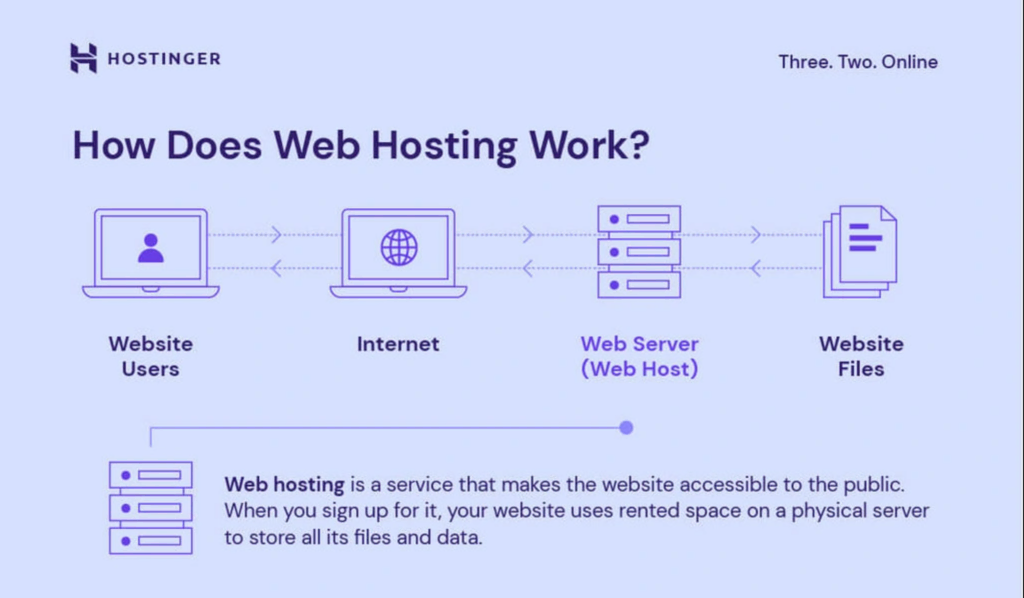
Many website owners are curious about the backbone of their online presence. Knowing your web hosting service isn’t just technical jargon—it’s crucial for understanding how your website performs. Imagine your website as a house. The web hosting service is the land it stands on.
Without solid ground, even the most beautiful house can’t stay upright for long. Curiosity piqued? Good! This guide will help you discover the secrets of your web hosting service. Uncover the hidden details that can boost your site’s speed, security, and performance. Understanding these aspects can empower you to make informed decisions and ensure your website thrives in the digital landscape. Let’s dive in and unlock the mystery of your web hosting service.
Credit: www.eurodns.com
Identifying Your Web Host
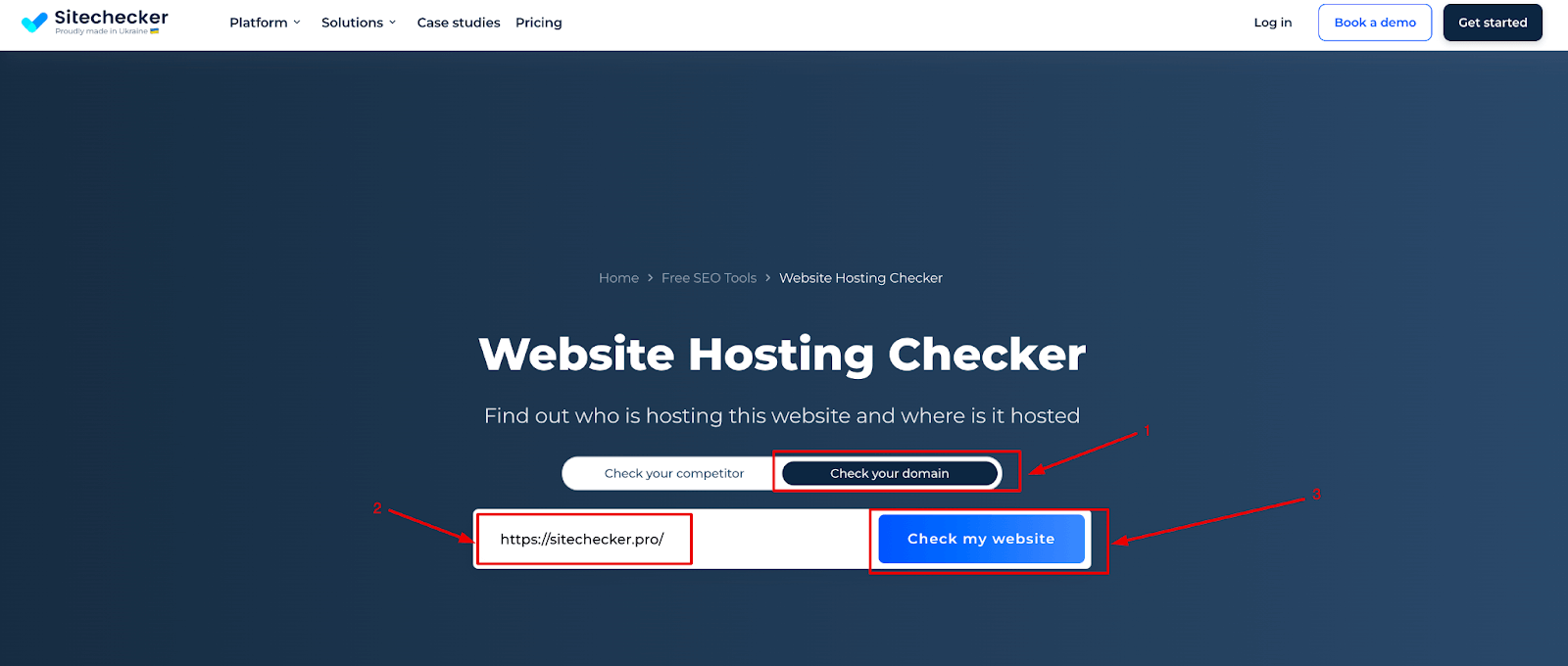
Online tools can help find your web host. These tools are easy to use. Enter your website URL in the tool. The tool will show your hosting service. Popular tools include WhoIsHostingThis and Hosting Checker. They are free and quick.
Domain information tells about your web host. Use a Whois lookup to check this. Websites like Whois.net are useful. Type your domain name there. It shows details about your host. You can learn a lot from this data.
Credit: sitechecker.pro
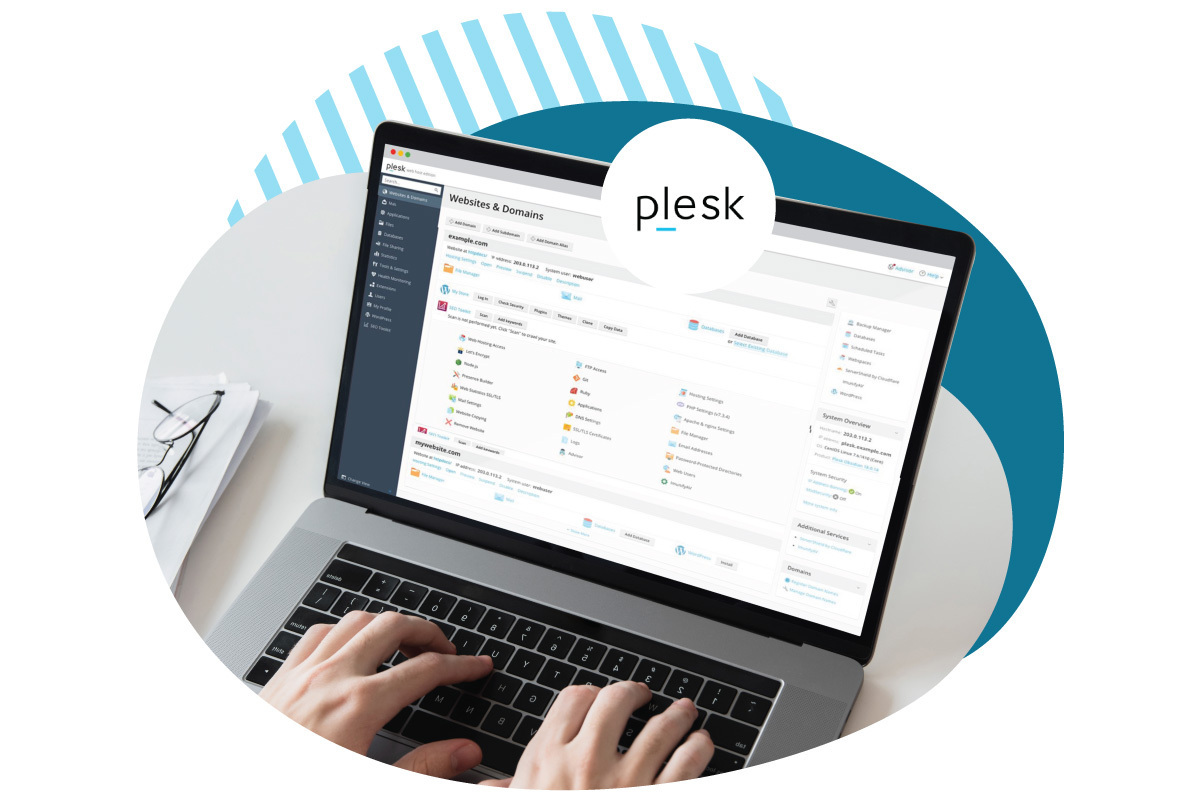
Accessing Control Panel
Discovering your web hosting service involves accessing your website’s control panel. Login details are often found in emails from your hosting provider. Once inside, look for hosting information under account settings or server details.
Finding Login Credentials
To enter the control panel, you need login credentials. These are usually a username and a password. Your web host gives you these when you sign up. Sometimes, you can find these in a welcome email. If you forget them, check your email for this message. You can also try the host’s support page. They can help you recover lost credentials.
Exploring Hosting Dashboard
The hosting dashboard is like a control center. Here, you can manage your website. You can see your files, check site stats, and make changes. It is important to navigate this area carefully. Each section has a different function. Click around to explore and learn what each part does. If confused, look for a help button or tutorial.
Examining Website Code
Website code holds many clues. Open the page source in your browser. Look for comments or scripts mentioning hosting. Hosting providers often leave marks. These notes show who hosts a site.
Some hosting services add their name in the code. This might be in JavaScript or CSS files. Check carefully. Names or links in these files reveal the host. This helps find out what service is used.
Meta tags are key to website info. They hide in the page source. Meta tags might show hosting details. Look for tags like “generator” or “author“. These can mention hosting tools. Sometimes, they show the software used.
Hosting services often use specific tags. These tags give hints. Check each meta tag. Tag names may point to hosting. This helps find out where a site lives.
Consulting Website Documentation
Many websites have a special control panel. This panel shows hosting details. Visit your website’s control panel. Look for a section named “Hosting Information“. This section often shows the hosting provider’s name. If you can’t find it, try checking the “Account Details“. The hosting company often lists itself here. Some websites also have a “FAQ” section. This section might help with hosting questions.
Hosting services come with different technical details. These details help your website work better. Check for the amount of storage space you have. Also, see the bandwidth limit. Higher bandwidth means more visitors can come to your site. Look for the type of server used. Some sites use shared servers. Others use dedicated servers. Each type has its own benefits.
Contacting Support
Need help finding your hosting provider? Contacting technical support can help. You can reach them by phone or email. Explain your issue simply. Support teams have tools to check your website’s hosting. They may ask for your domain name. Give them this information. Wait for their response. They usually reply fast.
Ask about your hosting provider directly. Give them details about your website. They might need your account information. Keep this ready. Sometimes, they might guide you on how to find it yourself. They know all about hosting. They can give you the exact name. Follow their instructions carefully.
Credit: www.hostinger.com
Evaluating Hosting Features
Different hosting plans offer various features. Some plans have more storage. Others provide faster speeds. Security is vital in any plan. Many plans include SSL certificates. This keeps your data safe. Monthly cost is another factor. Some plans are cheaper. But they might have fewer features. Customer support is important too. Good support helps solve issues fast. Compare plans based on your needs. Choose the one that fits best.
Server performance affects website speed. Faster servers load pages quickly. This keeps visitors happy. Downtime is a concern. Servers with less downtime are better. They keep your site online. Server location matters too. Closer servers load sites faster. Check if your host has servers near you. Backup options are crucial. Regular backups protect your data. Assess these factors before deciding.
Frequently Asked Questions
How To Find Out What Platform A Website Is Hosted On?
Use tools like BuiltWith or Wappalyzer to identify a website’s hosting platform. Check the website’s source code for hosting information. Look for HTTP headers using browser developer tools. Examine the website’s footer for hosting details. These methods help you find the hosting platform efficiently.
How Do I Know What Server A Website Is Using?
Use online tools like “WhatRuns” or “BuiltWith” to identify a website’s server. Check the HTTP headers via browser developer tools. Look for the “Server” field, which may reveal server details. This information helps in understanding the website’s hosting environment.
Is Godaddy A Web Hosting?
Yes, GoDaddy offers web hosting services. They provide various plans including shared, VPS, and dedicated hosting. GoDaddy is a popular choice for domain registration and hosting due to its reliability and support. Their hosting packages are suitable for small to large businesses.
Is My Website Hosted By WordPress?
Check your website’s hosting provider details. WordPress itself doesn’t host websites. It provides software to build sites. Hosting is typically managed by third-party services like Bluehost, SiteGround, or GoDaddy. Verify your hosting account or contact your website administrator for confirmation.
Conclusion
Choosing the right web hosting service is crucial. It impacts your website’s performance. Take time to assess your current provider. Consider speed, security, and support. Check if it meets your needs. A good host boosts your website’s reliability. It can improve user experience significantly.
Don’t hesitate to explore other options. Better hosting can elevate your site. Ensure you choose wisely for long-term success. Your website deserves the best service. Keep it running smoothly. Enhance your online presence today.


