
Ever stumbled upon a stunning WordPress site and wondered, “What theme is this site using?” You’re not alone.
Curiosity often gets the best of us when we see a beautifully designed website. The good news is, uncovering this mystery isn’t as tricky as you might think. Imagine the satisfaction of knowing exactly how you can replicate that sleek design for your own site.
By the end of this article, you’ll have the tools to satisfy your curiosity and enhance your website like a pro. Let’s dive in and unlock the secrets behind your favorite WordPress designs.
Credit: www.greengeeks.com
Identifying WordPress Themes
Themes shape the look and feel of a site. They decide how content appears. A good theme can make a site look nice. It can also help with user experience. People like sites that are easy to use. Themes make sites unique. No two sites look the same with different themes. Choosing the right theme is important. It affects how visitors see your site. It can even influence their feelings.
| Indicator | Description |
|---|---|
| Footer Credits | Theme name often shown in footer. |
| CSS Files | Theme name found in CSS file names. |
| Theme Detector Tools | Online tools reveal theme names. |
| Page Source | Check HTML source for theme info. |
Credit: annenbergdl.org
Tools For Theme Detection
Some browser extensions help find WordPress themes. These tools are easy to use. Install the extension on your browser. Then, visit any WordPress site. Click the extension icon. The extension will show the theme name. Some popular extensions include Wappalyzer and WhatRuns.
They provide quick theme details. You can use them for free. Extensions work in Chrome and Firefox. They are handy for theme lovers.
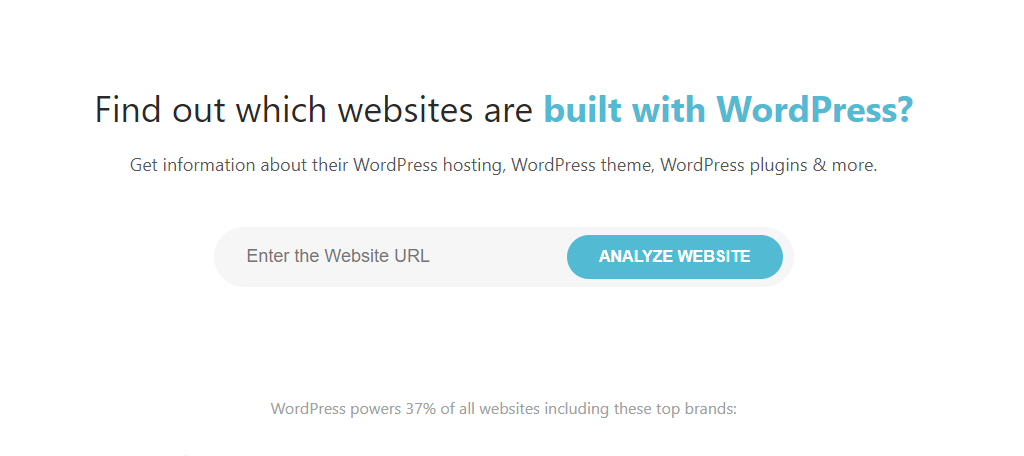
Online theme detectors are simple tools. Open a theme detector website. Enter the website URL. Click the detect button. In seconds, the tool shows the theme name. IsItWP and WPThemeDetector are popular choices.
These tools also give plugin details. No need to install anything. Use them from any browser. They make theme finding easy.
Manual Theme Identification
To find a WordPress theme, look at the page source. Right-click on a webpage. Select “View Page Source.” A new tab shows code. Search for “wp-content/themes” in this code. This reveals the theme folder name. The name often matches the theme name. You can use this method on most WordPress sites.
Stylesheets give clues about themes. Open browser tools. Click “Inspect Element.” Navigate to “Sources” tab. Look for “wp-content/themes.” Find the theme folder. Inside, find CSS files. The style.css file often names the theme. Check for “Theme Name” in the file. This helps identify the theme. Stylesheets are useful for theme checks.

Credit: www.youtube.com
Understanding Theme Customizations
Discovering the theme of a WordPress site can enhance your customization skills. Use online tools to identify themes easily. Knowing the theme helps in making informed design choices.
Child Themes
Child themes are special. They let you change your site without harm. The parent theme stays safe. Use child themes for unique looks. They are handy for custom designs. They help keep updates easy. You can tweak and test freely. It is smart to use child themes. They give extra protection.
Custom Css And Plugins
Custom CSS helps style your site. You can alter colors and fonts. It makes the site look better. Plugins add more features. They can do many tasks. Plugins help with speed and security. They make your site stronger. Use them wisely. Too many plugins can slow things down. Only keep the ones you need. Custom CSS and plugins work well together. They improve your site greatly.
Popular WordPress Themes
Top WordPress themes offer responsive designs. They work well on phones and computers. Many themes come with customizable layouts. You can change colors and fonts easily. SEO optimization is a key feature. It helps your site rank better. Themes often have built-in widgets. These add extra functions to your site. Fast loading times are important. Visitors do not like slow sites.
WordPress themes are popular because they are easy to use. They come with detailed documentation. This helps users understand them better. Themes often have customer support. This means help is available if needed. Popular themes are updated regularly. Updates keep them secure and fast. Many themes are compatible with plugins. Plugins add more features to your site.
Challenges In Theme Detection
Some WordPress themes are hidden from view. This makes them hard to detect. Developers do this to protect their work. They rename files or change the code. This keeps their themes secret. It can confuse tools trying to find the theme name.
This also makes it tough for users. They may want to know the theme to use it. But the hidden theme stops them. It is like a puzzle with missing pieces.
Many sites use custom-built themes. These themes are made from scratch. They are not in the WordPress theme library. This makes them unique but hard to find.
Tools can’t recognize these themes easily. They look different from standard themes. Users may need the help of experts to find them. Custom themes show the site’s style and brand. But they can be tricky for theme detection tools.
Privacy And Ethical Considerations
Always consider the privacy of site owners. They have rights to their own content. Do not steal or use their theme without asking. It is important to seek permission first. Respect their hard work and effort. This is about being fair and honest. Remember, using someone’s theme without asking is not right.
Information found about a theme should be used wisely. It should not be shared without permission. Respect ethical boundaries in all actions. Do not exploit the information for wrong reasons. Use it to learn and grow. Be kind and considerate. Always do the right thing. This helps build trust and respect.
Frequently Asked Questions
How Do I Find Out A WordPress Site’s Theme?
You can identify a WordPress site’s theme using online tools like WPThemeDetector or What WordPress Theme Is That. These tools analyze the site’s code to reveal the theme name. Alternatively, you can inspect the site’s source code manually, looking for theme-related files or stylesheets.
Is It Possible To Change A WordPress Theme?
Yes, you can change a WordPress theme easily from the admin dashboard. Navigate to “Appearance” and select “Themes. ” From there, you can choose, install, and activate a new theme. Always back up your site before changing themes to avoid potential data loss.
Can I Customize A WordPress Theme?
Absolutely! WordPress themes are highly customizable. Use the “Customizer” option under “Appearance” to modify colors, fonts, and layouts. Advanced users can edit theme files directly. Ensure you use a child theme to preserve changes during theme updates.
Why Is Theme Choice Important For Seo?
The right theme impacts your site’s speed, responsiveness, and overall user experience, all crucial for SEO. A well-coded theme enhances search engine visibility. Opt for themes optimized for SEO with clean code, fast loading times, and mobile responsiveness.
Conclusion
Discovering a WordPress theme can enhance your website experience. The right theme shapes your site’s look and functionality. It affects user engagement and satisfaction. Knowing the theme can inspire your own design ideas. Use online tools or browser extensions to identify themes quickly.
This knowledge helps you make informed decisions for your site. A well-chosen theme supports your brand and goals. Keep exploring and experimenting with themes. Each choice brings you closer to the perfect website. Always prioritize simplicity and user-friendliness. Your audience will appreciate it.
Happy site building!


