

Have you ever come across a WordPress website with a design you really like and wondered, “What theme is that WordPress site using?” You’re not alone. Knowing the exact theme behind a site can save you hours of searching and help you create a similar look for your own website.
But how do you find out? Whether you’re a blogger, business owner, or developer, discovering the theme behind a WordPress site can unlock new design ideas and tools tailored just for you. You’ll learn simple, effective ways to identify any WordPress theme quickly—no technical skills needed.
Keep reading to find out how you can easily uncover the secrets behind your favorite WordPress sites and make your own site stand out.

Credit: wordpress.org
WordPress Theme Detection Tools
WordPress theme detection tools help identify the theme used on any WordPress site. These tools save time for developers and site owners. They reveal theme names, versions, and sometimes plugin details. Many tools work online, while others come as browser extensions.
Using these tools, anyone can learn about a site’s design and functionality. It becomes easier to find inspiration or replicate features. Theme detection tools are simple and quick to use.
Popular Online Detectors
Several websites offer free WordPress theme detection services. “What WordPress Theme Is That” is a well-known example. Users just enter a site’s URL to get theme and plugin info. Another popular option is “WPThemeDetector.” It provides detailed theme reports. “IsItWP” also detects themes and plugins with ease. These tools work without installation and deliver results fast.
Browser Extensions For Theme Detection
Browser extensions add theme detection directly to your browser. They scan the current webpage for WordPress themes. “Wappalyzer” and “BuiltWith” are popular extensions. These tools show theme and plugin info instantly. Extensions save time by avoiding website visits for detection. They help developers inspect sites while browsing.
Features Of Top Theme Detectors
Top theme detectors offer clear theme names and version numbers. Many identify parent and child themes separately. They also list active plugins used on the site. Some detectors provide direct links to theme providers. Others give additional data like hosting and CMS type. Easy-to-use interfaces and fast scans improve user experience. Most tools support multiple languages for wider access.

Credit: colorlib.com
How Theme Detectors Work
Theme detectors help identify the WordPress theme a site uses. These tools analyze the website’s files and code to find theme details. They work by scanning the site’s structure and detecting theme and plugin data. Understanding how they operate shows why they are useful for bloggers and developers.
Scanning Website Code
Theme detectors scan the website’s HTML and CSS files. They look for unique code patterns linked to specific themes. This includes style sheets and theme metadata. The tool reads the header and footer areas where theme info is often stored. This process helps pinpoint the theme’s name and version quickly.
Identifying Parent And Child Themes
Many WordPress sites use child themes to customize the look. Theme detectors can find both the parent and child theme names. They check the style.css file for parent theme references. This allows users to see if a site uses a modified theme or a default one. Detecting child themes helps understand site design better.
Detecting Plugins Alongside Themes
Besides themes, detectors also find active plugins on a site. They check for plugin-specific code and files. Plugins add features and affect the site’s appearance and function. Knowing which plugins are used helps replicate or learn from a website’s setup. This dual detection makes theme detectors more helpful.
Using Theme Detectors Effectively
Using theme detectors can simplify identifying the WordPress theme behind any website. These tools reveal theme details quickly, saving hours of manual research. To get the best results, follow a clear process and understand how to read the output. Doing this helps avoid confusion and ensures accurate theme detection.
Step-by-step Guide To Detect A Theme
First, find a reliable theme detector tool online. Many free options exist that work well. Next, enter the website URL you want to check. The tool scans the site and searches for theme files. Wait a few moments for the scan to finish. The results will show the theme name and version, if available.
Some tools also list parent and child themes. Others display active plugins alongside the theme. Copy the theme name for further research or to download it.
Interpreting Detection Results
The results usually include the theme name, author, and version. This helps confirm the theme’s authenticity. Some themes have child themes, which modify the parent theme’s design. If a child theme appears, check both names for full details.
Look for extra info like theme ratings or links to the developer’s site. This can help decide if the theme suits your needs. Detection tools sometimes show plugin data too, which reveals the site’s additional features.
Common Issues And Troubleshooting
Some websites hide their theme or use custom builds, making detection tricky. If the tool returns no results, try another detector. Clear your browser cache and retry the scan. Sometimes, security plugins block theme detection tools.
Also, keep in mind some sites use page builders that mask the theme. In such cases, manual inspection of the site’s code may help. Look for style.css or theme folders in the source code. These clues can guide you when tools fail.
Benefits Of Knowing A Site’s Theme
Knowing the theme a WordPress site uses offers many advantages. It gives you insight into design trends and functionality. This knowledge helps you make smarter decisions for your own website.
Exploring a site’s theme reveals how features work in real settings. It also introduces you to popular themes and plugins. This can save time and effort in your website creation journey.
Inspiration For Your Own Website
Seeing a live site’s theme sparks ideas for your design. You notice layout choices, color schemes, and typography. This helps you plan a site that fits your style and needs.
Copying exact elements is not the goal. Instead, use the theme as a creative guide. It shows what is possible and what users like to see.
Evaluating Theme Features Before Purchase
Checking a site’s theme lets you test its features firsthand. You see if the theme loads fast and works on mobile devices. This reduces the risk of buying a theme that disappoints.
Some themes include extra tools or page builders. Knowing this helps you choose a theme that matches your skill level. It also ensures the theme supports your site’s goals.
Learning About Popular Themes And Plugins
Many websites use well-known themes and plugins. Identifying these helps you learn what works best. You discover reliable tools that enhance site performance and appearance.
This knowledge makes it easier to build your site with trusted resources. It also keeps you updated on trends in the WordPress community.
Alternatives To Theme Detectors
Theme detectors help identify the WordPress theme a website uses. They work well but sometimes miss details or show errors. Alternatives exist for finding a theme when detectors fail or give unclear results.
These methods require a bit more effort but give accurate information. They help understand the theme’s design and features directly from the site’s code or owner.
Manual Code Inspection
Look at the website’s source code to find theme clues. Right-click the page and select “View Page Source.” Search for “style.css” or “theme” in the code. The theme name often appears in the CSS file URL or comments. This method works well for simple themes and helps spot child themes too.
Asking Site Owners Or Developers
Contacting the website’s owner or developer can give direct answers. Many are happy to share the theme name or customization details. Use contact forms, email, or social media to ask politely. This approach saves time and avoids guessing.
Using Web Developer Tools
Web developer tools in browsers reveal theme files and settings. Open tools with F12 or right-click and choose “Inspect.” Check the “Sources” or “Network” tab for theme folders. Look for CSS and JavaScript files named after the theme. These tools also help explore plugins and custom code.
Choosing The Right WordPress Theme
Choosing the right WordPress theme is essential for your website’s success. A good theme sets the tone and style of your site. It affects how visitors see and use your content. Picking a theme involves more than just looks. It also means checking how the theme works with your goals and needs.
The right theme helps your site load fast and look great on all devices. It supports plugins and features you want to use. A well-chosen theme makes managing your site easier. It also helps improve your search engine rankings. Take time to find a theme that fits your brand and content.
Factors To Consider
Start by thinking about your website’s purpose. Choose a theme that matches your niche and style. Check if the theme is mobile-friendly and loads quickly. Read reviews and ratings from other users. Look for themes that receive regular updates and support. Consider the compatibility with popular plugins. Avoid themes with too many features you will not use. A simple theme often works best for beginners.
Theme Customization Options
Look for themes that allow easy customization. You should be able to change colors, fonts, and layouts. Some themes come with drag-and-drop builders. These tools let you design pages without coding. Check if the theme supports custom widgets and menus. Preview your changes before publishing them. Customization options help you create a unique website. They also let you adapt the theme as your site grows.
Balancing Design And Functionality
A theme should look good and work well. Avoid themes that focus only on design. They might slow down your website or cause errors. Choose themes that balance style with performance. Ensure the theme supports key features you need. Test the theme on different devices and browsers. A clean and simple design often improves user experience. Focus on usability and easy navigation. A well-balanced theme keeps visitors engaged longer.
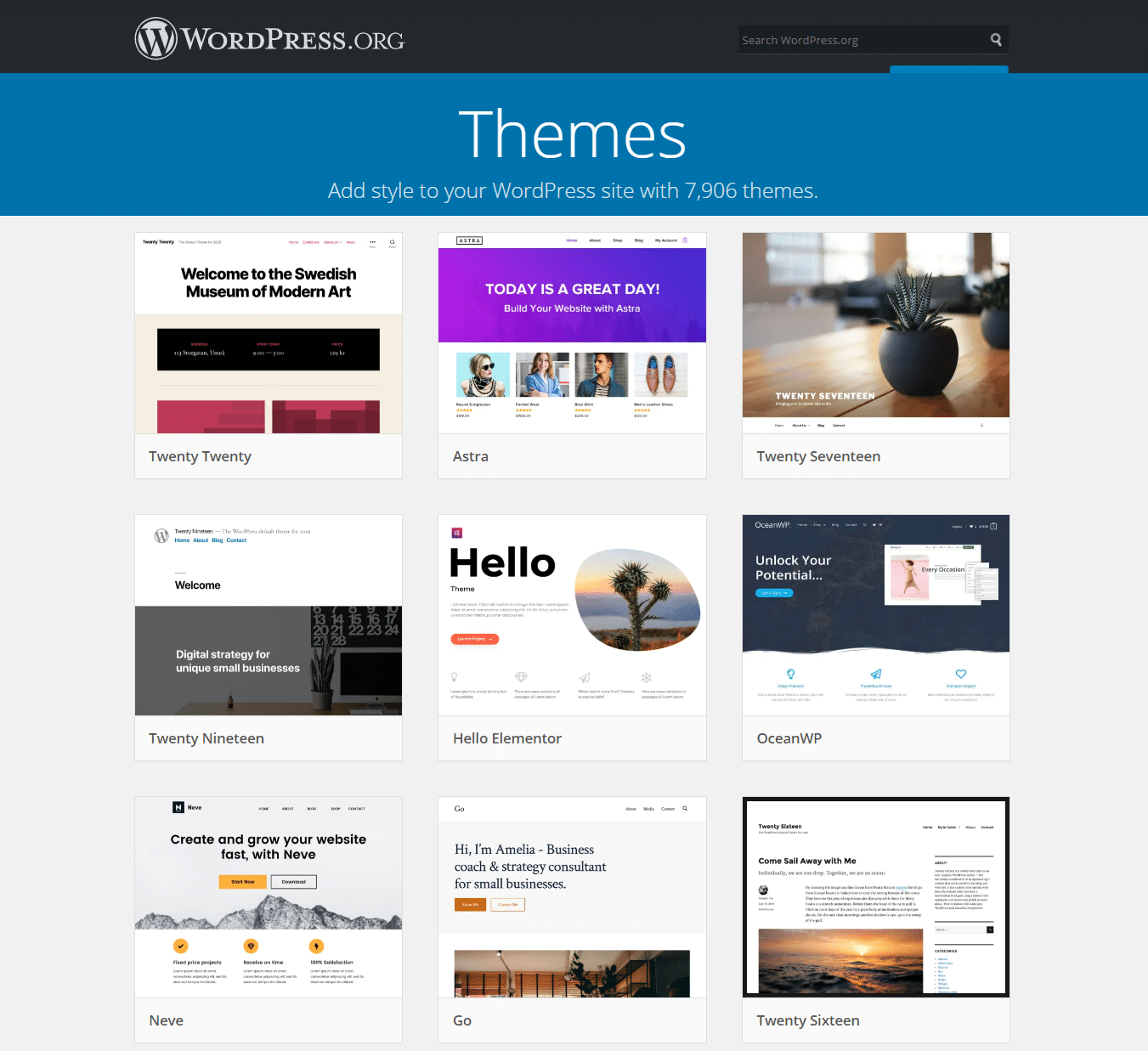
Credit: kinsta.com
Frequently Asked Questions
What Is “what Theme Is That WordPress”?
“What Theme is That WordPress” is a free online tool. It helps identify the WordPress theme and plugins used by any website quickly.
How Can I Find A WordPress Theme On A Site?
You can use theme detector tools. Just enter the website URL, and the tool reveals the active theme and plugins.
Are These WordPress Theme Detectors Accurate And Reliable?
Yes, most detectors provide accurate results. However, some custom themes or heavily modified sites may show limited information.
Can I Use The Detected WordPress Theme For My Site?
If the theme is publicly available, yes. You can download or purchase it and customize it for your website.
Conclusion
Discovering the theme behind a WordPress site is simpler than it seems. Online tools like WordPress Theme Detector help identify themes quickly. Knowing the theme can guide your own site design choices. Use this insight to explore themes that fit your needs.
Keep your website unique by selecting the right theme for your goals. Understanding themes empowers you to create a better WordPress experience. Try these tools today and see how they work for you.


