
Are you diving into the backend of your WordPress site, trying to pinpoint exactly where your pages are stored in phpMyAdmin? Navigating the complex maze of databases can be daunting, especially if you’re not sure where to start.
But don’t worry—you’re in the right place! In this guide, we’ll unravel the mystery of which table in phpMyAdmin houses your WordPress pages. Imagine the ease of managing your site with precision and confidence, knowing exactly where to look and what to do.
Stick with us, and by the end of this article, you’ll have the key to unlocking your WordPress database like a pro. Ready to take control? Let’s get started!

Credit: wpmarmite.com
WordPress Database Structure
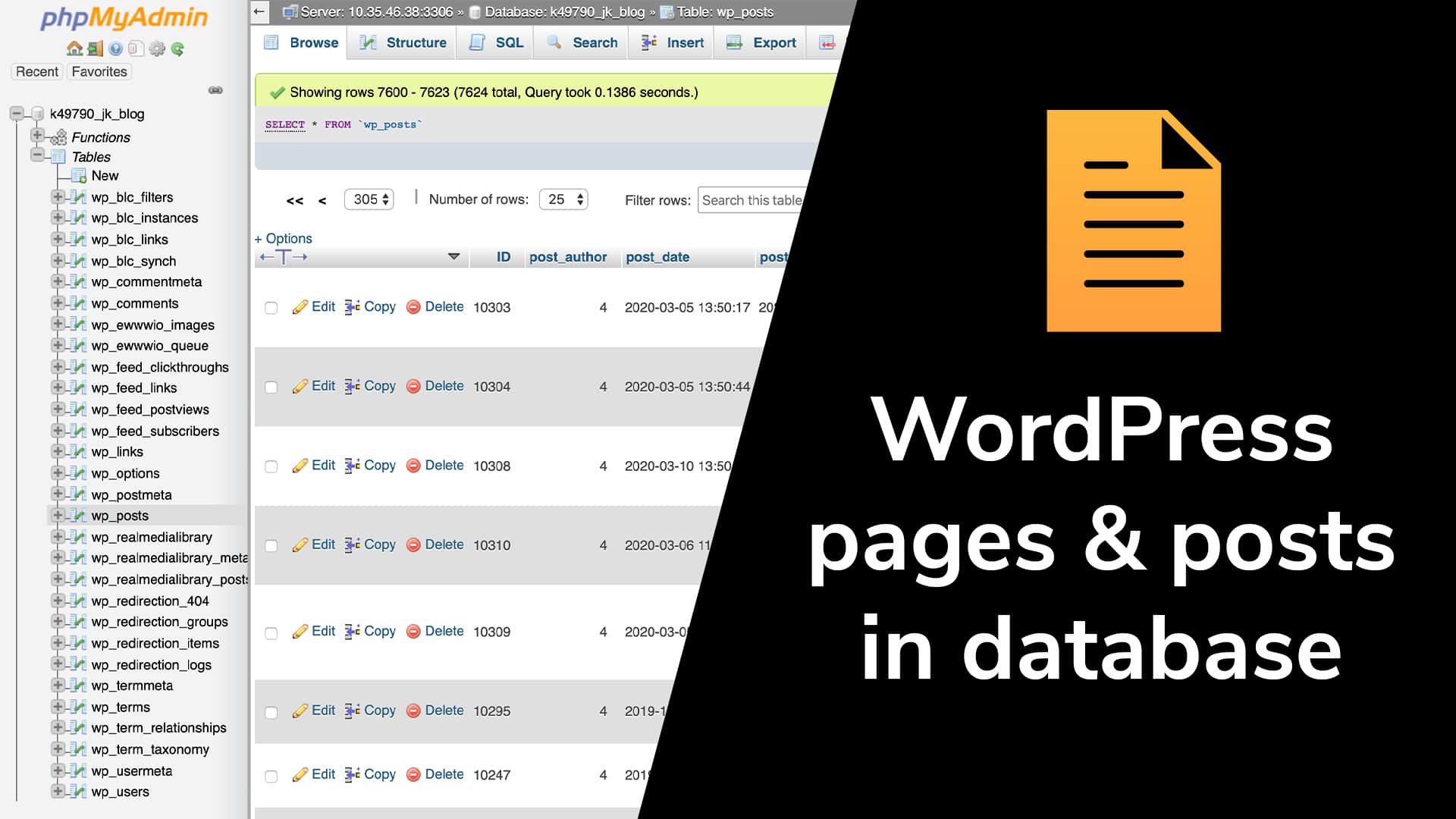
WordPress stores data in a database. This database has many tables. The wp_posts table is very important. It stores all posts and pages. Each row is a different post or page. You will find page titles here. Also, the content is stored here. Every WordPress site uses this table.
Some plugins create custom tables. These tables store special data. They do not mix with core tables. Custom tables have unique names. This makes it easy to find them. Plugin developers use them a lot. They help in storing extra information.

Credit: www.youtube.com
Phpmyadmin Essentials
Exploring PhpMyAdmin can be like a treasure hunt. The WordPress pages are stored in a special table. This table’s name is wp_posts. A WordPress database holds many tables. Each table has unique information. The wp_posts table is important. It keeps posts and pages. You can see titles and content here. It helps manage the site.
PhpMyAdmin has many features. You can edit and view tables. You can search for specific posts. The interface is user-friendly. Simple steps help find information. Many users like its easy design. It aids in quick navigation. Information is just a click away. The tool is a helper for WordPress users.
Locating WordPress Pages
The wp_posts table is where WordPress stores pages. This table holds all content types. Not just pages, but also posts and revisions. It is important to know the table structure. Each page has a unique row in this table. The post_type column helps identify pages. It shows ‘page’ for WordPress pages. By checking this, you can find your pages easily.
Page entries have specific markers. In the post_status column, look for ‘publish’ to find live pages. Another key column is post_title. It holds the page’s title. This makes it simple to spot the right page. Remember, drafts appear here too. They’re marked as ‘draft’ in post_status.
Exploring The Wp_posts Table
The wp_posts table stores all content data in WordPress. It includes posts, pages, and custom content types. Each entry has a unique ID. This ID helps identify the content. The table has important columns like post_title, post_content, and post_type. These columns store the title, main text, and the type of content. Another column, post_status, shows if the content is published, draft, or private. Understanding these columns helps manage WordPress content better.
Posts and pages serve different purposes. Posts are time-sensitive. They are used for news and updates. Pages are static and used for important information. In the wp_posts table, the post_type column shows the difference. It uses ‘post’ for posts. It uses ‘page’ for pages. Knowing this helps organize content effectively. Posts usually have categories and tags. Pages do not. This is important for site structure.
Data Management In Phpmyadmin
WordPress pages are stored in the “wp_posts” table. This table holds data like title, content, and status. You can change or add data using PhpMyAdmin. It helps manage WordPress easily. Editing is simple. You select the table. Find the row with the page data. Click “Edit” to change values. Save when done.
Tables in WordPress are linked. The “wp_postmeta” table holds extra page data. It connects to “wp_posts” using the post ID. These links help WordPress work. Knowing the relationships is important. It helps in managing data without breaking links. Always check linked tables before making changes.
Credit: devowl.io
Troubleshooting Common Issues
Page not found errors are common in WordPress. Sometimes, pages disappear. This can be due to incorrect URLs. Check if the URL is right. Ensure that the permalink settings are correct. Visit the settings in your WordPress dashboard. Choose the correct structure. Save changes to update settings. This may fix the problem.
WordPress pages are stored in the wp_posts table. This table holds all pages and posts. If you see database errors, check this table. Ensure that it is not corrupted. Use phpMyAdmin to repair the table. Go to phpMyAdmin. Select the database. Find the wp_posts table. Click on it. Choose the repair option. This may solve the issue.
Frequently Asked Questions
What Table Stores WordPress Pages In Phpmyadmin?
In phpMyAdmin, WordPress pages are stored in the “wp_posts” table. This table contains all post types, including pages, posts, and custom post types. To identify pages, check the “post_type” column for entries labeled “page. ” This helps differentiate pages from other content types.
How Can I Find WordPress Pages In Phpmyadmin?
To find WordPress pages, access the “wp_posts” table in phpMyAdmin. Look for the “post_type” column and filter by “page. ” This will display all entries that are categorized as pages, helping you manage or edit them effectively.
Why Are WordPress Pages In The Wp_posts Table?
WordPress uses the “wp_posts” table to store all post types, including pages. This unified storage simplifies database management and allows for flexible content handling. By distinguishing content types through the “post_type” column, WordPress efficiently organizes various types of content.
Can I Edit WordPress Pages Directly In Phpmyadmin?
Yes, you can edit WordPress pages directly in phpMyAdmin. However, exercise caution to avoid unintended changes. Locate the page in the “wp_posts” table by filtering the “post_type” column. Edit the desired fields, ensuring you maintain the integrity of your WordPress site.
Conclusion
Knowing where WordPress pages are stored simplifies database tasks. The “wp_posts” table holds all page data. Quick access. Easy edits. Understanding this table boosts efficiency. Saves time. Helps manage your WordPress site better. No more guessing where pages are. Directly find them in “wp_posts”.
This knowledge empowers your site management. Makes your website experience smoother. Explore this table. Familiarize yourself with its structure. Enhance your WordPress skills. Simplify your workflow. Remember, managing your database is key. Keep your site organized. Keep learning. Your WordPress journey is just beginning.


