
Are you wondering what PHP version WordPress needs? You’re not alone.
Keeping WordPress running smoothly and securely is crucial for your website’s success. The PHP version you use plays a significant role in this. Using the right PHP version ensures your site is fast, secure, and compatible with the latest WordPress features.
Imagine the peace of mind you’ll have knowing your website is operating at its best. We’ll explore the PHP requirements for WordPress, making sure you have all the information you need to keep your site in top shape. Stay with us to uncover the secrets to a well-optimized WordPress site!

Credit: make.wordpress.org
WordPress And Php Compatibility
PHP is the language that makes WordPress run. Choosing the right PHP version is crucial. It affects the security of your site. Older versions might have bugs. These bugs can make your site unsafe. Always use the latest PHP version. It keeps your site secure and fast. New versions offer better features. They improve site performance and make it load quicker.
The PHP version impacts how fast your site runs. A new version improves speed. This makes visitors happy. They like sites that load fast. Older versions can slow down your site. They might lack optimization. Use the latest PHP to boost your site’s efficiency. It helps WordPress work smoothly. Faster sites rank better on search engines. This is important for SEO.
Credit: lifterlms.com
Current Php Requirements For WordPress
WordPress works best with PHP 8.0 or higher. This version offers better performance and security. It helps your website run faster. With PHP 8.0, you also get new features. These features make coding easier and more efficient. Using the recommended version ensures your site is safe. It also keeps it up-to-date with the latest technology.
The minimum PHP version for WordPress is 7.4. Older versions may not support all plugins. They could also cause security risks. Keeping PHP updated is important. It helps protect your website from threats. Always check with your hosting provider. They can assist with updates if needed.
Benefits Of Using Latest Php Version
Keeping WordPress safe is a top priority. Latest PHP versions have better security. They fix old bugs and holes. Hackers find it hard to break in. Update PHP to keep your site safe.
Site speed matters. Visitors like fast websites. Latest PHP makes WordPress run quicker. Pages load fast. This keeps users happy. Search engines prefer speedy sites too. This helps your site rank better.
New PHP versions bring exciting features. They add cool tools for developers. These features make coding easier. They open doors for new plugins. WordPress themes can use these features. This improves site design.
Potential Risks Of Using Older Php Versions
Security vulnerabilities can be a major problem with older PHP versions. Hackers find it easy to break into outdated systems. This puts your website at risk. Sensitive data can be stolen. Regular updates help fix these security issues. Without updates, websites become easy targets.
Performance issues are common with older PHP versions. Websites may run slower. Pages might take longer to load. This frustrates visitors. Slow websites lose users quickly. Faster PHP versions improve site speed. They handle more traffic better.
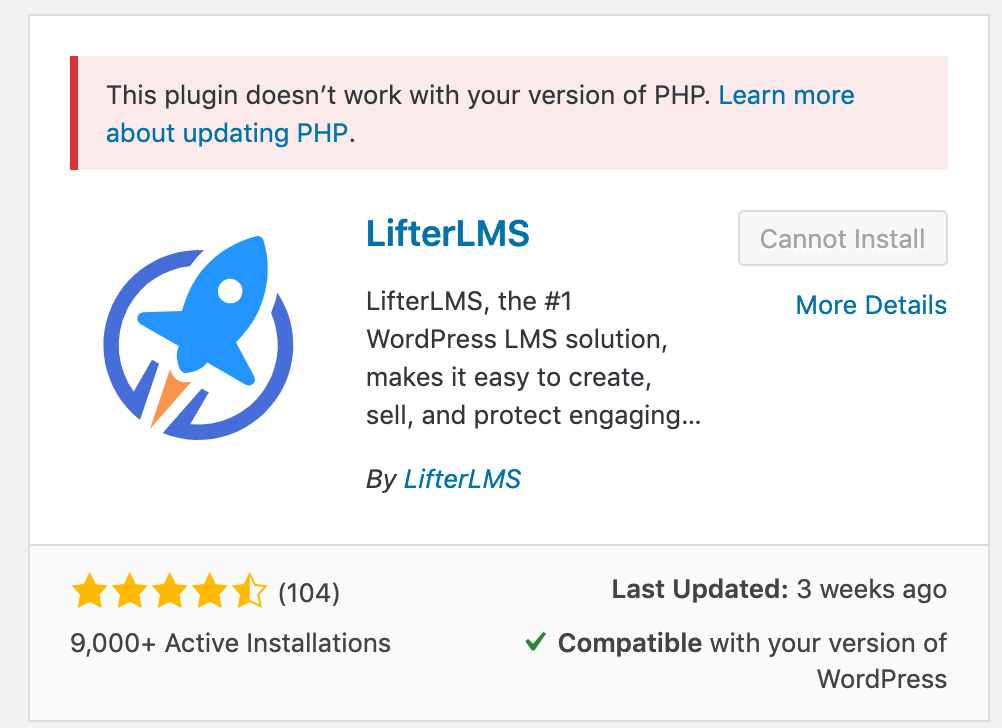
Compatibility problems arise with older PHP versions. New plugins may not work well. Themes can break. Features might not function correctly. This limits what you can do with your website. Updating PHP ensures better compatibility. New versions support more features.
How To Check Your Php Version
To find your PHP version, first log into your WordPress Dashboard. On the left side, click on Tools, then Site Health. Next, choose the Info tab. Here, scroll down to the Server section. You will see the PHP version listed there. This is an easy way to check without leaving WordPress.
Log into your hosting account. Find your control panel or cPanel. Look for the PHP version section. Click to view your current version. If you need help, contact your hosting support. They can guide you through the steps. Knowing your PHP version helps keep WordPress running smoothly.
Updating Php For WordPress
Upgrading PHP can make WordPress run faster. Begin by visiting your hosting provider’s control panel. Look for the PHP section. Select the latest PHP version available. Click to apply the change. Your hosting provider might have a guide for this. Follow their instructions carefully.
Steps To Upgrade Php
Ensure you backup your website first. Use a plugin like UpdraftPlus for this. Always test the website on a staging environment. This helps find errors before going live. Check themes and plugins for compatibility. Some might need updates. After upgrading, visit your site. Make sure everything works smoothly. If issues arise, contact your hosting support.
Common Issues After Php Update
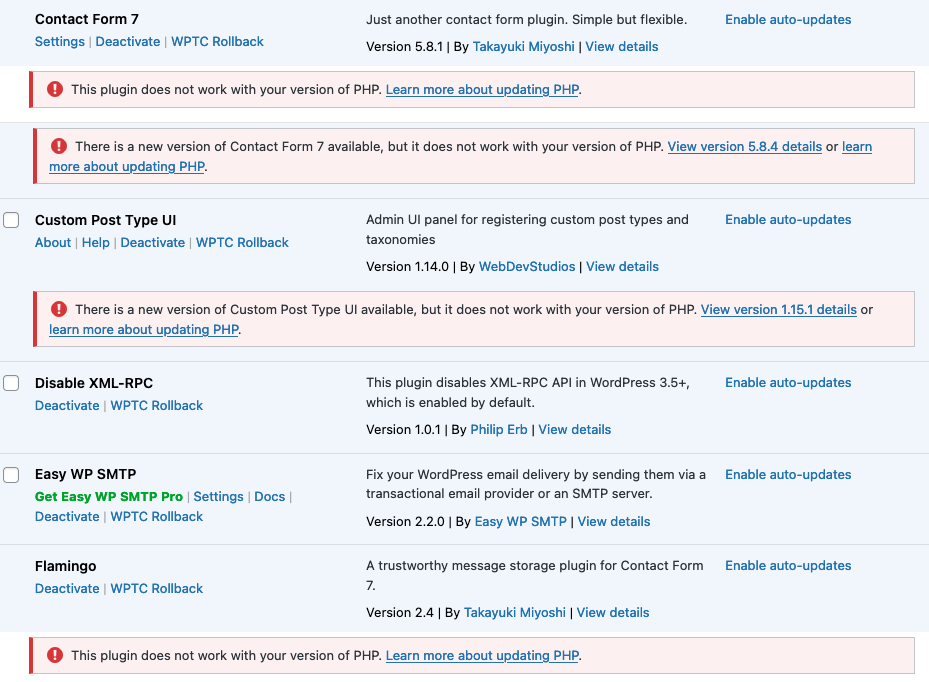
Updating PHP can lead to plugin compatibility
Themes may need adjustments
Credit: hackguard.com
Future Trends In Php Versions
PHP advancements continue to influence WordPress requirements. Currently, WordPress recommends using PHP 7. 4 or higher for optimal performance and security. Staying updated with future PHP versions ensures enhanced features and better site speed.
Php Development Roadmap
The PHP development roadmap shows important changes. These changes can affect many websites. WordPress is one of those websites. New versions of PHP help WordPress run better. They make it faster. They also keep it safe. Developers work hard on new PHP versions. These versions have exciting features. They are good for WordPress.
WordPress needs to stay updated. Old versions of PHP may have bugs. Bugs can make WordPress slow. Bugs can also make it unsafe. Updating PHP is important. It helps WordPress perform well. It keeps users happy. The roadmap gives a guide. It shows the future of PHP. It shows what to expect. WordPress can prepare for these changes.
Frequently Asked Questions
What Is The Minimum Php Version For WordPress?
WordPress requires a minimum PHP version of 7. 4. Older versions may cause compatibility issues or security risks. Updating to the latest PHP version ensures better performance and security. Always check your hosting provider’s PHP version support before installing WordPress.
How Do I Check My Php Version For WordPress?
You can check your PHP version through your WordPress dashboard or hosting control panel. Alternatively, use a plugin like “Display PHP Version. ” Keeping your PHP version updated ensures optimal WordPress performance and security.
Why Is Php Version Important For WordPress?
PHP version impacts WordPress performance, security, and compatibility with themes and plugins. Higher versions offer improved speed and security features. Regularly updating PHP helps prevent vulnerabilities and ensures a smooth user experience.
How Do I Update Php For WordPress?
To update PHP, access your hosting control panel and select the latest PHP version. Backup your site before updating. Ensure compatibility with themes and plugins to avoid issues.
Conclusion
Choosing the right PHP version for WordPress is crucial. It ensures smooth performance and security. WordPress recommends PHP 7. 4 or higher. Faster loading speeds and better security come with it. Always keep your PHP version updated. It helps prevent vulnerabilities.
Regular updates enhance your site’s efficiency. Check your hosting provider’s PHP version support. Doing so avoids compatibility issues. Running the latest PHP version improves your site’s health. Users experience better interactions. WordPress stays reliable and secure. Consistent updates safeguard your data.
Therefore, opt for the recommended PHP version. It benefits both site and user.


