
Have you ever stumbled upon a beautifully designed WordPress site and thought, “What kind of WordPress theme is this site using?” You’re not alone.
Many of us have found ourselves captivated by a site’s aesthetic and functionality, only to be left wondering how to achieve a similar look and feel for our own projects. The good news is, discovering the theme behind a stunning WordPress site is easier than you might think, and it could unlock a world of possibilities for your own online presence.
Imagine the satisfaction of transforming your website into a visual masterpiece that captivates your audience and keeps them coming back for more. By identifying the themes that resonate with you, you can elevate your site to new heights, enhancing user experience and boosting your brand’s appeal. You’ll learn the strategies and tools to uncover the WordPress theme secrets of any site, empowering you to make informed design choices. So, let’s dive in and reveal the magic behind those captivating WordPress themes.
Credit: www.wpbeginner.com
Identifying WordPress Themes
Many sites use WordPress for design and function. But each site can look different. This is because of themes. Themes change how a site looks. A tool can help find out which theme a site uses. Visit the website. Then, right-click and select “View Page Source”.
Search for the word “theme” in the code. Often, the theme name appears near it. Some websites use custom themes. These themes may not have a clear name. In this case, tools like WhatTheme can help.
Enter the website URL in the tool. It will show the theme used. This makes finding themes easy and quick.
Credit: torquemag.io
Tools For Theme Detection
Many websites help find the WordPress theme a site uses. These tools check the site’s code. Then, they show the theme name. Some popular tools are What WordPress Theme Is That and WPThemeDetector. They work fast. Enter the site URL, and they do the rest. Results are clear and easy to understand. This helps in choosing a similar theme.
Browser extensions can also help find themes. WordPress Theme Detector is a helpful tool. Install it in your browser. Then, visit any website. Click the extension icon. It shows the theme name quickly. Easy to use and always handy. Good for those who like quick answers.
Manual Theme Inspection
Inspecting the source code is a good way to find the theme. Right-click on the web page. Click “Inspect” or “View Page Source.” Look for style.css in the code. This file often reveals the theme name. Check the theme folder too. It often has the theme name.
Theme files can show more details. Go to the wp-content/themes directory. Each folder here is a theme. Open the folder to see files like functions.php. These files contain theme information. Some themes have a readme.txt file. This file explains the theme features. Reading these files helps understand the theme better.
Common WordPress Theme Characteristics
WordPress themes often have a clean and simple layout. They use easy-to-read fonts and clear navigation menus. Many themes include a header at the top. This header usually contains a logo and site title. Some themes offer multiple color options. This allows for a personalized look. Themes also often include a footer at the bottom. Footers usually provide contact information or links.
Themes often come with customizable widgets. These widgets add extra functions like calendars or social media buttons. Many themes are also mobile-friendly. This means they look good on phones and tablets. Themes may offer built-in SEO settings. These help improve the site’s visibility in search engines. Some themes support e-commerce features. This is useful for online shops. Plugins can extend theme functions even further.
Popular WordPress Themes
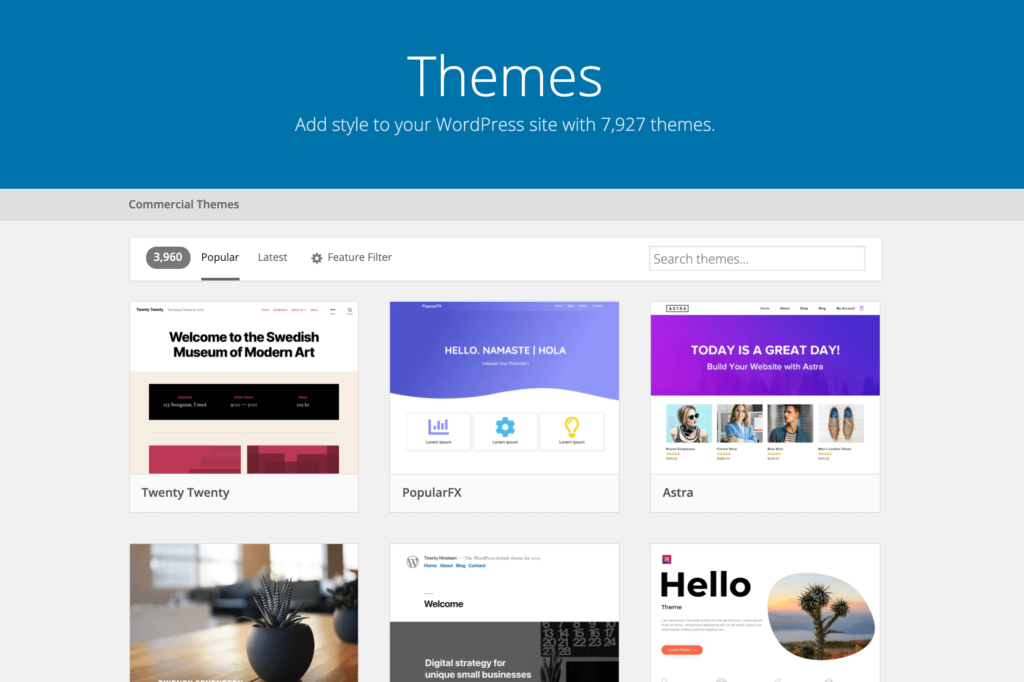
Free themes are great for starting a website. Many people use Astra because it’s fast and easy. OceanWP is also popular for its flexible design. Hestia offers a modern look. Each theme has its own style and features. Users can find many options to suit their needs. Free themes are perfect for beginners. They offer a simple way to create a site. Most themes come with support and updates. This helps keep your site running smoothly.
Premium themes often provide more features. Divi is famous for its powerful builder. Avada offers many customization options. BeTheme has over 600 pre-built sites. These themes can make a site look unique. Premium themes usually include extra support. They also receive regular updates. This ensures that your site stays secure. Many businesses choose premium for better design. The cost is worth the added benefits.

Credit: webkul.com
Custom Vs Pre-made Themes
Custom themes offer a unique look for your site. They can be tailored to fit your brand perfectly. A custom theme can have special features just for your needs. This makes your site stand out from others. You have full control over the design and layout. No two sites will look the same with custom themes.
Pre-made themes are quick to set up. They are often cheaper than custom themes. Many come with support and updates. This helps keep your site running smoothly. Pre-made themes have variety. You can find one that fits your style easily. Many have drag-and-drop features. This makes it simple for beginners to use.
Frequently Asked Questions
How To Identify A WordPress Theme?
To identify a WordPress theme, use online tools like WPThemeDetector. They analyze the site’s code to reveal theme details. Browser extensions can also help identify themes quickly. If these tools don’t work, check the site’s page source for theme information.
Why Know The Site’s WordPress Theme?
Knowing the theme helps in replicating design and functionality. It assists in understanding user experience and design trends. You can explore similar themes for your project. Recognizing themes guides customization and development choices.
Can Themes Affect Site Performance?
Yes, themes impact site performance significantly. A poorly coded theme can slow down loading times. Efficient themes improve speed and enhance user experience. Choose themes optimized for performance to ensure smooth functionality and good SEO.
Are Premium Themes Worth The Investment?
Premium themes offer advanced features and robust support. They often include regular updates and enhanced security. Investing in premium themes ensures a professional design and reliable performance. Consider your budget and project needs before investing.
Conclusion
Exploring a WordPress theme can be fun and insightful. It helps you understand design trends. You also learn about functionalities that enhance user experience. Identifying a theme can guide your own website decisions. Remember, each theme brings unique features. These features cater to different needs and preferences.
So, take your time to explore. Find what suits your style and goals best. With the right theme, your site can look professional. And it can function smoothly too. Always prioritize user-friendly designs. Happy theme hunting!


