
Are you curious about making your WordPress site truly global? If you’re looking to reach audiences who read and write in languages that run from right to left, such as Arabic, Hebrew, or Persian, you’ve come to the right place.
Understanding RTL (Right-to-Left) language support in WordPress is essential for ensuring your content is accessible and user-friendly for millions of users worldwide. Imagine the doors you could open and the new connections you could forge by simply optimizing your site for RTL languages.
This isn’t just about expanding your reach; it’s about making your content resonate with diverse audiences and enhancing user experience. Read on to discover how you can effortlessly integrate RTL language support into your WordPress site and unlock endless possibilities.
Credit: wenthemes.com
Understanding Rtl Language
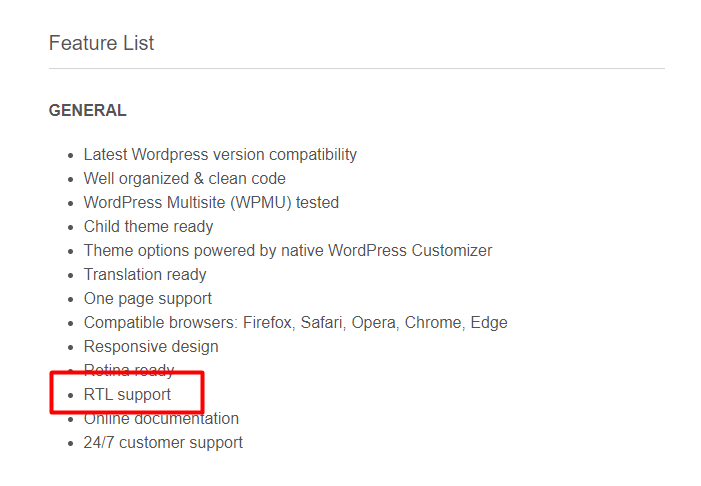
RTL stands for Right-to-Left. These languages are read from the right side to the left. This is different from most languages. English is read from left to right. RTL languages need special support in websites. This ensures proper text alignment and reading order. Websites must adjust their layout for RTL languages. This includes menus, buttons, and text boxes. It’s important for user experience.
There are many RTL languages used around the world. Some of the most common include Arabic, Hebrew, and Persian. Urdu is also a popular RTL language. These languages are spoken by millions of people. They are used in many countries. Having support for these languages is crucial. It helps reach a broader audience.
Credit: boldthemes.ticksy.com
Importance Of Rtl Support
WordPress helps people write and read in many languages. Some languages go from right to left. This is called RTL support. It is important for people who use languages like Arabic, Hebrew, and Urdu. WordPress makes sure the text looks good for everyone. This way, more people can enjoy your website.
Global Audience Reach
Websites can talk to people all around the world. RTL support helps more people understand the content. This makes your site more welcome and inclusive. It lets people read in their own language. Your website will be friendly to everyone. This grows your audience big and wide.
Enhancing User Experience
Good user experience is important for websites. RTL support makes reading easy for RTL language users. Your site becomes comfortable and easy to use. Visitors find information fast and easy. This makes them happy. Happy visitors come back more often. Your site should feel nice for everyone.
WordPress Rtl Compatibility
WordPress supports RTL languages. RTL means right-to-left. It flips content direction. Many languages use RTL. Like Arabic and Hebrew. WordPress makes it easy. It has built-in features. Themes can support RTL. Plugins can support RTL too. Site looks nice in RTL. No extra coding needed. Just choose RTL language. WordPress handles the rest. Easy for users. Makes site look professional. RTL support is important. Helps reach more people. More people can read your site. This is good for your site. Helps grow audience. RTL support matters a lot. Makes WordPress powerful. Supports many languages. Very useful for global sites.
Many themes support RTL. They adapt well. Look good in any language. Plugins help too. Some plugins add RTL features. They make setup easy. No extra work needed. Plugins handle details. Just install and activate. Your site works in RTL. Easy for site owners. Makes WordPress flexible. Many options for users. Choose any theme. Choose any plugin. Your site will look great. Even in RTL languages. This helps grow your site. Reach more people. WordPress is user-friendly. Supports many languages. Themes and plugins make it better.
Setting Up Rtl In WordPress
First, go to the WordPress dashboard. Find the “Settings” menu. Click on “General”. Look for the “Site Language” option. Choose your preferred RTL language from the list. Save your changes. This sets the main language for your site. Make sure your content matches this language.
Some themes support RTL languages. Check the theme description before choosing. Themes like “Astra” or “OceanWP” often support RTL. Install the theme from the “Appearance” menu. Activate it for your site. Test your site after activating. Ensure the text aligns properly. Adjust settings if needed.
Customizing Rtl Content
Supporting RTL languages in WordPress helps display content from right to left, like Arabic or Hebrew. This feature enhances readability for users who read these languages. Customization options ensure seamless integration and consistent design across the site.
Using Css For Rtl Layouts
CSS helps make websites look good for RTL languages. RTL means right-to-left. Some languages like Arabic use RTL. To make your site RTL, change your CSS styles. Use the “direction: rtl” property. It makes text go from right to left. Also, check if images and icons need changes. Swap the left and right margins and paddings. This keeps your layout balanced. Use media queries to apply styles for specific screens. This makes your website user-friendly.
Tailoring Content For Rtl Readers
RTL readers need special attention. Their reading order is different. Align text and buttons to the right. This makes it easy for them. Use tools to test the RTL view. Ensure that everything looks correct. Some plugins can help with this. They make the RTL experience smooth. Always review your designs for clarity. This ensures your site is easy to use.
Credit: themewinter.com
Challenges In Rtl Implementation
Implementing RTL language support in WordPress presents unique challenges. Maintaining consistent text alignment and layout in themes can be tricky. Ensuring compatibility with plugins and widgets requires extra attention to detail.
Common Issues
Many themes struggle with RTL support. Text often misaligns. Images might not flip correctly. This can confuse users. Menus and buttons sometimes appear backward. Widgets might display wrong. These problems affect site usability. Developers often miss these during testing.
Troubleshooting Tips
Check theme documentation for RTL instructions. Use CSS to fix alignment issues. Try RTL Tester plugin for testing. Inspect elements using browser tools. Ensure images support flipping. Regularly update WordPress and plugins. Seek help from WordPress forums. Consult with a developer for complex problems.
Future Of Rtl Support In WordPress
WordPress is getting better with RTL support. New tools are helping. These tools make websites look nice in right-to-left languages. Developers use better code now. This code works well with different languages. It’s easier to add RTL styles. This is good for users. They can read the content easily. Themes and plugins are also improving. Updates are coming quickly. This helps website owners a lot.
The WordPress community is strong. Many people help improve RTL support. They share ideas and solutions. Community members write new code. They test it too. If there is a problem, they fix it fast. This teamwork makes WordPress better. Everyone learns from each other. They make sure RTL users have a great experience. Their efforts are valuable. More people can use WordPress now.
Frequently Asked Questions
What Is Rtl Language Support?
RTL language support allows websites to display text from right to left. This is essential for languages like Arabic and Hebrew. WordPress provides tools and plugins for RTL support. It ensures proper alignment and readability for RTL languages. This feature enhances user experience for native RTL speakers.
How To Enable Rtl In WordPress?
To enable RTL in WordPress, install a compatible theme or plugin. Many themes have built-in RTL support. Check theme settings for RTL options. Plugins like WPML can assist in adding RTL languages. Always test your site after enabling RTL to ensure proper display.
Does WordPress Support All Rtl Languages?
WordPress supports all RTL languages, including Arabic and Hebrew. It offers flexibility for multilingual sites. Themes and plugins enhance RTL compatibility. Ensure your theme supports RTL for optimal performance. Regular updates ensure ongoing support for new RTL language features.
Why Is Rtl Support Important?
RTL support is crucial for user accessibility and engagement. It caters to native RTL speakers, improving their experience. Proper RTL implementation enhances readability and site usability. It also boosts SEO by reaching a wider audience. Ignoring RTL may alienate potential users from your site.
Conclusion
Exploring RTL language support in WordPress opens new possibilities. It enhances user experience for right-to-left language speakers. With easy setup steps, WordPress becomes more inclusive. Themes and plugins can be optimized for RTL languages. This boosts accessibility and user satisfaction.
Developers should consider RTL support as essential. It creates a welcoming environment for diverse audiences. WordPress users worldwide benefit from this feature. Embrace these changes to reach broader audiences. It’s a step towards global inclusivity in web design. Remember, language accessibility matters.
Let’s make websites better for everyone. WordPress can lead the way in this journey.


