
Are you looking to boost your website’s visibility on search engines? If you’re using WordPress, there’s a powerful tool that can help you do just that: Yoast WordPress.
Whether you’re a seasoned blogger or just starting out, understanding how Yoast works can be a game-changer for your site. This handy plugin is like a personal SEO coach, guiding you through the process of optimizing your content for search engines.
You don’t need to be a tech wizard to use it, and it can make a significant difference in driving traffic to your site. Curious to know how it can transform your online presence? Keep reading to discover everything you need to know about Yoast WordPress and how it can work wonders for your website.
Yoast Seo Plugin
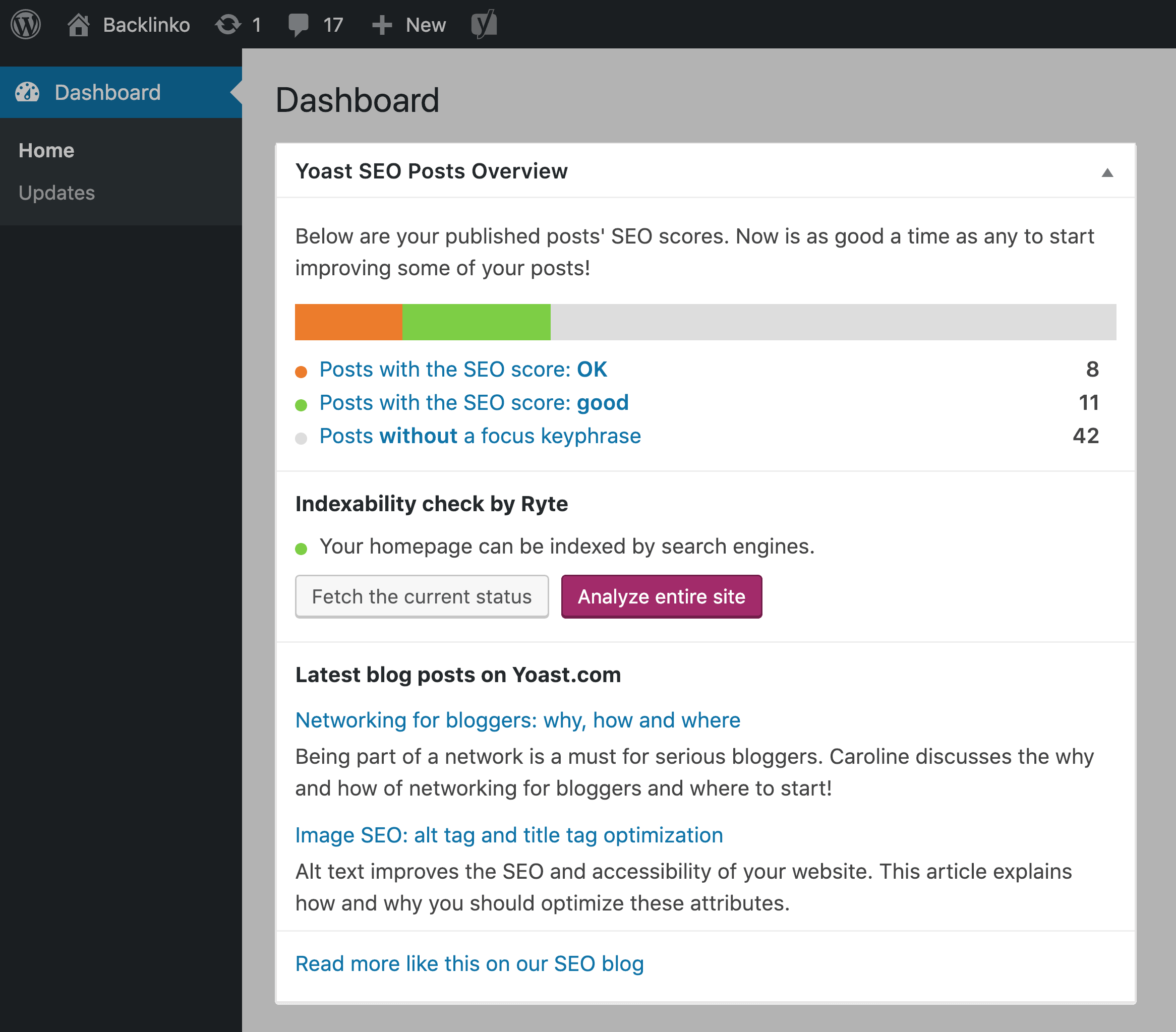
Yoast SEO is a popular plugin for WordPress sites. It helps improve website visibility on search engines. Keyword optimization is a key feature. It suggests where to place keywords. Content readability checks are also included. It shows how easy your text is to read. Meta descriptions are important. Yoast helps you write effective ones. It offers internal linking suggestions. This helps you connect pages on your site. SEO analysis is another feature. It checks if your content is search engine friendly. With Yoast, managing SEO becomes simpler.
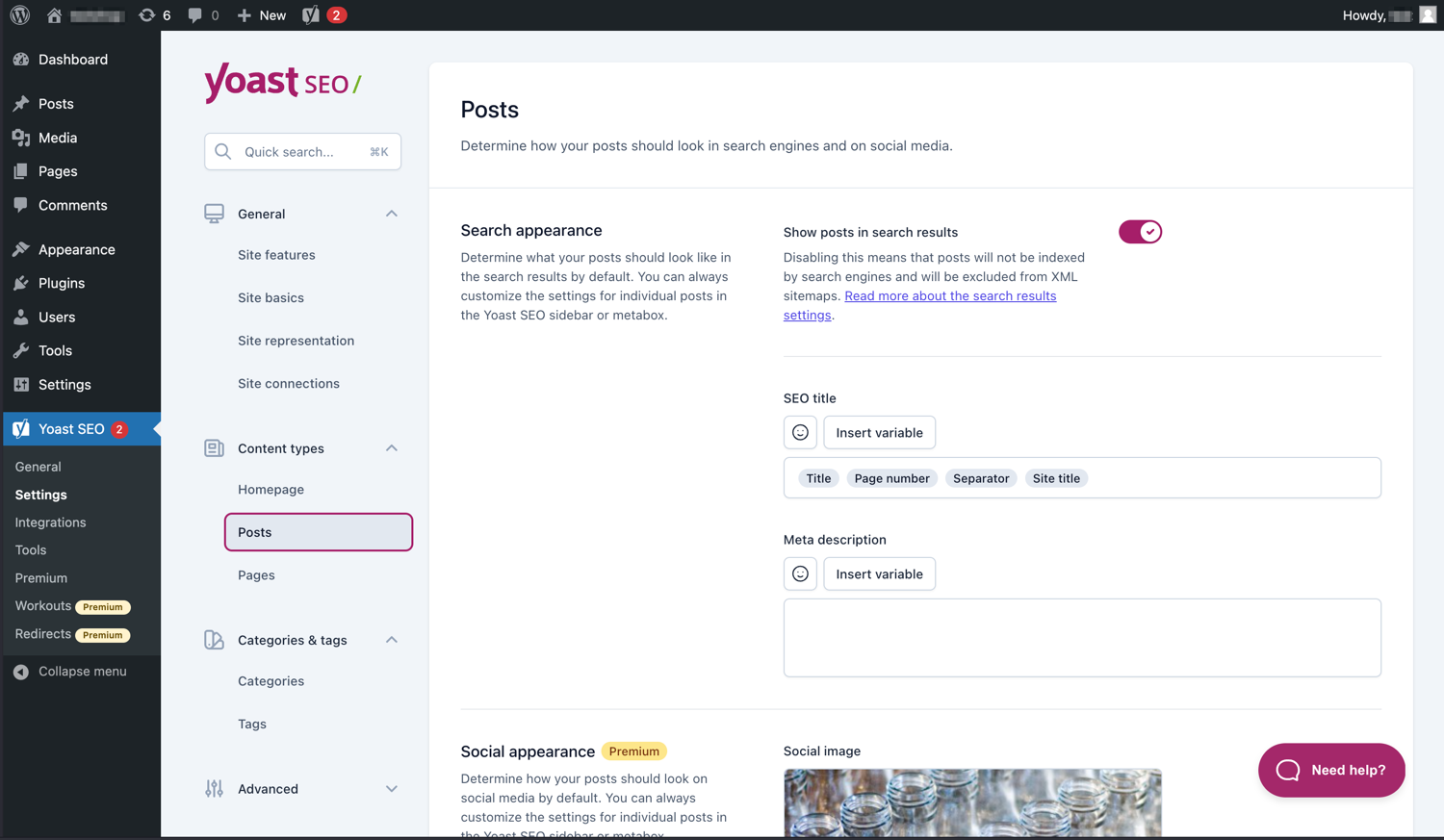
The user interface of Yoast is straightforward. It’s designed to be easy for beginners. Buttons and options are well labeled. You can find what you need quickly. Color-coded notifications help you understand your SEO status. Green means good. Red means there’s a problem. Sidebar menu provides quick access to settings. This makes navigation easy. Users can customize settings to suit their needs. The interface is responsive. It works well on different devices. Yoast’s design makes SEO tasks manageable.
Credit: backlinko.com
Installation Process
To install Yoast, your website must be on WordPress. Make sure your WordPress version is 5.3 or higher. Your server should support PHP 7.2 or higher. These are the basic needs. Check them before you start.
First, go to your WordPress dashboard. Click on Plugins. Choose Add New. In the search box, type “Yoast SEO”. Click Install next to Yoast. Once installed, click Activate. Now, Yoast is ready to use.
Content Optimization
Yoast SEO Analysis helps improve website visibility. It checks keywords and content quality. Users see how often keywords appear. This tool suggests changes for better ranking. Each page gets a score based on SEO factors.
Yoast’s Readability Analysis checks if text is easy to read. It looks at sentence length. Long sentences get flagged. Short sentences are preferred. It also checks for passive voice. Active voice is better for clarity.
Credit: wordpress.org
Technical Seo Tools
XML sitemaps help search engines find your website pages. They show all the important pages. This makes it easier for search engines to index your site. With XML sitemaps, your site’s structure becomes clear. It guides search engines through your content. This helps in better ranking.
Yoast WordPress makes creating XML sitemaps easy. It automatically updates them. Every time you publish new content, your sitemap updates. This keeps search engines informed. Having an updated sitemap means more visibility. It’s a simple way to improve your site’s SEO.
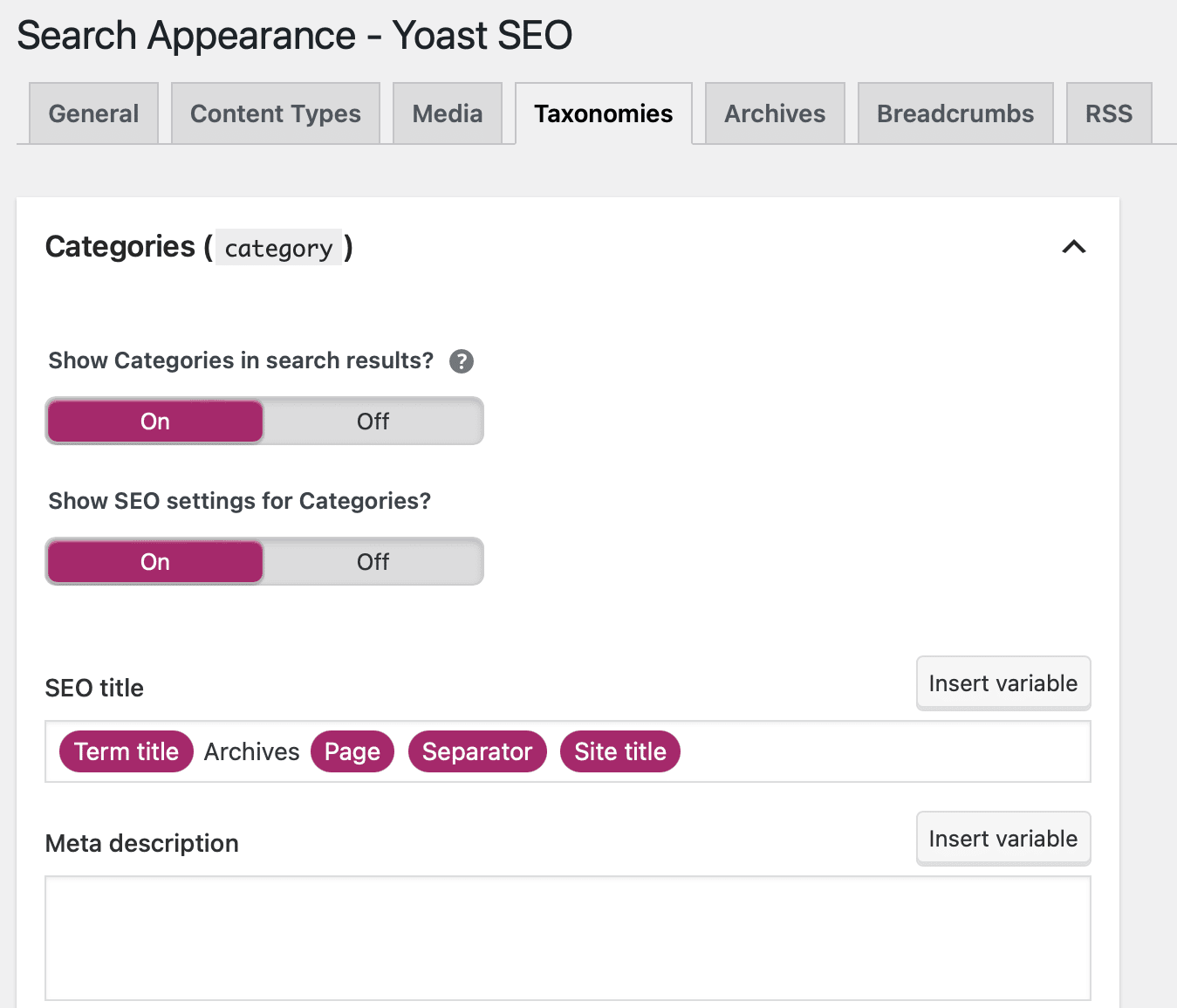
Meta tags tell search engines about your page. They include titles and descriptions. These help search engines understand your content. Yoast WordPress helps manage these tags. You can easily add and edit them.
With good meta tags, your site attracts more visitors. Search engines show your page in results. A clear title and description make users click. Yoast ensures your meta tags are optimized. This makes your content more appealing.
Integrations
Yoast works well with many tools. It connects with Google Analytics. This helps track website visitors. Users see how people find their site. The tool also works with SEMrush. This helps with keyword research. Users find the best words for their content. Using these tools together makes a strong team.
Yoast helps with social media too. It connects with Facebook and Twitter. Users can see how their posts look. This is important for sharing. It makes sure posts look good. They can also use Open Graph tags. These tags help with better social sharing. Good sharing means more people see your posts. It’s easy and helpful.
Advanced Features
Yoast WordPress offers advanced features to improve website SEO. It helps optimize content with keyword analysis. Real-time feedback ensures better readability and structure.
Schema Markup
Schema markup helps search engines understand your content. Yoast WordPress makes it easy. It adds the right schema automatically. This improves how your site appears in search results. Better visibility means more clicks. It helps people find your site quickly.
Breadcrumbs
Breadcrumbs show users where they are on your site. Yoast WordPress sets up breadcrumbs with ease. Navigating becomes simpler. Users can trace their path back to previous pages. This feature improves user experience. It helps keep visitors on your site longer. More time on site can lead to better engagement.
Common Issues
Yoast WordPress can face some common problems. Sometimes, the plugin might not show the right SEO scores. Check if your plugins are up to date. Old versions can cause errors. Make sure your website theme supports Yoast. Some themes do not work well with it. You can try to reinstall the plugin if issues persist. Always back up your data before making changes. This protects your website from data loss.
Yoast offers many support options. You can visit their official website for guides and FAQs. They have a community forum too. Here, users share solutions and tips. Consider reaching out to Yoast’s support team for serious issues. They provide professional help. Remember, online tutorials can also offer helpful insights. Many bloggers share their experiences and fixes.
User Feedback
Pros: Yoast is easy to use. It helps with SEO. The plugin checks readability. It offers keyword suggestions. Many users like its features. The setup is simple. You get good support. Yoast updates often. This keeps your site safe. Yoast is reliable. It improves site ranking.
Cons: Some users find it complex. The free version has limits. Premium costs money. Beginners may need help. It can be slow at times. Some features are too basic. Advanced users want more. Some find the interface confusing. It might not fit all needs. Updates can break sites.
Many businesses use Yoast. A small bakery saw results. They got more visitors. A blog saw better ranking. Their traffic increased. A tech site loved the plugin. They found it helpful. Yoast helped their SEO. Many case studies show success. Users share good feedback. Yoast is popular.
Credit: kinsta.com
Frequently Asked Questions
What Is Yoast WordPress Used For?
Yoast WordPress is a popular SEO plugin. It helps optimize your site’s content and keywords. It guides you to improve readability and SEO scores. With Yoast, you can manage meta tags and sitemaps. It’s essential for improving search engine visibility.
How Does Yoast Improve Seo?
Yoast improves SEO by optimizing content structure. It provides recommendations for keyword usage and readability. The plugin generates sitemaps and manages meta tags. Yoast also helps with internal linking suggestions. This ensures your site is well-optimized for search engines.
Is Yoast WordPress Free?
Yes, Yoast WordPress offers a free version. It includes essential SEO features like keyword optimization and readability analysis. The free version is suitable for small websites. For advanced features, you can upgrade to the premium version. Premium offers additional tools and support.
How To Install Yoast On WordPress?
To install Yoast, go to your WordPress dashboard. Navigate to “Plugins,” then “Add New. ” Search for “Yoast SEO” and click “Install Now. ” Once installed, activate the plugin. Follow the setup wizard to configure basic settings. Yoast is now ready to use.
Conclusion
Yoast WordPress simplifies SEO for users. It offers easy-to-use features. These features help improve search engine rankings. Users can create better content. Yoast guides them with suggestions and tips. It enhances readability and keyword optimization. The plugin is user-friendly for beginners.
Advanced users find it beneficial too. Yoast WordPress supports multiple languages. It caters to a global audience. It is a valuable tool for any WordPress site. Users can achieve their SEO goals effectively. Installing Yoast is a smart choice. It makes managing SEO straightforward and efficient.
Give it a try today!


