
Are you trying to make your WordPress website stand out in the crowded online space? If so, you’re not alone.
Many website owners are looking for ways to improve their visibility on search engines like Google. That’s where Yoast SEO comes in. This powerful plugin is designed to help you optimize your site for better search engine rankings. But what exactly is Yoast SEO, and how can it transform your website’s performance?
By the end of this article, you’ll understand how this tool works and why it’s a must-have for anyone serious about improving their site’s SEO. Ready to unlock the full potential of your WordPress site? Let’s dive in and explore what Yoast SEO can do for you.
Yoast Seo Plugin Basics
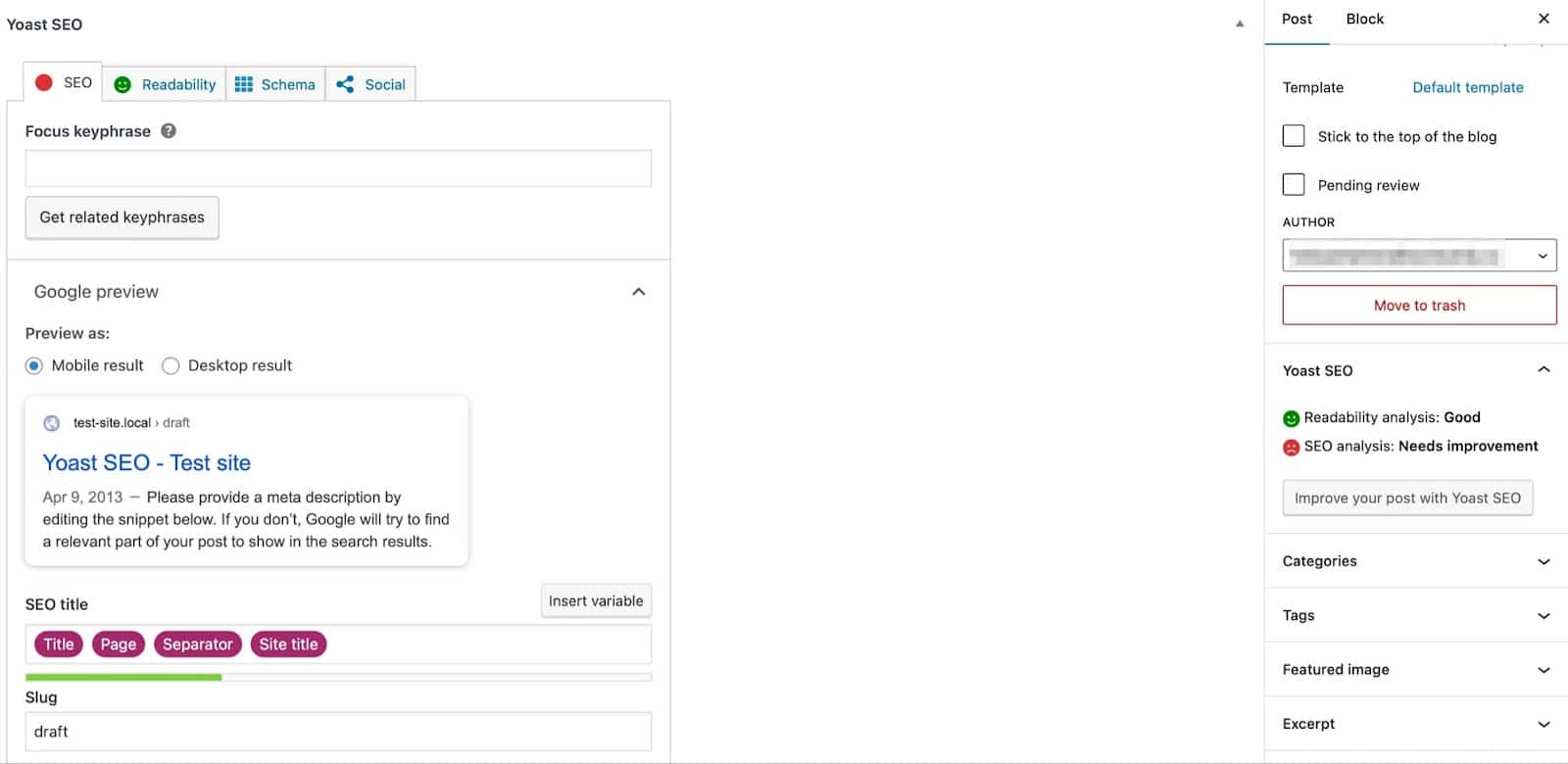
Yoast SEO is a tool for WordPress websites. It helps with search engine optimization. Many users find it useful. It makes your content better. This plugin checks your writing. It looks at keywords and readability. It gives tips to improve them. The plugin has a traffic light system. Green means good, yellow means okay, red means needs work.
It also helps with meta tags. Meta tags help search engines find your site. This plugin also helps with sitemap creation. Sitemaps list all your pages. Search engines use them to find your content. Yoast is easy to use. Many websites use it. It can make your site easier to find.
Key Features Of Yoast Seo
Yoast SEO helps check your writing. It looks for readability and keywords. The tool gives a green light for good content. A red light means changes are needed. Short sentences and simple words are important. Yoast SEO also checks for repeated words. This helps make content better.
Yoast SEO lets you add a SEO title. This is what people see on search engines. It also lets you write a meta description. This tells people what your page is about. Both are important for better search results. Keeping them clear and simple helps get more clicks.
Creating an XML sitemap helps search engines find your pages. Yoast SEO does this automatically. It lists all your pages in a simple format. This helps search engines index your site. An updated sitemap is always available. It ensures new pages are found quickly.
Breadcrumbs are like a path on your site. They show where a user is. Yoast SEO adds this feature easily. It helps users navigate your site better. Breadcrumbs improve site structure. They also help search engines understand it. Easy for users and engines alike.
Setting Up Yoast Seo
Yoast SEO is a popular WordPress plugin helping optimize website content. It guides you in improving search engine visibility. Setting up involves installing the plugin, activating it, and configuring basic settings.
Installation Process
Install Yoast SEO from the WordPress dashboard. Navigate to the Plugins section. Click on “Add New”. Search for Yoast SEO. Click “Install Now” and then “Activate”. Yoast SEO is now ready to use.
Initial Configuration
Open the Yoast SEO dashboard. Use the configuration wizard. The wizard will ask simple questions. Answer them to set up Yoast. Choose your site type. Choose if you are a company or person. Fill in other details. Yoast is now configured.
Importing Seo Data
Migrating from another SEO plugin? Yoast can import data. Go to Yoast SEO tools. Select “Import and Export”. Choose the import option. Follow the steps. Data will be imported. Your SEO settings are now in Yoast.
Credit: www.elegantthemes.com
Optimizing Content With Yoast
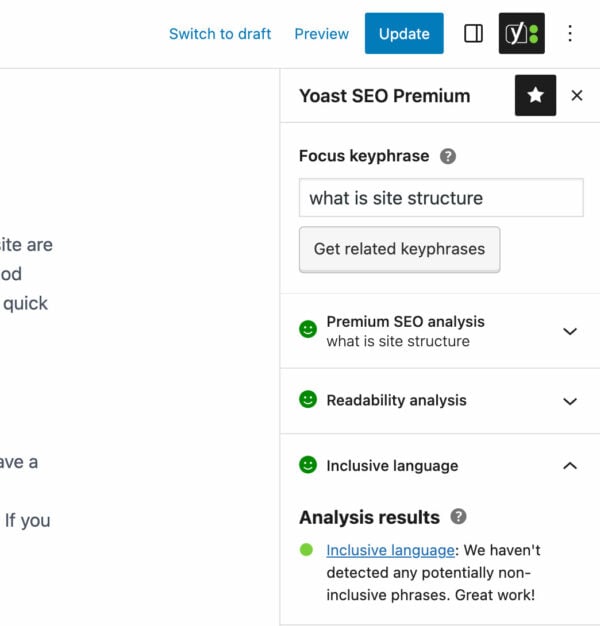
Yoast SEO helps choose the right focus keywords. These are words people search for. Picking good keywords is important. Yoast shows if your keyword is strong. It checks how often you use it. Using keywords well can help your page rank higher. It is a good tool for beginners.
Yoast checks how easy your text is to read. It gives a readability score. It looks at sentence length. It checks how many hard words you use. A good score means people will understand your text better. Use short sentences. Use simple words. Yoast helps make your writing clear.
Yoast suggests internal links. These are links to other parts of your site. Linking helps people stay on your site longer. It helps search engines understand your site. Yoast shows what links to add. Adding links can improve your site’s ranking. It is easy to use and helpful.
Advanced Yoast Seo Options
Schema Markup is a powerful tool. It helps search engines understand your site. With Yoast, adding schema is easy. It improves visibility in search results. Structured data is key. It shows more information on search pages. This helps users find the right content.
Social Media Integration is vital. Yoast makes sharing easy. You can link your social profiles. This boosts engagement. It helps your posts reach more people. The plugin lets you customize how links appear. It’s great for attracting attention. A well-integrated social media strategy is essential.
Redirect Management keeps your site healthy. It prevents broken links. Yoast allows simple redirects. This ensures users find the right pages. It also helps maintain SEO rankings. Redirects are important for site updates. They guide users to new content.
Credit: kinsta.com
Common Yoast Seo Issues
Yoast SEO in WordPress helps optimize website content for better search engine visibility. Common issues include keyword stuffing and poorly configured settings. Users often face challenges with readability scores, meta descriptions, and focus keywords, affecting overall site performance.
Troubleshooting Tips
Yoast SEO is a popular tool in WordPress. But users face frequent errors. Problems can arise due to plugin updates. Sometimes, settings get changed or conflict with other plugins. Errors may affect site ranking or content visibility. It is important to fix these issues quickly.
Check if the plugin is up-to-date. Update it if needed. Clear cache regularly to avoid errors. Review settings and ensure they match your goals. Disable other plugins one by one to find conflicts. Fixing these common issues can improve site performance.
Benefits Of Using Yoast Seo
Yoast SEO helps improve your website’s visibility on search engines. It makes your site easier to find. This tool checks your content. It ensures your text is easy to read. It provides suggestions to improve writing. You can use it to set a focus keyword for each page. This helps with ranking on Google. Yoast also checks your meta descriptions. It ensures they are clear and engaging.
Another benefit is the XML sitemap feature. This feature helps search engines find your pages quickly. Yoast SEO can also help with social media sharing. It allows you to set images and descriptions for posts. This makes your content look better when shared. It’s a tool that helps you learn about SEO. It guides you to make better content.
Comparing Yoast Seo With Other Plugins
Yoast SEO and All in One SEO are top tools. Both help with search engine optimization. Yoast offers a readability checker. This tool checks if text is easy to read. All in One SEO has a feature manager. This lets you choose which tools to use. Yoast has a content analysis tool. It helps improve your writing. All in One SEO is known for being user-friendly. Both plugins have free and paid versions.
Yoast SEO and Rank Math are popular. Yoast is trusted by many users. It offers keyword optimization suggestions. Rank Math provides advanced features for free. These include 404 monitoring and redirects. Yoast has a simple setup wizard. Rank Math’s setup is detailed but easy. Both plugins help with on-page SEO. They make websites better for search engines.
Credit: yoast.com
Frequently Asked Questions
What Is Yoast Seo In WordPress?
Yoast SEO is a powerful WordPress plugin for optimizing websites. It helps improve search engine rankings by providing tools for on-page SEO. Features include keyword optimization, readability analysis, and XML sitemaps. Yoast SEO guides users in creating SEO-friendly content, making it easier for search engines to index and rank pages effectively.
How Does Yoast Seo Improve Website Ranking?
Yoast SEO improves ranking by optimizing website content and structure. It provides keyword optimization, readability analysis, and internal linking suggestions. The plugin generates XML sitemaps, enhancing search engine indexing. It ensures content aligns with SEO best practices, boosting visibility and ranking on search engine results pages.
Is Yoast Seo Free To Use?
Yes, Yoast SEO offers a free version with essential features for SEO optimization. The free version includes keyword optimization, readability analysis, and XML sitemap generation. For advanced features like content insights and multiple focus keywords, a premium version is available.
The premium version offers additional tools for comprehensive SEO strategies.
Can Beginners Use Yoast Seo Easily?
Yes, Yoast SEO is user-friendly and suitable for beginners. The plugin provides clear instructions and tips for optimizing content. Its intuitive interface simplifies SEO tasks, guiding users through the optimization process. With its step-by-step approach, even those new to SEO can improve their website’s performance effectively.
Conclusion
Yoast SEO makes WordPress website optimization easier. It guides users step-by-step. This plugin improves your content’s visibility online. With Yoast, you can boost search engine rankings. It helps with keyword placement and readability. Users can learn to enhance their site’s SEO.
Even beginners find it user-friendly. Consistent updates keep it relevant. Yoast ensures your site meets current SEO standards. It’s a valuable tool for WordPress users. Ideal for improving online presence. Start optimizing your WordPress site today with Yoast SEO.


