
Have you ever wished you could create a stunning WordPress website without needing to learn a single line of code? Imagine dragging and dropping elements to design your page exactly the way you envision it.
This is where WYSIWYG WordPress tools come into play. WYSIWYG, which stands for “What You See Is What You Get,” empowers you to build and edit your website visually. It’s like having a magic wand for website creation, where your vision comes to life in real-time.
If you’re curious about how you can transform your web design process and make it more intuitive, you’re in the right place. Dive into this article to discover how WYSIWYG WordPress can revolutionize the way you create your website, making it more enjoyable and less daunting.
Understanding Wysiwyg
WYSIWYG means “What You See Is What You Get.” It’s a simple editing tool. You see your changes as you edit. This makes website work easy. You don’t need coding skills. Just type and watch as it changes. It works like a magic pen. What you write is how it looks. Easy for everyone to use.
WYSIWYG has grown over time. It started as simple text editors. Now, it helps build websites. It makes things fast and simple. Before, editing was hard. People needed special skills. Now, anyone can build and edit websites. Technology has changed a lot. WYSIWYG tools keep improving. They make web design easy for all.
Credit: make.wordpress.org
Wysiwyg In WordPress
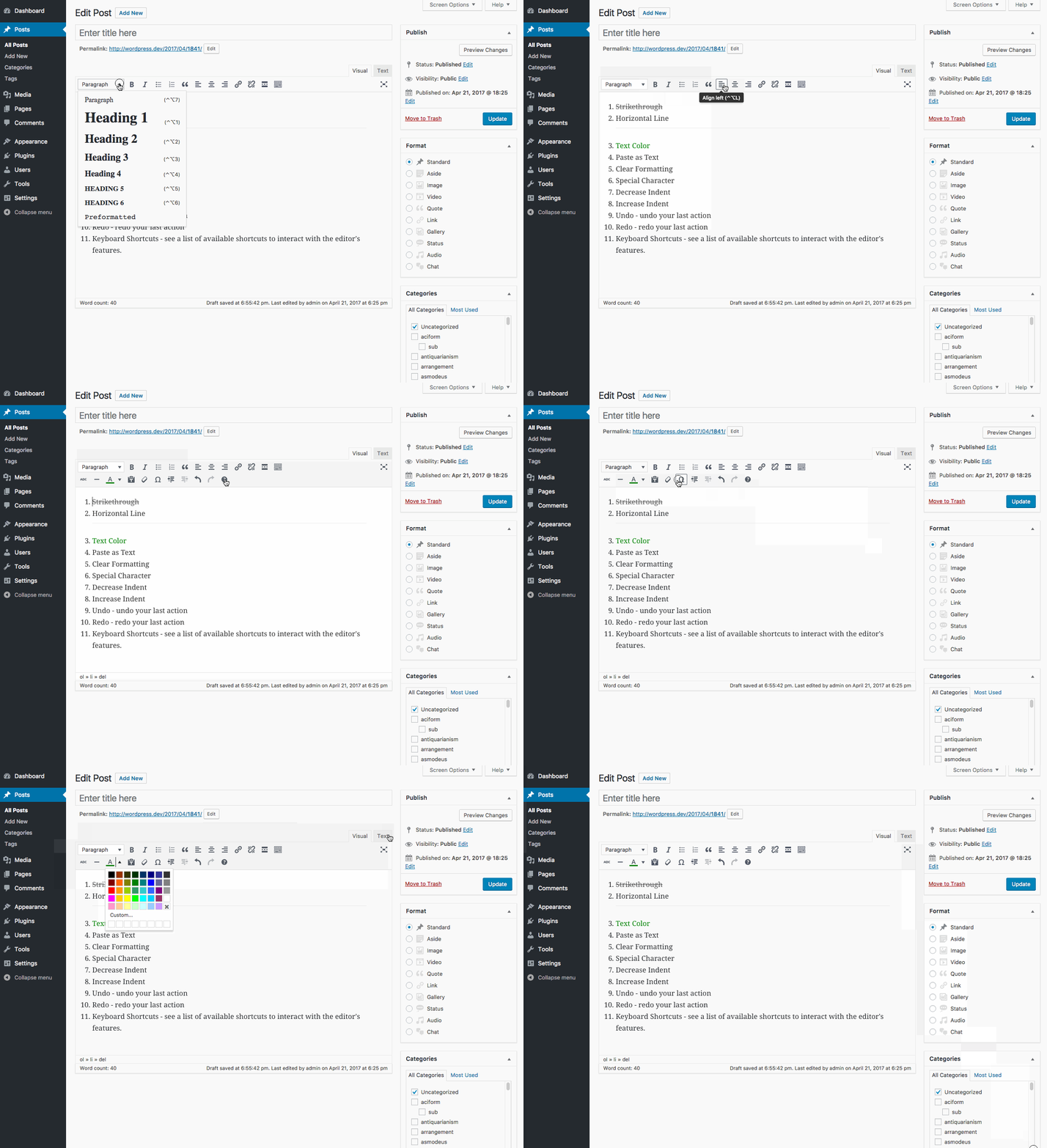
WYSIWYG means “What You See Is What You Get”. It helps you create content easily. You can see changes in real-time. No coding is needed. You add text, images, and videos. Drag and drop makes it simple. This is great for beginners. You can make posts and pages fast.
The interface is easy to use. Tools are clear and simple. Icons are big and easy to understand. You can find everything quickly. Menus are organized. You can change fonts and colors easily. This makes your work look nice. Preview shows your work before publishing. This helps you catch mistakes.
Benefits For Users
Wysiwyg WordPress makes editing simple for everyone. Users see changes as they make them. This helps them understand and control the look of their site. No coding skills are needed. Drag-and-drop features simplify tasks. Even beginners can make their site look good. It’s like playing with building blocks. Everything is clear and direct. Mistakes can be fixed quickly. This means less stress for users.
Changes appear instantly. Users watch as their edits show on the screen. This saves time and effort. No need to switch views. Real-time feedback helps improve site design. Mistakes are spotted fast. Users feel more confident. They have a clear idea of how their site will look. This boosts productivity and satisfaction.

Credit: stackoverflow.com
Comparing Wysiwyg And Classic Editors
WYSIWYG WordPress simplifies content creation by letting users see what they’ll get as they edit. It contrasts with classic editors, offering a more intuitive approach. Users can easily format text, images, and other elements without complex coding.
Key Differences
The WYSIWYG editor shows what your page will look like. The Classic editor uses code. WYSIWYG is user-friendly. You don’t need coding skills. You see changes in real-time. Classic editor is for advanced users. It offers more control.
WYSIWYG is great for beginners. Drag and drop to build pages. Classic editor is flexible. You can add custom code. WYSIWYG saves time. No need for coding knowledge. Classic editor allows deep customization. Choose based on skills and needs.
Popular Wysiwyg Plugins
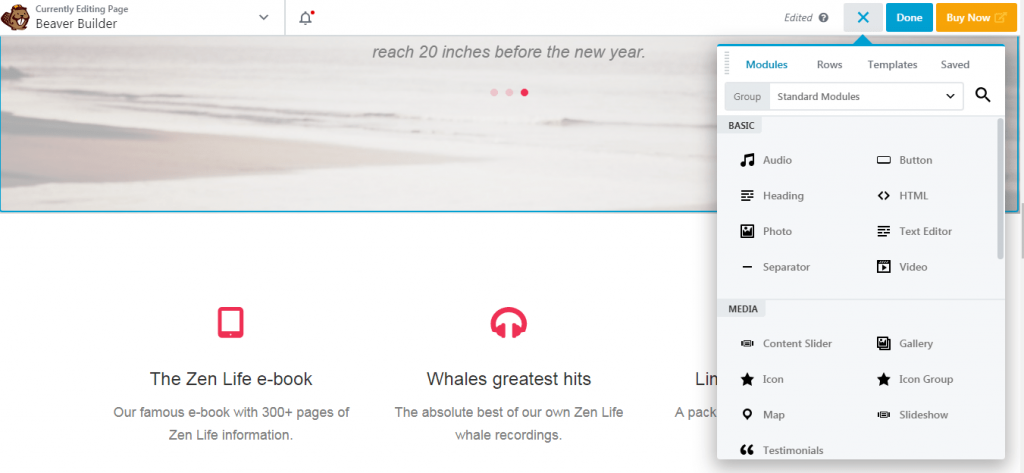
Many plugins make WordPress editing simple. Elementor is one popular choice. It offers drag-and-drop tools. TinyMCE is another favorite. It adds more buttons to the editor.
Visual Composer is also well-loved. It helps in designing custom layouts. Each plugin has unique features. Choose what fits your needs best.
Installing plugins is easy. Go to the WordPress dashboard. Click on “Plugins” and then “Add New.” Search for your desired plugin. Click “Install Now.” After that, click “Activate.” The plugin is now ready.
Some plugins need extra steps. Follow instructions given by the plugin. Check the settings to customize. Now, enjoy your new editing tools.
Credit: siteefy.com
Customizing Wysiwyg Editors
WYSIWYG WordPress editors simplify content creation with a visual interface. Users see changes instantly as they edit. Customizing these editors enhances functionality, tailoring them to specific needs.
Advanced Features
WYSIWYG editors have many advanced features. These features make editing easier. Users can add tables, images, and videos easily. Text styling options like bold, italic, and underline are simple to use. Drag-and-drop tools help place elements quickly. Spell check and grammar tools ensure clean writing. Users can adjust font size and color with ease. The editor offers real-time previews. This helps see changes instantly. Shortcuts speed up editing tasks. These features help create professional content. They make the editing process smoother. Users find them helpful and intuitive.
Third-party Integrations
WYSIWYG editors connect with many third-party tools. Social media plugins allow easy sharing. SEO tools help optimize content for search engines. Analytics tools track user engagement. Users can integrate payment gateways for online sales. Connect with email services to manage newsletters. Multimedia plugins add videos and audio files. Users can add mapping tools for location details. These integrations expand editor capabilities. They provide extra features without complex coding. Users enjoy a seamless experience. They can enhance their websites effortlessly. These tools enrich content and functionality.
Common Challenges
Wysiwyg WordPress often confuses beginners with its interface, making it hard to format content correctly. Users might face difficulties aligning images, leading to inconsistent layouts.
Limitations And Drawbacks
Wysiwyg in WordPress can be tricky for some users. It offers a simple way to edit content, but there are limits. Some tools might not work as expected. This can confuse users trying to make their site look good. Customization can be hard with Wysiwyg editors. You might not get the exact look you want. Some features are missing, which limits creativity. Advanced features often need coding skills. This can be tough for beginners. Over-reliance on the Wysiwyg editor can lead to poor-quality sites. It may affect site speed and performance, which frustrates users.
Troubleshooting Tips
Restart the editor to fix small bugs. Clearing the browser cache can help too. Check for plugin conflicts if things are still not right. Update all tools regularly. This keeps your site running smoothly. Sometimes, using a different browser can solve issues. Seek help from online forums. They offer valuable insights and solutions. Back up content before making changes. This prevents data loss and saves time. Consider learning basic coding. It helps in customizing the site better. Experiment with editor settings. This can improve site design.
Future Of Wysiwyg In WordPress
WYSIWYG editors in WordPress are getting better. They help make websites. People can use them easily. No coding needed. Many like this tool. It saves time.
New features are coming. More templates and designs will be there. This makes website building fun. Many will enjoy it.
WordPress is adding smart tools. AI may help write content. It can also fix errors. This is helpful for users. Better plugins are in the works. These make sites run faster.
Mobile-friendly designs are important. More people use phones now. WordPress knows this. They will make changes. Everyone will benefit.
Frequently Asked Questions
What Does Wysiwyg Mean In WordPress?
WYSIWYG stands for “What You See Is What You Get. ” In WordPress, it refers to a visual editor. This editor allows users to create and edit content in a way that resembles the final output. It simplifies content creation by providing a user-friendly interface.
How Does Wysiwyg Benefit WordPress Users?
WYSIWYG editors benefit WordPress users by simplifying content creation. They eliminate the need for coding knowledge, making editing intuitive. Users can easily format text, insert images, and create layouts. This enhances productivity and ensures content looks professional without technical expertise.
Are Wysiwyg Editors Easy To Use?
Yes, WYSIWYG editors are designed to be user-friendly. They offer intuitive interfaces that resemble word processors. Users can easily format text, insert media, and manage layouts without coding. This accessibility makes them ideal for beginners and non-technical users.
Can I Customize Wysiwyg Editors In WordPress?
Yes, you can customize WYSIWYG editors in WordPress. Various plugins and themes offer customization options. You can add or remove toolbar buttons and integrate additional features. This flexibility allows users to tailor the editing experience to their specific needs.
Conclusion
Wysiwyg in WordPress makes editing simple. It allows you to see changes instantly. You don’t need coding skills. This tool is perfect for beginners. It helps in creating stunning websites. You can focus on design. Less worry about coding errors.
It saves time and effort. Wysiwyg encourages creativity. It boosts productivity for bloggers and business owners. Explore its features today. Create the website you envision. Enjoy the ease of Wysiwyg WordPress. Your site can look professional. All without complex coding knowledge.


