
Picture this: you’re crafting the perfect blog post or webpage, but the technical jargon and complex coding keep getting in your way. Frustrating, right?
Enter the WYSIWYG Editor in WordPress, a tool designed to transform your editing experience and make content creation as seamless as possible. Imagine being able to see exactly what your post will look like to your readers, all while you’re writing it.
No more guessing games with HTML or previewing every change. This editor is here to make your life easier, giving you the power to create visually stunning content with just a few clicks. Curious about how this game-changer works and how it can benefit you? Stick around, because unlocking the full potential of your WordPress site is just a scroll away.
Wysiwyg Editor Basics
The WYSIWYG Editor in WordPress helps users create content. It stands for “What You See Is What You Get.” This means you see how your text will look while you write. The editor is like a simple word processor. It lets you write and format text easily. You can add images and links without knowing HTML. This makes it great for beginners.
The editor includes many useful features. Bold and italic text options are easy to use. You can create lists and use bullet points. Adding images is simple with the upload tool. Users can also link text to other pages. There’s a tool to check spelling as you type. These features make content creation fast and easy.
How Wysiwyg Works In WordPress
A WYSIWYG editor makes creating web pages easy. It stands for “What You See Is What You Get.” You write and see how it will look live. No coding needed. WordPress uses this to make adding content simple. You can add text, images, and videos. All with a few clicks. This editor is inside your WordPress dashboard. Easy to find and use.
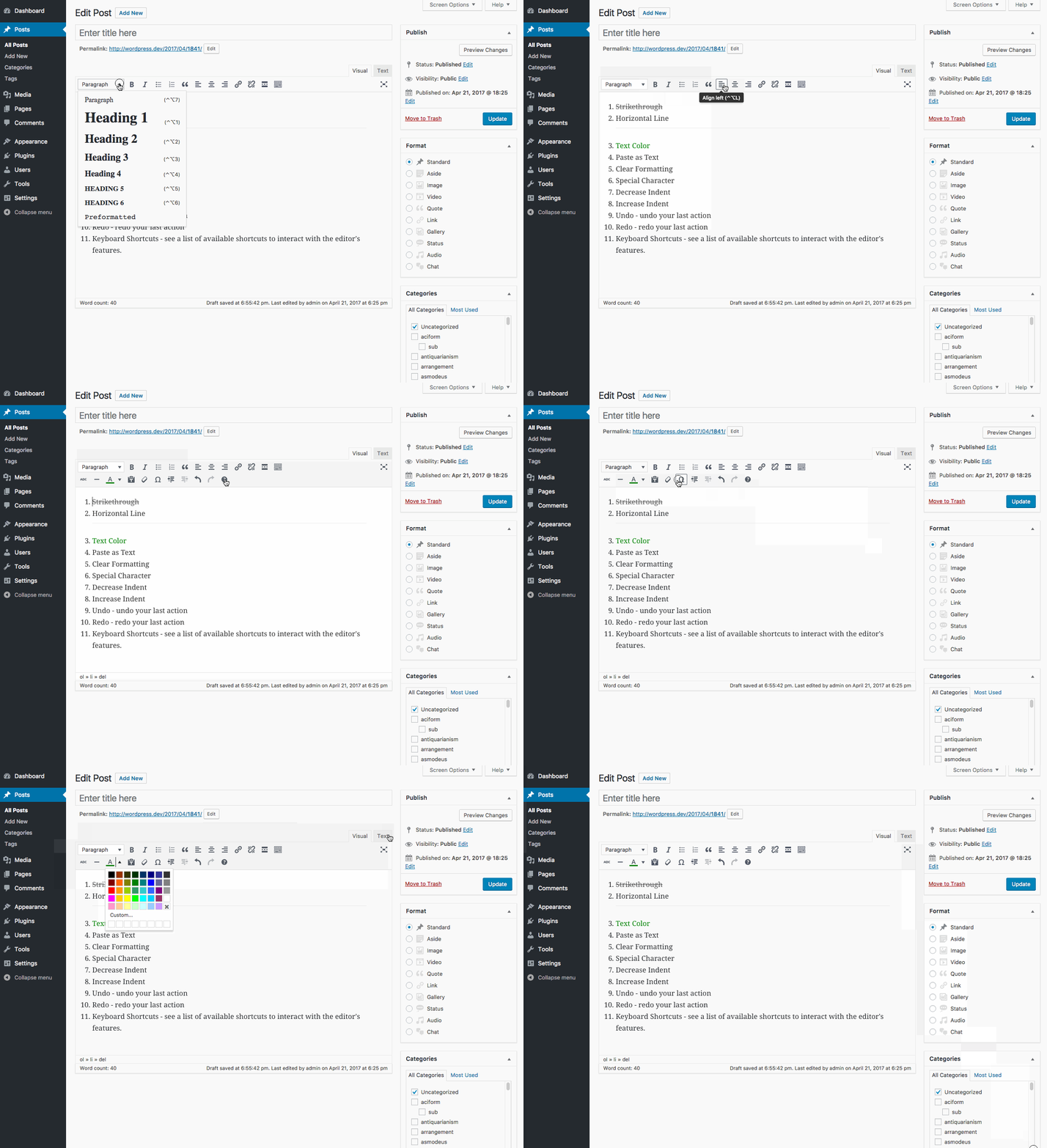
The interface has many tools. Bold and italic buttons change text style. You can align text left or right. Add lists with bullet points. Insert links to other pages. Upload images or videos. Drag and drop them where you want. A toolbar at the top helps you find these tools. It’s like using a word processor but for websites.
Benefits For Content Creators
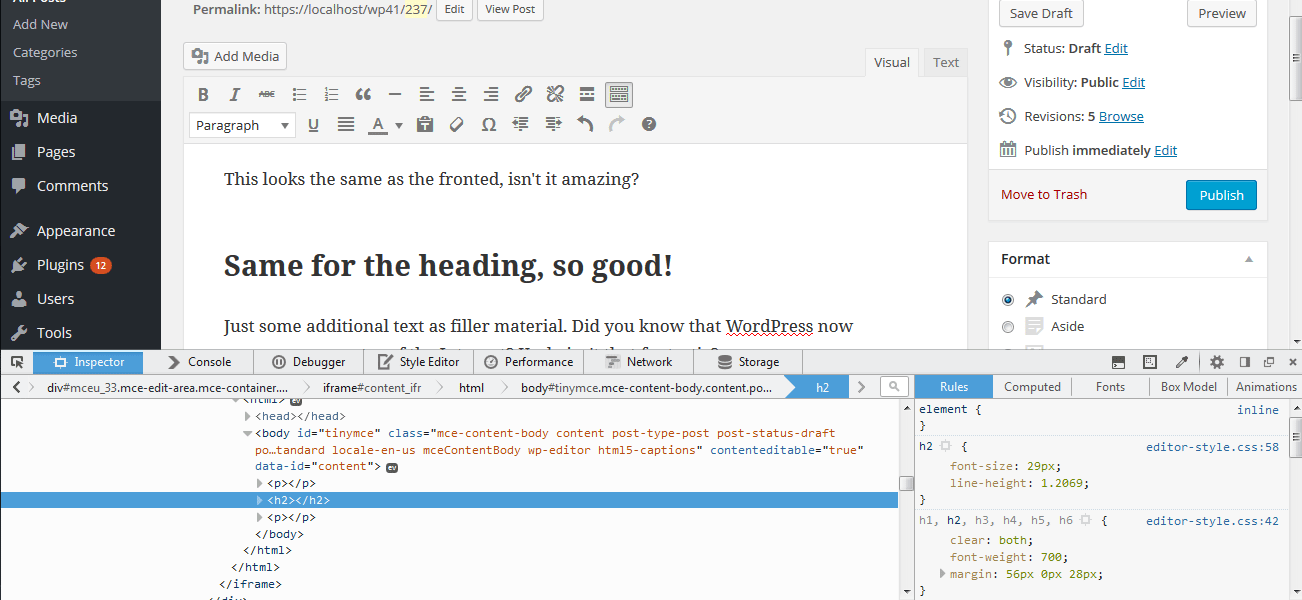
Wysiwyg editor in WordPress makes writing easy. It allows users to see changes instantly. No coding is needed. Click buttons to format text. Add images with a few clicks. It saves time and effort. Perfect for beginners.
See results as you type. Changes appear as they are made. Visual feedback helps improve content. It ensures the layout looks good. Errors are caught early. Helps keep things neat and tidy.
Credit: torquemag.io
Customization Options
Plugins can change how your WordPress editor looks. They add extra features. Some plugins make your writing better. Others help with pictures. Many plugins are free. Some cost money. Choose the one that fits your needs.
Not all themes work with every editor. Compatibility is important. Some themes have special features. Others are simple. Check if your theme supports the editor. This makes your site look good. It also works better.
Common Challenges
Wysiwyg Editor in WordPress simplifies website creation with a visual interface, but poses common challenges. Users often struggle with inconsistent formatting and limited design flexibility, impacting the overall appearance and functionality of their sites.
Limitations Of Wysiwyg
WYSIWYG editors can be easy to use. But they have limitations. Sometimes they do not show exactly how things look. Code behind the editor can be messy. This causes websites to load slow. Complex designs are hard to create. Users may need extra tools. Editors may not support all features. This limits creativity. Custom styles can be difficult. Some users might find them hard to manage. They might need to know basic HTML.
Troubleshooting Tips
Sometimes, editors do not work right. Clear the browser cache. This can help. Check for plugin updates. Old plugins can cause problems. Disable plugins one by one. This finds the problem. If the editor is slow, check internet speed. Sometimes, slow speeds affect performance. Look for conflicts with themes. Change themes if needed. Ask for help from forums. Many people share tips online.
Credit: make.wordpress.org
Future Of Wysiwyg Editors
Advancements in Technology bring new changes to WYSIWYG editors. These tools are now smarter. They can understand text better. New features let users create content easily. Editors can suggest changes. They offer better layouts. They make writing fun and quick. Improvements in speed help writers save time. Users enjoy working with these editors. They feel more in control. Everything is just a click away. Technology keeps growing. Editors get better and better.
Impact on WordPress Development is clear. Developers can build sites faster. They can use these editors without hassle. Changes are seen live. No coding needed. WordPress themes become more flexible. Users can edit them. This makes WordPress popular. People enjoy the ease of use. Beginners can start websites without trouble. Experts find new ways to innovate. Everyone wins. WordPress grows stronger in the market. Editors help in this growth.

Credit: docs.flothemes.com
Frequently Asked Questions
What Is A Wysiwyg Editor In WordPress?
A WYSIWYG editor in WordPress allows users to create content visually. It stands for “What You See Is What You Get. ” This means you can see how your content will appear on the live site as you edit it.
It’s user-friendly and requires no coding skills.
How Does Wysiwyg Editor Benefit WordPress Users?
The WYSIWYG editor simplifies the content creation process in WordPress. It enables users to format text, add images, and style their posts easily. Users can see changes in real-time, improving efficiency. This editor is ideal for beginners and those unfamiliar with HTML coding.
Can I Switch Between Wysiwyg And Html In WordPress?
Yes, WordPress allows switching between WYSIWYG and HTML views. This flexibility helps users who need to add custom HTML code. You can toggle between the Visual editor (WYSIWYG) and the Text editor (HTML) for better control over your content.
What Are Common Features Of A Wysiwyg Editor?
Common features of a WYSIWYG editor include text formatting, image insertion, and link creation. Users can also apply styles, add lists, and embed videos. These features make content creation intuitive and efficient, ensuring the final output matches the desired appearance.
Conclusion
A WYSIWYG editor in WordPress simplifies content creation. It lets users see changes instantly. This feature is crucial for beginners and experts alike. You can create visually appealing content without coding skills. Just drag and drop elements. It saves time and effort.
Users find it intuitive and user-friendly. This tool enhances productivity and creativity. Websites look professional and polished. For anyone managing a WordPress site, it’s a valuable asset. It supports seamless content management and design. Embrace the ease and efficiency it offers.
Explore its features and elevate your site’s content effortlessly.


