
Imagine having the power to create beautiful, functional forms on your WordPress site without needing to write a single line of code. Sounds like a dream, right?
That’s exactly what WPForms offers you. Whether you’re a blogger, a business owner, or just someone looking to gather information, WPForms can revolutionize the way you interact with your audience. It’s intuitive, user-friendly, and designed with you in mind. Are you ready to discover how WPForms can enhance your website and why it’s become a favorite tool for so many WordPress users?
Let’s dive in and explore the magic of WPForms.
Credit: wpforms.com
Wpforms Basics
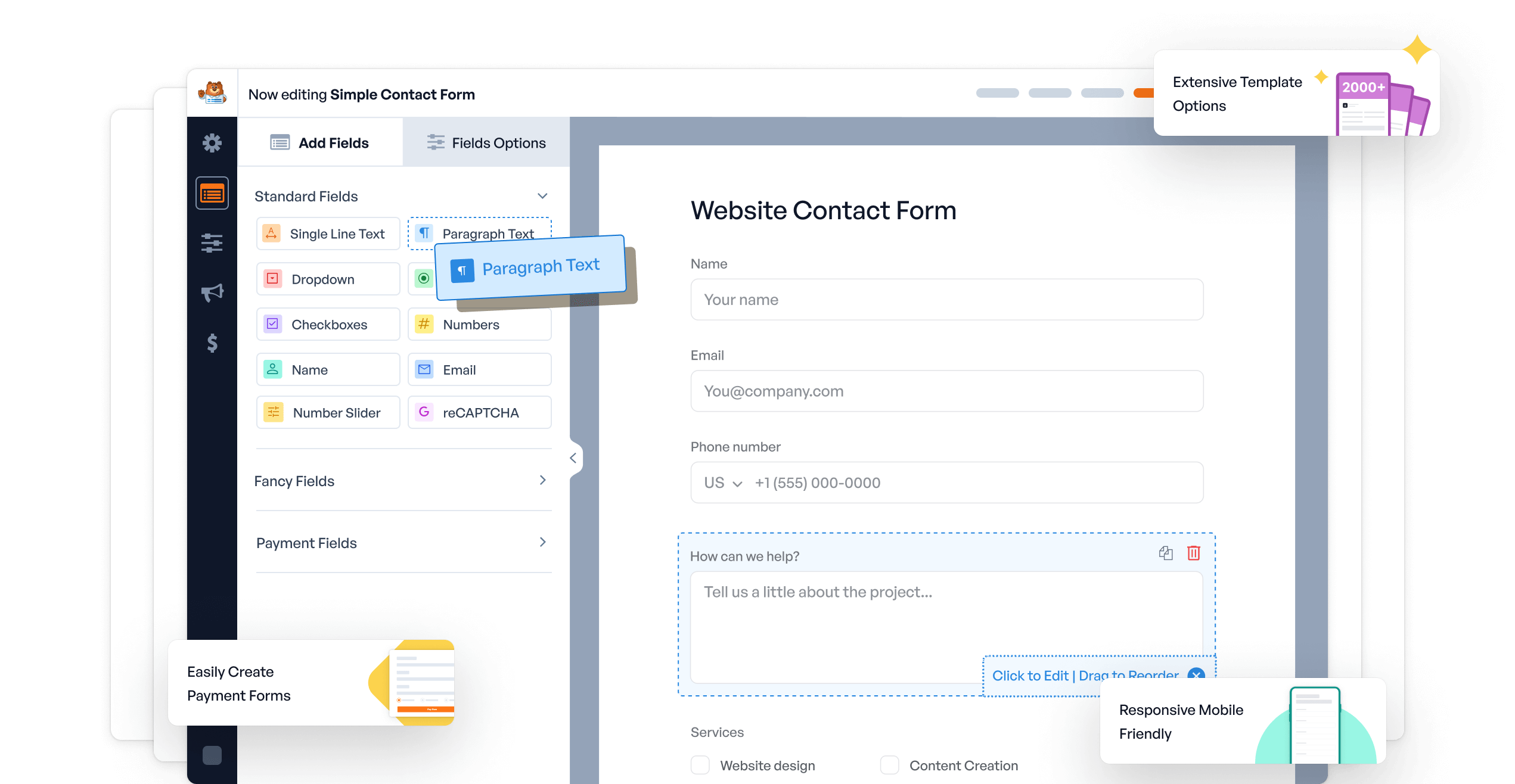
Wpforms is a plugin for WordPress. It helps you create forms easily. You can make contact forms. Survey forms too. Even payment forms. It uses a drag-and-drop builder. This makes it easy to use. No coding needed. Perfect for beginners. Forms look nice on all devices. Mobile and desktop alike. It’s fast and secure. Your data stays safe. Many templates are available. Choose one that fits your needs. Customize them as you like. You can add fields. Change colors. Make forms simple or complex. Users find it friendly. They fill forms quickly. You can see their responses. Track them in one place. Useful for business. Also great for personal sites.
Key Features
Create forms easily with the drag and drop builder. No coding needed. Just pick, drag, and drop fields. Make forms in minutes. Simple for beginners. Fast for experts.
Choose from pre-built templates. Save time and effort. Use templates for contact forms, surveys, and more. Customizable to fit needs. Perfect for quick setups.
Forms look good on any device. Desktop, tablet, or phone. Adjust automatically for screen size. Keep forms user-friendly. Ensure a smooth experience for all users.
Installation Guide
Begin by visiting the WordPress dashboard. Locate the Plugins section. Click on Add New. This opens the plugin directory. Type Wpforms in the search bar. The search results will appear. Look for Wpforms. Click on the Install Now button.
After installation, the button changes to Activate. Click on this button. This activates Wpforms. Now, Wpforms is ready to use. Find it in the WordPress sidebar. Explore its features. Create forms easily. Enjoy building contact forms. Surveys and more forms. Wpforms helps in site management. Handy for collecting user data. A great tool for beginners.
Creating Your First Form
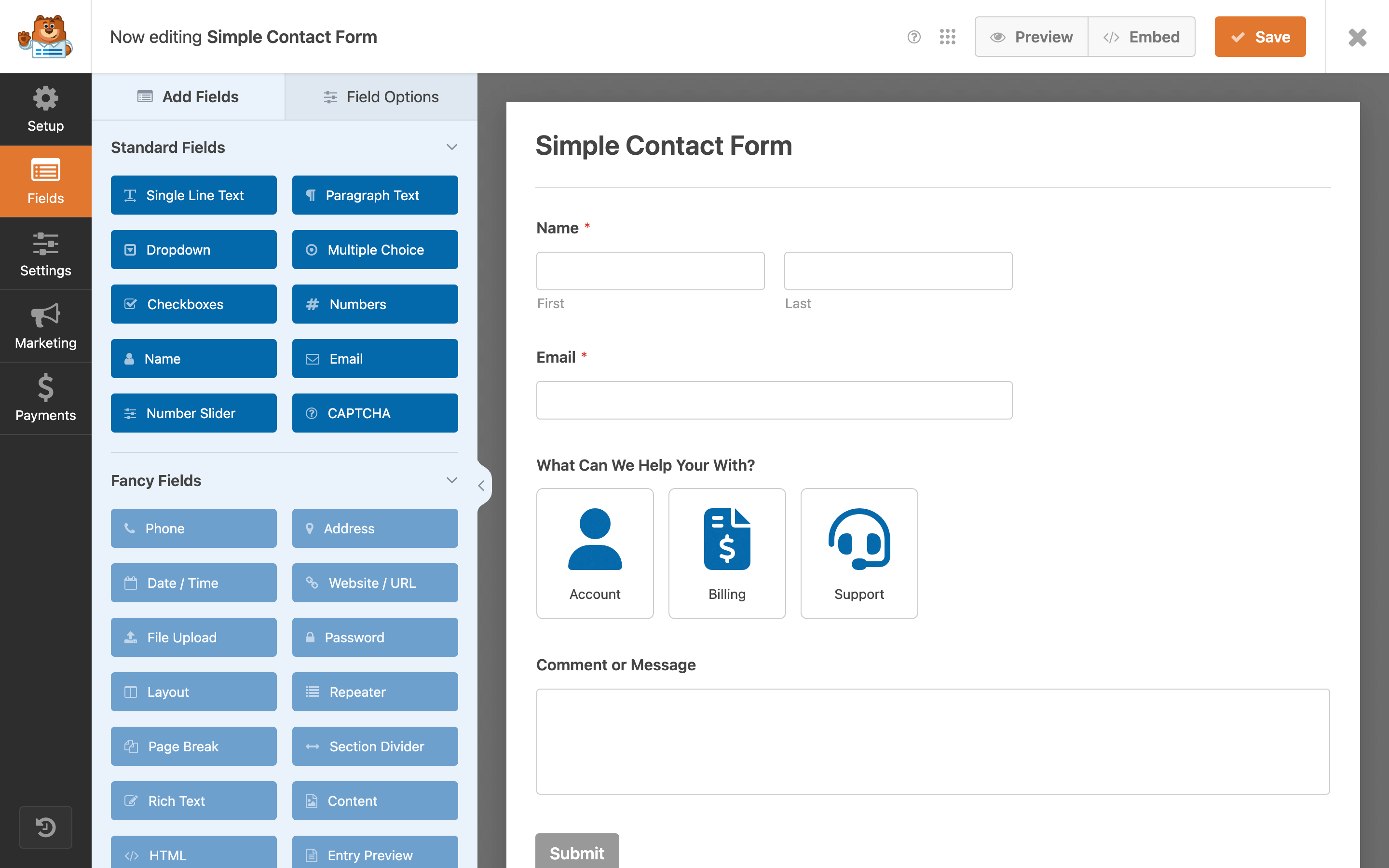
Wpforms offers many templates for making forms. Choose one that suits your needs. You can find templates for contact forms, payment forms, and more. Each template is easy to use. It has all the basic fields you need. This helps you start quickly.
After choosing a template, you can customize the form fields. Add or remove fields as needed. Change the field labels. Make them clear and simple. This makes the form easy to understand. You can also arrange fields in the order you want. This helps in making a neat form.
Integrations And Add-ons
WpForms in WordPress is a user-friendly plugin designed to simplify form creation. It offers integrations and add-ons for seamless functionality. Enhance your website by easily adding contact forms, surveys, and payment forms.
Payment Gateways
Wpforms lets you connect with many payment gateways. These include PayPal and Stripe. You can collect payments directly from your forms. This makes online sales easy. No need for extra steps. Secure and quick transactions.
Email Marketing Services
Wpforms also works with email marketing services. These include Mailchimp and AWeber. You can grow your email list with ease. Add subscribers directly from your forms. Send newsletters and updates easily. Keep your audience engaged.
Credit: wordpress.org
Managing Form Entries
Wpforms in WordPress helps manage form entries easily. You can view all form responses in one place. This feature helps you keep track of important data. To export data, use the export option. It saves information as a file on your computer. This makes sharing with others simple. Organizing and accessing responses quickly is important. It saves time and effort.
Notifications alert you to new form entries. Setting them up is straightforward. You choose where to send these alerts. This could be your email or phone. Instant alerts help you respond fast. Keeping up with new responses is important. It ensures you don’t miss any form entries. Setting reminders is also possible. Stay informed and act quickly.
Advanced Features
Conditional Logic makes forms smart. It shows fields based on user choices. This helps in making forms simple and clean. Users see only what they need. This feature reduces confusion. It also saves time. Users complete forms faster.
Spam Protection keeps fake entries away. It uses smart tools to block spam. Tools like CAPTCHA test if a user is real. This keeps your data safe. Your inbox stays clean. Real users can fill forms without trouble. Wpforms makes sure of that.

Credit: www.youtube.com
Troubleshooting Common Issues
Exploring Wpforms in WordPress can help users create forms easily. Common issues include plugin conflicts and incorrect settings. Ensuring compatibility with other plugins and double-checking configurations often resolves problems quickly.
Form Not Displaying
Forms can sometimes disappear. Check if the form is correctly embedded. Ensure the shortcode is right. Confirm the form is active and published. Look at the visibility settings. They should not hide the form. Review the plugin settings. Sometimes a setting can cause issues. If everything looks fine, try refreshing the page. This can solve minor glitches. If the form still doesn’t appear, check for conflicts. Plugins can sometimes clash. Disable other plugins to see if the form reappears. Update WPForms to the latest version. This fixes many issues.
Email Deliverability Problems
Emails might not reach users. Ensure the email address is correct. Double-check for typos. Configure SMTP settings. This improves email delivery. Enable notifications in WPForms. They should not be off. Sometimes, emails land in spam. Ask users to check their spam folder. Use a reliable email service. This boosts email success. Update WPForms regularly. It fixes known bugs. If emails still fail, reach out to support. They can help solve the issue.
Frequently Asked Questions
What Is Wpforms In WordPress?
WPForms is a popular WordPress plugin for creating forms. It’s user-friendly and offers drag-and-drop functionality. You can create contact forms, surveys, and payment forms easily. It’s designed to be beginner-friendly and integrates with many third-party services for enhanced functionality.
How Do I Install Wpforms?
To install WPForms, log into your WordPress dashboard. Navigate to Plugins > Add New. Search for “WPForms” and click Install. Activate the plugin after installation. You can then start creating forms using the WPForms menu in your dashboard.
Is Wpforms Free To Use?
WPForms offers a free version called WPForms Lite. It provides basic form-building features. For advanced functionalities, you can opt for WPForms Pro. The Pro version includes additional features like payment integration, surveys, and more.
Can Wpforms Integrate With Email Services?
Yes, WPForms can integrate with many email marketing services. Popular integrations include Mailchimp, AWeber, and Constant Contact. These integrations allow you to automatically add form entries to your email lists. It’s a great way to streamline your email marketing efforts.
Conclusion
Wpforms simplifies form creation for WordPress users. It offers a user-friendly interface. With Wpforms, creating forms becomes quick and easy. Drag-and-drop features make customization simple. Users can craft contact forms and surveys effortlessly. This tool enhances website interaction and engagement.
No coding skills needed. Perfect for beginners and experts alike. Wpforms integrates smoothly with WordPress sites. It’s a valuable asset for any website owner. Boost your site’s functionality with this plugin. Explore its features and enjoy a seamless experience.


