
Are you curious about creating your own website but feeling overwhelmed by the technical jargon and complex coding? Imagine having the power to build a stunning, functional website without needing to be a tech wizard.
This is where WordPress Website Builder comes into play. It’s like having a magic toolkit that simplifies the entire web design process, making it accessible for everyone, even if you’re just starting out. You’ll discover how WordPress Website Builder can transform your ideas into a vibrant online presence with ease and efficiency.
Ready to unlock the secrets of effortless website creation? Let’s dive in and explore how this tool can be your game-changer.
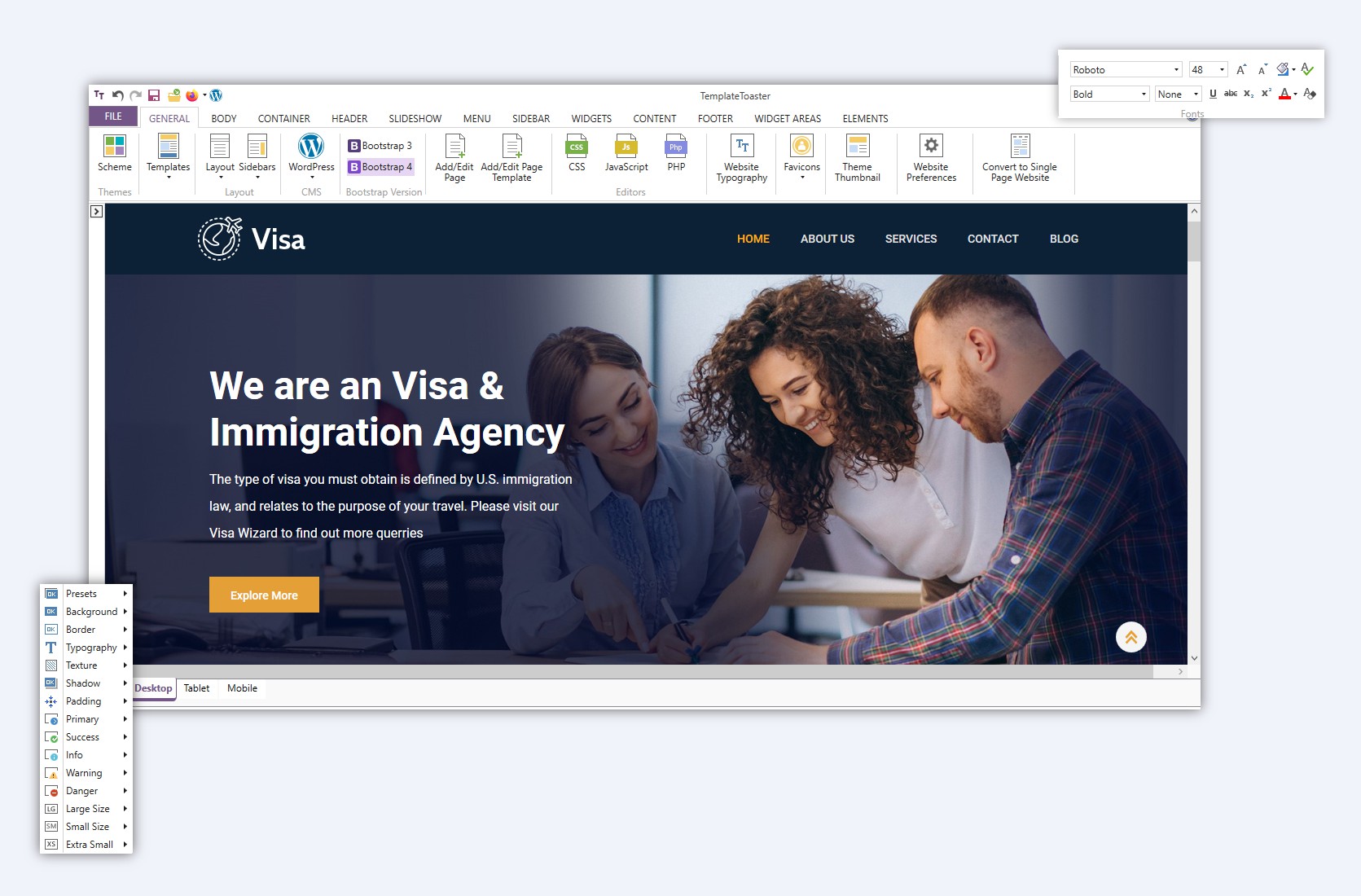
Credit: templatetoaster.com
WordPress Basics
WordPress is a popular website builder. It helps people create their own websites. It’s easy to use and free. Many people use WordPress for blogs and business sites. It has lots of themes and plugins. These help you design your site. You don’t need to be a tech expert. WordPress is for everyone.
WordPress started in 2003. Two men, Matt and Mike, created it. They wanted a better blogging tool. Over time, WordPress grew. It became more than a blog tool. Now, it’s a full website builder. Millions of sites use WordPress today. It keeps getting better. Updates add new features often. WordPress is always changing. But it’s still easy to use. That’s why people love it.
Features Of WordPress
WordPress offers a wide range of themes and templates. Users can pick from thousands of options. Each theme gives a unique look. Templates help with design and layout. Easy to change colors, fonts, and styles. Beginners find it simple to use. It’s flexible for any website type. From blogs to business sites. Themes make websites look good and organized.
Plugins add extra features to your site. Many plugins are free. Some are paid. They can help with forms, galleries, or SEO. Extensions work like plugins. They expand what your site can do. Easy to install with a few clicks. Users love the choice they provide. More than 50,000 plugins are available. They make websites powerful and efficient.
WordPress allows easy customization. Change site appearance with ease. Modify headers, footers, and menus. Users can add their own images and text. Customization does not need coding skills. Drag-and-drop tools are available. Personalize your site to fit your style. It’s user-friendly and intuitive. Every site can look unique and special.
Setting Up A WordPress Site
First, pick a good domain name. This is your web address. Make it easy to remember. Use your business name or a catchy word. Next, choose a hosting provider. Hosting keeps your site live on the internet. Some popular hosts are Bluehost and SiteGround. They have great support. You pay them a small fee each month. This is important for your website’s speed and safety.
After choosing hosting, install WordPress. Most hosts offer one-click installs. This makes it easy and fast. WordPress is free to use. It is open-source software. This means many people help make it better. Once installed, you can log in. Use your username and password. Now, your site is ready to build.
Set up your WordPress settings. Go to the dashboard. Here, you can change many things. Set your site title and tagline. Choose your timezone. This is important for posts. Check your permalinks. They make your URLs look nice. Also, adjust your reading settings. Decide if you want a blog or a static page. Save all changes. Now, your site is ready to customize.
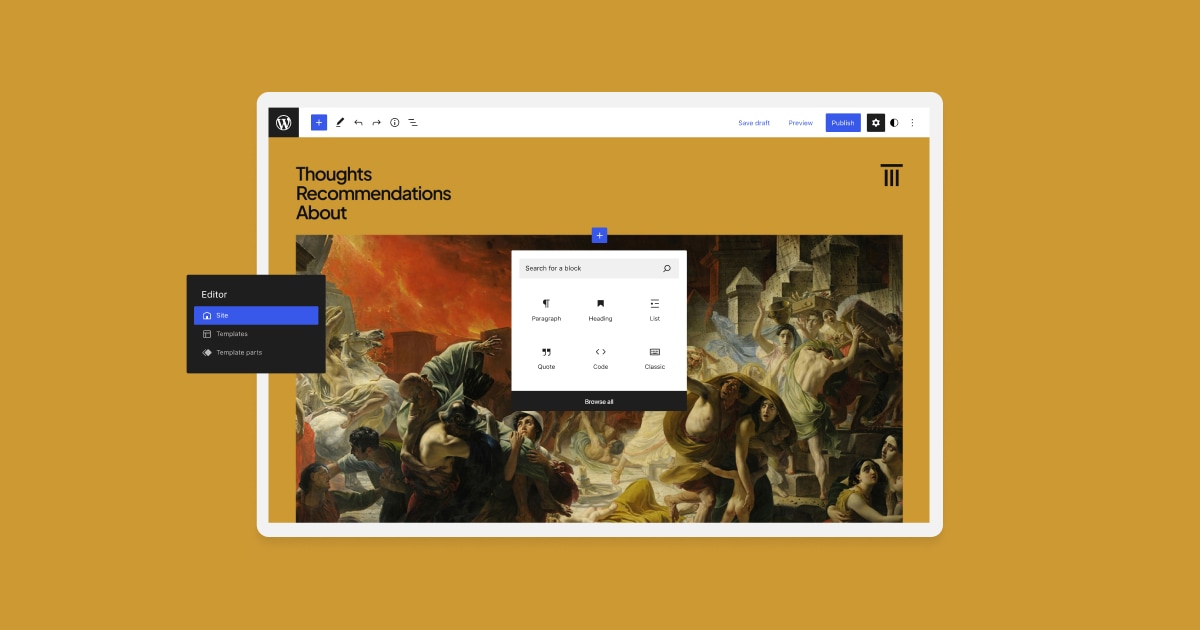
Credit: wordpress.com
Content Management
WordPress makes building pages and posts easy. Choose a template that fits your style. Add a new page with a few clicks. Write your content in the editor. Add images and links to make it interesting. Use the publish button to share your work. Keep your site fresh by updating old posts.
Uploading images is simple with WordPress. Click on the media button. Select images from your computer. Use the media library to find and organize your files. Add pictures to your posts to make them look better. Resize images to fit your page. Use the edit tool to crop or rotate.
Make your site search-friendly with WordPress tools. Use plugins like Yoast for SEO. Write keywords in your titles and content. Check your readability score. Add alt text to images for better results. Link to other pages to keep visitors engaged. Check your SEO settings often.
Design And Layout
Page builders help create websites easily. They offer drag-and-drop tools. This means you can move things around without coding. Visual editors make designing fun. You see changes instantly. Choose from many templates. Each template is unique. Customize them to fit your needs. Add text, images, and videos. Change colors and fonts. Make your site look great.
Responsive design is important. It makes websites look good on all devices. Whether it’s a phone or a computer. Websites adjust automatically. This means better user experience. No need to zoom or scroll awkwardly. Search engines love responsive sites. They rank them higher. This attracts more visitors. Happy visitors stay longer.
Some sites need special styles. Custom CSS and HTML offer control. You can make changes without limits. Add your own codes. This enhances website features. Advanced users prefer custom styles. It allows unique designs. You can tweak layouts. Change how elements appear. Make your site stand out from others.
Security And Maintenance
Keeping your WordPress site updated is important. Updates fix bugs and improve security. New features come with updates. Use the latest version for best results. Always check for updates.
Backing up your site is key. It saves your data from loss. Use backup plugins for easy saving. Store backups in safe places. Regular backups prevent data loss. They keep your site safe.
Security plugins protect your site. They block hackers and viruses. Choose plugins with good reviews. Install plugins that scan for threats. Use plugins that alert you to issues. Plugins make your site secure.
WordPress Community And Support
WordPress has a big community. People talk and share ideas in forums. These forums help solve problems. Many users ask questions and get helpful answers. Online resources offer guides and tutorials. Kids can learn from them too. It’s easy to find solutions. Everyone can join the discussion and learn together.
Some people need expert help. Professional services are available. These experts know WordPress well. They build and fix sites. Sometimes, they teach others. Getting professional help can save time. It can make sites better. Many businesses use these services.
WordPress is open to everyone. Many people contribute to it. Kids can help too. They can make themes or plugins. Contributing is fun and educational. It makes WordPress better for all. Sharing ideas is important. Everyone can make a difference.
Future Of WordPress
WordPress is always changing. New features come out often. These features make building sites easier. Drag-and-drop tools help people make sites without code. Many plugins add cool functions. WordPress is ready for mobile users. More people browse on phones now. Sites must work well on small screens. Themes are getting smarter. They adjust to fit all devices. Security is a big deal too. Developers work hard to keep sites safe. Updates fix problems and make sites better.
Many builders compete with WordPress. They offer easy ways to make sites. Some are free. Others cost money. Users want the best tools. WordPress must stay ahead. Challenges come from hackers too. Protecting sites is tough. New threats appear often. Keeping sites fast is important. Slow sites lose visitors. WordPress needs to improve speed. Big updates help with this. Users expect sites to load quickly.

Credit: www.brizy.io
Frequently Asked Questions
What Is WordPress Website Builder?
WordPress Website Builder is a user-friendly platform for creating websites. It offers customizable templates and plugins to design and manage content easily. It’s ideal for beginners and professionals, providing a flexible environment for building blogs, business sites, and online stores.
How Does WordPress Differ From Other Builders?
WordPress offers extensive customization through themes and plugins. Unlike other builders, it provides more control and flexibility over design and functionality. It’s also open-source, allowing developers to modify code and create custom solutions, making it a preferred choice for many.
Is WordPress Website Builder Free To Use?
Yes, WordPress offers a free version with essential features. Users can build basic websites without any cost. However, for advanced functionalities, premium themes, and plugins, users may need to opt for paid plans. These enhance the website’s capabilities and design.
Can Beginners Use WordPress Website Builder Easily?
Absolutely, WordPress is beginner-friendly with its intuitive interface. It offers drag-and-drop functionality for easy site creation. Additionally, numerous tutorials and community support are available. This helps beginners to navigate and utilize the platform effectively, even without technical knowledge.
Conclusion
WordPress Website Builder offers a simple way to create websites. It’s user-friendly, even for beginners. You don’t need coding skills to start. Choose from many themes and plugins. Customize your site with ease. It’s flexible for blogs, businesses, and more.
Many people trust WordPress for their online presence. It’s a reliable choice for building your website. Explore its features and get creative. Start your WordPress journey today. Enjoy the process, and watch your website grow!


