
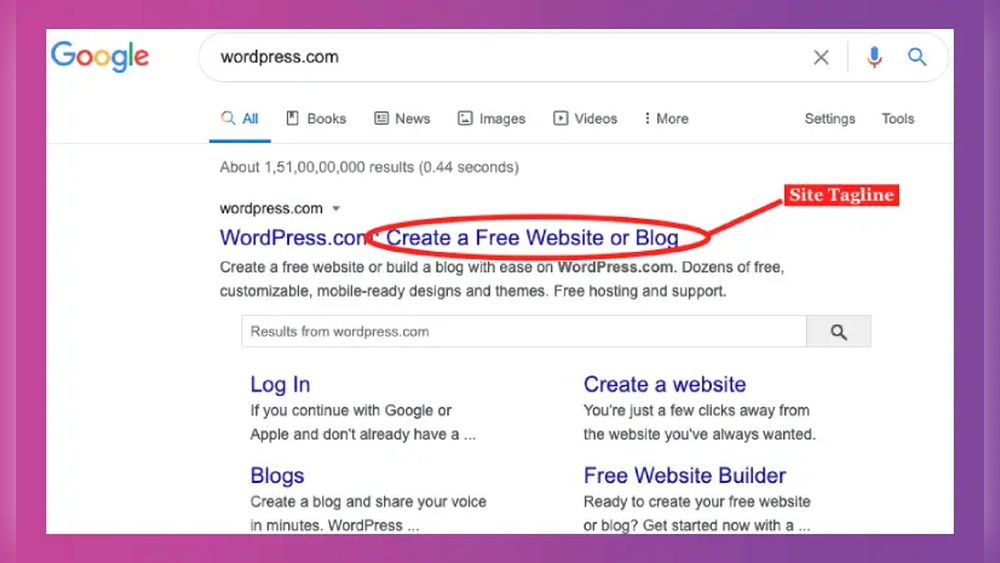
Have you ever noticed a short phrase right under a website’s title and wondered what it means? That little line is called a WordPress tagline, and it plays a bigger role than you might think.
Your tagline can grab visitors’ attention, explain what your site is about, and make your brand memorable—all in just a few words. If you want to learn how to use your WordPress tagline to boost your site’s impact, keep reading.
This simple element could be the key to making your website stand out and connect with your audience instantly.
What A WordPress Tagline Is
A WordPress tagline is a short phrase or sentence that describes your website. It appears near your site’s title and gives visitors a quick idea about your content. A good tagline can help people understand your website’s purpose right away.
Taglines are simple but important. They add meaning to your site name and make your website more memorable. Many themes show the tagline in the header, so it is visible on every page.
Definition Of WordPress Tagline
The WordPress tagline is a brief description. It usually summarizes your site’s main topic or mission. It is set in your WordPress dashboard under General Settings. Most websites use a tagline to explain what they offer in just a few words.
Where The Tagline Appears
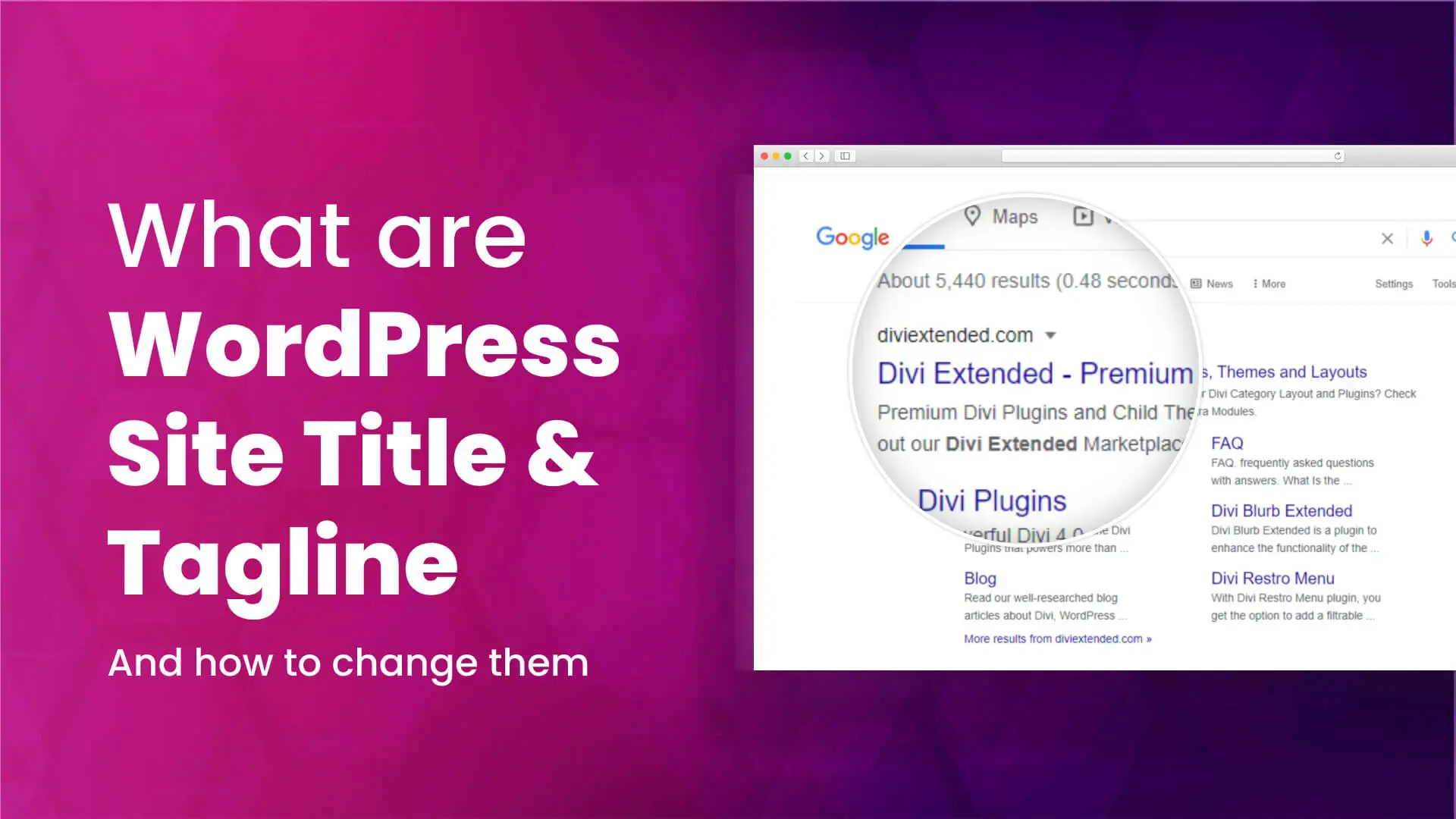
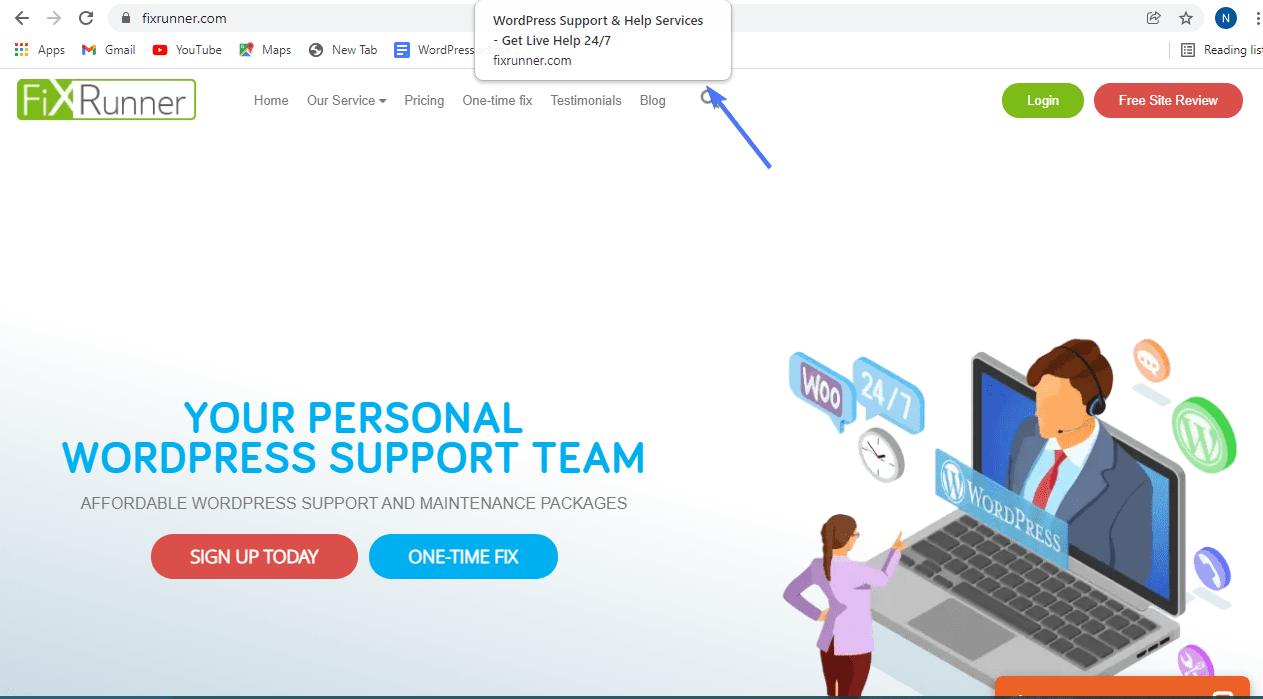
The tagline often shows next to the site title at the top of your page. Some themes place it below the title or in the footer. It may also appear in search engine results, helping your site stand out.
Why The Tagline Matters
The tagline helps visitors quickly understand your site’s goal. It improves user experience by offering clear information. Search engines also use the tagline to understand your site’s content better.
How To Set A WordPress Tagline
Go to your WordPress dashboard. Click Settings, then General. Find the “Tagline” field and enter a short, clear phrase. Save changes, and your new tagline will show on your site.
Why Taglines Matter
The WordPress tagline is more than just a few words under your site title. It tells visitors what your website is about. A clear tagline can help your site stand out. It gives your brand a voice and a clear message. Understanding why taglines matter helps you create a stronger online presence.
Impact On Branding
Your tagline shapes how people see your brand. It sums up your website’s purpose in a simple phrase. A good tagline makes your site memorable. Visitors can quickly understand what you offer. This small text builds trust and identity.
Effect On Seo
Search engines read your tagline to understand your site. Including key phrases helps improve your ranking. A relevant tagline can bring more visitors. It supports your main keywords without stuffing. This helps your site appear in search results.
User Engagement Benefits
A clear tagline grabs visitors’ attention fast. It explains your website’s value in seconds. Visitors decide quickly if they want to stay. A strong tagline encourages users to explore more. This boosts time spent on your site and lowers bounce rates.
How To Create A Strong Tagline
Creating a strong tagline is key for any WordPress site. It tells visitors what your site is about in just a few words. A good tagline grabs attention and stays in people’s minds. Crafting one takes thought and care. Below are simple steps to help make a tagline that works well for your site.
Keep It Short And Clear
A tagline should be brief and easy to read. Use simple words that anyone can understand. Avoid long or complex sentences. Short taglines are easier to remember. Aim for no more than six or seven words. Clear language helps visitors quickly grasp your site’s purpose.
Use Keywords Wisely
Include important keywords that describe your site. Keywords improve search engine visibility. Don’t overload the tagline with too many keywords. Pick one or two main words that best fit your content. This approach helps both readers and search engines understand your site.
Reflect Your Brand Personality
Your tagline should show what makes your brand unique. Think about your style and tone. Are you friendly, professional, or creative? Match the tagline to how you want visitors to feel. A tagline with personality builds trust and connects with your audience.
Credit: diviextended.com
Where To Set Your WordPress Tagline
Setting your WordPress tagline is a simple but important step. It helps describe your website in a few words. Knowing where to set your tagline makes it easy to update or change it anytime. WordPress offers a couple of easy ways to set your tagline. You can use the built-in tools to make your site look professional and clear.
Using WordPress Customizer
The WordPress Customizer lets you change your tagline with a live preview. Go to your WordPress dashboard. Click on “Appearance” and then “Customize.” Find the “Site Identity” section. Here, you see the option to edit your tagline. Type your new tagline in the box. You will see the change instantly on your site preview. Save your changes to update your site.
Editing The Settings
You can also set your tagline through the general settings. From the dashboard, go to “Settings” and then “General.” Look for the “Tagline” field. Enter your new tagline here. Scroll down and click “Save Changes.” This method is quick and works for all WordPress themes. It sets your tagline site-wide.
Tips For Display Placement
Where your tagline appears depends on your theme. Many themes show it next to or under the site title. Check your homepage to see where it shows up. If your theme hides the tagline, use widgets or page builders. You can place it in the header, footer, or sidebar. Make sure the tagline is easy to read. Keep it short and clear for best impact.
Common Tagline Mistakes To Avoid
Creating a good WordPress tagline is important for your website’s success. Many people make common mistakes that weaken their tagline’s impact. Avoiding these errors helps your tagline stand out and attract visitors.
Below are some frequent tagline mistakes and tips on how to avoid them.
Being Too Generic
A generic tagline lacks personality and meaning. Words like “Welcome to our site” or “The best services” do not tell visitors what makes your site unique. Your tagline should reflect your brand’s true identity. Keep it specific and clear to catch attention quickly.
Overloading With Keywords
Stuffing your tagline with many keywords makes it awkward and hard to read. It can also seem spammy to visitors and search engines. Choose one or two important words that describe your site well. A simple and natural tagline works best for both users and SEO.
Ignoring Audience Needs
Failing to think about your audience’s needs reduces your tagline’s power. Your tagline should answer a question or solve a problem your visitors have. Focus on what your audience wants. Speak directly to their interests and feelings to create a strong connection.

Credit: www.youtube.com
Examples Of Effective Taglines
Effective taglines capture the essence of a website in a few words. They tell visitors what the site is about and why it matters. A good tagline is clear, memorable, and fits the brand’s voice. Below are examples of taglines from different types of websites to inspire your own.
Successful Business Sites
Business websites often use taglines that show trust and professionalism. For example, “Quality You Can Count On” signals reliability. “Innovating Your Future” suggests forward-thinking ideas. These taglines help customers feel confident in the brand.
Creative Blog Taglines
Creative blogs use taglines that reflect personality and style. “Stories That Spark Joy” invites readers to enjoy the content. “Ideas Worth Sharing” shows the blog’s focus on useful information. These taglines make the blog feel welcoming and unique.
E-commerce Site Taglines
E-commerce sites choose taglines that highlight value and ease. “Shop Smart, Live Better” encourages good buying choices. “Everything You Need, Just a Click Away” promises convenience. These short phrases help shoppers trust and engage with the site.
Updating Your Tagline For Growth
Updating your WordPress tagline helps your site stay relevant and clear. A fresh tagline speaks directly to your audience and shows your current focus. It can improve user trust and boost your site’s search engine ranking.
Regular updates keep your message aligned with your growth and changes. A tagline that fits your brand goals can attract new visitors and keep loyal readers interested.
When To Refresh Your Tagline
Change your tagline when your site changes direction or focus. New products, services, or content may need a new message. If your current tagline feels old or unclear, it is time to update it. Also, update it if your audience changes or grows.
Aligning With New Goals
Your tagline should match your latest goals and values. Use words that reflect your brand’s purpose and promise. This alignment helps visitors understand what you offer. Make sure your tagline is simple and clear to support your goals.
Testing And Feedback
Test different taglines with your audience to find the best fit. Use surveys or social media to gather opinions. Feedback helps you see what works and what doesn’t. Choose the tagline that connects well and feels natural.
Credit: www.fixrunner.com
Frequently Asked Questions
What Is A WordPress Tagline?
A WordPress tagline is a brief phrase that describes your website’s purpose. It appears below the site title and helps visitors understand your content quickly.
Why Is The WordPress Tagline Important?
The tagline improves your site’s branding and SEO. It summarizes your site’s theme, making it easier for search engines and users to identify your niche.
How Do I Change The WordPress Tagline?
You can change the tagline in your WordPress dashboard under Settings > General. Simply edit the “Tagline” field and save the changes.
Can I Leave The WordPress Tagline Blank?
Yes, but it’s not recommended. Leaving it blank misses an opportunity to convey your site’s purpose and improve SEO rankings.
Conclusion
WordPress tagline helps explain your website’s purpose clearly. It shows visitors what to expect quickly. A good tagline supports your site’s identity and brand. Changing it is easy and can improve user experience. Keep it short, simple, and relevant to your content.
Don’t overlook this small but important detail for your site. Use your tagline to make a strong first impression. It guides visitors and helps with site recognition. Simple words work best to connect with your audience.


