
Are you looking to create a stunning website without touching a single line of code? If so, you’re in the right place.
WordPress Page Builders are your new best friend when it comes to designing a site that looks professional and functions seamlessly. Imagine having the power to drag and drop your way to an impressive online presence. Whether you’re a business owner, a blogger, or just someone with a creative idea, a WordPress Page Builder can transform your vision into reality.
Dive into this article to discover how these tools can simplify the process, save you time, and spark your creativity. Your perfect website is just a few clicks away.

Credit: www.accuwebhosting.com
Introduction To WordPress Page Builders
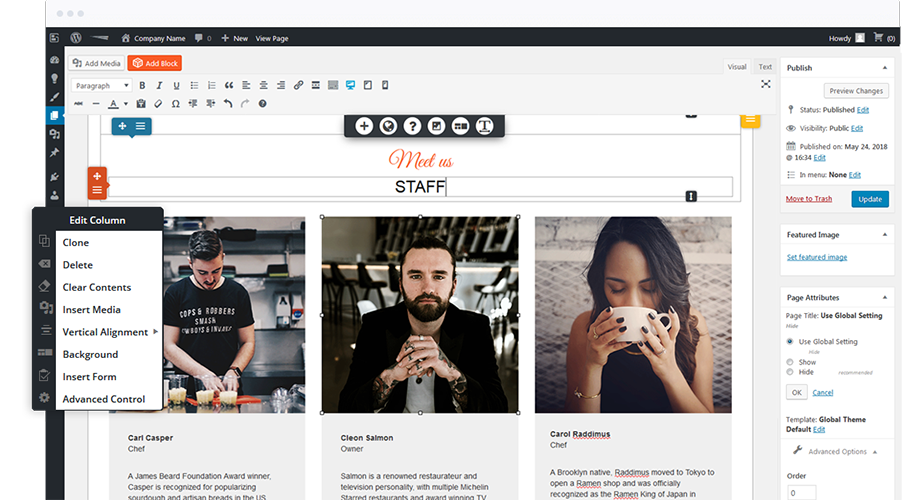
WordPress page builders make website creation simple. They allow users to design pages easily. Drag-and-drop tools are common. These tools help in moving items around the page. Users can choose from many templates. Templates provide ready-made designs. No coding skills are needed. Beginners find page builders helpful. They make website building fun and quick.
Many page builders offer customizable options. Users can change colors, fonts, and layouts. This allows for unique websites. Popular page builders include Elementor and Beaver Builder. Each has its own features. Choosing the right one depends on personal needs. Page builders are useful for all types of websites. They suit blogs, business sites, and more.
Benefits Of Using Page Builders
Ease of Use is a big benefit. Page builders are simple. You don’t need to code. Drag and drop elements. Arrange them as you like. This makes creating a webpage easy for everyone.
With Custom Design Capabilities, you can make your site unique. Choose different layouts. Add your colors. Use special fonts. Make the site look just how you want.
Time-Saving Features help you build fast. Use templates to start quickly. No need to design from scratch. Save hours of work. Focus on what matters most.
Popular WordPress Page Builders
Elementor is a tool for making pages on WordPress. It is easy to use. You don’t need coding skills. Drag and drop elements to build pages. It offers many design choices. Users can create beautiful pages quickly. It has a free version. The paid version has more features. Many people use Elementor for their sites.
Beaver Builder is another WordPress page tool. It is user-friendly. Like Elementor, you drag and drop items. It works with any theme. Beaver Builder has a clean interface. It is fast and responsive. Designers love its flexibility. It suits all types of websites. It offers a free trial. The premium version has more tools.
Divi Builder offers powerful page building. It is part of Divi Theme. It has many design options. You can easily make custom layouts. Divi Builder is fast and reliable. It has a visual editor. You see changes as you make them. Many templates are available. You can create unique designs. Divi Builder is great for beginners and pros alike.
Key Features To Consider
Drag-and-Drop Interface makes building pages easy. Move elements around with a simple click. No coding skills needed. Choose what you want, drag it, and drop it. Arrange text, images, and videos effortlessly. Everyone can create beautiful pages.
Responsive Design Options ensure your site looks good everywhere. Tablets, phones, or desktops, the design adjusts automatically. No need to make separate versions for each device. It saves time and effort.
Explore Template Libraries for quick starts. Pick a design you like and customize it. Many templates are free. They help you design faster. Choose styles that fit your brand. Templates make your site look professional.
Comparing Free And Premium Options
Free WordPress page builders save money. They offer basic features to create simple websites. But, sometimes they have limited support. Premium options cost money. They often provide advanced features and dedicated support. Paying for premium can mean better design tools. It might also include more templates to use. So, choosing depends on your budget and needs. Free is good for small projects. Premium suits larger or professional sites. Consider your goals before deciding.
Free builders have basic elements like text and images. They might lack advanced widgets or plugins. Premium builders offer more customization options. They have drag-and-drop features for easy design. Advanced options may include SEO tools. These tools help improve site visibility. Animation effects and theme support are often in premium. Free versions can limit your creativity. Premium gives more flexibility and control over design.
Integrating With Themes And Plugins
WordPress Page Builder offers easy integration with themes and plugins. It allows users to design pages effortlessly. Customization becomes simple, enhancing website functionality and appearance.
Compatibility Issues
WordPress page builders often face compatibility challenges with themes and plugins. Some builders might not work well with certain themes. This can lead to design problems. Plugins sometimes conflict with builders. This can cause errors or slow down your site. Always check compatibility before installing. Read reviews from other users. They can tell you about any issues. Regular updates help fix bugs. Make sure your builder is updated.
Enhancing Functionality
Page builders offer many tools to enhance website functionality. Drag-and-drop features are easy to use. These tools help create custom designs. Builders often include widgets and modules. They add extra features to your site. You can add galleries, forms, and sliders. Use builders to improve the look and feel of your site. They help make your site user-friendly. Builders make designing easy, even for beginners. Choose a builder that suits your needs.
Tips For Choosing The Right Page Builder
Think about your website goals. Do you want a simple blog or a complex store? Each page builder offers different features. Check if it has the tools you need. Some builders focus on design. Others focus on functionality. Choose one that fits your requirements.
Try different page builders. Many offer free trials. This helps you see if they are easy to use. Pay attention to the drag-and-drop features. Make sure you can create pages quickly. Also, check if they have good templates and support. This can save you time and trouble.
Credit: www.boldgrid.com
Common Mistakes To Avoid
WordPress page builders simplify website design but can lead to mistakes. Overloading a page with widgets slows it down. Ignoring mobile responsiveness might affect user experience.
Overloading With Plugins
Many people add too many plugins to their website. This can make the site slow. It can also cause problems. Plugins should be used wisely. Choose only what you need. Too many plugins can make your site hard to manage. It may even break your site.
Ignoring Performance Impact
Website speed is very important. A slow site can lose visitors. It is important to keep the site fast. Large images and extra code can slow down your site. Check your site speed often. Make sure your site runs smoothly. Use tools to test performance. Optimize images and code.
Credit: 10web.io
Frequently Asked Questions
What Is A WordPress Page Builder?
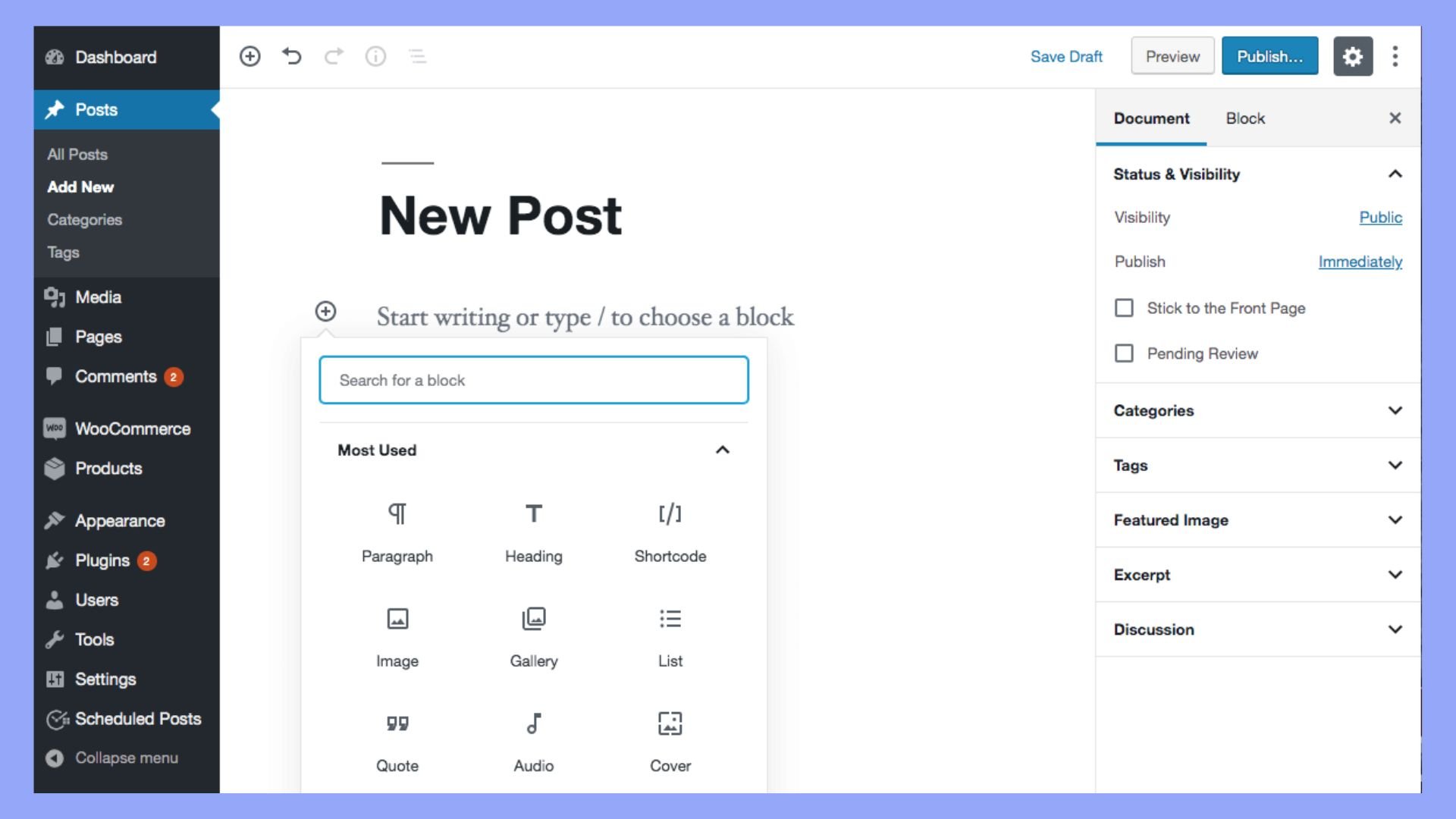
A WordPress Page Builder is a tool that allows you to create and customize website pages without coding. It offers drag-and-drop features, pre-designed templates, and various elements for easy design. This makes it accessible for beginners and enhances efficiency for experienced developers.
How Does A Page Builder Work?
A Page Builder works by providing an intuitive interface with drag-and-drop functionality. Users can select elements like text, images, and widgets to design their website. It eliminates the need for coding, making web design more accessible and faster for everyone.
Are WordPress Page Builders Easy To Use?
Yes, WordPress Page Builders are designed to be user-friendly. They offer intuitive interfaces, drag-and-drop features, and pre-designed templates. This makes it easy for beginners to create and customize web pages without technical expertise.
Do Page Builders Affect Website Speed?
Yes, Page Builders can affect website speed if not optimized properly. They may add extra code, which can slow down the site. However, choosing a lightweight builder and optimizing elements can help maintain speed.
Conclusion
Exploring WordPress page builders simplifies website creation. These tools offer flexibility. Users build sites quickly without coding. Drag-and-drop features make design easy. Choose layouts, customize elements, and see instant results. Ideal for beginners and experts alike. Page builders enhance creativity.
They save time and reduce complexity. Options abound, catering to diverse needs. With WordPress page builders, anyone can design visually appealing sites. Transform ideas into reality. Personalize your online presence effortlessly. Consider your goals, explore features, and enjoy the process.
Creating stunning websites has never been easier. Get started today and watch your website flourish.


