
Picture this: You’re visiting a website, hungry for information or ready to make a purchase, and you’re greeted with a cluttered, confusing menu. Frustrating, right?
This is where a WordPress Mega Menu comes into play. If you’ve ever wondered how some websites manage to have such neat, organized, and visually appealing navigation menus, you’re about to uncover the secret. A WordPress Mega Menu can transform your website’s navigation, making it user-friendly and visually appealing.
But what exactly is it, and how can it benefit your site? By the end of this article, you’ll not only understand what a WordPress Mega Menu is, but you’ll also discover how it can enhance your website’s user experience and potentially boost your conversion rates. Ready to make your website more engaging and accessible? Let’s dive in!

Credit: jetpack.com
WordPress Mega Menu Basics
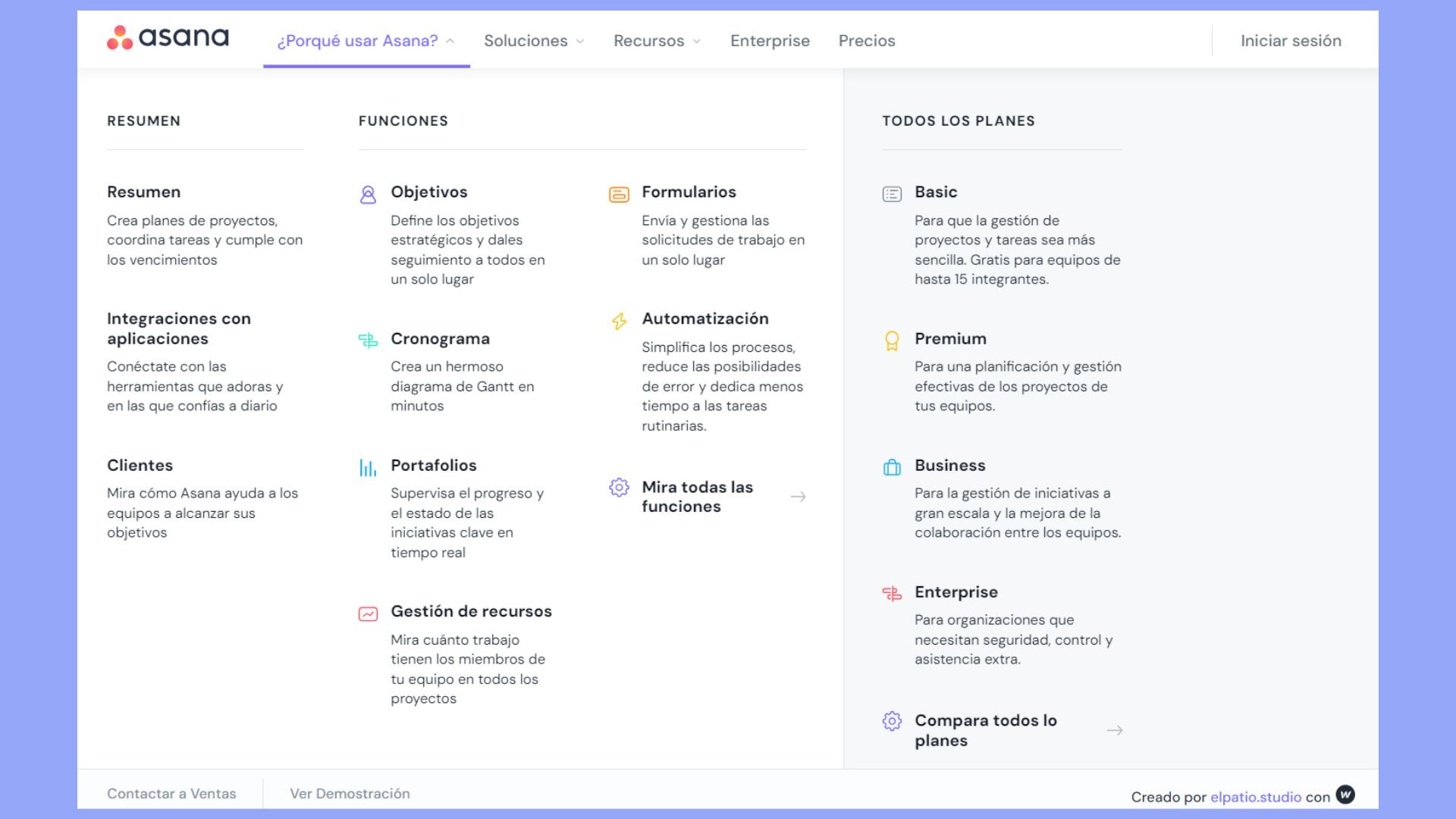
A WordPress Mega Menu is a large menu. It shows many links at once. This menu helps users find things quickly. Websites use it for better navigation. It is useful for sites with lots of pages. It shows links in columns and rows. It can include images and text. It makes the site look good and easy to use. This menu works well for e-commerce sites. Visitors can see products and categories fast. It saves time. It keeps the site organized.
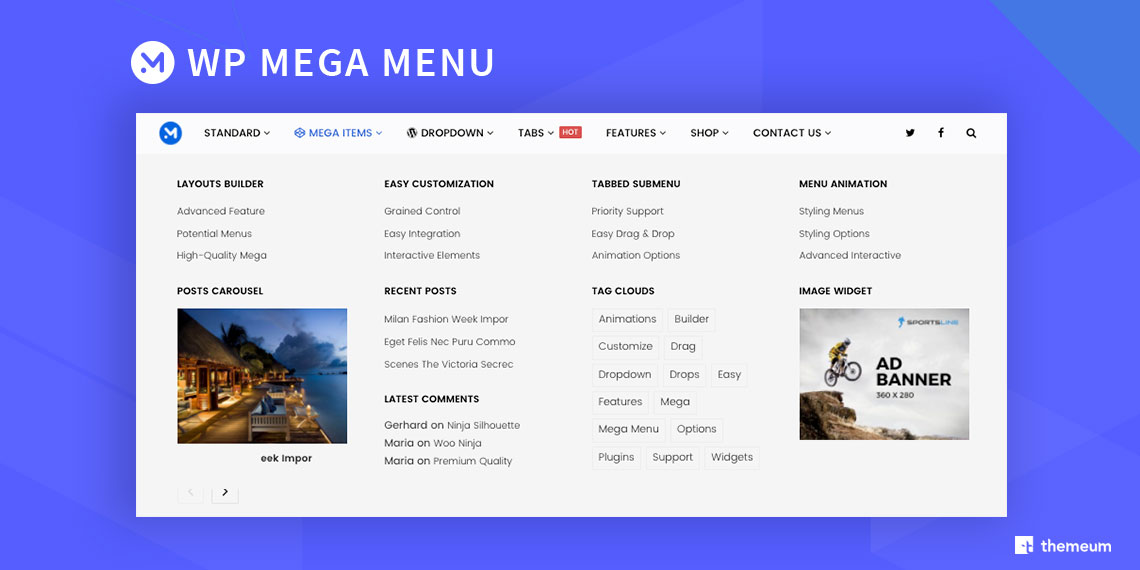
Mega menus have many great features. They support multiple columns. They can show images and icons. This makes them look nice. They are easy to edit and customize. Many themes support mega menus. Some plugins help create them. They work well on mobile devices too. This is important for users. Mega menus improve user experience. They make navigating fun and easy.
Credit: 10web.io
Benefits Of Using Mega Menus
Mega menus help users find things easily. They organize links in a clear way. This makes navigation simple. Users do not get lost. They see all options at once. This saves time.
User experience becomes better with mega menus. People like clear menus. They feel happy using them. No confusion. They find what they need fast. This makes websites more friendly.
Mega menus can keep users on a site longer. They explore more pages. They click on more links. This leads to increased engagement. Users stay interested and spend more time.
Design Elements
Mega menus help organize website links. They use simple layouts. Grid and list are popular. Grids show many links at once. Lists show links in order. Choose what fits best.
Columns in mega menus add structure. They separate different links. This makes them easy to find. Users like clear columns. It helps them see all choices.
Colors make menus look nice. Bright colors catch eyes. Soft colors calm users. Pick colors that match your site. Use colors wisely.
Fonts are part of typography. Choose simple fonts. They should be easy to read. Big fonts help users see better. Keep font size readable.
Creating A Mega Menu
Picking the right plugin is important. Some plugins are free, but some cost money. Free ones are often simple. Paid ones give more features. Look at user reviews. Good reviews mean happy users. Check if the plugin works with your theme. Some plugins don’t match all themes. A good match keeps your site smooth.
Start by installing the plugin. Go to your dashboard. Click “Plugins” and then “Add New”. Search for your chosen plugin. Click “Install Now”. Once installed, click “Activate”. Now, go to the plugin settings. Configure it to your liking. Follow each setting carefully. Test the menu on your site. See if it works well. If any problem, check the settings again.
Customization Tips
Adding icons and images can make your menu look great. Choose pictures that match your website style. Use clear and simple icons. You can add icons next to menu items. This helps visitors find things easily. Place images in the background for a nice effect. Ensure images load fast. Slow images can annoy users. Consider image size and format. PNG is good for icons. JPG works for photos. Keep image file sizes small. This speeds up your site. Don’t use too many images. Too many can confuse visitors.
Incorporating widgets and shortcodes is easy in WordPress. Widgets are small tools for your site. Shortcodes add special features. You can add a search bar widget to your menu. Use shortcodes for cool menu effects. They make menus interactive. Shortcodes let you add buttons. You can also add forms with shortcodes. Make sure widgets fit your menu style. They should match your design. Test your menu after adding widgets. Check everything works smoothly.
Common Challenges
WordPress Mega Menu can be complex, leading to design challenges. Users often struggle with creating responsive layouts. Ensuring intuitive navigation and compatibility across devices can also be tricky.
Responsive Design Issues
Many users find it hard to make mega menus look good on all devices. Mobile screens can cause problems. Mega menus may not fit well. Items can appear jumbled. Touchscreen navigation can be tricky. Users may struggle to click on small links. Adjusting menu size helps. Using media queries can improve design. Testing on real devices is important.
Performance Optimization
Mega menus can slow down websites. Heavy images and scripts may take longer to load. This can upset visitors. Slow sites can lose visitors fast. Optimize images for speed. Use lazy loading for images. Minify CSS and JavaScript files. Test site speed often. Speed matters for user experience. Keep menus simple for better speed.
Best Practices
A clean menu helps users find things fast. Too many options confuse visitors. Limit items to five or six. Use clear words. Choose easy-to-understand labels. Group similar items together. Align text neatly. Avoid images that clutter. Simple is always better. It makes navigation easier.
Menus must work on all devices. Test on phones, tablets, and computers. Ensure links open correctly. Check touch response on mobile screens. Adjust font size for readability. Make sure buttons are easy to tap. Look for any display issues. Fix problems promptly. A smooth menu improves user experience. Users should navigate with ease.
Popular Plugins
WordPress Mega Menu enhances site navigation by creating expansive, user-friendly menus. It allows for organized links and categories. This popular plugin improves user experience, making website browsing easier and more efficient.
Max Mega Menu
Max Mega Menu is a powerful plugin for WordPress. It helps you create big menus. You can show many links at once. This plugin is easy to use. It comes with a drag and drop feature. You can design menus quickly. The plugin offers custom styling options. Change colors and fonts easily. Max Mega Menu supports mobile devices too. Your menu will look good on phones. It also includes icons for menu items. Add icons to make your menu fun. This plugin is free to use. There’s also a premium version. The premium version has more features. Many websites use this plugin for their menus.
Ubermenu
UberMenu is another popular plugin. It’s known for its flexibility. You can create complex menus with ease. It offers a responsive design. Menus look great on all devices. UberMenu supports images and videos. Add media to your menus to make them lively. This plugin includes advanced styling options. You can change the look of your menu. UberMenu is a premium plugin. You need to buy it. Many users love its user-friendly interface. It has many features for customization. Perfect for websites with large menus.
Credit: www.themeum.com
Frequently Asked Questions
What Is A WordPress Mega Menu?
A WordPress Mega Menu is an advanced navigation tool for websites. It displays multiple links and categories in a structured layout. Mega Menus enhance user experience by providing a visually appealing and organized way to access content. They are ideal for websites with extensive content or complex structures.
How Do You Create A Mega Menu In WordPress?
Creating a Mega Menu in WordPress involves using plugins or custom themes. Plugins like Max Mega Menu or WP Mega Menu offer user-friendly interfaces. Configure menu settings, add menu items, and customize styles. Ensure your theme supports mega menus for optimal functionality.
Are WordPress Mega Menus Mobile-friendly?
Yes, WordPress Mega Menus can be mobile-friendly. Many plugins offer responsive designs that adapt to mobile screens. Customize menu settings for a seamless mobile experience. Ensure links and categories are easily accessible and visually appealing on smaller devices.
Why Use A Mega Menu On WordPress?
Mega Menus improve site navigation and user experience. They allow easy access to multiple links and categories. Ideal for content-rich websites, they enhance organization and visibility. Mega Menus can reduce bounce rates by helping visitors find information quickly.
Conclusion
WordPress Mega Menu simplifies website navigation. It offers a clean, organized layout. Visitors find content faster. Easy menu customization suits varied needs. No coding skills are necessary. Users can adjust menus with simple clicks. This enhances user experience efficiently. Ideal for websites with diverse content.
A Mega Menu makes browsing straightforward and enjoyable. It keeps users engaged longer. Perfect for blogs and e-commerce sites alike. Consider implementing it to improve your site’s functionality. Remember, clear navigation is key for user satisfaction. Enjoy a smoother browsing journey with WordPress Mega Menu.


