
Imagine you’re working on your WordPress website, making some exciting updates or essential repairs, and suddenly, your site needs a temporary pause. That’s where WordPress Maintenance Mode comes into play.
It’s like a helpful pause button that ensures your visitors don’t see a broken or incomplete site while you’re working behind the scenes. Have you ever wondered how to keep your site looking professional, even during updates? Or perhaps you’re curious about how to seamlessly guide your audience during these brief downtimes?
By the end of this article, you’ll not only understand what WordPress Maintenance Mode is, but you’ll also discover how it can enhance your site’s professionalism and user experience. Stick around to learn how this handy feature can save you from unexpected website mishaps and keep your audience engaged.
Understanding WordPress Maintenance Mode
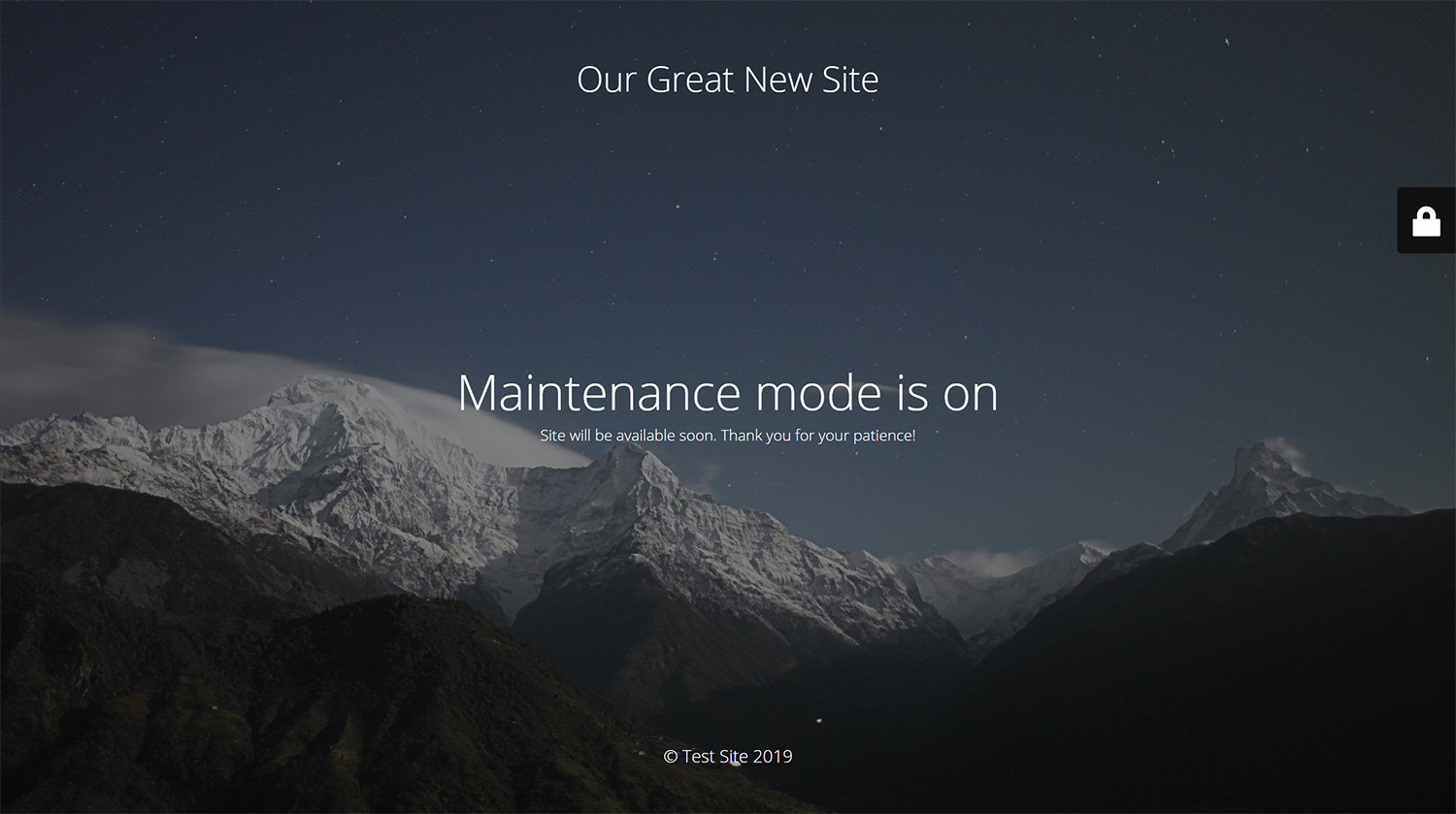
WordPress Maintenance Mode is a special state for websites. It keeps visitors from seeing changes. Updates or fixes happen in this mode. Visitors see a simple “maintenance” message. This tells them the site is busy.
Sites go into this mode during updates. This prevents visitors from seeing unfinished work. It also helps to avoid errors. Site owners control this mode. They decide when to start and end it.
Maintenance Mode is like a closed shop sign. It tells visitors to come back later. This way, websites can update safely. Once changes are done, the mode ends. Visitors then see the new updates.

Credit: blog.hubspot.com
Purpose Of Maintenance Mode
Maintenance mode helps to keep the site safe. It shows a simple message to users. Updates are done without interruptions. This is important for smooth operation.
Sometimes, problems need fixing. Maintenance mode makes this easier. It keeps the site private while solving issues. Users see a message instead of errors.
Security is crucial for websites. Maintenance mode helps improve it. It prevents unwanted access during changes. This keeps data safe and secure.
Activating Maintenance Mode
You can manually activate maintenance mode. Create a simple file. Name it .maintenance. Place it in the root folder of WordPress. Inside, add a line of PHP code. This tells users the site is under maintenance. Manual activation is quick. It requires just a few steps.
Plugins make it easy to activate maintenance mode. Install a plugin from the WordPress store. Activate it and configure settings. Choose messages that visitors see. Some plugins offer countdowns. They show how long maintenance will last. Using plugins can save time.
Create a custom maintenance page. Add your own design and message. Use HTML and CSS for a personalized touch. Tell users why the site is down. Include contact information. This helps users feel informed. A custom page can reflect your brand.
Common Errors During Maintenance
Sometimes, WordPress gets stuck in maintenance mode. This happens during updates. Your site shows a “maintenance” message. This can frustrate visitors. The update process might have stalled.
WordPress may show strange error messages. These messages can confuse users. A common error is the “Briefly unavailable” message. It often appears during updates. The message means the site is in maintenance.
Fixing maintenance mode errors is easy. First, check your website files. Look for a file named “.maintenance“. This file often causes the problem. Delete it to fix the issue. Now, refresh your site. Your site should work again.
Best Practices
Clear communication is important. Tell users about maintenance. Explain the reasons for the downtime. Use simple messages. Email notifications work well. Social media updates help too. Keep messages friendly. Be open and honest.
Pick a low-traffic time. Avoid busy hours. Early mornings are good. Weekends can work. Inform users about the schedule. Give advance notice. Plan ahead. Check if teams are ready. Verify tools are set. Stick to the schedule.
Test all changes before going live. Use a staging site. Check for errors. Look for bugs. Fix issues quickly. Ensure everything works. Test multiple times. Gather feedback. Improve changes based on feedback.

Credit: www.interserver.net
Alternatives To Maintenance Mode
Staging sites are like practice grounds. You test changes there first. If a mistake happens, your real site stays safe. It’s a smart method. Websites stay live while you work. Visitors won’t see errors. You can fix bugs without stress. It’s a helpful tool for many. Learn its features and benefits. It makes updates easier. Your site stays perfect.
Version control helps track changes. Every edit gets recorded. Mistakes are easy to fix. You can go back to a previous version. It’s like a time machine for your site. Developers love this tool. It keeps projects organized. Work with a team smoothly. Everyone can see changes. It helps avoid confusion. Your site remains reliable.
Credit: wordpress.org
Frequently Asked Questions
What Is WordPress Maintenance Mode?
WordPress maintenance mode is a temporary state for updates. It prevents users from accessing your site during changes. This mode ensures that your site is not disrupted while updates are applied. Visitors will see a maintenance message instead of your website content.
How To Enable WordPress Maintenance Mode?
To enable maintenance mode, you can use plugins or add code to your theme’s functions. php file. Plugins offer easy setup and customization options. Adding code manually requires technical knowledge but can be more flexible. Both methods help ensure your site is safe during updates.
Why Use WordPress Maintenance Mode?
Using maintenance mode prevents visitors from seeing incomplete updates. It protects your site from errors during changes. This mode ensures a professional appearance while updates are being applied. It helps maintain a seamless user experience, avoiding any confusion or broken pages.
Can Maintenance Mode Affect Seo?
Maintenance mode can affect SEO if used improperly. Ensure it’s only active during updates and for a short time. Use 503 HTTP status codes to inform search engines your site is temporarily down. Proper use minimizes SEO impact, ensuring your rankings remain stable.
Conclusion
WordPress maintenance mode keeps your site organized during updates. It helps prevent visitor confusion and ensures smooth transitions. This mode is crucial for maintaining your site’s professionalism. Always plan your updates to minimize downtime. Regular maintenance keeps your site secure and efficient.
Remember, a well-maintained site attracts more visitors. Easy navigation and fast loading pages enhance user experience. Keep your site fresh with regular updates. Maintenance mode ensures your site stays operational. This is vital for user trust. Keep your WordPress site in top shape.
Maintenance mode is your ally in achieving this.


