
Have you ever wondered how websites come to life with seamless updates and dynamic content? If you’ve dabbled in website creation or are simply curious, you’ve probably heard of WordPress, a powerful tool that powers millions of websites worldwide.
But what about the WordPress Admin Panel? This is the command center, the heart of your WordPress website where all the magic happens. Here, you can transform your ideas into reality with just a few clicks, manage your content effortlessly, and ensure everything runs smoothly.
Imagine having total control over your website without needing to write a single line of code. Intrigued? Let’s dive deeper into what the WordPress Admin Panel is all about and how it can empower you to manage your online presence like a pro.
WordPress Admin Panel Basics
The WordPress Admin Panel is like a control room. Here, you manage your website. You can add new pages or posts. Change settings easily. It is a place where you can view site stats. You can also install themes and plugins. Themes change how your site looks. Plugins add extra functions. The Admin Panel is easy to use. It helps you keep your site updated.
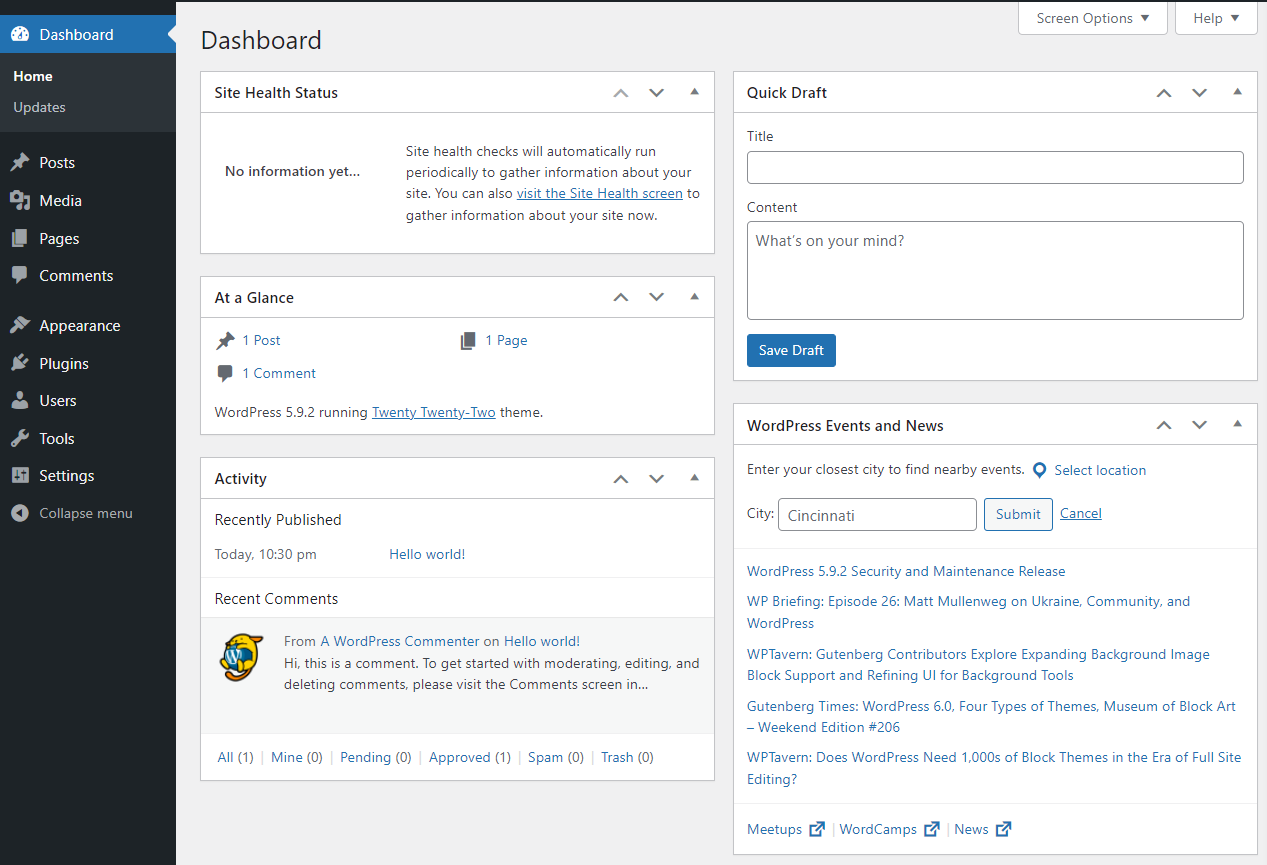
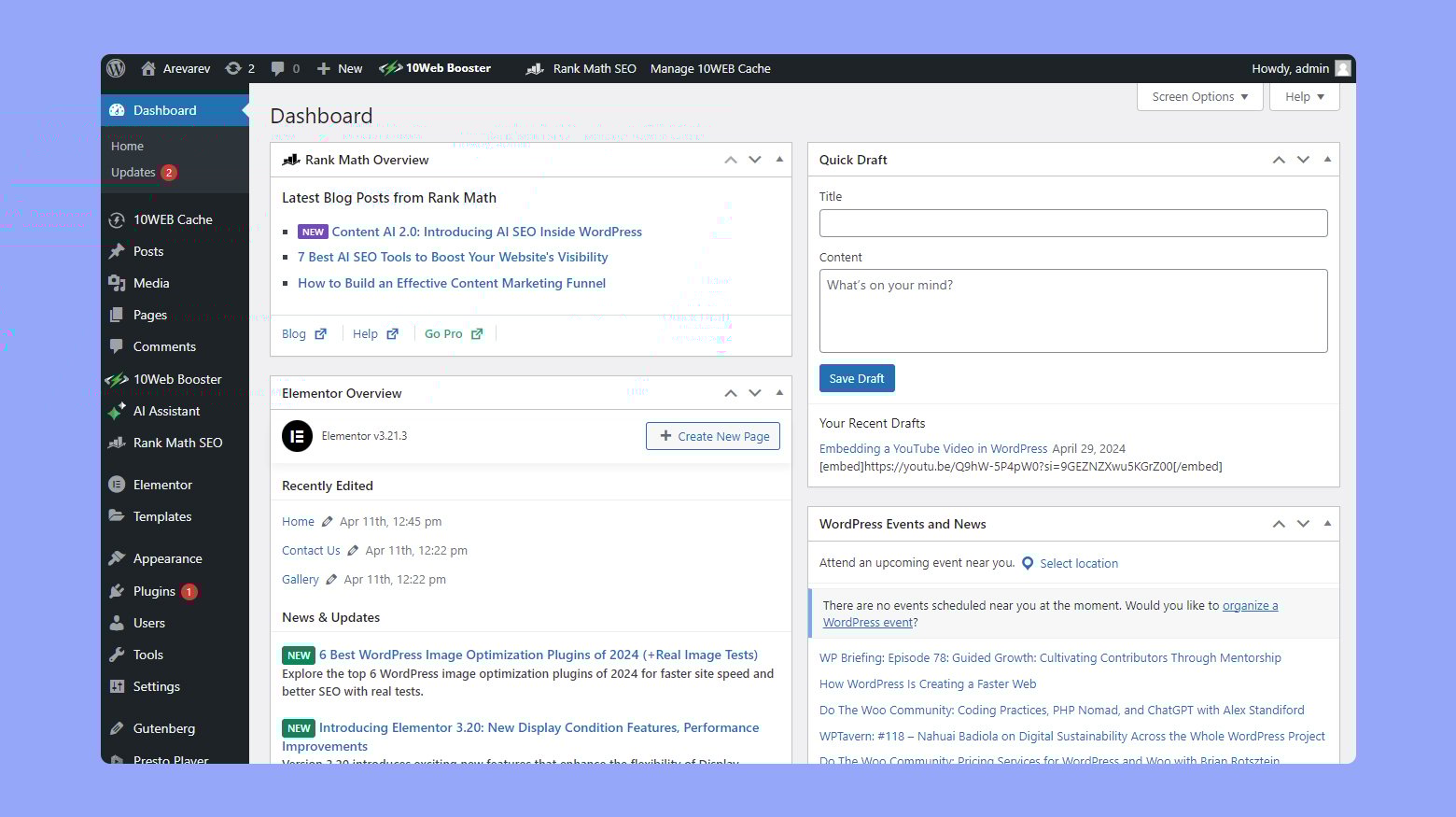
The dashboard is the first screen you see. It shows a quick overview. You get updates and alerts here. You can customize the dashboard too. Add or remove widgets. Make it look how you like. The Admin Panel is safe and secure. Use strong passwords to protect it. Always keep WordPress updated for security.
Credit: jetpack.com
Accessing The Admin Dashboard
Opening the WordPress admin panel is simple. Use your web browser. Type the website URL. Add “/wp-admin” at the end. This takes you to the login page. Enter your username and password. Now, you are in the admin dashboard.
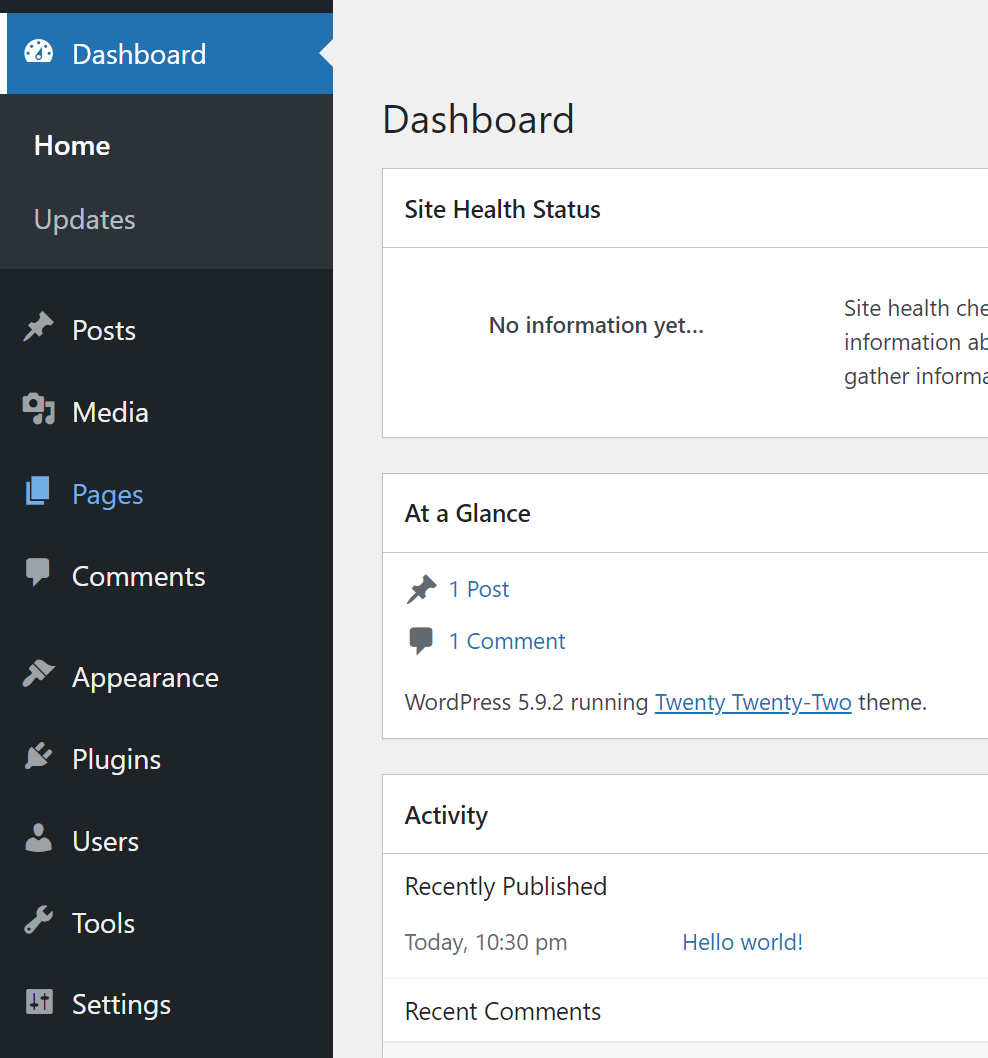
Here, you see many options. Check the sidebar on the left. There are tools for posts, pages, and comments. You can change the appearance. Manage plugins and users. Keep the site safe with settings. Everything is here. Easy to find.
Key Features And Tools
The navigation menu in WordPress is like a map. It shows where to go. You can find posts, pages, and settings. This menu helps you move around easily. Each item in the menu has a purpose. It keeps things simple and organized.
Toolbars give you quick access to important tools. They are like a toolbox. You can click to edit or save work fast. Shortcuts help you do tasks faster. Press keys to get things done. Both save time and effort.
Widgets let you add cool stuff to your site. They are like building blocks. You can add calendars, search bars, and more. Customization lets you change how things look. Pick colors and fonts. Make your site unique and fun.
Managing Content
WordPress Admin Panel helps you create posts and pages easily. Posts are for news and updates. Pages are for static content like About Us. You can edit them with simple tools. Save your work often to avoid loss.
Upload and manage pictures, videos, and files. The Media Library stores all your media. You can add media to posts and pages. Organize your media by adding captions and descriptions. Keep everything neat and easy to find.
Readers can leave comments on your posts. This helps you get feedback. You can approve, edit, or delete comments. Respond to comments to engage with your readers. Keep discussions friendly and respectful.
Customization Options
Themes change the look of your site. You can pick from many designs. Each theme has different styles and colors. Templates give structure to pages. Templates decide where text and pictures go. You can switch themes fast. Find the one that fits your needs. Customization makes your site unique.
Plugins add features to your site. Extensions enhance your site’s functions. They help in adding contact forms or social media links. Choose plugins wisely. Too many can slow your site. Keep your site fast and efficient. Always update plugins to keep them safe.
Advanced users use custom code for more control. Scripts can change site functions. Adding code needs care. Mistakes can cause problems. Test code before using it. Always backup your site first. This keeps your data safe.
User Management
In the WordPress Admin Panel, users have different roles. Each role comes with specific permissions. Roles like Administrator, Editor, and Contributor exist. Administrators can do everything. Editors manage content. Contributors can write but need approval. Setting roles helps keep the site safe.
Adding users is simple. Just enter their email and pick a role. Removing a user is just as easy. You click on their name and select remove. Always check the role before adding a user. It helps keep the site organized.
Each user has a profile. Users can change their name or email. They can also set a new password. Profiles can have pictures. This helps others know who is who. Keeping profiles updated is important.
Security And Updates
WordPress Admin Panel offers easy management of website security and updates. Keep your site safe by regularly updating plugins and themes. Control user access and monitor activity for enhanced protection.
Security Best Practices
Keep your WordPress login safe. Use strong passwords with numbers and symbols. Change passwords often. Avoid using “admin” as your username. Install security plugins. They protect against hackers. Limit login attempts. This stops repeated tries to guess your password.
Regular Updates
Update WordPress often. This keeps your site safe. New updates fix bugs. They make your site work better. Themes and plugins need updates too. Always update them. Old versions can have security holes. Check for updates weekly. It’s important for safety.
Backup And Recovery
Back up your site often. This saves your data. Use plugins to help. Backups protect against data loss. Store backups in a safe place. A cloud storage is a good choice. If things go wrong, you can restore your site. This means your work is never lost.
Credit: jetpack.com
Troubleshooting Common Issues
Users often face login problems with WordPress. Sometimes, the password does not work. This can be due to wrong password entry. Make sure the Caps Lock key is off. Check if your username is correct. Reset your password if needed. Use the “Forgot Password” link. It sends an email to reset it.
Plugins may cause conflicts and errors. Disable all plugins first. Then, activate them one by one. This helps to find the troublemaker. Keep your plugins updated. Old plugins can cause issues. Use only trusted plugins from the WordPress store.
A slow WordPress site is frustrating. Check your hosting service. Sometimes, it is the server’s fault. Use a caching plugin to speed up your site. Optimize images to make them smaller. Large images slow down loading time. Keep your WordPress version updated. This ensures better speed.
Credit: 10web.io
Frequently Asked Questions
How Do I Access The WordPress Admin Panel?
To access the WordPress admin panel, go to your website’s URL followed by “/wp-admin”. Enter your username and password. This will take you to the dashboard, where you can manage your site’s settings, content, and appearance.
What Can I Do In The WordPress Admin Panel?
The WordPress admin panel allows you to create and edit posts, pages, and media. Customize your site’s appearance using themes and plugins. Manage user roles and access settings. It’s the central hub for controlling your website’s functionality and design.
Why Is The WordPress Admin Panel Important?
The WordPress admin panel is crucial for managing your website efficiently. It provides tools for content creation, customization, and user management. It enhances website functionality and ensures a seamless user experience by offering easy access to essential features.
Can I Customize The WordPress Admin Panel?
Yes, you can customize the WordPress admin panel using plugins and themes. Modify its appearance and functionality to suit your needs. Plugins offer additional features, while themes allow for aesthetic changes. Customize to enhance usability and streamline workflows.
Conclusion
The WordPress Admin Panel is an essential tool for website management. It provides a user-friendly interface. You can easily update content and manage settings. Understanding its functions helps streamline your workflow. This tool supports your website’s growth and efficiency. Even non-tech users find it accessible and helpful.
Explore its features to enhance your site management skills. Remember, practice makes perfect. Start with basic tasks and gradually explore more options. Your website will benefit from your knowledge. Keep learning and experimenting. The WordPress Admin Panel is your ally in website success.


