
Imagine trying to access your favorite website only to find that it’s unreachable. Frustrating, right?
That’s where web server hosting comes into play. If you’ve ever wondered what makes a website tick and stay accessible around the clock, you’re about to discover the vital role web server hosting plays in this digital dance. Whether you’re building a blog, launching an online store, or simply curious about how websites operate, understanding web server hosting is crucial.
This article will demystify the concept, showing you how it impacts your online experience and why choosing the right hosting can make or break your website. Get ready to unlock the secrets behind seamless web access and ensure your digital presence never skips a beat.

Credit: www.hostinger.com
Web Server Hosting Basics
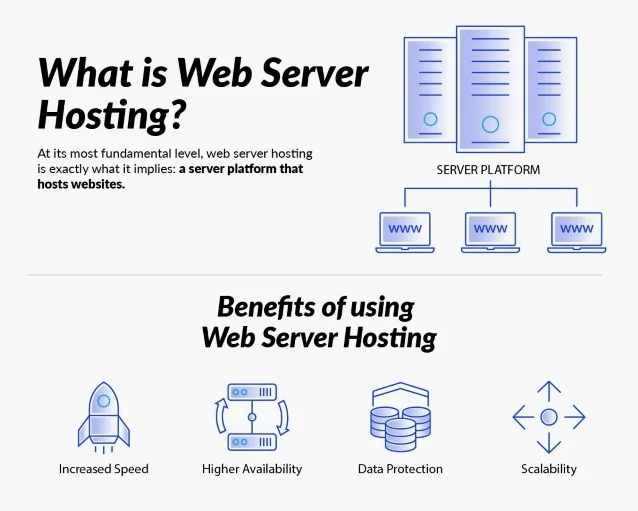
Web hosting means storing websites on the internet. Your website needs a host to be online. A web host keeps your website data on a server. When people visit your site, they see this data. It’s like your site’s home. Without hosting, your site can’t be seen.
Web servers are computers. They store websites and send them to visitors. A server works 24/7. It handles requests from visitors. When someone types your website address, a server sends the page. Servers must be fast and reliable. This ensures a good user experience. Security is also crucial. Servers protect data from hackers.
Types Of Web Hosting
Shared hosting is like sharing a room with friends. Many websites use the same server. This makes it cheaper. But if one website uses too much data, others may slow down. It’s good for small sites with little traffic. Simple, easy, and cost-effective.
Virtual Private Server (VPS) is like having your own apartment in a building. It offers more space and control. You have your own resources. This is better for medium-sized websites. It costs more than shared hosting but offers more power.
Dedicated hosting gives you the whole building. No sharing with others. You have full control and lots of power. It’s best for big websites with high traffic. Though it is expensive, you get the most control and customization.
Cloud hosting is like living in many places at once. Your website uses many servers. This makes it very reliable. If one server fails, another one helps. It’s great for growing websites. You pay for what you use. Flexible and scalable.
Key Features Of Web Hosting
Web server hosting provides a platform for websites to be stored and accessed online. Key features include reliable uptime, secure data protection, and efficient bandwidth management. These elements ensure websites run smoothly and stay accessible to users.
Storage And Bandwidth
Storage is where your website files live. More storage means more files can be saved. Bandwidth is how much data can travel from your site to a visitor. High bandwidth lets more people visit your site at once. Choose wisely based on your needs. Not all hosting plans offer the same storage and bandwidth. Ask questions if you’re unsure.
Uptime And Reliability
Uptime shows how often your site is up and running. Hosts with high uptime are better. Reliability means your site works well, even if many people visit. Check reviews to see if a host is reliable. A down website is bad for business. So, ensure your host promises good uptime.
Security Features
Security keeps your site safe from bad guys. Good hosts have strong security tools. Look for SSL certificates and firewalls. These help protect your site and data. Always update passwords regularly. Ask your host about their security measures. Your site’s safety is very important.
Choosing The Right Web Hosting
Picking the right web hosting needs careful thought. First, think about the type of website you want. Is it a blog or a store? Knowing this helps a lot. Next, consider how much traffic you expect. More visitors need more resources. It’s important to figure out these needs early on.
Your budget is very important. Some web hosting plans cost less. They might have fewer features. Others cost more but offer more tools. Choose a plan that fits your wallet. Also, remember there might be extra costs for special features. Always check what you are paying for.
Scalability means your website can grow easily. A good host lets you add more resources. This is important if your site gets bigger. You don’t want to change hosts often. Make sure your host has options to upgrade. This keeps your site running smoothly, even as it grows.
Web Hosting Providers
Web server hosting provides space on servers to store and manage websites. It ensures websites are accessible online. Different providers offer various hosting services tailored to specific needs and performance requirements.
Popular Hosting Companies
Web hosting companies are important for online websites. They help store website data on servers. Many hosting providers are available. Some of them are very popular.
HostGator is known for its easy use. It offers affordable plans for beginners. Another well-known company is Bluehost. It is recommended for its strong support.
GoDaddy provides domain services and hosting. It is famous for its advertisements. SiteGround is another choice. It is praised for speed and security.
Evaluating Hosting Services
Choosing a host is important. Look at speed and uptime. Check customer reviews. They show real user experience. Look at support options. Good support helps solve problems fast.
Consider pricing and features. Some hosts offer extra features. Others focus on basic needs. Find a balance that suits your website. Compare different hosting plans.

Credit: en.wikipedia.org
Setting Up Web Hosting
A domain is your website’s name. It is like an address. You need to register it first. Use a domain registrar to do this. Choose a name that is easy to remember. Make sure it fits your site. Some registrars are GoDaddy and Namecheap. They offer many options. You pay a yearly fee to keep your domain.
Your domain needs to point to your web host. This is called DNS settings. Your host gives you DNS details. Enter these into your registrar’s site. This connects your domain to your host. Now, your site can be seen online. It may take some hours to work.
CMS stands for Content Management System. It helps you build your website easily. Popular CMS platforms include WordPress and Joomla. Your host often has a one-click install option. This makes the setup quick. A CMS lets you add and edit content. It is user-friendly and easy to learn.
Common Issues In Web Hosting
Downtime means your website is not working. This can happen for many reasons. Server overload is a common cause. Poor maintenance can also lead to downtime. Fixing downtime needs quick action. Check server status first. Look for errors or warnings. Restart the server if needed. Ask for help if you can’t fix it.
Heavy traffic can slow a website. This is called server load. Too many users can make the server crash. Load balancing can help manage this. It spreads traffic evenly. Upgrade server capacity if traffic grows. Keep an eye on server performance. Regular updates can keep things running smoothly.
Security is vital for web hosting. Hackers can attack your site. They can steal data or damage files. Firewalls can block these threats. Use strong passwords to protect accounts. Keep software updated. Monitor activity for any suspicious actions. Regular backups ensure safety. Protect your site like a fortress.
Future Of Web Hosting
Web hosting is changing fast. New technologies are coming. Cloud hosting is very popular. It stores data online. This makes sites faster. It also saves space. AI and machine learning help manage servers. They predict problems. They make hosting smoother. Edge computing is growing. It processes data close to users. This reduces lag time. Sites load quickly. These technologies are shaping the future.
Environment matters. Hosting uses a lot of energy. Green hosting tries to reduce waste. It uses renewable energy. Solar and wind power are common. Energy-efficient servers save power. They do more with less energy. This helps the planet. Green hosting is becoming popular. Many companies are choosing it. It’s a step toward a cleaner world.
Credit: www.atlantic.net
Frequently Asked Questions
What Do You Mean By Hosting A Web Server?
Hosting a web server means providing a computer to store website files and deliver them to users online. This server runs software to serve web pages, ensuring they are accessible via the internet. Reliable hosting enhances website performance, security, and accessibility for users worldwide.
Can I Run My Website Without Hosting?
You cannot run a website without hosting. Hosting provides the necessary server space and resources. It’s essential for storing your website’s files and making it accessible online. Consider reliable hosting services to ensure your site runs smoothly and efficiently.
What Are The 3 Types Of Web Hosting?
The three types of web hosting are shared, VPS, and dedicated hosting. Shared hosting offers affordable pricing for beginners. VPS hosting provides more control and resources. Dedicated hosting offers maximum performance and security for large websites. Choose based on your website’s needs and traffic expectations.
What Is The Difference Between Web Hosting And Web Server?
Web hosting provides storage for websites on the internet. A web server is the physical machine that hosts websites. Hosting services ensure your site is accessible online. Servers process and deliver web content to users. Both are essential for website functionality, but serve distinct roles.
Conclusion
Web server hosting is crucial for a website’s success. It impacts speed, security, and reliability. Choosing the right host can boost your site’s performance. Understand your needs before making a choice. Budget, traffic, and features matter. Compare options to find the best fit.
Quality hosting ensures a seamless user experience. A good host supports your website’s growth. Avoid downtime and technical issues with reliable hosting. Make an informed decision for your online presence. Your website’s foundation depends on the host you choose. Keep these points in mind for a smart choice.


