
Are you curious about how emails travel from your website to your inbox? The secret lies in something called SMTP settings.
If you’ve ever set up a website or managed one, you’ve probably come across the term “web host SMTP settings. ” But what exactly are they, and why do they matter to you? Understanding SMTP settings can be the key to ensuring your emails are sent smoothly and reliably.
Imagine the peace of mind knowing your communication is seamless and efficient. We’ll break down the concept of SMTP settings in simple terms, empowering you to take control of your website’s email functions. Let’s dive into the essential details that could transform the way you manage your online communication.
Smtp Settings Basics
SMTP stands for Simple Mail Transfer Protocol. It helps send emails. SMTP is like a postman for emails. It delivers messages to the right place. Email travels through servers. SMTP makes sure emails reach their destination.
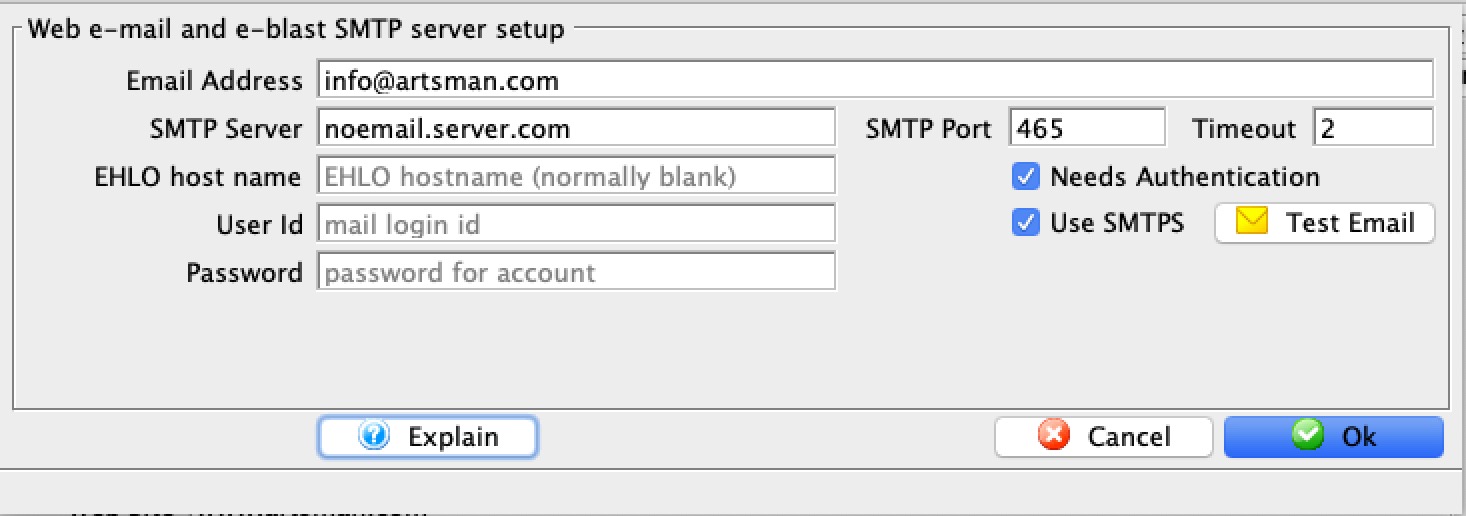
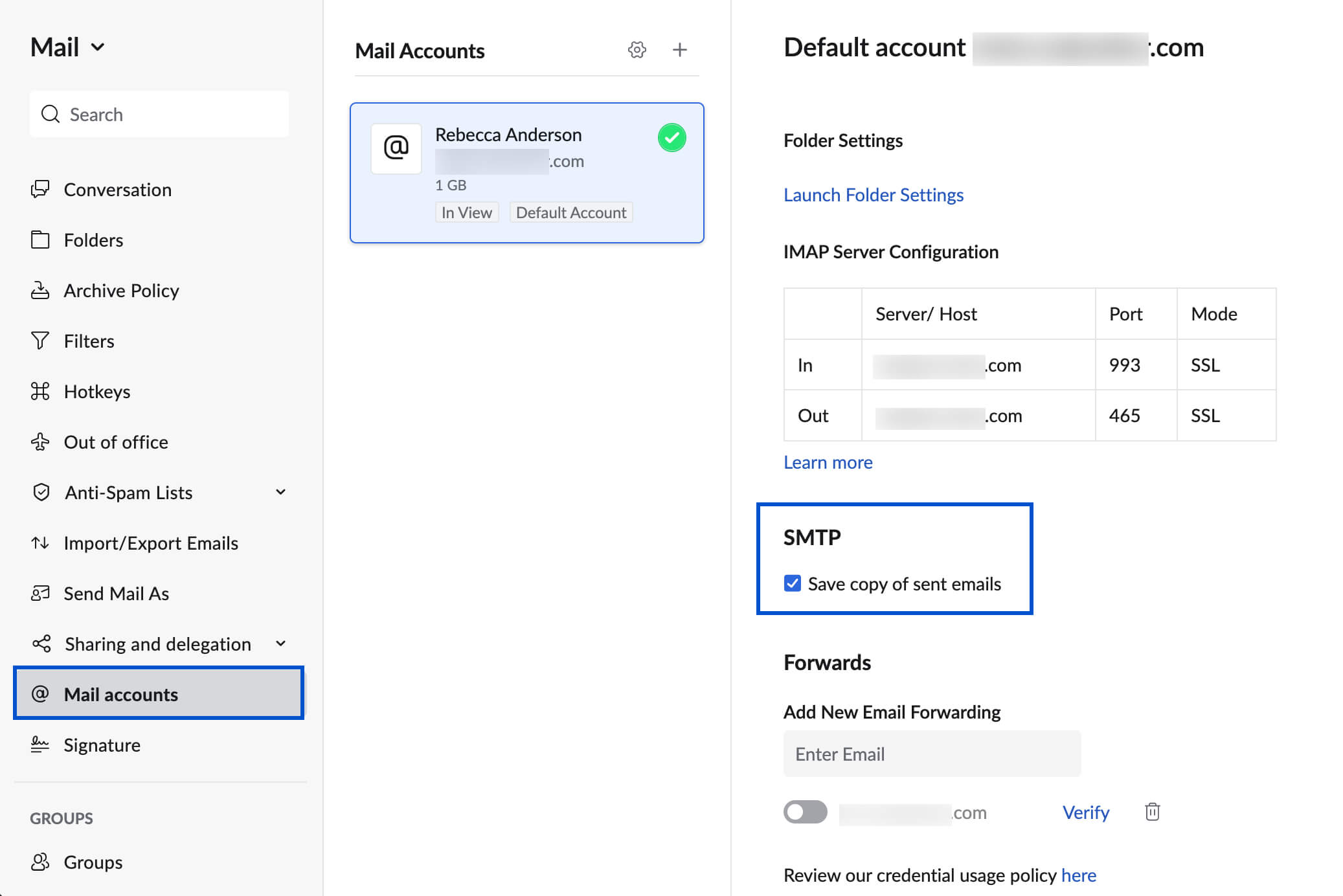
SMTP settings are important. They ensure email delivery. If settings are wrong, emails may fail. SMTP settings include server name, port, username, and password. Correct settings help emails reach inboxes safely. These settings are vital for email communication.
Credit: help.theatremanager.com
Components Of Smtp Settings
The SMTP Server Address is the location where emails get sent. It is like the post office for emails. Each web host has a different server address. You need this to set up email sending. Without it, emails can’t go anywhere.
Port Numbers are like doors for emails. They help emails find their way out. Common port numbers are 25, 465, and 587. Port 25 is for regular emails. Port 465 and 587 are for secure emails.
Authentication Details are like keys. They let you send emails securely. You need a username and password. This stops others from using your email account. Keep these details safe.
Choosing The Right Smtp Settings
Security is key. Check if the provider offers SSL or TLS. This keeps emails safe. Speed matters. Faster servers mean quicker email delivery. Reliability is crucial. Choose a provider with a good uptime record. Support is important. Look for 24/7 assistance. Cost should fit your budget. Some providers offer free plans. Ease of use simplifies setup. Check for user-friendly interfaces. Compatibility is vital. Make sure it works with your email client. Scalability helps as your needs grow. Choose a provider that can handle more emails.
| Provider | Security | Cost | Support |
|---|---|---|---|
| Provider A | SSL/TLS | Free | 24/7 |
| Provider B | SSL | Paid | Business hours |
| Provider C | TLS | Free | 24/7 |
Configuring Smtp Settings
Start by opening your email client. Find the settings or preferences option. Look for the section labeled SMTP. Enter the SMTP server address. This is usually provided by your web host. Enter the port number. Common ports are 25, 465, and 587. Select the encryption type. Options include SSL and TLS. Enter your email address and password. Click save to apply the settings. Test by sending a simple email.
Double-check the SMTP server address and port. Make sure they match your host’s settings. Don’t leave the encryption type field empty. Check if SSL or TLS is correct. Ensure your username is your full email address. Avoid typing errors in your password. Ensure email client is up to date. This helps avoid connection problems.
Troubleshooting Smtp Issues
Emails not sending? Check the SMTP server. It might be down. Incorrect login credentials can also cause issues. Always ensure username and password are correct. Firewall settings might block SMTP. Examine them closely. Port settings can be wrong. Use default ports like 25, 465, or 587. Double-check the SSL/TLS settings. Wrong settings lead to errors. Each detail matters for smooth email flow.
First, verify the SMTP settings. They need to be correct. Use strong passwords. This keeps accounts safe. Update the software regularly. It prevents glitches. Always check server status. If down, wait or contact support. Secure firewall settings. They must allow SMTP. Test email sending regularly. Fix any issues immediately. Backup settings often. This ensures recovery if problems occur.
Benefits Of Correct Smtp Settings
Using the right SMTP settings makes emails reach the inbox. This stops them from going to the spam folder. Emails are important for business. They must be delivered properly. Correct settings help ensure that. This also builds trust with users. People are happy when they get their emails on time.
Security is very important for emails. SMTP settings help protect data. These settings keep bad people away. They stop hackers from reading messages. With these settings, emails are safer. Users feel better when emails are safe. Safety builds trust.
Future Of Smtp In Web Hosting
SMTP is getting smarter. More AI is being used to handle emails. This helps in spam detection. It also improves delivery speed. Security is a big focus. Encryption is becoming a norm. This keeps emails safe from hackers. Cloud-based solutions are gaining popularity. They offer better scalability. People can send more emails without issues.
Email services are changing a lot. Reliability is improving. More emails reach the right inboxes. User experience is smoother now. People get their emails faster. Security measures are stronger. This protects users from scams. Automation is also a key trend. It reduces manual work. Sending emails has never been easier.
Credit: www.zoho.com
Credit: www.socketlabs.com
Frequently Asked Questions
What Should My Smtp Settings Be?
Your SMTP settings typically include the server address, port number, and authentication credentials. Common server addresses are smtp. gmail. com or smtp. mail. yahoo. com. Use port 587 or 465 for SSL/TLS. Ensure you enter your email and password for authentication.
Always check with your email provider for specific settings.
What Is The Smtp Host For Webmail?
The SMTP host for webmail typically varies by provider. Commonly used hosts include smtp. gmail. com for Gmail, smtp. mail. yahoo. com for Yahoo, and smtp. office365. com for Outlook. Check with your email service provider for the exact SMTP host details specific to your webmail account.
How Do I Find My Smtp Settings?
Check your email client or provider’s documentation for SMTP settings. Visit the settings menu in your email application. Search for “SMTP” under server settings. Common settings include server address, port number, and authentication details. Contact your email provider for assistance if needed.
What Is The Icloud Smtp Server Used For?
The iCloud SMTP server is used for sending emails from your iCloud account. It ensures reliable email delivery and supports various email clients. Configure it with iCloud’s SMTP settings to streamline your email communication, enhancing security and efficiency.
Conclusion
Understanding web host SMTP settings is crucial for smooth email communication. These settings ensure your emails are sent and received properly. Choosing the right host affects your email reliability. Always check the SMTP settings provided by your host. They can vary between providers.
Proper setup helps avoid email issues. Keep your credentials secure to protect your email account. Regularly update your settings if your host changes them. This keeps your email system running smoothly. With the right SMTP settings, emailing becomes simple and effective.
Make sure your settings are correct for hassle-free emailing.


