
Have you ever wondered how your favorite websites stay online and easy to find? The answer lies in something called web domain hosting.
If you’re thinking about creating your own website or just curious about how the internet works, understanding web domain hosting is the first step. This simple concept holds the key to making your website visible to millions of people around the world.
Keep reading, and you’ll discover exactly what web domain hosting is, why it matters to you, and how it can help bring your ideas to life online.
Web Domain Basics
Understanding web domain basics is essential for anyone starting a website. Domains are the addresses people use to find your site online. They make it easy to remember your website instead of typing a long string of numbers.
What Is A Domain Name
A domain name is the address of your website on the internet. It usually looks like www.example.com. This name helps users find your website quickly. Without a domain name, visitors would need to enter your site’s IP address, which is hard to remember.
How Domains Work
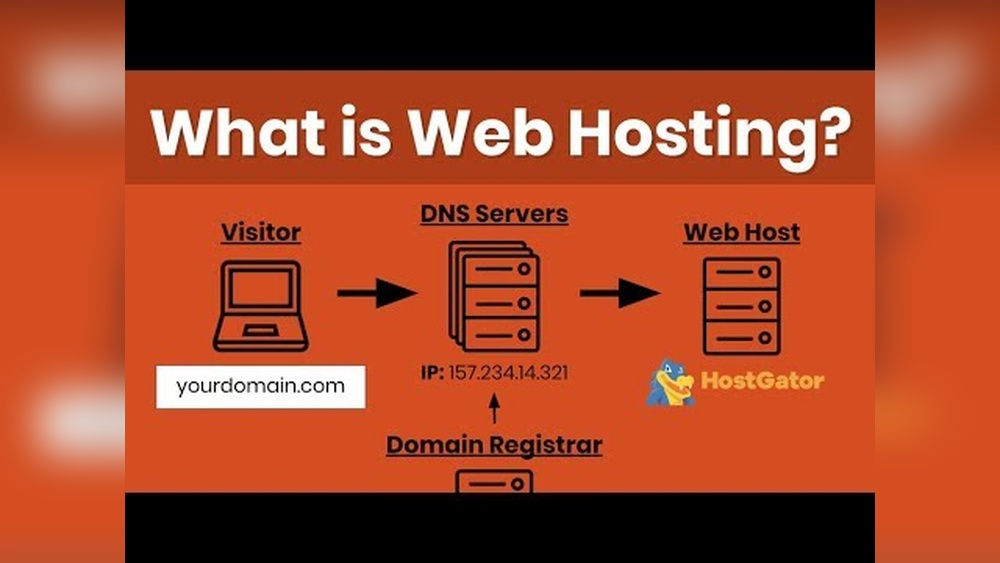
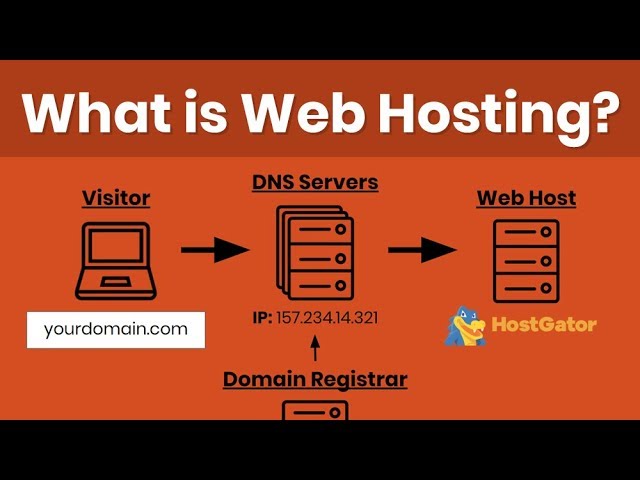
Domains work by connecting your website to the internet. When someone types your domain name, the web browser looks it up. It then finds the server where your site is stored and shows the pages to the visitor. This process happens in seconds and makes browsing easy.
Types Of Domain Extensions
Domain extensions come after the main name and show the type of website. Common extensions include .com, .org, and .net. Some are for specific countries like .uk or .ca. Choosing the right extension helps people understand your site’s purpose or location.

Credit: dorik.com
Domain Hosting Explained
Domain hosting is a key part of having a website online. It connects your website name to a place where your website files live. Without domain hosting, people cannot find your site on the internet.
This service makes sure your website is visible and loads fast. It also keeps your website safe and running smoothly. Understanding domain hosting helps you choose the right plan for your needs.
Role Of Web Hosting
Web hosting provides space on a server for your website files. These servers are powerful computers that store website data. When someone visits your website, the server sends the files to their browser.
This process happens quickly to give a smooth user experience. Web hosting also manages traffic, security, and backups. It keeps your website available 24/7 to visitors worldwide.
Difference Between Domain And Hosting
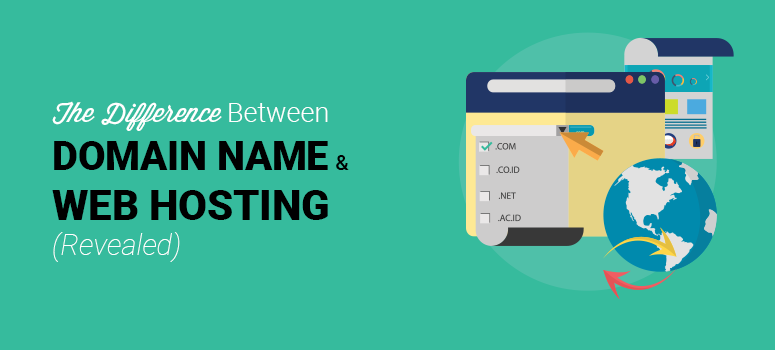
A domain is the web address people type to visit your site. Hosting is the service that stores your website content. Think of a domain as your home address.
Hosting is the actual house where you live. You need both to have a website online. Without a domain, visitors cannot find your site easily. Without hosting, your website cannot function.
Types Of Hosting Services
Shared hosting means many websites share one server. It is affordable and easy for beginners. VPS hosting gives you more control with a virtual server.
Dedicated hosting means having a whole server for your site. It is best for large websites with high traffic. Cloud hosting uses many servers to keep your site online.
Each type fits different needs and budgets. Choosing the right one ensures your website works well.
Choosing The Right Hosting
Choosing the right web hosting is key to your website’s success. It affects speed, security, and how well your site works. A good host keeps your site online and loads pages fast. Picking the best hosting depends on your needs and budget.
Shared Vs Dedicated Hosting
Shared hosting means many websites share one server. It costs less and suits small sites. But your site speed can slow if others use too much space.
Dedicated hosting gives you a whole server. It costs more but offers better speed and control. This is good for big sites or those with many visitors.
Cloud Hosting Benefits
Cloud hosting uses many servers linked together. It adjusts resources based on your site’s needs. This means your site stays fast during traffic spikes.
It also offers strong backup and easy scaling. Cloud hosting works well for growing websites or online stores.
Factors To Consider
Think about your website size and traffic. Small blogs need less power than big businesses. Check the host’s uptime guarantee to avoid downtime.
Look for good customer support. Quick help matters when your site has issues. Also, consider security features to protect your data.
Credit: www.isitwp.com
Setting Up Your Domain And Hosting
Setting up your domain and hosting is the first step in creating a website. These two elements work together to make your site visible on the internet. You need to choose and register a domain name. Then pick a hosting provider to store your website files. Finally, link your domain to your hosting account. This process is simple and essential.
Registering A Domain Name
A domain name is your website’s address on the internet. It tells visitors where to find you. Choose a name that is short, easy to remember, and related to your content. Use a domain registrar to check if your chosen name is available. Once you find a good name, register it by paying a yearly fee. Keep your contact details updated with the registrar to avoid losing your domain.
Selecting A Hosting Provider
A hosting provider stores your website files on a server. This makes your website accessible 24/7. Compare hosting providers based on speed, security, and customer support. Look for plans that fit your budget and website needs. Shared hosting is affordable for small sites. Larger sites may need dedicated or cloud hosting. Choose a provider with good uptime and fast load times.
Linking Domain To Hosting
After registering your domain and buying hosting, link the two. This connection allows visitors to reach your site using your domain name. Update your domain’s nameservers with the hosting provider’s details. Nameservers direct traffic from your domain to your hosting server. This step may take a few hours to complete. Once linked, your website will be live and ready to use.
Managing Your Hosting Account
Managing your hosting account is key to keeping your website online and running well. It involves many tasks, like setting up your site, securing it, and managing emails. A well-managed hosting account helps your website load faster and stay safe from threats.
Using Control Panels
Control panels make managing your hosting account easier. They offer a simple dashboard to handle files, databases, and domains. Popular control panels include cPanel and Plesk. These tools let you install apps, check website stats, and create backups without technical skills.
Installing Cms Platforms
CMS platforms like WordPress or Joomla help build websites quickly. Hosting accounts often offer one-click installers for these platforms. This means you can start your website in minutes. CMS tools help you add pages, images, and blogs with simple steps.
Handling Email And Security
Many hosting accounts provide email services linked to your domain. You can create custom email addresses like info@yourdomain.com. Security features like SSL certificates keep your site safe. They encrypt data and build trust with visitors. Managing these settings protects your site from hackers and spam.
Common Issues And Solutions
Web domain hosting can face several common problems that affect website performance. Knowing these issues helps maintain a smooth and reliable site. Simple solutions often fix most hosting problems quickly.
Troubleshooting Downtime
Downtime means your website is not accessible. It can happen due to server overload or maintenance. Check your hosting provider’s status page for updates. Restart your server or contact support if downtime continues. Use uptime monitoring tools to track website availability daily.
Managing Dns Problems
DNS problems stop your domain from connecting to your website. Incorrect DNS settings are a common cause. Verify your DNS records match the hosting provider’s instructions. Clear your DNS cache to fix outdated information. Use DNS testing tools to find and fix errors fast.
Improving Site Speed
Slow websites lose visitors quickly. Large images and too many plugins can slow your site. Optimize images by reducing their size without losing quality. Limit the number of plugins and remove unused ones. Use caching tools to load pages faster. Choose a hosting plan with enough resources for your site.
Future Of Web Hosting
The future of web hosting is changing fast. New technologies bring better speed and reliability. Hosting providers focus on making websites run smoother and safer. Many new tools and services are shaping how websites are hosted. These changes help businesses and individuals reach users more effectively.
Trends In Hosting Technology
Web hosting is moving toward faster and more efficient servers. Companies use solid-state drives (SSDs) for quicker data access. Edge computing places data closer to users to reduce delays. Automation helps manage servers with less human effort. This means websites stay online and load quickly.
Impact Of Cloud Services
Cloud hosting is becoming more popular than traditional hosting. It offers flexible resources that can grow with a website’s needs. Users pay only for what they use, saving money. Cloud services support backup and recovery, protecting data better. This flexibility helps websites handle sudden traffic spikes easily.
Security Innovations
Security is a top priority in web hosting. New tools detect threats faster and block attacks automatically. Hosting providers use encryption to protect data in transit and at rest. Multi-factor authentication adds extra layers of protection. These innovations keep websites and user information safe from hackers.
Credit: www.youtube.com
Frequently Asked Questions
What Is Web Domain Hosting?
Web domain hosting is a service that stores your website files on a server. It makes your site accessible online. Without hosting, your website cannot be viewed on the internet.
How Does Domain Hosting Work?
Domain hosting connects your domain name to a server. The server stores your website’s files and delivers them when users visit your site. This process ensures your website loads properly online.
Why Is Domain Hosting Important For Websites?
Domain hosting is essential because it makes websites accessible on the internet. It provides storage, security, and bandwidth for your site. Without it, your website cannot function or reach visitors.
What Types Of Web Domain Hosting Exist?
There are various hosting types: shared, VPS, dedicated, and cloud hosting. Each offers different performance, cost, and control levels. Choose based on your website’s size and traffic needs.
Conclusion
Web domain hosting connects your website to the internet. It stores your website files safely. Without hosting, your site cannot be seen online. Choosing the right hosting helps your site run smoothly. It also affects how fast your pages load.
Affordable plans fit different website needs. Understanding hosting basics makes building websites easier. Start with simple hosting and grow as needed. Web domain hosting is key to online presence. Keep learning to make the best choice for your site.


