

Are you thinking about moving your website to a new host but don’t know where to start? Understanding the transfer of a domain to a new host is key to making the process smooth and hassle-free.
This step can feel confusing, but once you know what’s involved, you’ll gain control over your website’s future. You’ll discover exactly what a domain transfer means, why it matters, and how to do it without losing your online presence. Keep reading to take charge of your website’s next move with confidence.

Credit: www.youtube.com
Domain Transfer Basics
Domain transfer basics help you understand the process of moving a domain name. This move happens when you switch your domain from one host to another. Knowing these basics makes the transfer smooth and avoids errors. It also saves time and keeps your website online during the transfer.
What Is Domain Transfer
A domain transfer means moving your domain registration from one company to another. The domain name stays the same, but the manager changes. This process involves unlocking the domain and getting an authorization code. The new host uses this code to complete the transfer. The transfer usually takes a few days.
Reasons For Transferring Domains
People transfer domains for many reasons. Sometimes they want better prices or services. Other times, they need better customer support. Some transfer domains to keep all website services in one place. Also, a new host may offer faster servers or more features. Security and control improvements can also be reasons.
Common Transfer Scenarios
Common transfer cases include switching web hosts or consolidating domains. Businesses may move domains to a new host after growth. Personal websites may transfer domains to get better deals. Another case is moving from a free host to a paid one. Sometimes, domain owners transfer domains after buying them from others.
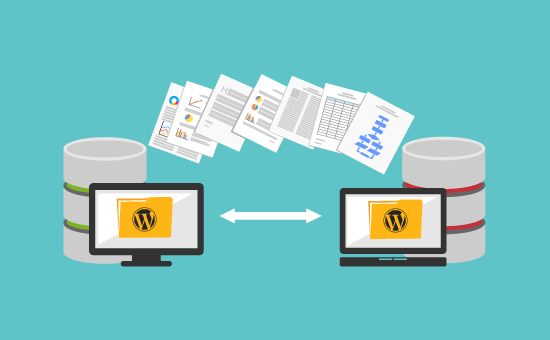
Credit: www.wpbeginner.com
Preparing For Domain Transfer
Preparing for a domain transfer is a crucial step before moving your website to a new host. It ensures the process goes smoothly without any interruptions. Taking the right steps helps protect your website and keeps your domain secure. Follow these key actions to get ready for your domain transfer.
Checking Domain Eligibility
First, check if your domain is eligible for transfer. Domains usually cannot be moved within 60 days of registration or a previous transfer. Verify your domain’s status with your current registrar. Ensure it is active and not expired. Also, confirm there are no holds or locks that block transfers.
Unlocking Your Domain
Next, unlock your domain to allow the transfer. Most domains are locked by default for security. Log in to your domain control panel and find the lock settings. Disable the lock to make the domain transferable. Keep this unlocked only until the transfer is complete to avoid risks.
Obtaining The Authorization Code
The authorization code is a key needed to move your domain. Request this code from your current registrar. It is also called an EPP code or transfer key. You will need to provide this code to your new host. Keep the code private and ready before starting the transfer process.
Choosing A New Host
Choosing a new host is a key step when transferring your domain. The right host affects your website’s speed, security, and reliability. It also impacts your site’s growth and user experience. Take time to pick a host that matches your needs and budget.
Factors To Consider
Check the host’s uptime and speed performance. Look for strong security features like SSL and backups. Customer support should be quick and helpful. Consider the type of hosting: shared, VPS, or dedicated. Think about your site’s size and expected traffic. Price and renewal fees are important too.
Popular Hosting Providers
Many hosts serve millions of websites worldwide. Some top names include Bluehost, SiteGround, and HostGator. Each provider offers unique features and support levels. Choose a host with good reviews and a solid reputation. Test their support before deciding.
Comparing Hosting Plans
Look closely at what each plan offers. Check storage space, bandwidth limits, and email accounts. Some plans include free domain transfers or SSL certificates. Compare renewal prices to avoid surprises later. Find a plan that fits your current needs but can grow with you.
Initiating The Transfer Process
Starting a domain transfer to a new host can seem tricky. The process has clear steps to follow. Each step ensures your domain moves safely and smoothly. Understanding these steps helps avoid common issues.
The first phase is called “Initiating the Transfer Process.” This involves actions from both you and your new hosting provider. Below, learn about the key steps to begin your domain transfer.
Starting The Transfer With New Host
Contact your new host to start the transfer. They often have a transfer section in their control panel. Enter your domain name there to begin. The host will check if the domain is eligible for transfer. If yes, they guide you through the next steps.
Submitting Authorization Code
The authorization code is a secret key for domain transfers. You get this code from your current domain registrar. Enter this code in your new host’s transfer form. This step confirms you own the domain. Without this code, the transfer cannot proceed.
Verifying Contact Information
Correct contact details are vital for transfer approval. Your email linked to the domain will receive confirmation requests. Check that your email and phone number are up-to-date. Respond quickly to any verification emails. This helps speed up the transfer process.
Transfer Timeline And Status
Understanding the transfer timeline and status helps you stay informed during the domain move. Domain transfer does not happen instantly. It involves several steps and coordination between old and new hosts. Knowing what to expect makes the process smoother and less stressful.
Typical Transfer Duration
Domain transfers usually take about 5 to 7 days. This period depends on the domain type and the hosts involved. Some transfers finish faster, especially with quick approval from the current registrar. Others might take longer if extra verification is needed.
Monitoring Transfer Progress
Keep an eye on your transfer status through your new host’s control panel. Most hosts provide updates about each stage of the process. You may also receive emails with important instructions or confirmation requests. Staying alert helps avoid delays.
Handling Transfer Delays
Delays can happen due to locked domains or missing authorization codes. Contact your current registrar to unlock the domain if needed. Double-check that you have the correct transfer code. Respond quickly to any emails from your new host. These steps help speed up the transfer.

Credit: www.milesweb.com
Post-transfer Steps
After transferring your domain to a new host, certain steps ensure your website runs smoothly. These actions help avoid downtime and keep your site accessible. Proper care during this phase protects your online presence.
Updating Dns Settings
DNS settings control where your domain points on the internet. Update these to match your new host’s servers. This step directs visitors to the new location of your website. It may take some time for changes to spread worldwide.
Testing Website Functionality
Check your website on the new host carefully. Test all pages, links, and forms to confirm they work well. Look for missing images or slow loading times. Fix problems quickly to keep visitors happy.
Renewing Domain Registration
Your domain registration keeps your website online. Renew it before expiration to avoid losing control. Use your new host’s tools or the domain registrar’s site. Keep track of renewal dates for future security.
Common Issues And Solutions
Transferring a domain to a new host can sometimes face obstacles. Knowing common issues helps solve them fast. This section explains usual problems and how to fix them. Simple steps can make the transfer smooth and stress-free.
Transfer Rejection Reasons
Transfers may be rejected for several reasons. The domain might be locked or not eligible for transfer. Some domains have a 60-day lock after registration or recent transfer. Incorrect contact details can also cause rejection. Check domain status and update info to avoid delays.
Resolving Authorization Problems
The transfer needs an authorization code from the current registrar. If you don’t get the code, ask your host to resend it. Sometimes, the code is wrong or expired. Request a new one and enter it carefully. Make sure your email is correct to receive the code quickly.
What To Do If Transfer Fails
If the transfer fails, don’t panic. Review all details and try again after some time. Contact both your old and new hosts for help. Sometimes, waiting 24-48 hours can solve the problem. Keep backups of your website to avoid data loss during transfer.
Costs And Renewal Policies
Transferring a domain to a new host involves certain costs and renewal rules. Understanding these helps avoid surprises. Clear knowledge of fees and renewal policies makes the process smooth.
Transfer Fees Explained
Most domain transfers require a fee. This fee covers the administrative cost of moving your domain. It usually includes a one-year renewal of your domain registration. Fees differ by domain extension and registrar. Always check the exact cost before starting the transfer.
Renewal Requirements
Domain transfers often add one year to your current registration. Your domain must be active and not expired to transfer. Some registrars require your domain to be registered for at least 60 days before transfer. After transfer, renew your domain on time to keep ownership. Missing renewals can cause domain loss or downtime.
Avoiding Unexpected Charges
Read all terms about transfer and renewal fees. Some hosts charge extra for privacy protection or domain locking. Watch for hidden fees during or after transfer. Confirm costs directly with the new host before moving your domain. Staying informed prevents extra charges and keeps your domain safe.
Security Considerations
Security is very important when transferring a domain to a new host. This process involves moving your website’s address, which is valuable. Protecting your domain from theft or loss is crucial. Careful steps help keep control safe and avoid problems.
Protecting Domain Ownership
Keep your domain account information private. Use strong passwords and change them often. Check your contact details in the domain settings. Make sure your email and phone are correct. This helps you receive alerts about your domain quickly.
Preventing Unauthorized Transfers
Use transfer locks on your domain to block unwanted moves. These locks stop anyone from moving your domain without permission. Always confirm transfer requests through official channels. Never share your authorization code with unknown people.
Using Domain Privacy Features
Domain privacy hides your personal details from public view. It protects your name, email, and address from spammers and hackers. Many hosts offer privacy services for free or a small fee. Activating privacy keeps your information safe during transfers.
Frequently Asked Questions
What Is Domain Transfer To A New Host?
Domain transfer to a new host means moving your website’s domain registration from one provider to another. This allows you to manage your domain and hosting services under a new company, improving control, support, or pricing.
How Long Does Domain Transfer Take?
Domain transfer usually takes 5 to 7 days to complete. The exact time depends on the domain registrar’s policies and the domain extension.
Do I Need To Unlock My Domain Before Transfer?
Yes, unlocking your domain is necessary. It allows the new host to initiate the transfer process smoothly and prevents transfer rejection.
Will My Website Go Down During Domain Transfer?
No, your website remains live during the domain transfer. Only the domain registration changes; your hosting and content stay unaffected.
Conclusion
Transferring a domain to a new host is a simple process. It helps keep your website running smoothly. Always check the rules of your current and new host. Prepare your domain by unlocking it and getting the authorization code. Start the transfer early to avoid downtime.
Keep your contact details updated to receive important emails. The transfer usually takes a few days. After moving, test your website to confirm everything works well. Changing hosts can improve your site’s speed and security. Take your time and follow each step carefully.


