
Have you ever wondered what powers your WordPress site behind the scenes? You might be familiar with the user-friendly front end, but there’s a whole world of functionality humming along in the backend that makes everything possible.
Understanding the backend of WordPress is crucial for anyone looking to take control of their website, whether you’re a seasoned developer or just starting out. Imagine having the ability to customize your site to your heart’s content, optimize its performance, and ensure its security.
The backend is where these possibilities come to life. It’s the engine that keeps your site running smoothly and efficiently. By getting to know this powerful part of WordPress, you can unlock potential you never knew your site had. Dive into this article, and you’ll discover how the backend works, why it’s important, and how you can leverage it to create a website that truly stands out. Get ready to transform your WordPress experience by exploring the hidden gem that is its backend.
Credit: www.greengeeks.com
WordPress Backend Essentials
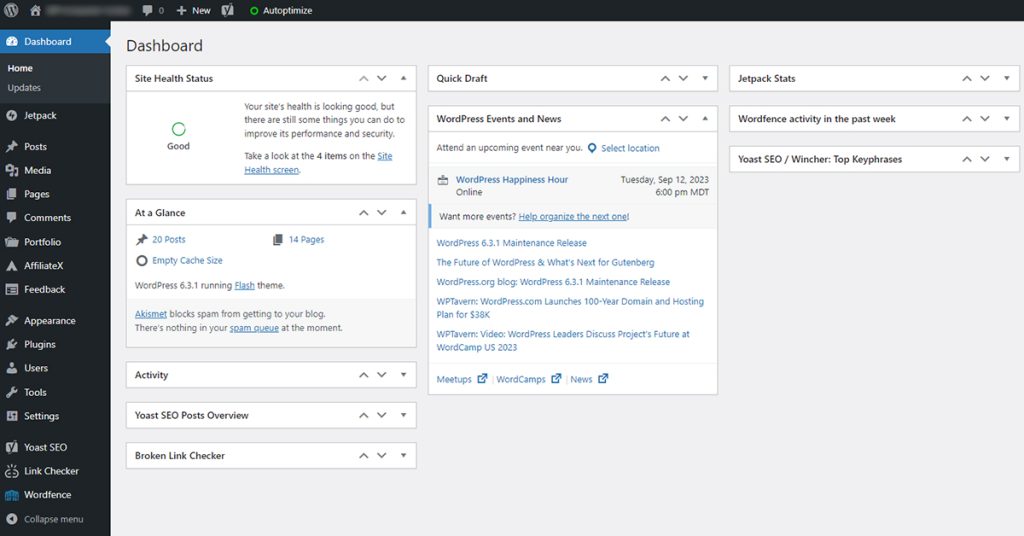
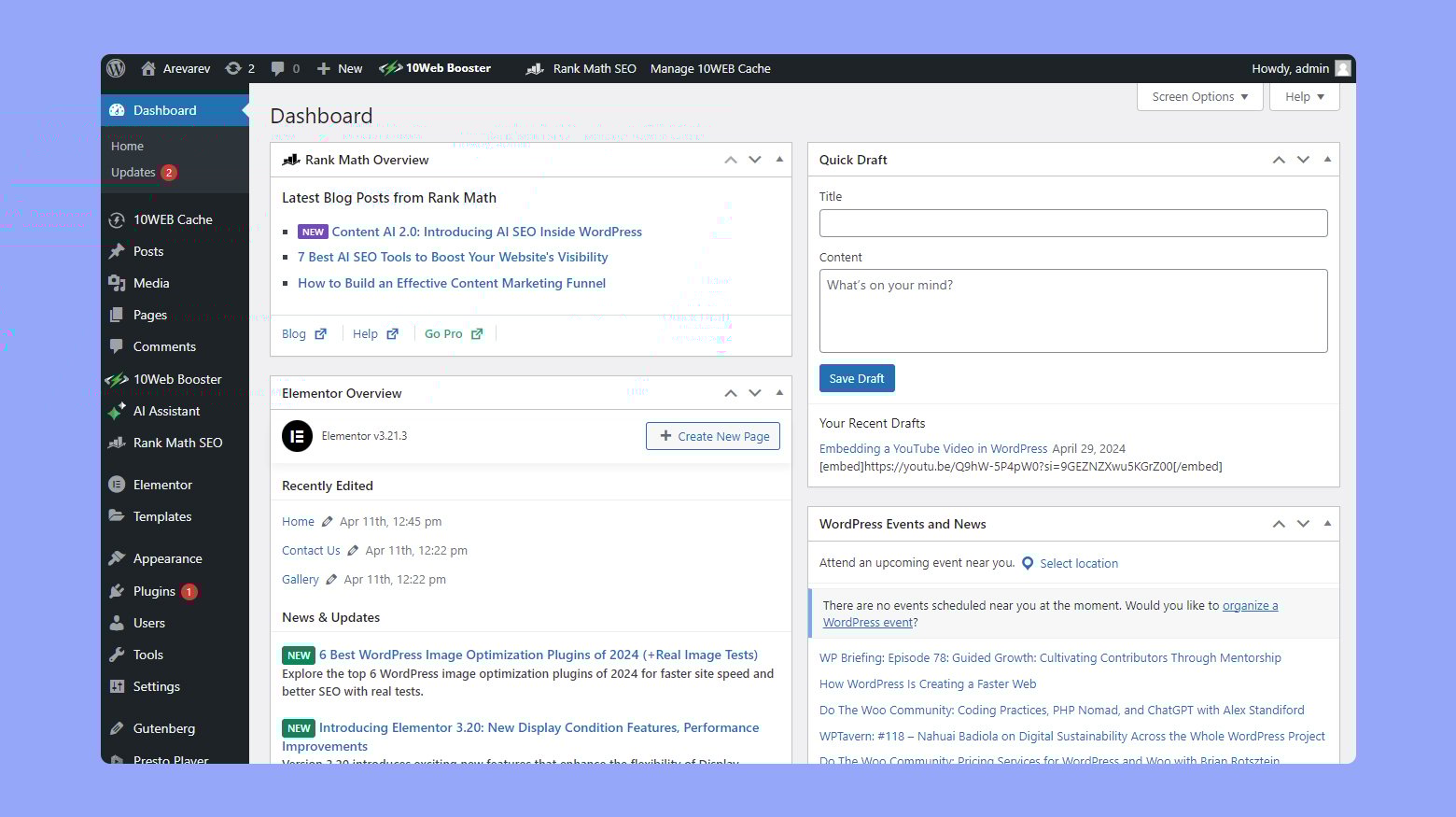
The WordPress backend is the control room of your site. It’s where you make changes and add content. This area is called the dashboard. Here, you can see all your site’s parts. You can add new posts, change themes, and manage users. The backend is only for people who have access. Not everyone can see it.
Plugins are tools that add more functions. You can install them from the backend. They help make your site better. Themes change how your site looks. You can also manage them here. The backend is safe, but you should always keep it updated. This helps protect your site from problems.
Remember, the backend is for making your site work well. It’s where all the magic happens. Keep learning about it to use WordPress better.
Core Files And Directories
The wp-admin directory is very important. It is where you can manage your site. Here, you log in to make changes. It includes tools for site updates. You can add new posts and pages here. This directory controls your site’s back-end.
The wp-includes directory holds many files. These files make WordPress run smoothly. It includes functions and features. It has scripts and stylesheets. These files are not for users to change. They are important for WordPress operations.
The wp-content directory is where your content lives. It stores themes and plugins. You can add your own images and media here. This is the part you customize. It changes how your site looks and feels.
Database Structure
WordPress uses a database to store all information. This includes posts, pages, and user data. The most common type of database is MySQL. It organizes data into tables. Each table has its own role. For example, one table holds user details. Another table keeps post data. These tables work together to keep your site running smoothly.
WordPress uses efficient methods to store data. Each piece of data has its own spot. This helps in quick access. It uses indexes to find data fast. Data is stored in rows and columns. Rows are like lines in a notebook. Columns are like headings in a book. This structure helps in managing data well. It makes the site fast and responsive.
The Role Of Php
PHP is a scripting language used in WordPress. It helps create dynamic websites. PHP code runs on the server. It sends results to the visitor’s browser. This makes WordPress interactive and fun to use.
PHP handles many tasks. It manages data in the database. It processes forms and user inputs. It can also send emails and generate content.
PHP makes content dynamic. This means content can change. It updates based on user actions or time. For example, when someone logs in, their name can show on the screen.
PHP can show different pages to different users. It gives each visitor a unique experience. This makes websites feel personal and special.
Understanding The Loop
The Loop is a key part of WordPress. It helps in retrieving and displaying content. It checks for posts in the database. If posts exist, it displays them.
Each post is shown one by one. It uses a set pattern. This pattern includes the title, content, and date.
The Loop uses tags to format posts. Tags like for titles. for paragraphs. This keeps the design neat.
WordPress themes use the Loop. They provide styles and layouts. This makes posts look appealing. Easy to read. The Loop is flexible. It works with many themes.
Template Hierarchy
WordPress uses a template hierarchy to decide which files to use. This hierarchy helps in displaying the right content. It starts with the most specific template. Then it moves to the general one. For example, a post can have a specific template. If not, WordPress uses a general post template. This hierarchy includes theme files like header.php and footer.php. Each file has a special role. These files create the overall look of the site. They also manage how content appears on the screen.
Theme Files And Structure
WordPress themes have a unique file structure. These theme files have different roles. Some files create the layout. Others handle content. Common files include index.php and style.css. The index.php file is crucial. It’s the main template for pages. The style.css file controls the look of the site. This file structure makes themes flexible. Users can change the look and feel with ease.
Custom Templates
Custom templates let users design unique pages. These templates are special files. They override default templates. Users can add a custom page template for special pages. Custom templates make sites look different. They provide more control over content display. For example, a user can create a template for a landing page. This template will have its own design. Custom templates are useful for unique site needs.
Hook System
In WordPress, the hook system is very important. It helps developers make changes. Actions let you add custom code. They run at specific times. Filters let you change data before it shows up. These tools are simple yet powerful.
Hooks help extend WordPress without changing core files. You can add new features this way. Use actions to add new functions. Use filters to change data. This makes WordPress very flexible.
Credit: 10web.io
Rest Api
The REST API is like a bridge. It helps different applications talk. It allows WordPress to share data with other systems. This is very useful for developers. They can create and manage content easily.
REST API uses JSON format. JSON is simple and lightweight. It helps in fast data exchange. Developers can use it to build apps. These apps can work on phones or computers.
Integration Capabilities
Integration makes systems work together. REST API helps in this process. It connects WordPress to other platforms. This includes social media, e-commerce, and more. This way, WordPress can do more things. It can share information quickly.
Businesses find integration useful. It helps them reach more people. They can show their products everywhere. This increases their chances of success.
Custom Endpoints
Custom endpoints are special paths in the API. They let developers create tailored solutions. With them, you can fetch specific data. For example, getting only recent posts or user profiles. This saves time and resources.
Custom endpoints are flexible. They adapt to different needs. They help in building unique features. This makes websites more engaging.
Security Measures
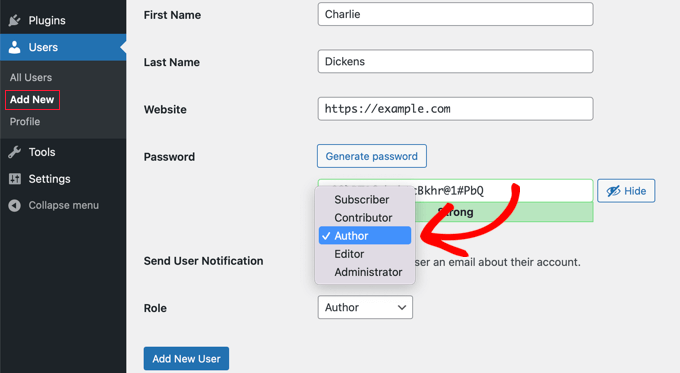
Authentication Techniques help keep websites safe. Passwords are common. They should be strong. Use letters, numbers, and symbols. Two-factor authentication is better. It adds an extra step. A code is sent to your phone. Only you can see it. This makes hacking harder. Avoid sharing passwords with others.
Data Protection Strategies keep information safe. Backups are important. They save data elsewhere. If something goes wrong, you can restore it. Encryption is a smart choice. It scrambles data. Only those with a key can read it. Regular updates are key. They fix security holes. Keep plugins and themes updated. This stops attacks. Protect your data like treasure.
Credit: www.wpbeginner.com
Performance Optimization
Caching helps your website load faster. Faster load times make users happy. Some caching tools are W3 Total Cache and WP Super Cache. They store files that users need. These tools give files quickly. Your server works less and saves energy. This makes the site run smoothly. Site speed improves too.
Databases store your website data. Over time, they get cluttered. Clean them often for best speed. Use plugins like WP-Optimize. These tools remove junk data. They also fix database errors. A clean database means faster page loads. Your site becomes more reliable.
Frequently Asked Questions
What Is WordPress Backend?
The WordPress backend is the admin area where you manage your website. It includes features like content creation, plugin management, and theme customization. Users can access it via a secure login. It’s designed to be user-friendly, allowing both beginners and experts to manage their sites effectively.
How Do I Access WordPress Backend?
To access the WordPress backend, go to yourwebsite. com/wp-admin. Enter your username and password to log in. Once logged in, you’ll see the dashboard. This is where you can manage posts, pages, themes, plugins, and settings. Ensure your login credentials are secure to protect your site.
What Are The Main Features Of WordPress Backend?
The WordPress backend includes a dashboard, posts, pages, themes, plugins, and settings. You can create and edit content, manage comments, and customize your site’s appearance. It also allows you to install plugins for added functionality. The backend is intuitive, making site management straightforward for users.
How Does WordPress Backend Work?
The WordPress backend uses PHP and MySQL to manage your site’s content. When you interact with the backend, it communicates with the database. This retrieves or updates information as needed. The user-friendly interface allows you to perform tasks without technical knowledge.
This makes website management accessible to everyone.
Conclusion
WordPress backend offers a powerful tool for website management. It provides flexibility to customize your site easily. You can update plugins, manage themes, and organize content. Understanding the backend helps improve your site’s functionality. It’s crucial for optimizing your website performance.
Learning these basics boosts your confidence in site maintenance. With practice, your skills will grow. You’ll find managing your site becomes easier over time. A well-maintained backend ensures smooth operation. So, dive in, explore, and enhance your WordPress experience. It’s an essential part of building a successful online presence.
Happy website managing!


