
Imagine having the power to control your website with just a few keystrokes. That’s precisely what SSH access in web hosting offers you.
It’s like having a direct line to your website’s inner workings, giving you the freedom to manage files, run commands, and make changes with precision. But what exactly is SSH access, and how can it revolutionize the way you handle your web hosting needs?
If you’re curious about unlocking this powerful tool and boosting your website’s performance, you’re in the right place. Stick around, and you’ll discover how SSH access can become an indispensable part of your web hosting toolkit.
Ssh Basics
SSH stands for Secure Shell. It helps you connect to servers safely. Think of it as a door key for computers. This key lets you enter and talk to the server. It keeps your information safe from bad people. SSH is like a secret handshake.
SSH is important for web hosting. It helps manage websites. You can update files easily. You can also fix problems fast. This tool makes sure your website is always safe. Web hosting needs SSH to work well. It is a must-have tool for website owners.
Credit: www.webhostinghub.com
How Ssh Works
SSH access in web hosting provides a secure way to manage servers. It encrypts data, ensuring safe communication between your computer and server. Users can execute commands remotely, making server management efficient and secure.
Key Components
SSH uses several key components to connect computers safely. The server and the client are the main parts. The server waits for requests. The client sends requests. Both must agree to talk securely. Keys are like passwords. They help create safe connections. Public keys are shared. Private keys are secret. Together, they form a strong lock.
Encryption Methods
Encryption changes data into secret codes. Only the right key unlocks the code. Symmetric encryption uses one key for both locking and unlocking. Asymmetric encryption uses two keys. One key locks the data. The other key unlocks it. This keeps the data safe from hackers.
Authentication Process
Authentication checks if you are who you say. It uses passwords or keys. Password-based authentication needs a secret word. Key-based authentication uses keys. Keys are safer than passwords. They are harder to guess. SSH ensures only trusted users can access the server.
Benefits Of Ssh Access
SSH access keeps your data safe. It uses strong encryption methods. This makes it hard for hackers to break in. Your files stay private and secure. Passwords and keys are protected. You can feel confident when transferring files. SSH helps prevent unauthorized access. This is important for web hosting security.
Manage your server from anywhere. SSH allows remote control of your website. No need to be at the office. Access your server with a secure connection. Make changes to your website easily. Fix problems while on the go. SSH offers flexibility and convenience. You can keep your site updated from afar.
Automate tasks with SSH. Save time by scripting commands. Run regular updates without manual input. Schedule backups automatically. This reduces errors and increases efficiency. Use SSH to streamline your work process. SSH simplifies task management. Your web hosting tasks become easier.
Credit: onehost.kz
Setting Up Ssh Access
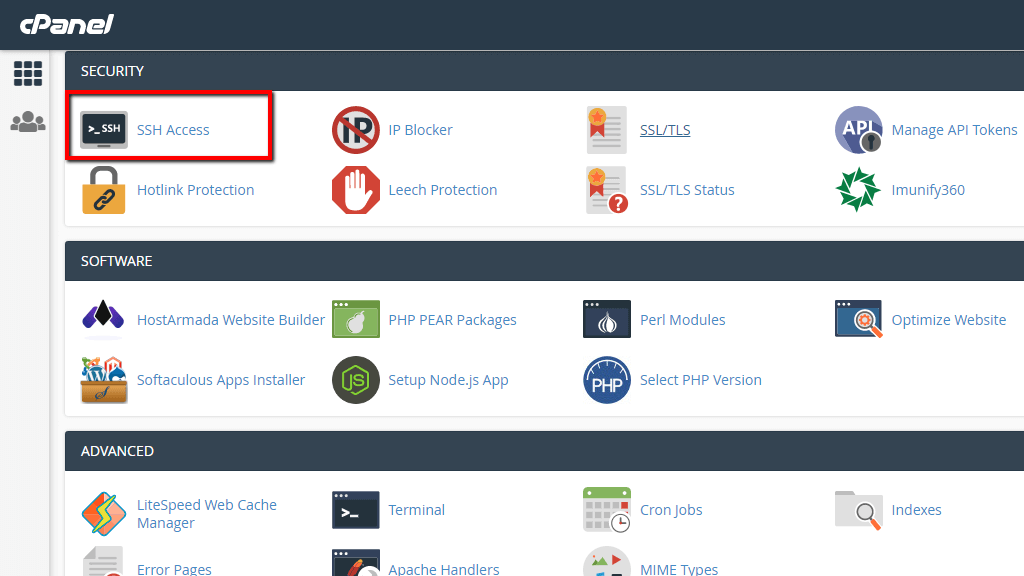
Start by installing SSH software on the server. Most servers have it by default. Check if your server has SSH enabled. Open the terminal to find out. Use simple commands to verify. Ensure the firewall allows SSH connections. Adjust settings if needed. This helps avoid connection issues.
Create a key pair for secure access. Use the ssh-keygen command in the terminal. It makes a public and private key. The public key goes on the server. The private key stays on your device. Keep it safe. This key pair is like a secure lock and key.
Use an SSH client to connect. Popular ones are PuTTY or OpenSSH. Enter the server’s IP address. Then, use the username and password. Or, use the private key. This lets you log in securely. Always check the connection details before you start.
Common Ssh Commands
SSH access in web hosting lets users manage servers remotely, using secure shell commands. Essential SSH commands include navigating directories, managing files, and viewing system information. This access enhances control and efficiency for web developers managing hosting environments.
File Transfer
SSH helps in moving files from one computer to another. The scp command copies files safely. You can also use rsync for faster file transfer. Rsync saves time by transferring only changed parts. Both commands keep files secure during transfer.
Directory Management
Managing directories is easy with SSH. Use mkdir to create a new folder. To see what is inside, use ls. If you want to change the name of a folder, use mv. These commands help in keeping files organized.
Process Monitoring
Monitoring processes is important. The top command shows running programs. You see how much CPU each program uses. Use the ps command to list all processes. It helps in finding programs you want to stop.

Credit: www.interserver.net
Troubleshooting Ssh Issues
SSH access in web hosting allows secure remote management of servers. Troubleshooting SSH issues involves checking network connectivity and ensuring proper configuration settings. Understanding SSH can help maintain effective server communication and security.
Connection Problems
Sometimes, SSH connections don’t work well. Check if the server address is correct. Ensure your internet connection is stable. Firewalls might block SSH. Adjust firewall settings if needed. Try using a different port number. Test the connection again. A simple restart might help too.
Permission Errors
SSH needs the right permissions. Files might not have the right access settings. Check and change them if needed. Use the command line to change permissions. Ensure your SSH keys are correct. Incorrect keys cause errors. Always keep your keys safe.
Security Concerns
SSH is safe, but stay cautious. Use strong passwords for protection. Regularly update your SSH software. Updates fix security bugs. Disable root login for safety. Always monitor SSH access logs. Look for any strange activity. Keep your system secure at all times.
Ssh Best Practices
SSH access in web hosting allows secure remote management of servers. It encrypts data, ensuring safe file transfers and command executions. Implementing strong passwords and regularly updating software enhances security and efficiency.
Securing Ssh Access
SSH is a tool for safe connections. Always use strong passwords. Change default port from 22. Disable root login for extra safety. Use SSH keys instead of passwords. Limit users who can access SSH. These steps help keep your server safe.
Regular Key Updates
SSH keys are like secret codes. Update keys regularly. Delete old keys that you don’t use. Regular updates prevent unauthorized access. It keeps your server safe. Refreshing keys is important for security.
Monitoring Ssh Activity
Check who logs into your server. Regular monitoring is key. Look at logs often. Find unusual activity quickly. Alert if something strange happens. Use tools for monitoring. Stay aware of your server’s activity.
Comparing Ssh And Other Protocols
SSH access in web hosting allows secure communication between a client’s device and the server. It uses encryption to protect data during transfer, ensuring privacy and security. Unlike other protocols, SSH offers a reliable way to manage files and execute commands remotely, enhancing control and efficiency in web hosting.
Ssh Vs. Ftp
FTP is used to transfer files. FTP lacks security. SSH encrypts files. FTP sends data without encryption. SSH uses strong encryption. FTP is faster but less safe. SSH is slower but secure. SSH protects your data. FTP is easy but risky. SSH is harder to set up. SSH keeps files safe.
Ssh Vs. Telnet
Telnet connects computers. Telnet sends data plainly. SSH encrypts data. Telnet is old and less secure. SSH is newer and safer. Telnet is easy to use. SSH is more complex. SSH protects information. Telnet does not. SSH uses strong safety measures. Telnet lacks encryption.
Ssh Vs. Https
HTTPS is secure web browsing. SSH is secure remote access. Both use encryption. SSH secures data transfers. HTTPS secures web pages. SSH is for server access. HTTPS is for web browsing. SSH uses passwords or keys. HTTPS uses certificates. SSH and HTTPS keep data safe. They use different methods.
Frequently Asked Questions
What Is Ssh Access Used For?
SSH access securely connects to remote servers over a network. It encrypts data transmission, ensuring privacy. Developers use it to manage and configure servers. SSH facilitates secure file transfers and remote command execution. It enhances server management by providing a secure communication channel.
What Is Ssh In Web Hosting?
SSH, or Secure Shell, is a protocol for secure remote access to a server. It encrypts data for safe communication. Web hosting uses SSH for managing files, executing commands, and ensuring security. It requires an SSH client and credentials for access.
How To Access Hosting Via Ssh?
To access hosting via SSH, use an SSH client like PuTTY. Enter your server’s IP address, port number, and login credentials. Ensure SSH access is enabled in your hosting account settings. Connect securely to manage your server files and configurations.
Is It Safe To Open Ssh To The Internet?
Opening SSH to the internet can be risky without proper security measures. Use strong passwords, SSH keys, and firewall rules. Regularly update your software and monitor for suspicious activity to enhance security. Limit access by IP and consider using a VPN for additional protection.
Conclusion
Understanding SSH access can simplify your web hosting experience. It offers secure connections, enhancing data safety. With SSH, you manage files efficiently, saving time. This tool is essential for developers and advanced users. Learning SSH basics improves your control over hosting tasks.
Remember, practice makes perfect. Explore further to fully grasp its potential. Security and control are key benefits. Start using SSH today for a safer, smoother web hosting journey. Your online management skills will grow stronger. Embrace this valuable tool for better hosting experiences.


