
Imagine visiting a website and feeling instantly intrigued by its captivating name and catchy phrase. That’s the magic of a well-crafted site title and tagline in WordPress.
These elements are more than just words; they are the first impression your visitors get and can significantly impact how they perceive your brand. But what exactly is a site title and tagline, and why are they so crucial for your WordPress site?
In this blog post, you’ll discover the power of these seemingly simple components and how they can shape your website’s identity. Whether you’re starting a new site or looking to refine your current one, understanding the role of a site title and tagline can be a game-changer. Ready to enhance your online presence? Let’s dive into the details that could transform the way people see your website.
Site Title In WordPress
The site title is the name of your website. It appears at the top of the browser. It helps users know your site’s name. It should be short and catchy. Make sure it reflects your site’s purpose. This helps visitors remember your site.
A good site title can boost your brand. It makes your site look professional. People will connect the title with your content. This helps in building trust. Choose a title that matches your brand’s voice. It should be unique and easy to spell.
The site title helps search engines find your site. It improves your search ranking. Use keywords in your title for better results. This will help people find your site easily. Make sure your title is relevant to your content. It should be informative and engaging.

Credit: colibriwp.com
Tagline In WordPress
A tagline is a short phrase. It describes your website. It tells visitors what your site is about. It helps people understand your blog quickly. A good tagline is clear. It should be easy to read. It helps your site stand out.
Use simple words. Keep it short. Make it catchy and memorable. A tagline should reflect your site’s mission. It should match the tone of your content. Test different taglines. Choose the best one. Make sure it fits your website well.
Taglines help in search results. They improve search rankings. Search engines read taglines. They help in identifying your site’s theme. Use keywords wisely. Keywords make taglines more effective. Taglines can attract more visitors. They are important for SEO success.
Difference Between Site Title And Tagline
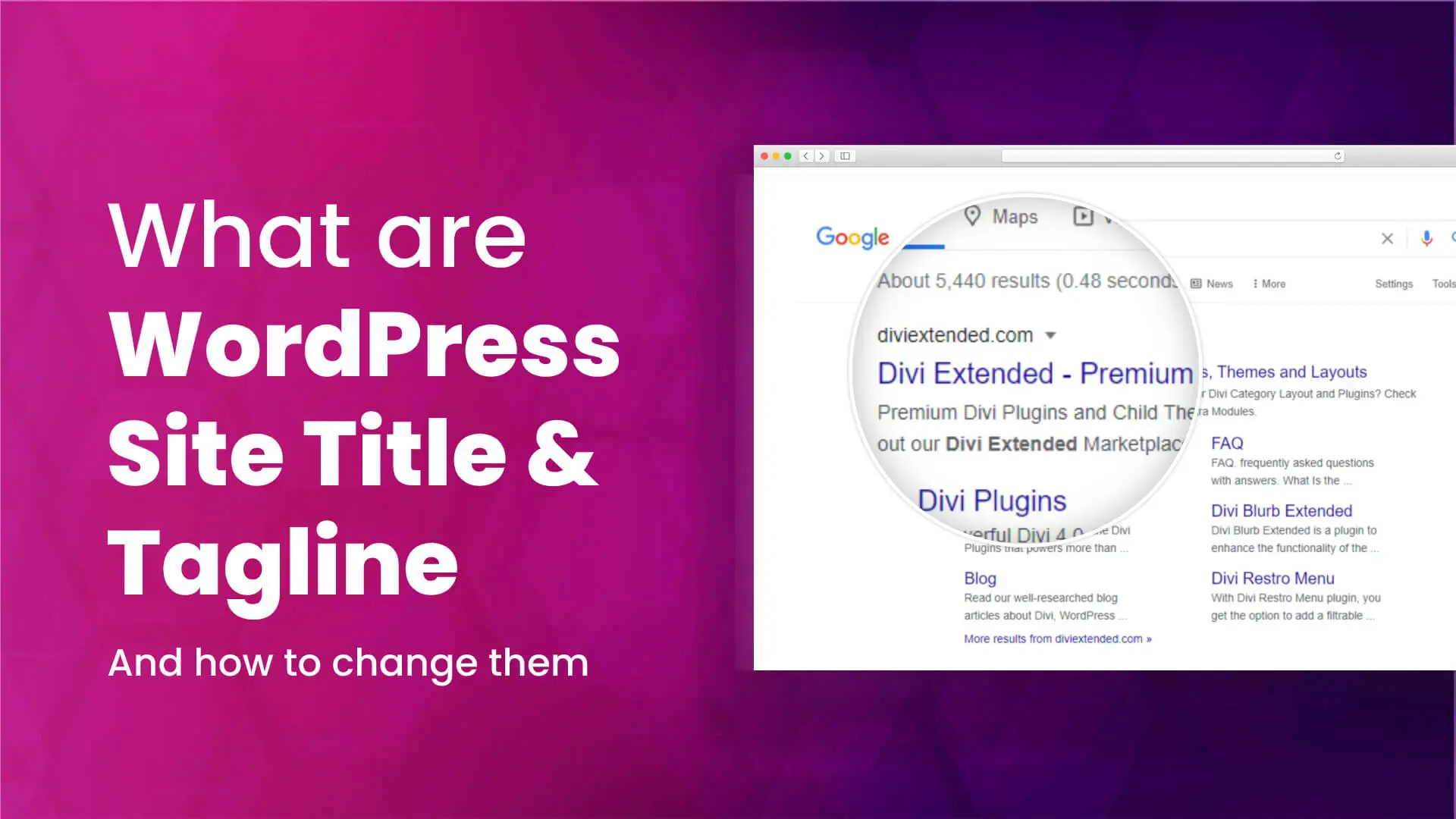
Site Title is like a name for your website. It appears on the browser tab. It helps people know your website’s name quickly. The Tagline is a short phrase. It describes what your site is about. It often appears below the Site Title.
Role In Identity
Both Site Title and Tagline help in making your site unique. The title shows your site’s main name. The tagline gives a quick idea about content. Together, they form your site’s identity. They tell visitors what to expect.
Influence On User Experience
A clear title and tagline make users feel at home. They guide users to understand your site. They help users find the right site easily. A good combination can keep users engaged. They build trust and encourage users to explore more.
Credit: mekshq.com
How To Set Site Title And Tagline
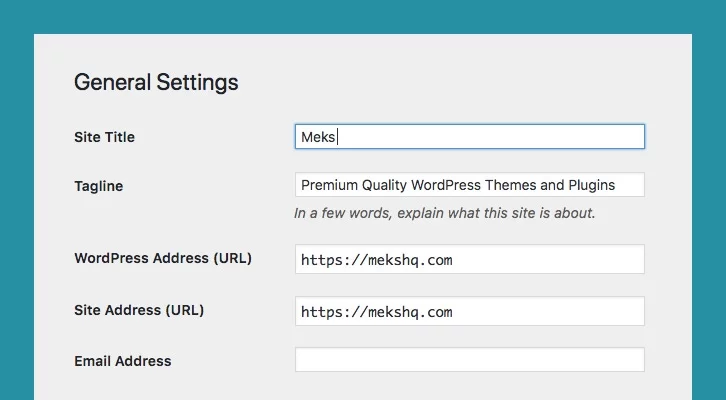
Start by logging into your WordPress dashboard. Look for the “Settings” option on the left menu. Click on it to see more options. You will find a section named “General”. This is where you can adjust the site title and tagline.
First, find the fields for Site Title and Tagline. Enter your desired title in the first field. This title shows on the browser tab. Next, type a short phrase in the tagline field. This tagline appears below the title. Press the “Save Changes” button at the bottom. Your new title and tagline are now live!
Best Practices
Consistency with Brand is key for site titles and taglines. They should match your brand’s voice. This helps users connect with your website. It builds trust and recognition. A consistent title and tagline tell visitors what to expect. They make your site memorable. This can lead to more visitors returning.
Keeping it Concise is important for clarity. Short titles and taglines are easier to read. They are quicker to understand. Users can grasp the message in seconds. A concise tagline summarizes your site’s purpose. It avoids confusion and keeps focus clear.
Common Mistakes
Site titles and taglines in WordPress can be easily misunderstood. People often confuse them, leading to inconsistent branding. A clear title and concise tagline ensure better visibility and identity.
Overlooking Seo Potential
Many people forget the SEO value of a site title. A good title can help your site show up in searches. It needs to have the right keywords. This way, more people find your site. Your tagline is also important. It should explain what your site is about. Keep it clear and simple. This helps both search engines and readers.
Ignoring Readability
Some titles are hard to read. This makes people leave your site. A clear title is easy to read. It can keep visitors on your page. The tagline should be short. Use simple words. This makes it easy for everyone to understand. Good readability helps your site look professional. It also improves user experience.
Credit: diviextended.com
Frequently Asked Questions
What Is A Site Title In WordPress?
A site title in WordPress is the name of your website. It appears in the browser tab and search results. It’s crucial for branding and SEO. Choosing a clear and relevant site title helps visitors understand your site’s purpose quickly.
Why Is A WordPress Tagline Important?
A WordPress tagline summarizes your site’s mission in a few words. It appears below your site title in search engines. A well-crafted tagline can enhance your branding and improve SEO. It helps convey your site’s message quickly to visitors.
How To Change Site Title In WordPress?
To change the site title in WordPress, go to your dashboard. Navigate to Settings > General. Here, you can update your site title. After entering the new title, save the changes. This process is simple and enhances your site’s branding.
Does The WordPress Tagline Affect Seo?
Yes, the WordPress tagline can affect SEO. Including relevant keywords in your tagline can boost search visibility. It helps search engines understand your site’s content. A well-optimized tagline can improve your site’s ranking in search results.
Conclusion
Understanding the site title and tagline in WordPress is vital. These elements define your site’s identity. They help visitors know your site’s purpose quickly. A clear title attracts users and improves SEO. The tagline gives extra context, enhancing user experience.
Choosing the right words is crucial. They reflect your brand and message. Always keep them concise and relevant. Regularly review and update them. This ensures they stay aligned with your site’s goals. Remember, a well-crafted title and tagline can set you apart.
Make them count.


